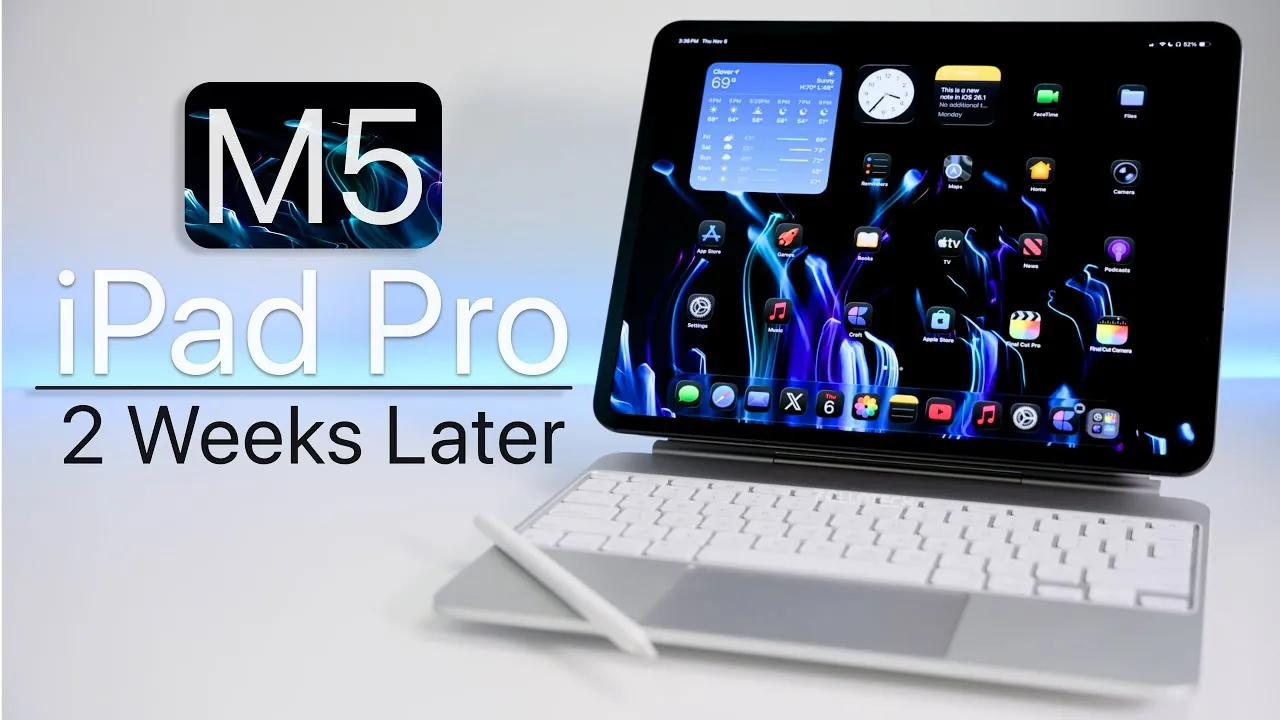
The M5 iPad Pro builds upon the solid foundation of its predecessor, the M4, introducing subtle yet meaningful enhancements that refine its performance, connectivity, and display capabilities. These updates position it as a strong contender in the competitive tablet market. However, for current M4 owners, the improvements may not be compelling enough to warrant an upgrade. On the other hand, users of older iPads or those entering the iPad Pro ecosystem for the first time will find the M5 to be a well-rounded, future-proof device that meets a variety of needs. The video below from zollotech gives us more details about the M5 iPad Pro.

Design: Familiar Aesthetics, Functional Refinements
The M5 iPad Pro retains the sleek, minimalist design that has become synonymous with the iPad Pro lineup. While the overall aesthetic remains largely unchanged, subtle refinements enhance its functionality and appeal. For instance, the removal of the “iPad Pro” branding results in a cleaner, more streamlined appearance.
Key design features include:
- Four high-quality speakers that deliver immersive audio for media consumption and video calls.
- A Thunderbolt port allowing fast data transfers and expanded connectivity options.
- A pogo pin connector that assists seamless integration with accessories like keyboards and docks.
- A dedicated Apple Pencil charging area for added convenience and efficiency.
These design elements make the M5 iPad Pro a versatile device, equally suited for professional tasks, creative projects, and personal use. While the overall design may feel familiar, these functional tweaks ensure it remains modern and practical.
Display: Enhanced Visuals with Minor Trade-Offs
The display is one of the standout features of the M5 iPad Pro, offering a combination of advanced technologies that cater to a wide range of users. The new nano-texture option significantly reduces glare, making the device more usable in bright environments such as outdoor settings or well-lit offices. Additionally, the ProMotion technology, with its 120 Hz refresh rate, ensures smooth scrolling, responsive touch interactions, and an overall fluid user experience. For professionals, the external 4K support adds value by allowing the device to function as a secondary monitor.
However, there is a notable drawback:
- The lack of PWM (Pulse Width Modulation) adjustment may cause discomfort for users sensitive to screen flicker. This issue is particularly noticeable when the screen brightness is set below 88%, as PWM operates at 240 Hz in these conditions.
Despite this limitation, the M5 iPad Pro’s display remains a strong selling point, offering vibrant visuals and excellent usability for most users.
Performance: Incremental Yet Reliable Upgrades
The M5 iPad Pro is powered by the M5 chip, paired with up to 16 GB of RAM in the 1 TB storage model. This combination delivers robust performance, with benchmarks indicating improvements over the M4. However, the performance gains in everyday tasks, such as web browsing or document editing, may feel incremental rather than fantastic.
Notable performance upgrades include:
- Wi-Fi 7 support, which provides faster and more reliable wireless connectivity.
- Apple’s C1X modem, enhancing cellular performance for users who rely on mobile data.
- Thread support, allowing better integration with smart home devices.
These enhancements ensure the M5 iPad Pro remains relevant and capable of handling demanding tasks, even as technology continues to evolve. While the performance improvements may not be new, they contribute to the device’s overall reliability and longevity.
Accessories: Compatibility and Room for Improvement
The M5 iPad Pro maintains compatibility with existing accessories, such as the Magic Keyboard and Apple Pencil, making it an appealing choice for productivity and creative tasks. The pogo pin connector further expands its versatility by supporting a range of third-party peripherals, from external keyboards to docking stations.
However, some limitations persist. For instance, the Magic Keyboard’s design remains slightly top-heavy, which can make it less comfortable for extended use on your lap. While this issue does not detract significantly from the overall experience, it highlights an area where further refinement could enhance usability.
Battery Life: Consistent and Dependable
The M5 iPad Pro offers reliable battery performance, with usage times ranging from 6 to 10 hours depending on the intensity of your activities. Tasks such as streaming videos, multitasking, or working on documents are well-supported by the battery’s capacity. To maintain long-term battery health, adopting regular charging habits is recommended. This ensures the device continues to deliver consistent performance over time, making it a dependable companion for both work and leisure.
iPadOS 26.1: Optimized for Productivity
Running on iPadOS 26.1, the M5 iPad Pro delivers a smooth and responsive software experience. Features like Windowed mode and Slide Over enhance multitasking capabilities, allowing users to manage multiple apps simultaneously. The full-screen mode remains ideal for focused tasks, such as writing or editing.
However, minor software bugs persist. For example, occasional unresponsiveness in Safari can disrupt workflows. While these issues are not widespread or severe, they highlight areas where further optimization could improve the overall user experience.
Use Cases: A Versatile Device for Diverse Needs
The M5 iPad Pro excels in a variety of use cases, making it a versatile choice for different types of users. Its capabilities include:
- Media consumption, thanks to its vibrant display and powerful speakers.
- Productivity tasks, supported by accessory compatibility and multitasking features.
- Creative work, such as photo editing, sketching, or light video editing.
Additionally, the device’s ability to function as a secondary monitor or portable workstation enhances its appeal for professionals. However, the absence of certain professional-grade apps, like Pixelmator Pro, may limit its utility for some creative users.
Should You Upgrade?
The decision to upgrade to the M5 iPad Pro depends largely on your current device and specific needs:
- Existing M4 users: While the M5 introduces meaningful improvements, they may not justify the cost of upgrading unless you require features like Wi-Fi 7 or the nano-texture display.
- Older iPad users: For those using older models, the M5 represents a significant leap in performance, design, and functionality.
- First-time buyers: If you are new to the iPad Pro lineup, the M5 is a robust and future-proof choice that offers excellent value.
Overall, the M5 iPad Pro strikes a balance between performance, design, and versatility. While its upgrades may feel incremental to some, it remains a top-tier tablet that caters to a wide range of users, from casual consumers to professionals seeking a reliable and capable device.
Explore further guides and articles from our vast library that you may find relevant to your interests in M5 chip.
Source & Image Credit: zollotech
Filed Under: Apple, Apple iPad, Guides, Tablet News, Top News
Latest Geeky Gadgets Deals
Disclosure: Some of our articles include affiliate links. If you buy something through one of these links, Geeky Gadgets may earn an affiliate commission. Learn about our Disclosure Policy.
Credit: Source link