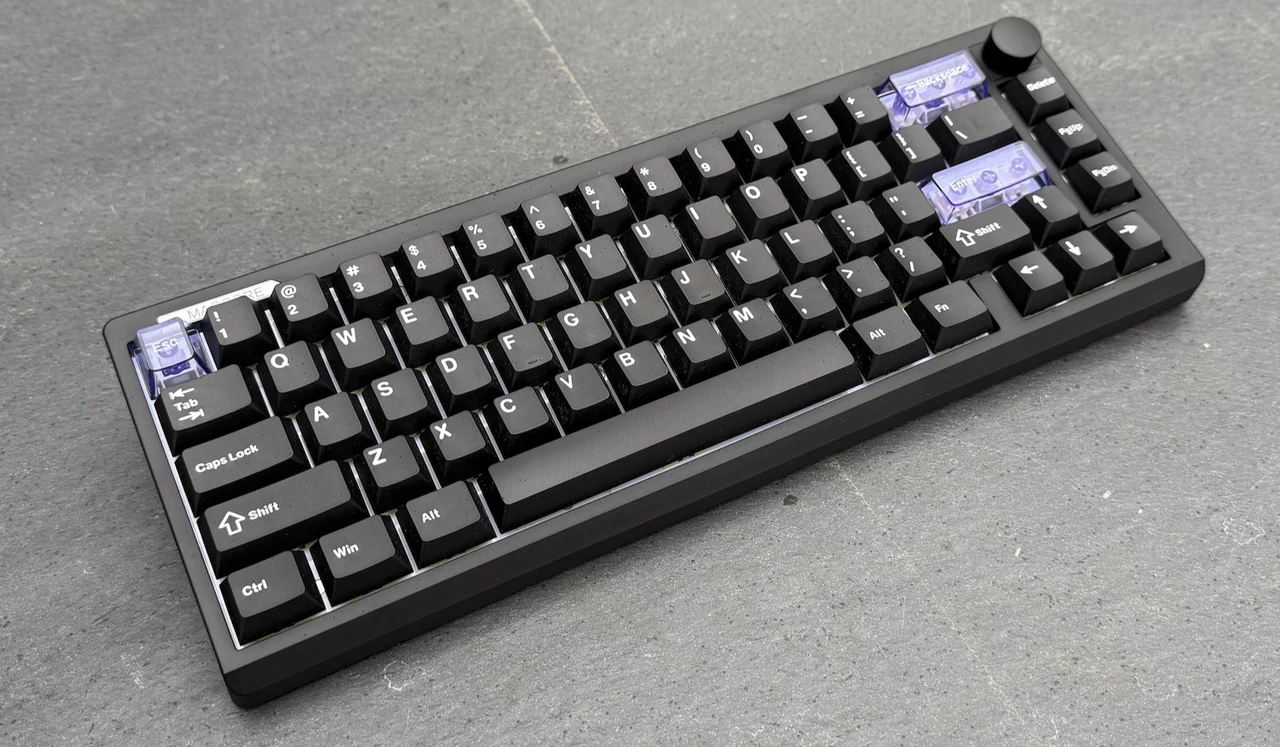
Analog-style keyboards used to be a relatively narrow space split between expensive Hall effect boards and enthusiast projects that took time and extra spending. The Epomaker Magcore 65 Lite sits closer to the mainstream end of that spectrum: a compact 65% wireless keyboard priced at $79.99 with inductive switches, tri-mode connectivity and manufacturer-listed high polling in wired mode. For this review, I kept my focus on daily use, layout efficiency, build and ergonomics, switching between devices, typing feel and acoustics and whether the inductive approach feels practical rather than gimmicky.
Key Features
- The Epomaker Magcore65 Lite Inductive switches deliver a smooth, consistent keystroke that feels well-suited to fast typing and responsive play.
- Tri-mode connectivity (USB, 2.4GHz, Bluetooth) makes it easy to swap between setups without changing keyboards.
- A gasket mount with layered dampening helps the ABS chassis sound more controlled and less hollow than many budget boards.
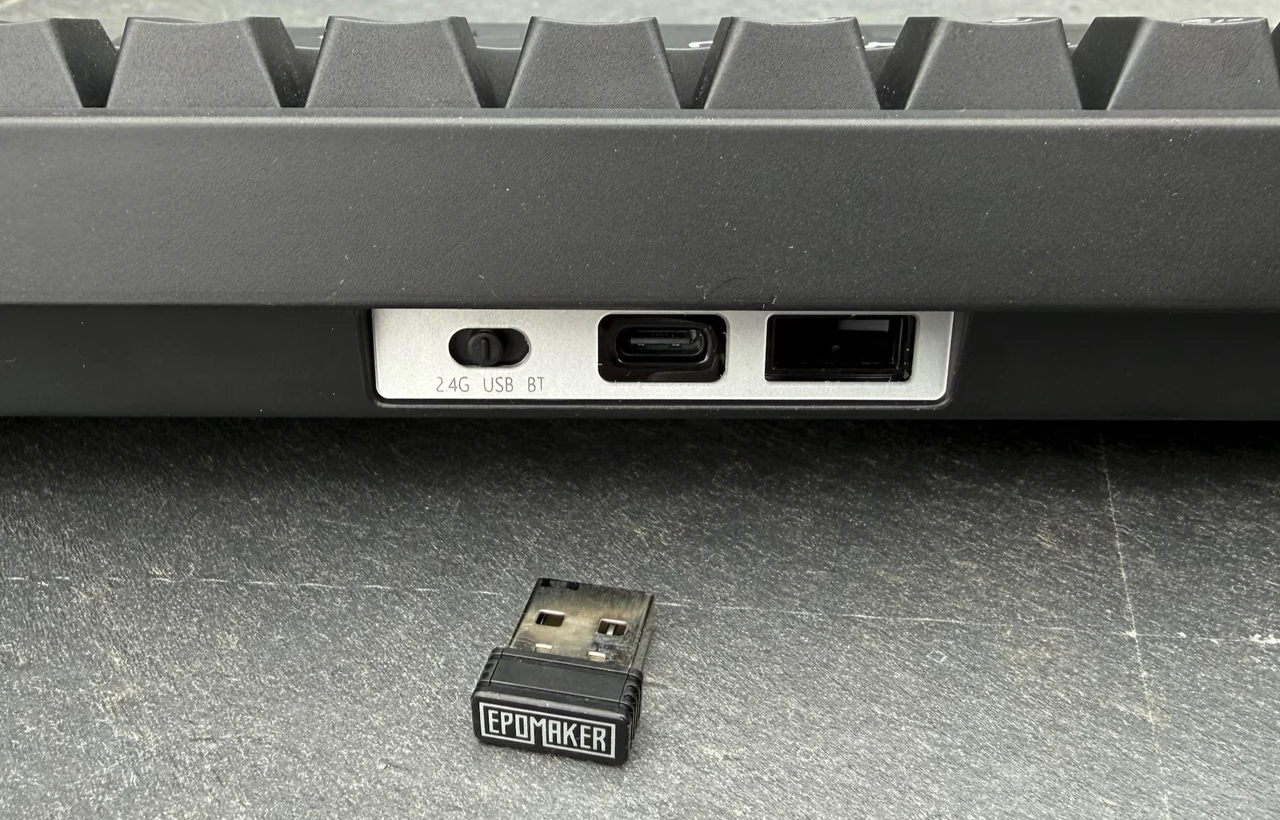
- The rear slot for the 2.4GHz receiver is a genuinely practical touch that reduces the chance of losing the dongle.
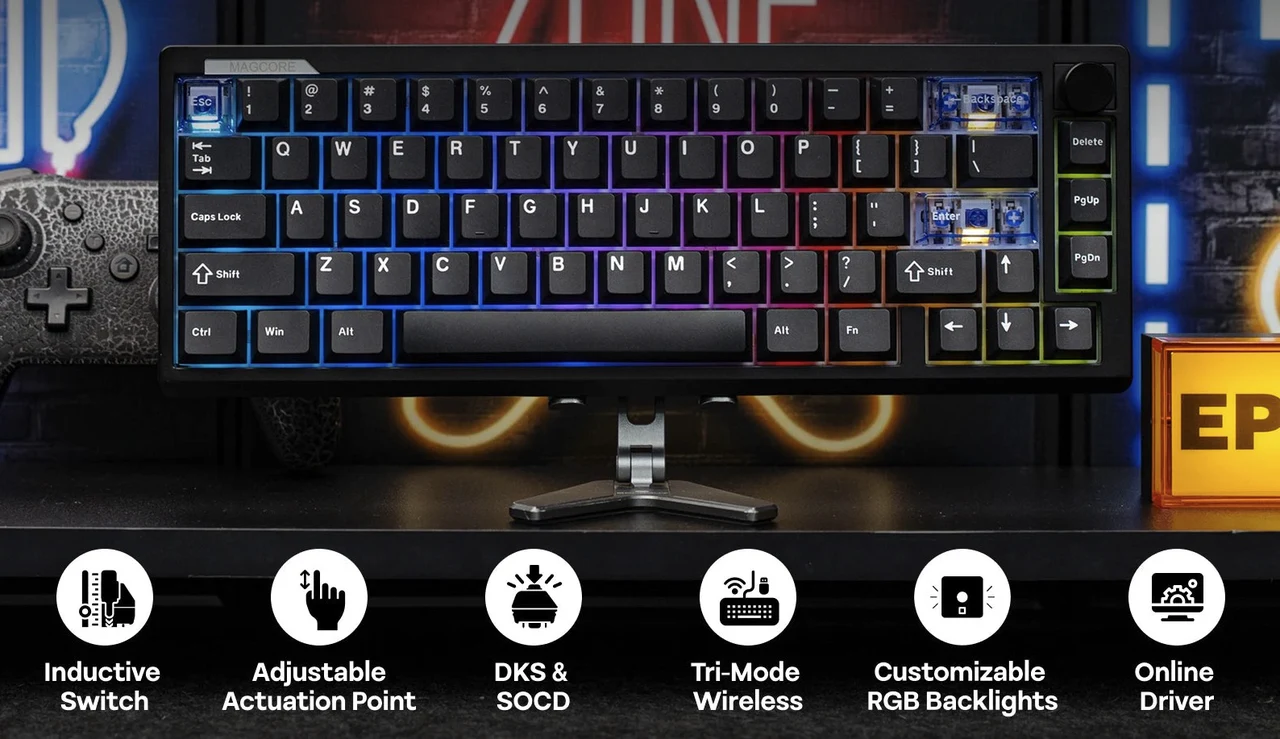
- Per-key, south-facing RGB looks even and functional under Cherry-profile caps, with clear accent keys adding extra pop.
- Limitation: hot-swap flexibility is constrained because it only supports inductive switches, not standard mechanical or Hall effect options.
How Inductive Switches Work
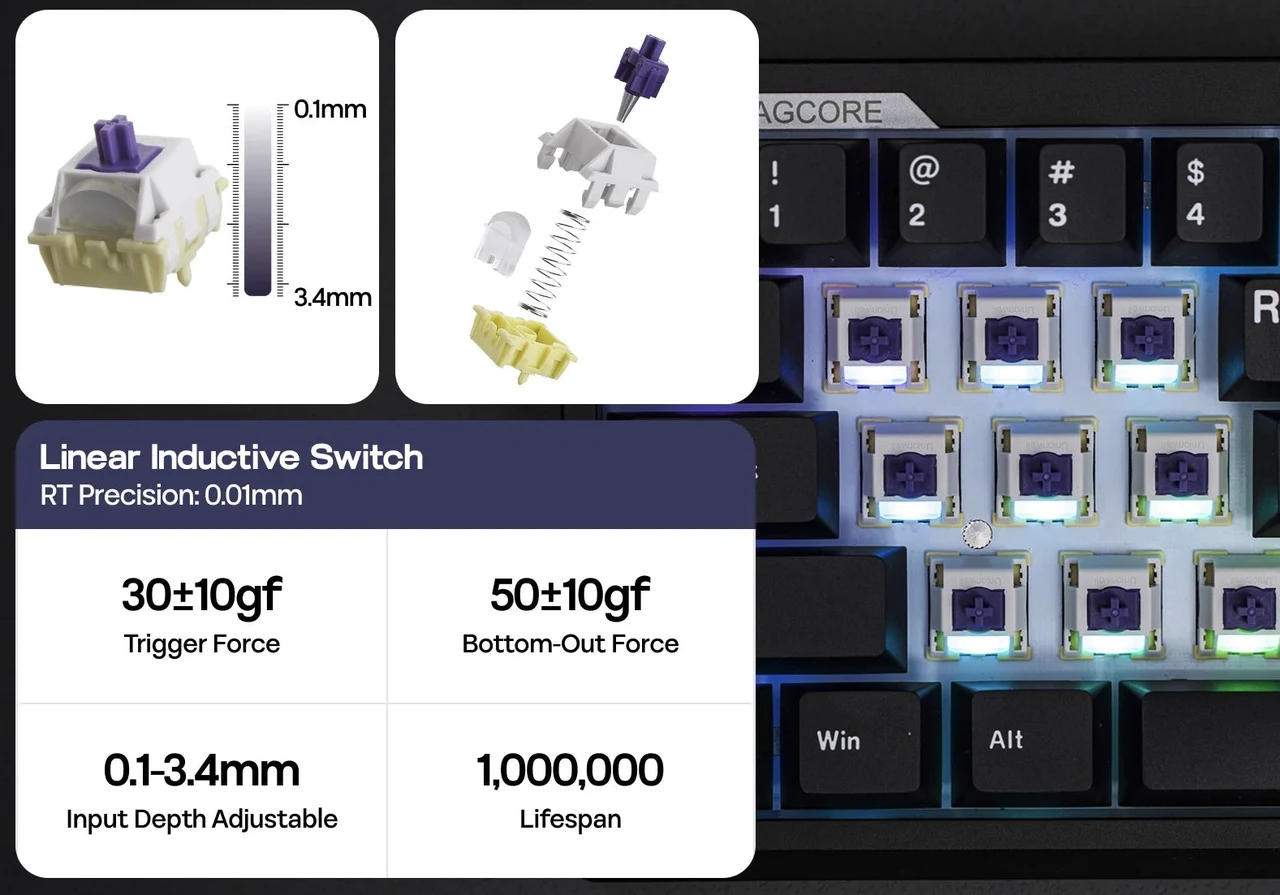
Inductive switches use electromagnetic induction to detect key presses without physical electrical contact. Each key contains a coil on the PCB and a conductive element attached to the moving key mechanism; when pressed, the element alters the coil’s magnetic field, changing its inductance, which the keyboard’s controller detects. Because no metal contacts touch, inductive switches eliminate contact bounce, reduce electrical wear, and offer exceptional durability. This non-contact design can also enable highly precise actuation and, in some implementations, analog-style input by measuring how far a key is pressed rather than simply registering an on/off signal.
Layout & Switch Approach
My review unit is the Magcore65 Lite in a 65% / 66-key layout. This is the compact format I keep coming back to because it trims the footprint while retaining dedicated arrow keys and a small navigation cluster. In daily use, those keys save me from constant layering when I’m editing text, moving through documents, or nudging a cursor around spreadsheets.
The board’s identity really comes from the switch system. These are inductive switches, which puts the Magcore65 Lite in a different lane than traditional mechanical contact switches, and also separate from magnetic (Hall effect) boards. That distinction matters because it shapes both feel and long-term ownership. I’m not buying into the massive ecosystem of conventional mechanical switches and I’m also not buying a Hall effect platform.
Epomaker markets it as hot-swappable, but the fine print is the story: it’s hot-swap within inductive switches only. It is not compatible with 3-pin or 5-pin mechanical switches and it’s not compatible with magnetic (Hall effect) switches. When I’m judging the value of the board, I treat this as an “appliance-style” purchase: I should like the core feel out of the box, because the typical mod path of trying a dozen mainstream switches is off the table.
That said, I don’t think the limitation is automatically a deal-breaker. It just changes who the keyboard is for. If I want the Magcore65 Lite because I’m curious about inductive switches specifically, the constraint is logical. If I want a general-purpose hot-swap chassis to tinker with endlessly, this isn’t that kind of platform.
Design, Build & Ergonomics
The Magcore 65 Lite keeps a restrained look, but it doesn’t feel flimsy when I handle it. The case is ABS plastic, yet it avoids the hollow, creaky sensation I associate with cheaper plastic shells. The FR4 plate and gasket mount contribute to a more composed feel when I type and the board stays steady on my desk rather than scooting around during quick bursts.
Weight helps here and it’s one of the first things I notice when I move the keyboard around. At 750 g, it has enough heft to feel planted without being annoying to pick up and shift to the side. I used it in a couple of spots, main desk, side desk and a living-room table, and it felt consistent in how it sat and how it sounded.
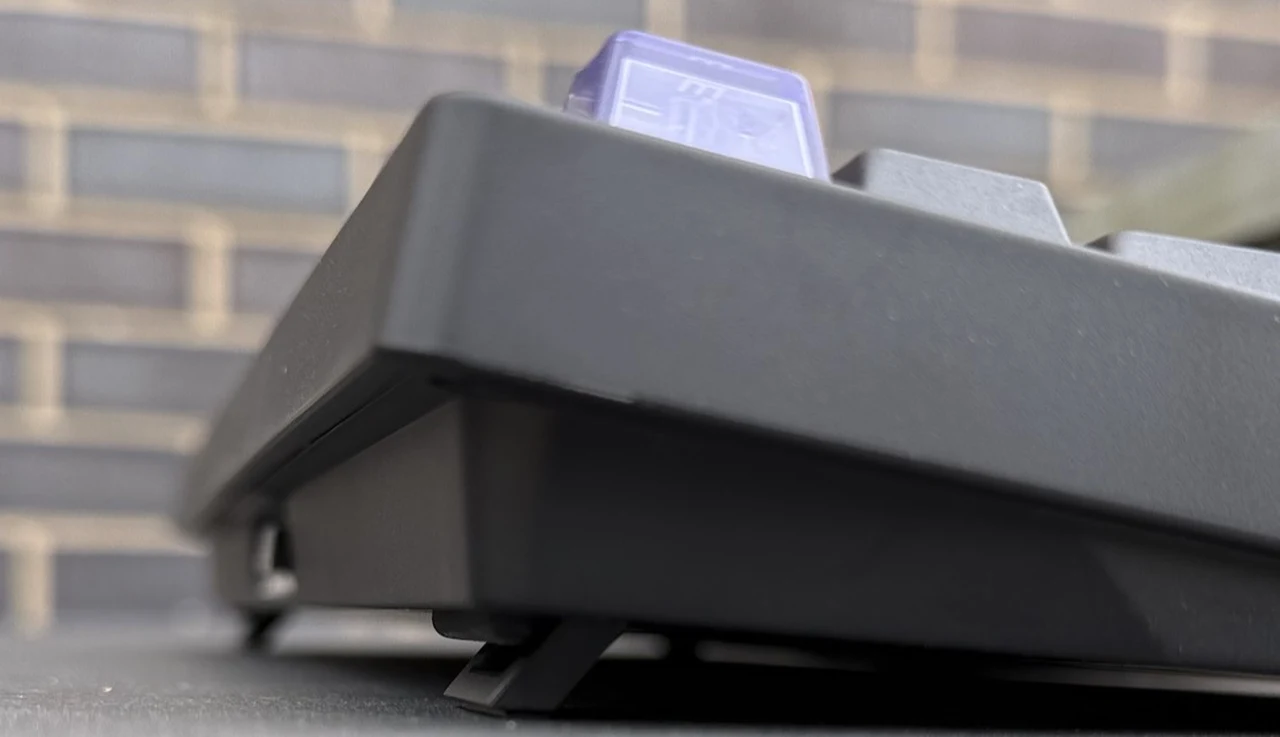
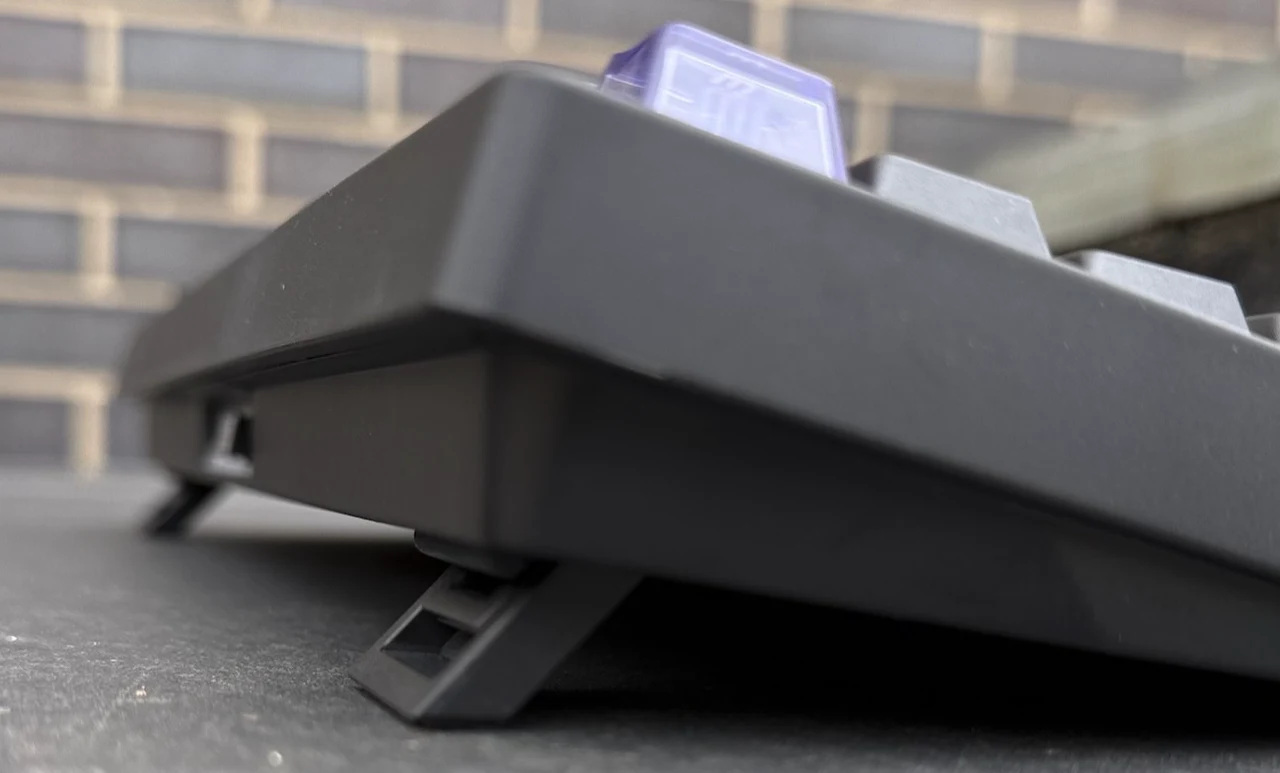
Ergonomics are a quiet win. The front height is 21.5 mm and the board offers three typing angles. In practice, those options aren’t just token flip-out feet; each position changes how my wrists and fingers settle. During longer writing sessions I gravitated to a lower angle for comfort and when I was doing lots of quick navigation and repeated inputs, the steeper option made the keyboard feel more immediately “ready” under my hands.
A small practical detail I ended up appreciating is the rear storage slot for the 2.4 GHz receiver. In daily use, it’s the kind of thing I only notice when it’s missing. Here, I could pack the board up without starting a scavenger hunt for a tiny dongle.
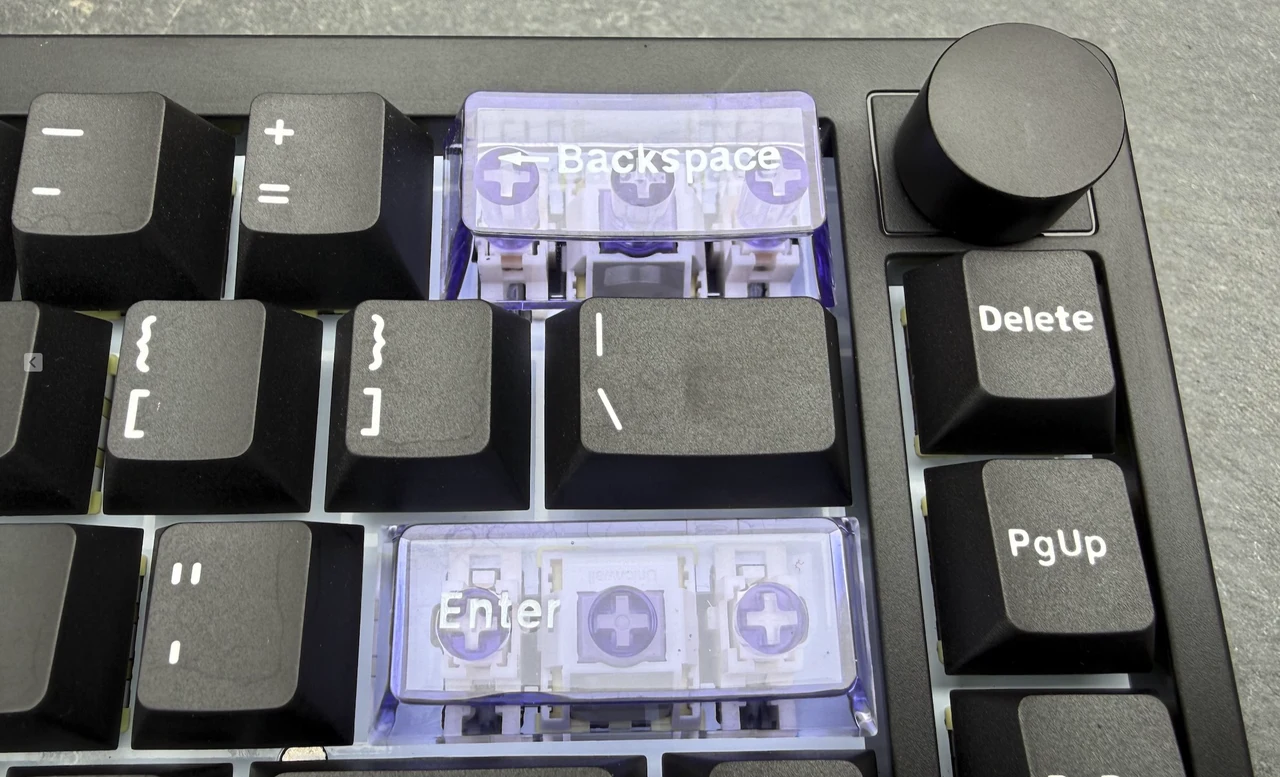
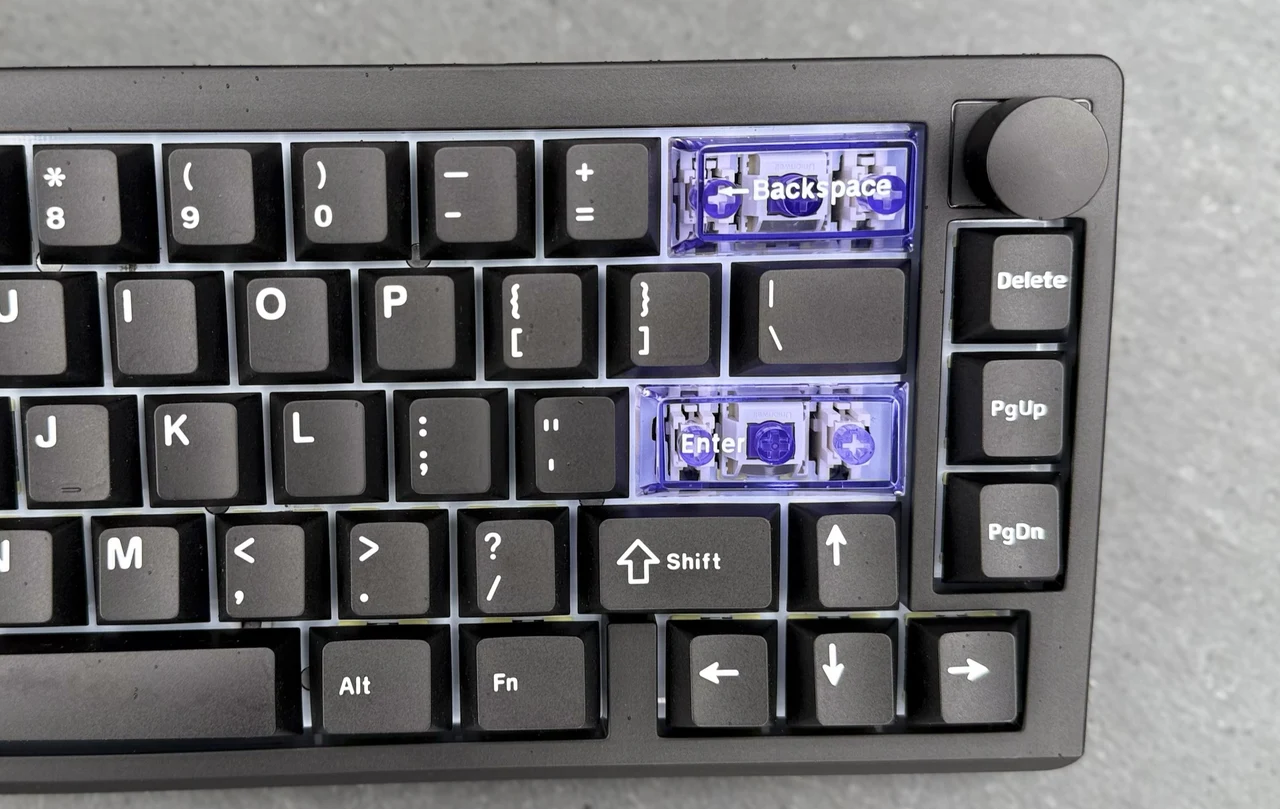
There’s also a programmable rotary dial on the board, that feels deliberate rather than loose or decorative: rotation on my unit felt controlled, with clear tactile steps that made it easy to use without looking down.
Typing Feel & Sound
The Magcore 65 Lite’s typing feel is consistent and distinctly smooth. The inductive switches produce a clean press that reads more like a fast linear than a classic mechanical contact actuation. When I’m moving quickly across the board, that smoothness makes it easy to keep a rhythm, there’s little in the way of friction or scratch to distract me.
If I’m coming from tactiles or clicky switches, the first impression can be “muted,” because I don’t get that sharp punctuation some people love. But once I adjusted expectations, the upside became clearer: the board feels predictable key-to-key. In practice, that predictability is exactly what I want for long writing sessions, because I’m not fighting inconsistencies.
Sound is where the internal construction shows its intent. The gasket mount and layered dampening, sandwich latex foam, IXPE switch pad, PCB latex pad and bottom silicone, aim for a controlled, less resonant presentation. I’d describe it as restrained rather than showy: it doesn’t chase an exaggerated “custom keyboard” thock, but it also avoids the higher-pitched clack and case echo that can make budget boards fatiguing.
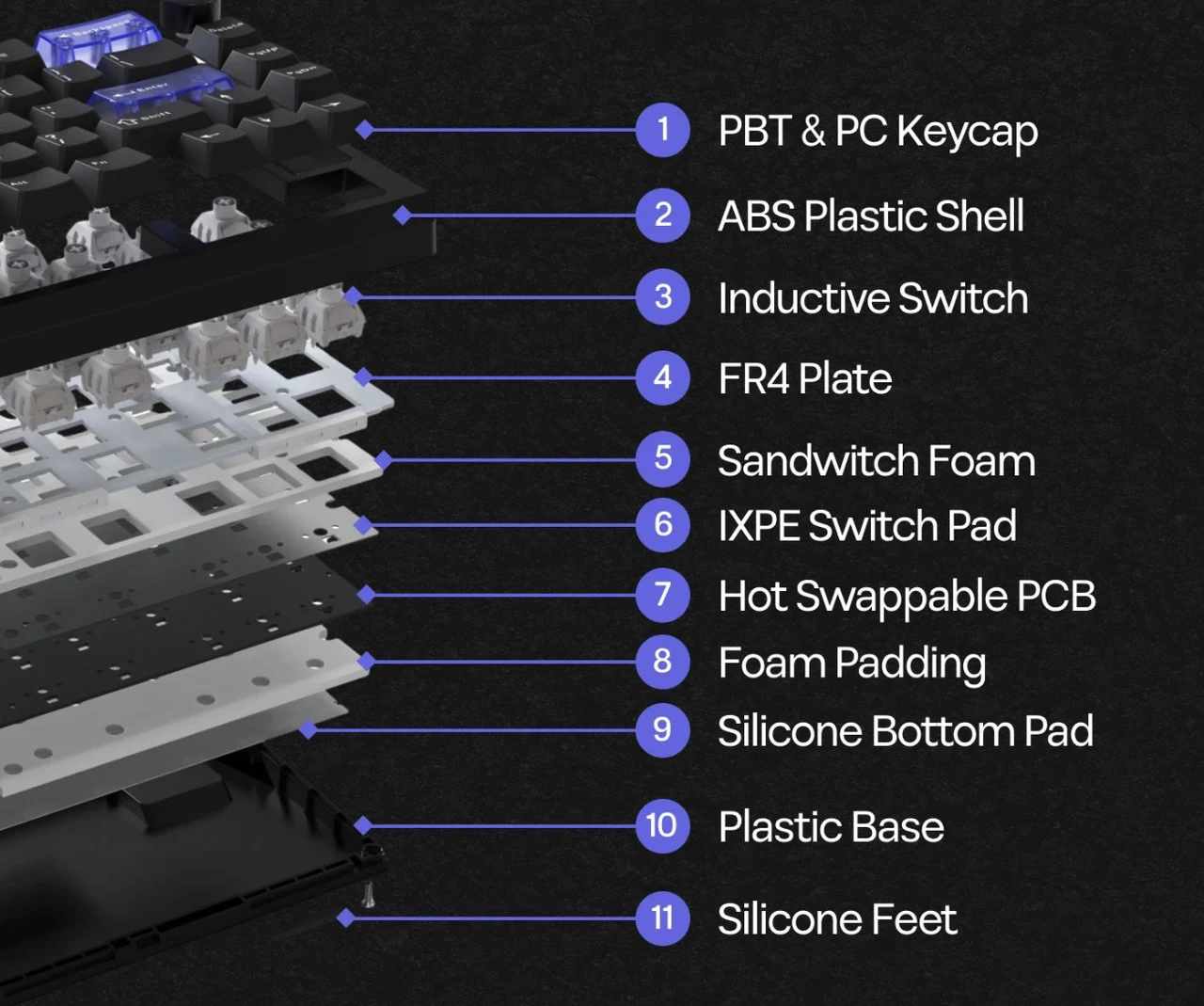
The plate and structural choices matter here too. With no flex cut, the overall keybed feels more stable than bouncy and bottom-out is on the firmer side. I can see some typists preferring a softer landing, but for me the firm response made repeated inputs feel consistent. Over time, that stable feel is something I notice when I’m switching back and forth between tasks, typing, editing and quick shortcuts, because I’m not constantly recalibrating.
Stabilizers are plate-mounted, which is common at this price. The important part is that the larger keys didn’t call attention to themselves in daily use. I wasn’t hearing obvious rattle or feeling sloppy behavior that would push me to disassemble a brand-new keyboard immediately. For an out-of-box experience, that baseline competence matters as much as any spec sheet promise.
Connectivity, Battery & Everyday Reliability
Tri-mode connectivity is one of the Magcore 65 Lite’s clearest strengths because it matches real routines. Wired mode is the simplest: plug in and forget about it. The 2.4 GHz wireless mode is the one I treat as “desktop wireless,” where I want responsiveness without cable clutter. Bluetooth is my convenience option for broad compatibility across devices.
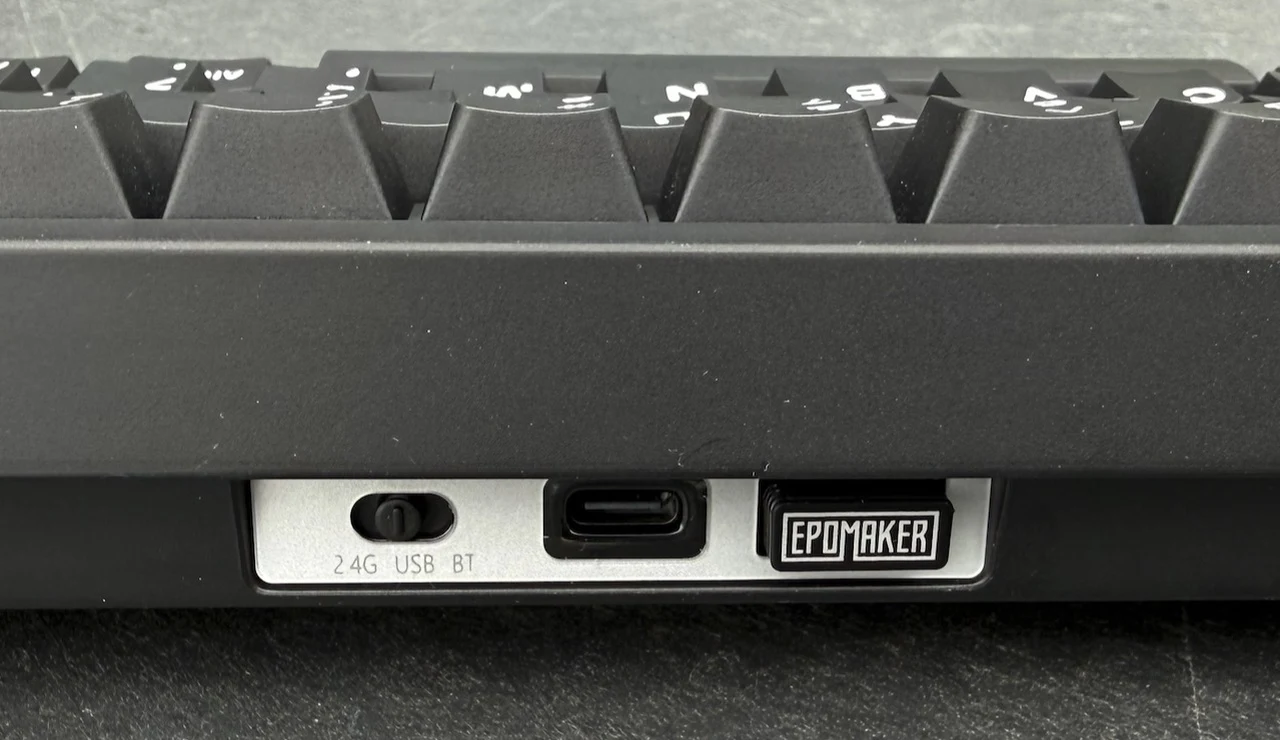
During my time with it, the big win wasn’t obsessing over figures, it was how little friction there was in using the keyboard the way I wanted that day. When I wanted a clean desk, I could go wireless. When I wanted to eliminate variables, I used USB. That flexibility makes the keyboard feel more like a tool I can adapt to the moment rather than a single-mode accessory.

Epomaker lists different polling rates and latency by connection type and the hierarchy makes sense: wired is positioned as the fastest, 2.4 GHz as the higher-performance wireless option and Bluetooth as the most relaxed mode. In practice, I cared most about whether the keyboard felt stable and kept up with fast typing and frequent shortcuts and it did. I didn’t run into the hesitations or flaky behavior that can sour a wireless experience.
Battery capacity is listed as 4000 mAh (2 × 2000 mAh). I didn’t do standardized battery-life testing here, because lighting choices and connection mode can swing results dramatically. What I can overview from everyday use is that the charging story is straightforward: USB-C covers charging and wired operation and that simplicity matters when I’m rotating devices through a workspace.
RGB & Keycaps
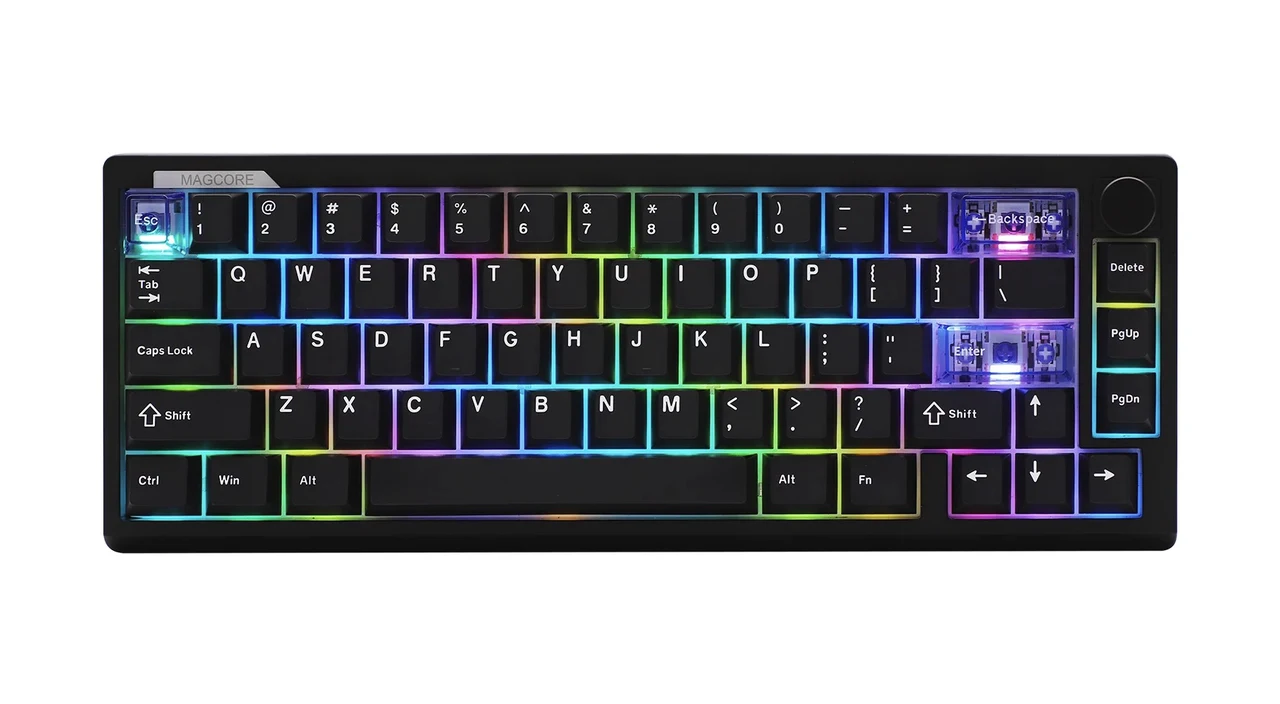
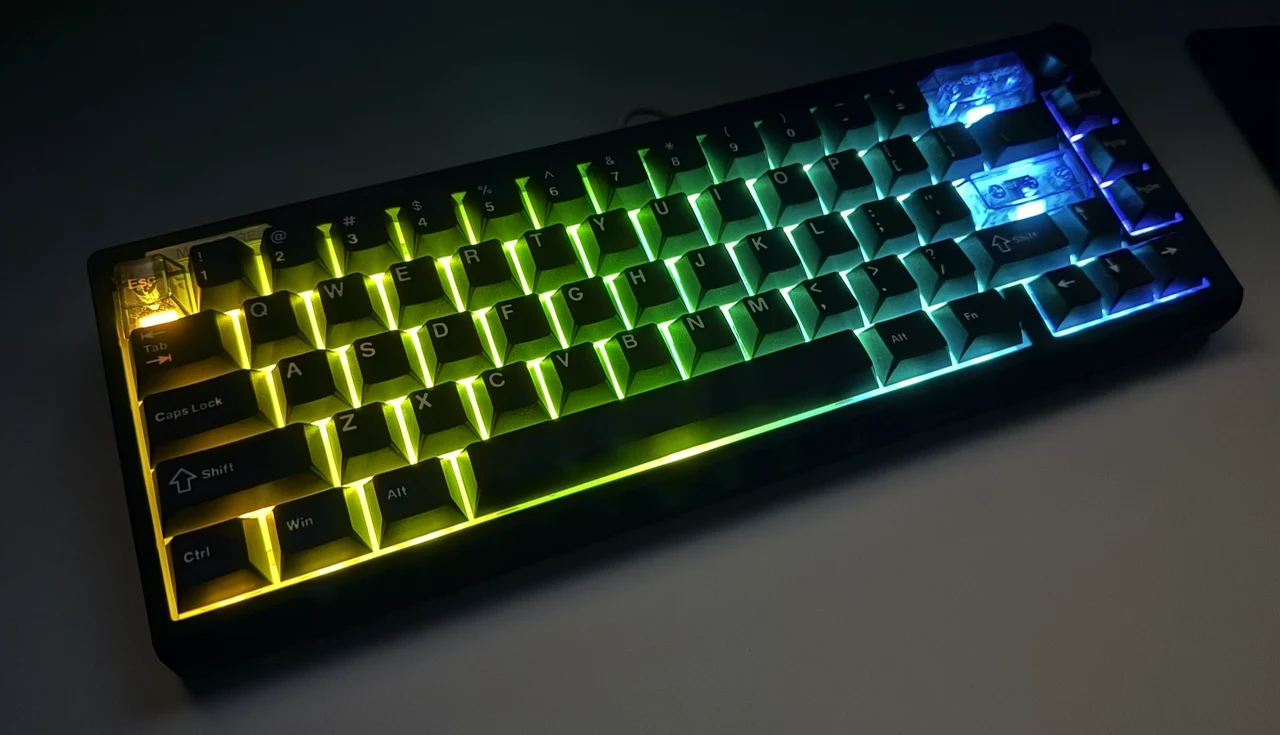
The board offers per-key adjustable RGB with south-facing LEDs. That pairing works well with the included Cherry-profile keycaps. In practice, the lighting sits where I want it: it’s visible and useful in low light without producing awkward glare under the keycap edges.
The keycaps themselves are Cherry profile and made from PBT plastic and PC, with different manufacturing techniques depending on the colorway: double-shot for the black keycaps and silk-screen printed for the blue keycaps. In hand, they didn’t come off as flimsy or overly thin and the set looks cohesive on the board rather than like a mix of unrelated parts.
I also like the transparent accent keys for Enter, Backspace and Escape. They provide quick visual anchors and give the RGB a few clean “windows” without turning the board into a gimmick.
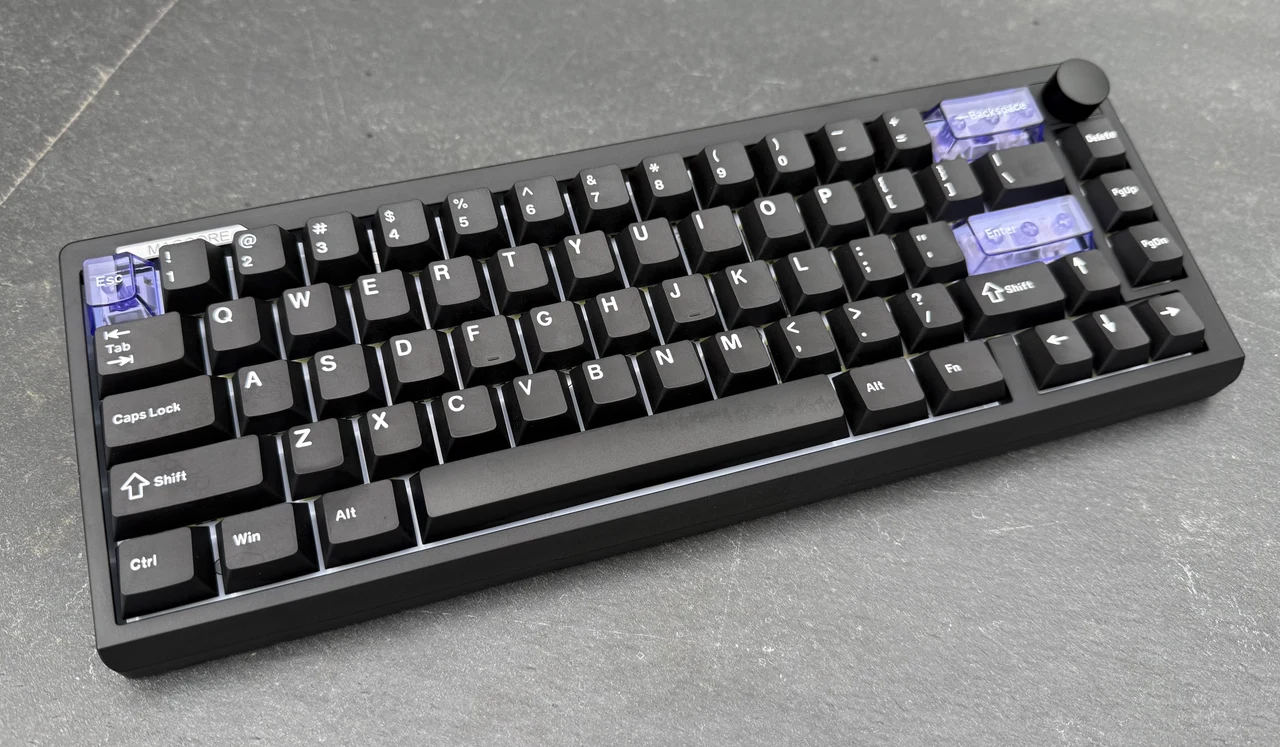
The trade-off is that this is not a full shine-through legend set. When I used the keyboard at night, I treated the RGB more as ambient guidance than as a substitute for illuminated legends on every key. With that expectation, it fit the board’s overall restrained, practical vibe.
Final Assessment
The Epomaker Magcore 65 Lite worked best for me as a compact, flexible daily driver that happens to use inductive switches. In practice, I got smooth, predictable keypresses, a restrained sound profile that didn’t feel intrusive and a layout that stays efficient thanks to dedicated arrows. The tri-mode connectivity and USB-C charging made it easy to fit into a mixed-device routine and the dongle storage solved a common annoyance. The main compromise is the switch ecosystem: the board is hot-swappable, but only within inductive switches, so it’s not aimed at standard mechanical switch collectors. I’d choose it for its out-of-box feel, not as a long-term mod platform.
Technical Specifications
- Brand: EPOMAKER
- Model: Magcore65 Lite
- Layout: 65% layout; US English layout; QWERTY
- Number of keys: 66
- Battery: 4000 mAh rechargeable battery (2 × 2000 mAh)
- Connectivity: USB wired; 2.4 GHz wireless; Bluetooth
- Front height: 21.5 mm
- Typing angles: 6°; 9.5°; 13.5°
- Case material: ABS plastic
- Plate material: FR4 plate
- Flex cut: No flex cut
- Stabilizers: Plate-mounted stabilizers
- Mounting structure: Gasket mount
- Sound dampening: Sandwich latex foam; IXPE switch pad; PCB latex pad; Bottom silicone
- Keycaps profile: Cherry profile
- Keycaps material: PBT plastic and PC
- Keycaps manufacturing technique: Double-shot (black keycaps); Silk-screen printed (blue keycaps)
- Switch type: Inductive switch
- Switch compatibility: Not compatible with 3-pin or 5-pin mechanical switches; Not compatible with magnetic (Hall effect) switches
- Hot swappable: Yes (inductive switches only)
- RGB: Per-key adjustable RGB; South-facing LEDs
- Polling rate: Wired: 8000 Hz; 2.4 GHz wireless: 1000 Hz; Bluetooth: 125 Hz
- Latency: Wired: 0.125 ms; 2.4 GHz wireless: 5 ms; Bluetooth: 15 ms
- Anti-ghosting: Full N-key rollover
- Compatibility: Windows; macOS; Android; Linux
- Keyboard dimensions: 323.7 × 117.7 × 43.2 mm
- Keyboard weight: 750 g
Official Product Page : Epomaker Magcore65 Lite
Filed Under: Hardware, Reviews
Disclosure: Some of our articles include affiliate links. If you buy something through one of these links, Geeky Gadgets may earn an affiliate commission. Learn about our Disclosure Policy.
Credit: Source link