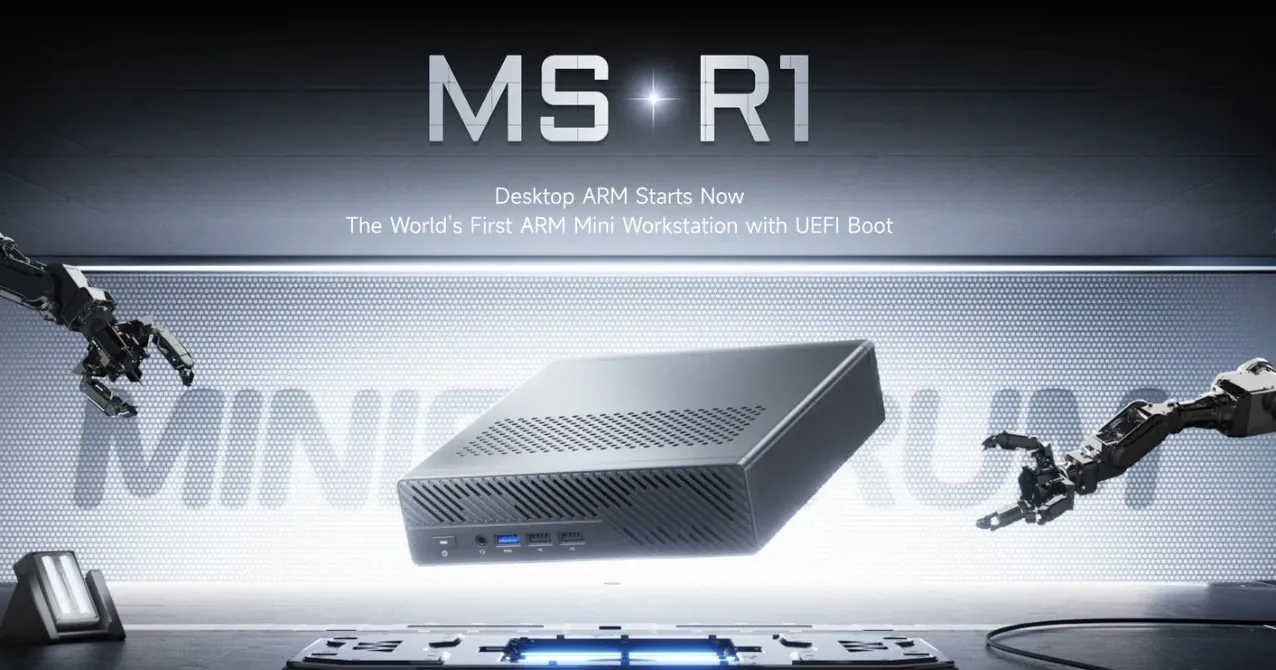
What if you could fit an entire home lab into a device no larger than a hardcover book? The Minisforum MS-R1, an ARM-based compact desktop, promises to do just that, offering a unique blend of power, expandability, and innovative connectivity. Designed for tech enthusiasts and tinkerers, it’s a bold attempt to redefine what small-form-factor computing can achieve. But here’s the catch: while it features impressive hardware like a 12-core ARM CPU, dual 10Gb Ethernet ports, and support for NVMe storage, its real-world performance and software compatibility raise questions. Is this the ultimate tool for ARM enthusiasts, or does it fall short of its ambitious vision?
In this overview, Jeff Geerling explore what makes the MS-R1 both intriguing and polarizing. From its hardware advantages—like PCIe expandability and Wi-Fi 6E, to its software hurdles, such as limited driver support and a steep learning curve, there’s much to unpack. Whether you’re considering it for virtualization, media hosting, or ARM-based development, the MS-R1 offers a glimpse into the future of compact computing. But is it ready for prime time, or is it better suited for the experimental hands of hobbyists? Let’s examine its potential and pitfalls to see where it truly shines.
Compact ARM Desktop Overview
TL;DR Key Takeaways :
- The Minisforum MS-R1 is a compact ARM-based desktop designed for home lab setups and ARM computing enthusiasts, offering robust hardware and expandability but limited mainstream appeal.
- Key hardware features include a 12-core ARM CPU, Mali G720 GPU, NVMe storage support, a full-size PCIe slot, Wi-Fi 6E, dual 10Gb Ethernet ports, and extensive I/O options.
- Performance is inconsistent, with high power consumption and memory bottlenecks, making it less efficient compared to alternatives like the M1 Mac Mini or x86-based mini PCs.
- Software compatibility is a significant challenge, requiring custom ARM OS images and manual configuration due to limited driver support and incomplete BIOS features.
- Best suited for specific use cases like local AI workloads, ARM-based development, and home lab virtualization, but its high cost and limitations make it a niche product for enthusiasts.
Key Features of the MS-R1
The MS-R1 distinguishes itself with hardware capabilities that surpass the typical offerings of single-board computers (SBCs). Its specifications include:
- A 12-core ARM CPU paired with a Mali G720 integrated GPU, allowing multitasking and handling modest graphical workloads.
- Support for NVMe storage and a full-size PCIe slot, offering advanced storage and expansion options.
- Wi-Fi 6E for high-speed wireless connectivity, making sure reliable network performance.
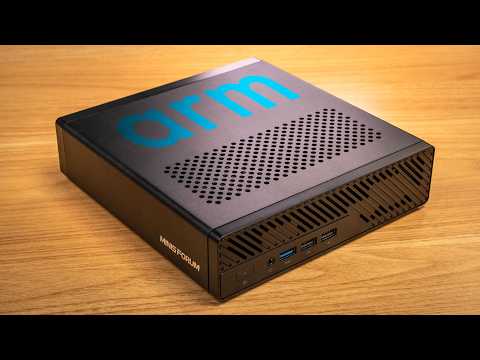
- Extensive I/O options, including nine USB ports (two USB-C with DisplayPort), HDMI output, dual 10Gb Ethernet ports, and an audio combo jack.
- Storage expandability via U.2 and M.2 drive adapters, catering to users with demanding storage requirements.
Despite its compact design, the MS-R1 operates quietly, powered by a 19V adapter. This makes it a practical choice for home lab setups where noise and power efficiency are considerations. However, while its hardware is impressive, its performance inefficiencies and software limitations temper its overall appeal.
Performance: A Mixed Bag
The MS-R1 delivers performance that is both promising and inconsistent, depending on the workload. While it outpaces SBCs like the Raspberry Pi in benchmarks, it struggles to compete with more powerful alternatives such as Apple’s M1 Mac Mini or x86-based mini PCs.
- The 12-core ARM CPU demonstrates uneven performance, excelling in specific tasks but encountering bottlenecks in memory access and other areas.
- High power consumption undermines ARM’s reputation for energy efficiency, making it less attractive for users prioritizing low-power solutions.
These performance challenges limit the MS-R1’s appeal as a cost-effective and efficient computing option. While it can handle certain workloads effectively, its inconsistency makes it less reliable for users seeking a versatile, high-performance system.
Minisforum MS-R1 Review By Jeff Geerling
Browse through more resources below from our in-depth content covering more areas on ARM systems.
Software Compatibility: A Steep Learning Curve
Software support is one of the most significant hurdles for the MS-R1. To fully use its capabilities, users often need to rely on custom ARM OS images, as mainstream Linux distributions like Ubuntu frequently lack full compatibility. Key challenges include:
- Limited Vulkan GPU support and driver availability for ARM-based systems, restricting its use in graphics-intensive applications.
- Incomplete BIOS features and GPU driver support, often requiring manual intervention and technical expertise to configure properly.
While the MS-R1 can run Linux, the lack of seamless software integration creates a barrier for users unfamiliar with ARM-specific configurations. This makes it less accessible to those seeking a straightforward, plug-and-play experience. For users willing to invest time in customization and troubleshooting, however, the MS-R1 offers a unique platform for experimentation.
Best Use Cases
The MS-R1 is not a universal solution but excels in specific scenarios where its hardware and features align with user needs. Its capabilities make it particularly suitable for:
- Local AI workloads and modest multitasking, using its 12-core CPU for parallel processing tasks.
- Home lab setups, including virtualization with Proxmox and media server hosting with software like Jellyfin.
- Development and testing environments for ARM-based applications, providing a platform for experimentation and learning.
However, the absence of a dedicated GPU limits its potential for gaming or graphics-intensive tasks. For general-purpose computing, more efficient and versatile alternatives are available, often at a similar or lower price point.
Challenges and Limitations
Despite its strengths, the MS-R1 faces several challenges that hinder its broader appeal and usability:
- High power consumption and inconsistent performance reduce its value proposition, particularly for users seeking energy-efficient solutions.
- Limited driver support for GPUs and incomplete BIOS features complicate usability, requiring technical expertise to address.
- At a price range of $400 to $500, it struggles to compete with more powerful and efficient options like the M1 Mac Mini, which offers superior performance and software support.
These limitations make the MS-R1 a niche product, best suited for ARM enthusiasts or users with specific technical requirements. For mainstream users, the combination of high cost and limited software compatibility makes it a less compelling choice.
Future Potential
The long-term viability of the MS-R1 depends on addressing its current limitations and expanding its capabilities. Potential improvements that could enhance its appeal include:
- Firmware updates and driver mainlining to improve performance, compatibility, and ease of use.
- Broader software support, including compatibility with Windows on ARM and improved GPU drivers, to expand its usability for a wider range of applications.
- Optimizations to reduce power consumption and enhance energy efficiency, aligning with ARM’s reputation for low-power computing.
These developments would significantly enhance the MS-R1’s competitiveness, making it a more attractive option for both enthusiasts and mainstream users. However, until these improvements are realized, the MS-R1 remains a niche product with limited appeal outside its target audience.
Media Credit: Jeff Geerling
Filed Under: Hardware, Technology News, Top News
Latest Geeky Gadgets Deals
Disclosure: Some of our articles include affiliate links. If you buy something through one of these links, Geeky Gadgets may earn an affiliate commission. Learn about our Disclosure Policy.
Credit: Source link