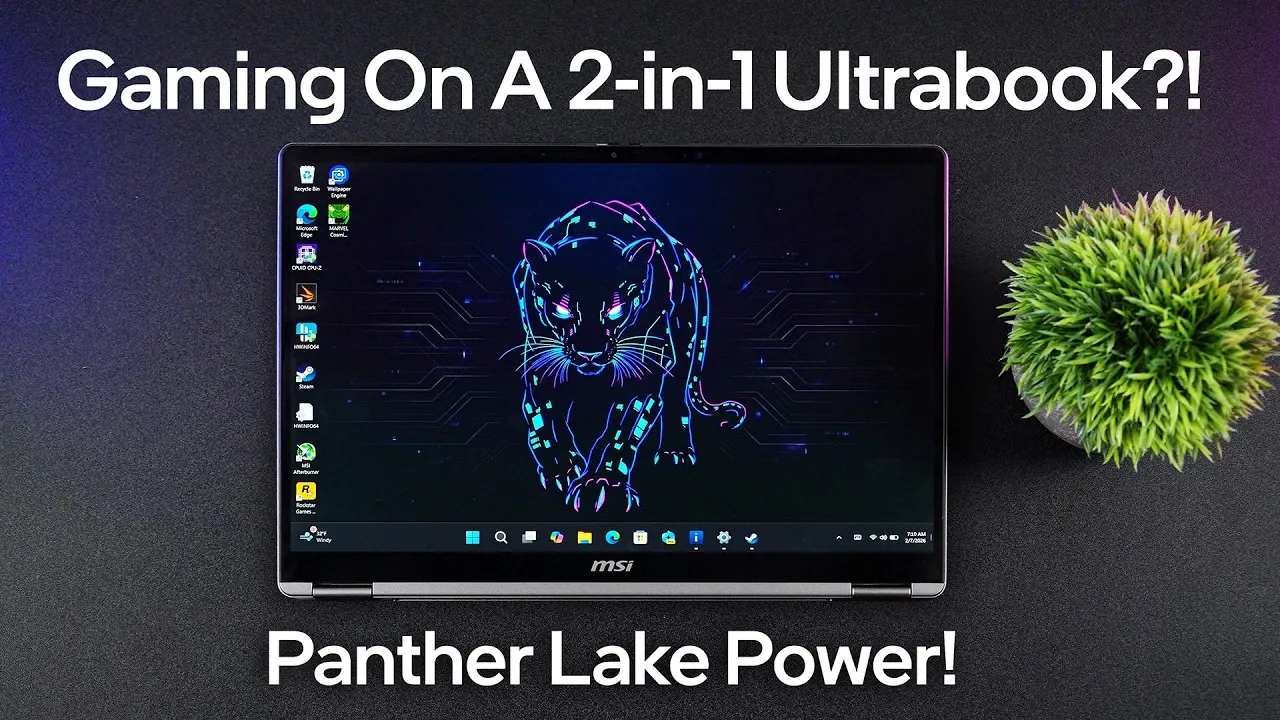
Can a sleek, ultra-portable 2-in-1 device truly handle the demands of gaming? It’s a question that challenges the boundaries of what we expect from convertible ultrabooks. In this overview, ETA Prime explores how the MSI Prestige 14 Flip AI+ attempts to bridge the gap between productivity and casual gaming, all while maintaining the elegance and portability that professionals crave. With Intel’s Panther Lake architecture at its core and a stunning OLED touch display, this ultrabook promises a lot, but does it deliver where it matters most? From its Intel ARC B390i GPU to the inclusion of Intel XESS technology for enhanced visuals, this device seems poised to redefine expectations. But there’s one catch: the 60 Hz refresh rate. Could this be the Achilles’ heel for gamers?
This assessment dives into the Prestige 14 Flip AI+ to uncover its true potential, from its impressive battery life and multitasking prowess to its limitations in handling demanding workloads. Whether you’re curious about its gaming capabilities, intrigued by its convertible design, or wondering if it’s the right fit for your on-the-go lifestyle, there’s plenty to discover. Is this the perfect balance of form and function, or does it fall short of being a true all-rounder? The answer might surprise you, especially if you’ve ever doubted the gaming chops of a 2-in-1 ultrabook.
MSI Prestige 14 Flip Overview
TL;DR Key Takeaways :
- The MSI Prestige 14 Flip AI+ combines productivity, portability, and casual gaming in a sleek 2-in-1 ultrabook powered by Intel’s Panther Lake architecture, featuring the Intel Core Ultra X7 processor and Intel ARC B390i GPU.
- Its 14-inch OLED touch display delivers vibrant visuals and deep blacks, but the 60 Hz refresh rate may not satisfy gamers seeking smoother motion.
- The device offers impressive battery life, with up to 22 hours of video playback, 14 hours of mixed office tasks, and over 8 hours of light gaming, thanks to its 71 Wh battery and energy-efficient architecture.
- Designed for versatility, it includes a convertible design, MSI Nano Pen for precision tasks, and robust connectivity options like Thunderbolt 4, HDMI 2.1, and Wi-Fi 7.
- While suitable for casual gaming and multitasking, its multi-core performance and 60 Hz display limit its appeal for demanding workloads and competitive gaming.
Performance: A New Standard for Convertible Ultrabooks
At the heart of the MSI Prestige 14 Flip AI+ lies the Intel Core Ultra X7 processor, a powerhouse with 16 cores and 16 threads. Built on the Panther Lake architecture, this processor ensures seamless multitasking and energy efficiency, making it ideal for productivity-focused users. Complementing the CPU is the Intel ARC B390i GPU, equipped with 12 XC3 cores, which delivers reliable integrated graphics performance.
Benchmark tests highlight its impressive single-core performance, making it well-suited for everyday tasks and light gaming. However, the multi-core performance, while solid, falls short of higher-core processors, limiting its capabilities for demanding tasks like video editing or 3D rendering. For casual gamers, the inclusion of Intel XESS technology enhances gameplay by upscaling visuals without compromising frame rates, making sure a smoother experience in compatible games.
Display and Design: A Blend of Functionality and Elegance
The Prestige 14 Flip AI+ features a 14-inch OLED touch display with a 1920×1200 resolution, delivering deep blacks, vibrant colors, and exceptional clarity. Its 2-in-1 convertible design allows users to switch effortlessly between laptop and tablet modes, catering to a variety of professional and personal use cases. Weighing just 1.37 kg and measuring 11.9 mm in thickness, this ultrabook is designed for maximum portability, making it an excellent choice for users on the go.
Adding to its versatility is the MSI Nano Pen, which is ideal for precise note-taking, sketching, and annotating documents. The pen is conveniently stored and charged within the device, making sure it’s always ready for use. However, the OLED display’s 60 Hz refresh rate may feel limiting for users accustomed to smoother visuals, particularly gamers who prioritize fluid motion in fast-paced titles.
Gaming On a 2-in-1 Ultrabook Tested

Unlock more potential in Intel Panther Lake Architecture by reading previous articles we have written.
Battery Life: Longevity for All-Day Use
With a 71 Wh battery, the MSI Prestige 14 Flip AI+ delivers impressive endurance across various use cases. It supports:
- Up to 22 hours of local video playback for entertainment on the go.
- 14 hours of mixed office tasks, making sure productivity throughout the workday.
- Over 8 hours of light gaming for casual gamers.
For more intensive gaming sessions, battery life drops to approximately 1.5 hours, reflecting the demands of high-performance tasks. The Panther Lake architecture plays a key role in optimizing power efficiency, making sure the device balances performance with energy conservation, making it a dependable option for professionals and multitaskers.
Gaming Capabilities: Aimed at Casual Enthusiasts
While the MSI Prestige 14 Flip AI+ is not a dedicated gaming laptop, it performs admirably for casual gaming. The Intel ARC B390i GPU, combined with Intel XESS technology, enables the device to handle modern games at 1200p high settings with playable frame rates. This makes it a viable choice for users who value portability and versatility alongside gaming capabilities.
However, the 60 Hz refresh rate of the OLED display may be a drawback for those accustomed to higher refresh rates, which provide smoother visuals and a more immersive gaming experience. For competitive gaming or graphically demanding titles, a dedicated gaming laptop would be a better fit.
Keyboard and Touchpad: Designed for Comfort and Productivity
The Prestige 14 Flip AI+ features a smudge-resistant velvet touch keyboard with single-zone white LED backlighting, making sure a comfortable typing experience even during extended use. The keyboard is designed to minimize fatigue, making it suitable for long work sessions. Additionally, the MSI Action Touchpad enhances productivity with customizable gesture controls, allowing users to streamline workflows and improve efficiency.
Connectivity: Comprehensive Options for Modern Needs
The MSI Prestige 14 Flip AI+ offers a robust array of connectivity options to meet the demands of modern users. These include:
- Two Thunderbolt 4 ports for high-speed data transfer and external display support.
- One HDMI 2.1 port for connecting to external monitors or TVs.
- Two USB 3.2 Gen 2 ports for peripherals and accessories.
- A 3.5 mm audio jack for headphones or external microphones.
Additionally, the device supports Wi-Fi 7 and Bluetooth 6, making sure fast and reliable wireless connectivity for both professional and personal use.
Potential Enhancements: Addressing Key Limitations
Despite its many strengths, the MSI Prestige 14 Flip AI+ has areas where improvements could enhance its appeal. The OLED display, while visually stunning, is limited to a 60 Hz refresh rate. Upgrading to a 120 Hz refresh rate would significantly improve the gaming experience and make the device more attractive to a broader audience, particularly gamers seeking smoother visuals. Additionally, while the device excels in portability and versatility, users with more demanding workloads may find its multi-core performance limiting compared to higher-core processors.
A Versatile Companion for Work and Play
The MSI Prestige 14 Flip AI+ strikes a thoughtful balance between productivity and casual gaming, making it a compelling choice for professionals and multitaskers. Its robust performance, long battery life, and versatile design cater to users who prioritize portability and functionality. While it may not replace a dedicated gaming laptop, it offers enough power to satisfy casual gamers and those seeking a reliable device for both work and leisure. For users who value flexibility, performance, and style in a compact package, the Prestige 14 Flip AI+ is a worthy contender in the ultrabook market.
Media Credit: ETA PRIME
Filed Under: Gaming News, Hardware, Top News
Latest Geeky Gadgets Deals
Disclosure: Some of our articles include affiliate links. If you buy something through one of these links, Geeky Gadgets may earn an affiliate commission. Learn about our Disclosure Policy.
Credit: Source link