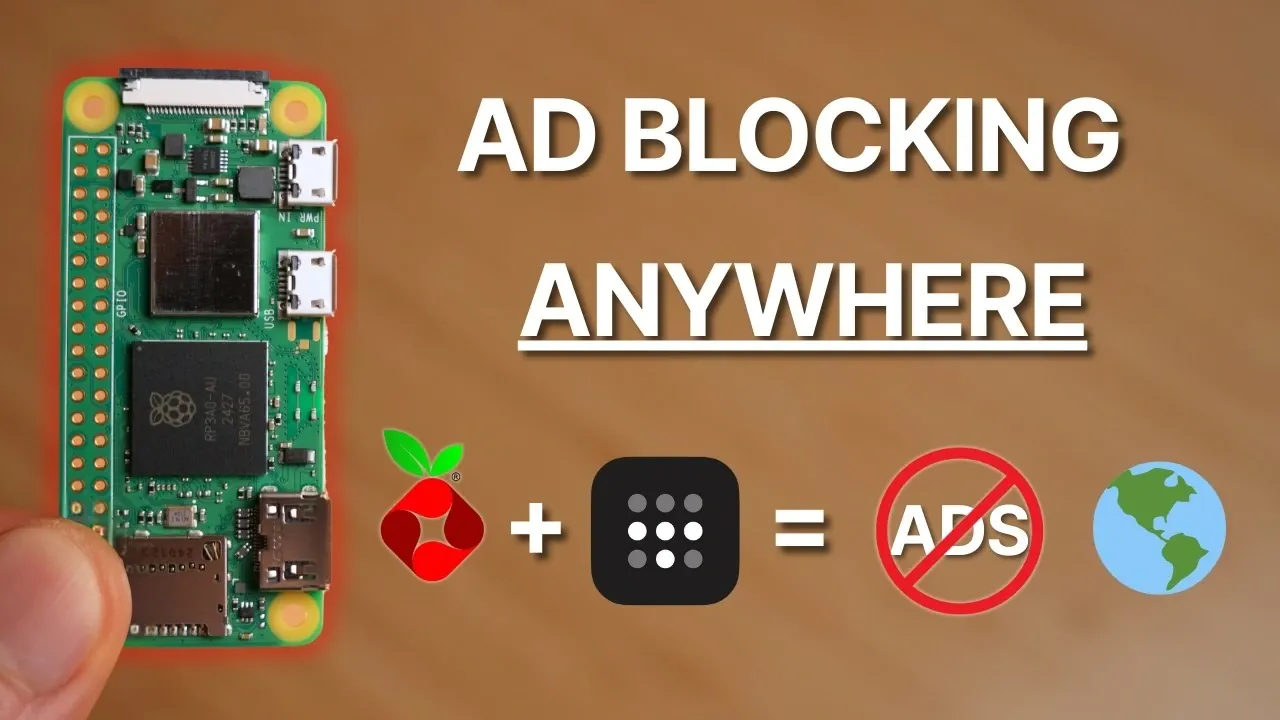
Have you ever wished for an internet experience free from the constant barrage of ads and invasive trackers, no matter where you are? Picture this: you’re working from a bustling café or streaming your favorite show in a hotel room, and not a single ad disrupts your flow. It sounds like a dream, but with the powerful combination of Pi-hole and Tailscale, this level of control and privacy is entirely within your reach. Together, these tools create a seamless, network-wide ad-blocking system that doesn’t just stop at your home Wi-Fi, it follows you everywhere, offering ad-free browsing and enhanced security on all your devices, wherever you go.
This guide by Enrique Neyra takes you through setting up this fantastic system, using a Raspberry Pi Zero 2 W as the foundation. You’ll discover how Pi-hole blocks ads and trackers at the DNS level, while Tailscale extends this protection beyond your home network through secure, encrypted connections. Along the way, you’ll learn how to configure these tools to create a personalized, portable ad-blocking solution that’s as effective on public Wi-Fi as it is in your living room. If you’re ready to reclaim your online experience and take control of your privacy, this setup might just change the way you browse forever.
Network-Wide Ad Blocking
TL;DR Key Takeaways :
- Combining Pi-hole and Tailscale creates a network-wide ad-blocking solution that works seamlessly across all devices, both at home and on the go.
- Pi-hole blocks ads and trackers at the DNS level, while Tailscale provides secure, encrypted access to your home network from anywhere.
- The setup requires a Raspberry Pi Zero 2 W (or similar), a microSD card, and basic knowledge of Raspberry Pi OS, SSH, and network configuration.
- Installing and configuring Pi-hole and Tailscale allows centralized control over DNS filtering, making sure ad-free browsing and enhanced privacy.
- This solution ensures consistent ad-blocking and privacy protection, even on public Wi-Fi or mobile networks, by routing DNS traffic through Pi-hole via Tailscale.
Why Combine Pi-hole and Tailscale?
Pi-hole is a highly effective network-wide ad blocker that filters DNS queries to prevent ads and trackers from loading on any device connected to your network. It operates at the DNS level, meaning it blocks unwanted content before it even reaches your devices. Tailscale, on the other hand, is a user-friendly, encrypted virtual private network (VPN) that connects your devices securely, no matter where they are. By integrating these two tools, you can extend Pi-hole’s ad-blocking capabilities beyond your home network, making sure consistent protection from ads and trackers on all your devices, wherever you go.
This combination offers several key benefits:
- Ad-free browsing across all devices, whether at home or on the move.
- Enhanced privacy by blocking trackers at the DNS level.
- Secure, encrypted access to your home network through Tailscale.
- Centralized control over DNS filtering and monitoring.
What You’ll Need to Get Started
To set up this system, you’ll need the following hardware and software components:
- A Raspberry Pi Zero 2 W (or a similar Raspberry Pi model).
- A microSD card with at least 16GB of storage capacity.
- A micro USB power cable to power the Raspberry Pi.
- Stable internet access for downloading software and updates.
Additionally, having a basic understanding of Raspberry Pi OS, SSH access, and network configuration will make the setup process smoother. If you’re new to these concepts, there are plenty of online resources to help you get started.
Block Ads Anywhere You Go With Pi-Hole & Tailscale

Here are more detailed guides and articles that you may find helpful on Raspberry Pi 5.
1: Setting Up Pi-hole on Your Raspberry Pi
The first step is to install and configure Pi-hole on your Raspberry Pi. Start by downloading Raspberry Pi OS and flashing it onto your microSD card using imaging software. During the initial setup, configure the following:
- Set a unique hostname for your Raspberry Pi to easily identify it on your network.
- Enter your Wi-Fi credentials to connect the Raspberry Pi to your home network.
- Enable SSH access to allow remote management of the Raspberry Pi.
Once the Raspberry Pi is ready, follow the official Pi-hole installation guide to install the software. After installation, assign a static IP address to your Raspberry Pi through your router’s settings. This ensures that DNS traffic is consistently routed through Pi-hole.
Access the Pi-hole admin panel via your web browser to monitor DNS queries, add custom blocklists, and fine-tune ad-blocking rules. Custom blocklists can be particularly useful for targeting specific ad networks or trackers, giving you greater control over your browsing experience.
2: Integrating Tailscale for Remote Access
To extend Pi-hole’s functionality beyond your home network, install Tailscale on your Raspberry Pi. Tailscale creates a private, encrypted network that securely connects your devices, no matter where they are. Once installed, configure Tailscale to route DNS requests through Pi-hole. This ensures that all devices connected to your Tailscale network benefit from Pi-hole’s ad-blocking capabilities.
In the Pi-hole settings, adjust permissions to allow DNS queries from all origins securely. This step is critical for allowing devices connected via Tailscale to access Pi-hole without compromising security. With this setup, you can enjoy ad-free browsing on your laptop, smartphone, or tablet, even when connected to public Wi-Fi or a mobile network.
3: Testing and Optimizing Your Setup
After completing the configuration, it’s important to test your setup to ensure everything is working as intended. Follow these steps:
- Connect a device to your home network and verify that ads are being blocked by visiting ad-heavy websites.
- Switch the same device to Tailscale while connected to a different network and confirm that ad blocking remains active.
Use the Pi-hole admin panel to monitor DNS queries and identify any domains that may need to be manually blocked. For enhanced functionality, consider adding additional blocklists to target specific types of ads or trackers. The query log in the admin panel is a valuable tool for identifying domains that bypass standard filters, allowing you to refine your setup further.
Key Benefits of This Setup
By integrating Pi-hole with Tailscale on a Raspberry Pi Zero 2 W, you can achieve a comprehensive, network-wide ad-blocking solution that extends beyond the confines of your home. This setup offers several advantages:
- Ad-free browsing across all devices, regardless of location.
- Improved privacy by blocking trackers at the DNS level.
- Secure, encrypted access to your home network via Tailscale.
- Centralized control over DNS filtering and monitoring through the Pi-hole admin panel.
With this system in place, you can take control of your online environment, making sure a smoother, more private browsing experience. Whether you’re working from a coffee shop, traveling abroad, or relaxing at home, this setup provides consistent protection from ads and trackers, enhancing both your productivity and peace of mind.
Media Credit: Enrique Neyra
Filed Under: DIY Projects, Guides, Hardware
Latest Geeky Gadgets Deals
Disclosure: Some of our articles include affiliate links. If you buy something through one of these links, Geeky Gadgets may earn an affiliate commission. Learn about our Disclosure Policy.
Credit: Source link