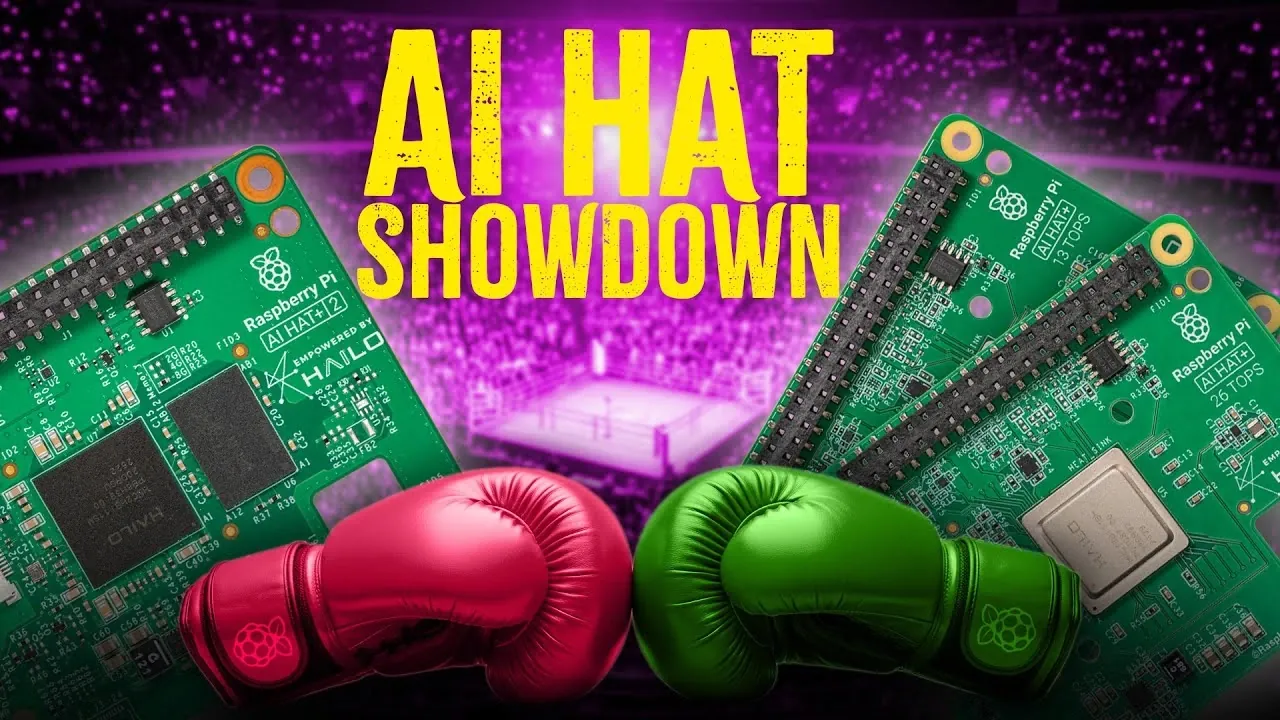
What if the success of your next Raspberry Pi project hinged on a single decision? Core Electronics explains how the Raspberry Pi AI HAT 1 and AI HAT+ 2 are designed to supercharge your AI ambitions, but choosing the right one could make or break your results. With the AI HAT 1 excelling in lightning-fast computer vision and the AI HAT+ 2 offering unmatched versatility for advanced AI tasks, the stakes are high. Whether you’re building a real-time surveillance system or experimenting with innovative natural language models, understanding the strengths and trade-offs of these HATs is crucial to achieving your goals.
In this explainer, we’ll break down the key differences between these two AI HATs, from their performance benchmarks to their ideal use cases. You’ll discover why the AI HAT 1 is a powerhouse for visual processing and how the AI HAT+ 2 opens doors to sophisticated multi-modal applications like vision-language integration. But which one is right for your project? By the end, you’ll have the clarity to make an informed choice that aligns with your ambitions, whether they involve high-speed object detection or pushing the boundaries of AI innovation.
Raspberry Pi AI HAT Comparison
TL;DR Key Takeaways :
- The Raspberry Pi AI HAT 1 is optimized for computer vision tasks, offering high-speed processing with up to 26 TOPS and exceptional energy efficiency at 2.5 watts, making it ideal for object detection, pose estimation, and image segmentation.
- The Raspberry Pi AI HAT+ 2 provides broader functionality, supporting advanced AI models like LLMs and VLMs, with 8 GB of onboard RAM and 40 TOPS for general tasks, making it suitable for robotics, smart home automation, and vision-language integration.
- AI HAT 1 is a cost-effective choice for projects focused solely on visual AI tasks, while AI HAT+ 2 excels in handling diverse AI workloads, including natural language processing and complex visual data analysis.
- Both HATs are energy-efficient, with the AI HAT+ 2 consuming only 3 watts, but adapting AI models for these HATs may require technical expertise in model conversion and optimization.
- Choosing between the two depends on project requirements: AI HAT 1 is best for high-speed computer vision, while AI HAT 2 is ideal for advanced, versatile AI applications involving vision and text-based tasks.
AI HAT 1: Optimized for Computer Vision
The AI HAT 1 is engineered specifically for computer vision tasks and is powered by the Halo 8 chip. It is available in two variants, each offering distinct levels of processing power to cater to different performance requirements.
- Performance: The 13 TOPS model delivers 20-25 frames per second (FPS) for medium-sized YOLO models and up to 80 FPS for lightweight models. For more demanding tasks, the 26 TOPS model increases performance to 50 FPS for medium-sized YOLO models and 200 FPS for lightweight models, making it suitable for high-speed visual processing.
- Energy Efficiency: Consuming just 2.5 watts, the AI HAT 1 is highly energy-efficient, making it an excellent choice for low-power applications where energy consumption is a critical factor.
- Use Cases: This HAT is ideal for projects focused on object detection, pose estimation, and image segmentation. It is particularly well-suited for applications that rely solely on visual AI tasks, such as surveillance systems, automated quality control in manufacturing, and real-time image analysis.
AI HAT+ 2: Versatility for Advanced AI Tasks
The AI HAT 2, equipped with the Halo 10H chip, is designed to handle a wider range of AI applications. Its capabilities extend beyond computer vision to include tasks requiring significant memory and processing power, such as natural language processing and vision-language integration.
- Performance: With 40 TOPS for general tasks and 20 TOPS for convolutional neural network (CNN)-based tasks, the AI HAT 2 achieves 45 FPS for medium-sized YOLO models and 170 FPS for lightweight models. While its computer vision performance is slightly lower than the 26 TOPS AI HAT 1, its versatility in handling diverse AI workloads makes it a strong contender.
- Onboard RAM: The inclusion of 8 GB of RAM allows the AI HAT 2 to manage memory-intensive models like LLMs and VLMs. This enables advanced tasks such as text generation, image-text integration, and complex visual data analysis, opening up possibilities for more sophisticated AI applications.
- Energy Efficiency: Despite its advanced capabilities, the AI HAT 2 consumes only around 3 watts, maintaining energy efficiency while offloading processing tasks from the Raspberry Pi’s CPU.
- Use Cases: The AI HAT 2 is ideal for projects that require a combination of computer vision, natural language processing, and vision-language integration. Applications include robotics, smart home automation, and any task that demands advanced AI capabilities beyond visual processing.
Raspberry Pi AI HATs Compared
Discover other guides from our vast content that could be of interest on Raspberry Pi AI.
Key Comparisons and Applications
When deciding between the AI HAT 1 and AI HAT 2, it is essential to align their capabilities with your project’s priorities. Below is a direct comparison to help you determine the best fit:
- AI HAT 1: Designed for budget-conscious users focused on computer vision tasks. The 13 TOPS model is sufficient for basic visual applications, while the 26 TOPS model is better suited for high-performance tasks requiring faster processing speeds.
- AI HAT 2: Offers versatility for projects involving LLMs, VLMs, or a combination of vision and text-based tasks. While its computer vision performance is slightly lower than the 26 TOPS AI HAT 1, it excels in broader AI applications, making it a more flexible option for complex projects.
Limitations to Consider
While both AI HATs significantly enhance the Raspberry Pi’s AI capabilities, they come with certain limitations that should be considered before making a decision:
- AI HAT 2 Limitations: Although it supports advanced models like LLMs and VLMs, its performance cannot match that of cloud-based solutions. However, it is well-suited for lightweight, offline applications where cloud connectivity is not feasible.
- Compatibility Challenges: Adapting AI models for use with these HATs can be technically demanding and may require expertise in model conversion and optimization.
- Software Updates: While future software updates may improve model performance on both HATs, relying on these updates could pose challenges for time-sensitive projects that require immediate deployment.
Recommendations for Your Project
Selecting the right AI HAT depends on your project’s specific requirements. Here are some recommendations to guide your decision:
- Basic Computer Vision: Choose the 13 TOPS AI HAT 1 if your project involves simple visual tasks and you are working with a limited budget.
- High-Performance Vision Tasks: Opt for the 26 TOPS AI HAT 1 if your project demands high-speed computer vision processing but does not require advanced AI models like LLMs or VLMs.
- Advanced AI Applications: Select the AI HAT 2 for projects that involve natural language processing, vision-language integration, or a combination of vision and text-based tasks. Its versatility makes it a strong choice for robotics, smart devices, and other complex AI-driven applications.
Making the Right Choice
The Raspberry Pi AI HAT 1 and AI HAT 2 are tailored to meet different project needs, offering distinct advantages in performance, versatility, and energy efficiency. By carefully evaluating your project’s requirements, you can select the HAT that aligns best with your goals. Whether your focus is on computer vision or advanced AI capabilities, these HATs provide powerful tools to unlock the full potential of your Raspberry Pi, allowing innovative solutions across a wide range of applications.
Media Credit: Core Electronics
Filed Under: AI, Guides, Hardware
Latest Geeky Gadgets Deals
Disclosure: Some of our articles include affiliate links. If you buy something through one of these links, Geeky Gadgets may earn an affiliate commission. Learn about our Disclosure Policy.
Credit: Source link