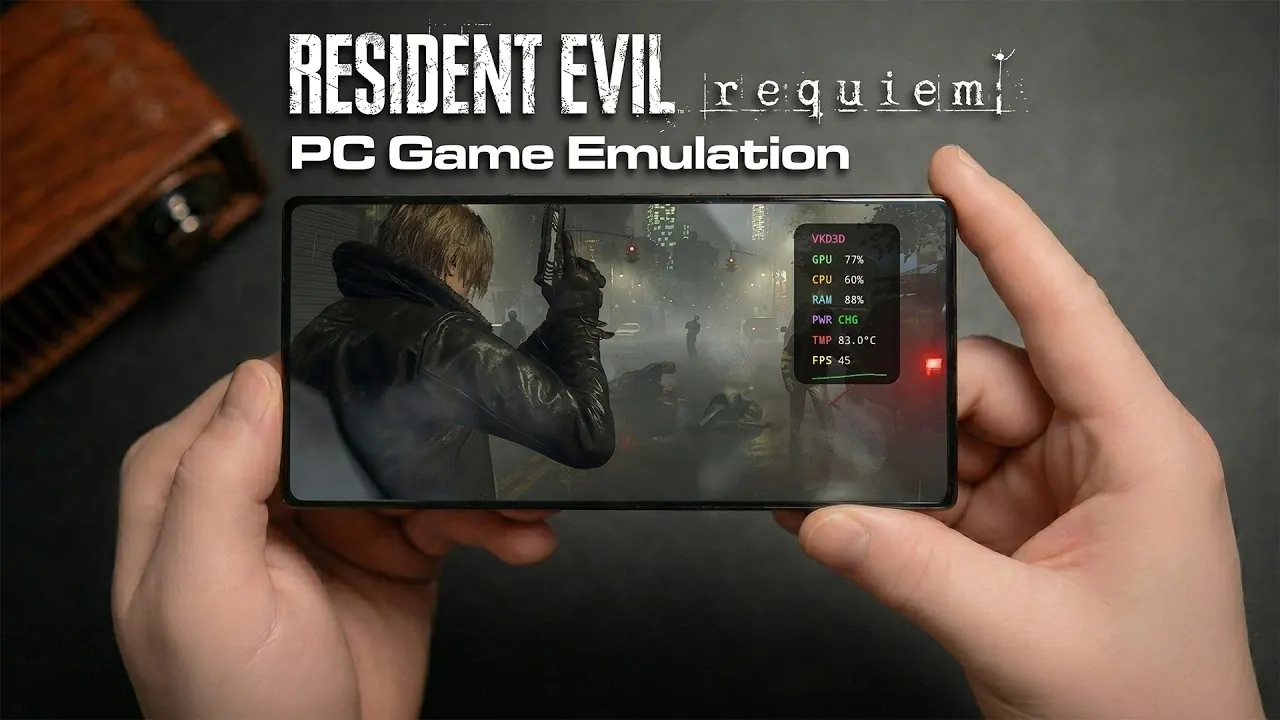
Emulating PC games on Android devices has become an exciting frontier for mobile gaming enthusiasts and ETA Prime explores this concept through the lens of running Resident Evil Requiem on a smartphone. Using the GameHub emulator in combination with the Snapdragon 8 Elite Gen 5 chipset, this guide highlights the intricate balance required to achieve playable performance. For instance, settings like 720p resolution and allowing FidelityFX Super Resolution (FSR) 3.1 in Performance mode are critical for maintaining frame rates while minimizing strain on mobile hardware. These adjustments underscore the technical challenges of adapting resource-intensive PC games to the constraints of mobile platforms.
In this emulation guide, you’ll learn how to configure emulator settings for smoother gameplay and explore the trade-offs between visual fidelity and performance. Additionally, it provide more insights into the impact of environmental factors on frame rates, such as the stark contrast between indoor and outdoor gameplay scenarios. For those interested in optimizing their setup, the guide also touches on hardware considerations, including the importance of advanced cooling solutions and high-end specifications. By the end, you’ll have a clearer understanding of what it takes to emulate demanding PC games like Resident Evil Requiem on Android devices.
Resident Evil Requiem PC Emulation on Android
TL;DR Key Takeaways :
- The Snapdragon 8 Elite Gen 5 chipset enables PC emulation on Android devices, showcasing both the potential and limitations of mobile gaming technology.
- Optimal emulator settings, such as 720p resolution and allowing FSR 3.1 in Performance mode, are crucial for balancing performance and visual quality.
- Performance varies significantly, with indoor areas achieving up to 100 FPS, while outdoor sections drop to around 40 FPS, highlighting the need for further optimization.
- Thermal throttling and high power consumption (up to 38 watts) remain major challenges, even with advanced cooling technologies in place.
- Fragmentation in the Android ecosystem leads to compatibility issues, requiring collaboration between developers and manufacturers to improve stability and performance.
To emulate Resident Evil Requiem on an Android device, the GameHub emulator has emerged as a popular choice. This emulator uses the advanced capabilities of the Snapdragon 8 Elite Gen 5 chipset, which features innovative ARM architecture designed to handle the high computational demands of modern PC games. However, achieving a playable experience requires careful configuration of the emulator settings to balance performance and visual quality.
- Resolution: Set to 720p for reduced strain on the GPU.
- FidelityFX Super Resolution (FSR) 3.1: Enable Performance mode to enhance frame rates.
- Frame Generation: Disable this feature to avoid unnecessary processing overhead.
These settings aim to optimize the gaming experience by maintaining a stable frame rate while preserving acceptable visual fidelity. Proper configuration is essential, as mobile hardware operates under tighter constraints compared to traditional gaming PCs.
Performance Insights: Strengths and Weaknesses
The performance of Resident Evil Requiem on Android devices varies significantly based on the in-game environment. Indoor areas, which are less graphically demanding, can achieve frame rates as high as 100 FPS, delivering a smooth and responsive experience. However, outdoor sections with complex textures and lighting effects often see frame rates drop to approximately 40 FPS.
Locking the frame rate to 30 or 60 FPS can improve stability, but this comes at the cost of reduced fluidity during fast-paced gameplay. These fluctuations highlight the challenges of running resource-intensive PC games on mobile hardware, even with the advanced Snapdragon 8 Elite Gen 5 chipset. The variability underscores the need for further optimization in both hardware and software to ensure consistent performance.

Learn more about handheld gaming with other articles and guides we have written below.
Thermal and Power Management Challenges
Thermal management remains a critical challenge when emulating PC games on Android devices. Despite the inclusion of advanced cooling technologies such as liquid cooling systems and active fans, extended gameplay sessions often lead to thermal throttling. This results in reduced performance as the device attempts to manage heat buildup.
Power consumption is another significant concern, with peak usage reaching up to 38 watts during demanding gameplay scenarios. While external cooling accessories can mitigate overheating to some extent, their effectiveness is limited by the compact design of most Android devices. These constraints emphasize the need for more efficient thermal management solutions in future mobile hardware to support sustained high-performance gaming.
Addressing Optimization and Compatibility Issues
Graphical glitches, missing textures and occasional crashes are common issues encountered when emulating Resident Evil Requiem. These problems stem from the fragmented nature of the Android ecosystem, where a wide variety of hardware configurations complicates optimization efforts. Developers face significant challenges in making sure compatibility across different devices, leading to inconsistent performance and visual fidelity.
This fragmentation remains a persistent barrier to achieving seamless PC emulation on Android. Addressing these issues will require collaboration between emulator developers, hardware manufacturers and game developers to create more standardized solutions that enhance compatibility and stability.
Recommended Hardware for Optimal Emulation
For the best emulation experience, high-end Android devices with robust specifications are strongly recommended. Devices equipped with at least 16GB of RAM and the Snapdragon 8 Elite Gen 5 chipset are better suited to handle the demands of PC emulation. Lower-end devices often struggle, resulting in frequent crashes, poor frame rates and an overall subpar gaming experience.
While the Snapdragon 8 Elite Gen 5 chipset demonstrates the impressive potential of modern mobile hardware, it is clear that even this advanced processor has its limitations. As emulation technology continues to evolve, hardware requirements are expected to increase, making it essential for users to invest in powerful devices to stay ahead of the curve.
Future Prospects for PC Emulation on Android
The future of PC emulation on Android holds significant promise, driven by advancements in x86 emulation on ARM architecture. The anticipated release of ARM-powered gaming devices, such as Valve’s rumored Steam handheld, could redefine the standards for mobile PC gaming. By combining powerful hardware with optimized software, these devices have the potential to make PC emulation more accessible and reliable.
However, several challenges must be addressed before this vision can be fully realized. Improvements in thermal management, power efficiency and software optimization are critical to overcoming the current limitations of mobile hardware. As these areas advance, the dream of seamlessly playing PC games on Android devices may become a reality, opening up new possibilities for gamers worldwide.
Media Credit: ETA PRIME
Filed Under: Android News, Gaming News, Top News
Disclosure: Some of our articles include affiliate links. If you buy something through one of these links, Geeky Gadgets may earn an affiliate commission. Learn about our Disclosure Policy.
Credit: Source link