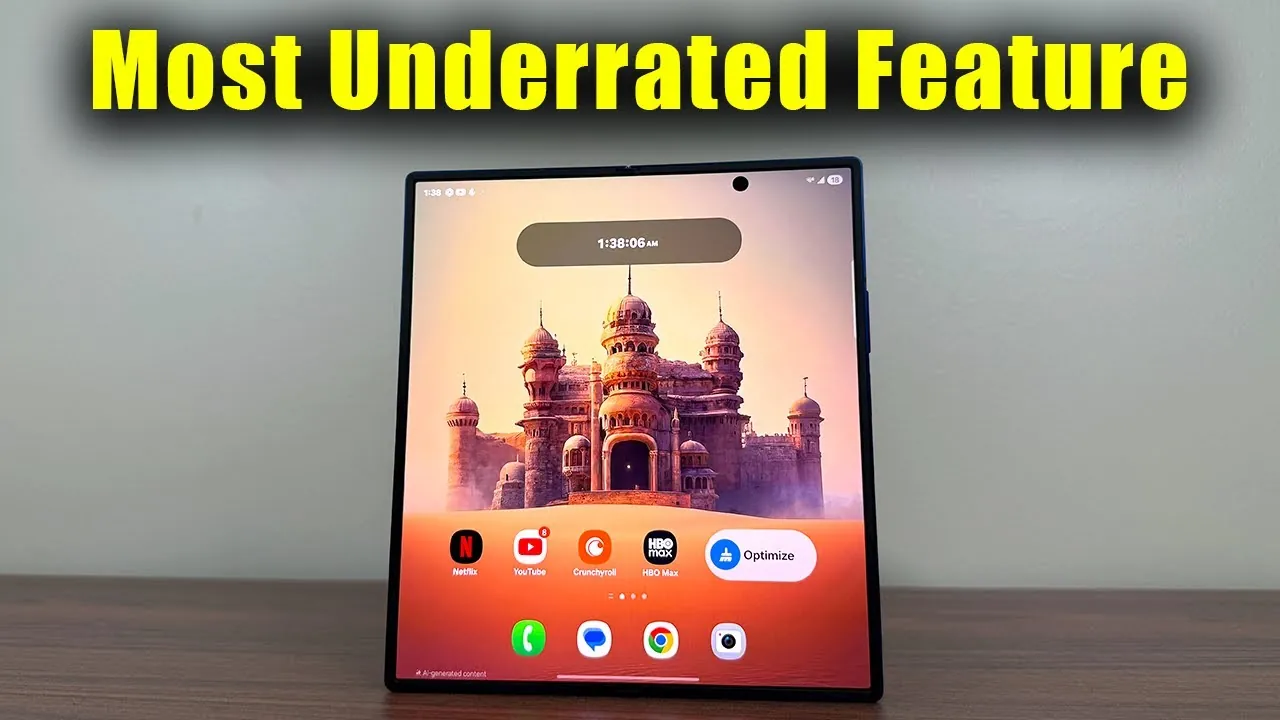
The Samsung Galaxy Z Fold 7 introduces a fantastic feature that improves the foldable smartphone experience: the ability to customize separate home screens and wallpapers for its dual displays. This innovation enhances the device’s functionality, allowing users to tailor the outer and inner screens to meet specific needs. While the default setting mirrors the two displays, a simple adjustment in the settings unlocks a new realm of personalization, making the device more versatile and user-centric. The video below from Sakitech gives us more details.

Dual Display Customization: Tailored for Your Lifestyle
A defining feature of the Galaxy Z Fold 7 is its dual-display customization, which allows users to independently configure the outer and inner screens. By default, the outer display mirrors the inner one, presenting identical home screens and wallpapers. However, disabling this mirroring through the settings menu opens up the possibility of creating unique layouts for each display. This flexibility ensures that the device adapts seamlessly to various tasks and scenarios.
For example:
- The outer display can be optimized with quick-access widgets such as messaging apps, calendars, or weather updates, making it ideal for on-the-go convenience.
- The larger inner display can be customized for immersive activities like watching videos, reading eBooks, or browsing online content.
This feature enables users to design a smartphone experience that aligns with their daily routines, whether they prioritize productivity, entertainment, or a balance of both.
How to Unlock and Use Cover Screen Mirroring
The “Cover Screen Mirroring” option, located in the device’s settings, is the gateway to unlocking this advanced customization feature. When mirroring is turned off, users gain the freedom to design distinct layouts for each display. The process is intuitive, encouraging experimentation to discover the most effective configurations for individual lifestyles.
For instance:
- A minimalist outer screen can be set up with only essential apps for quick interactions, such as checking notifications or replying to messages.
- The inner screen can then serve as a hub for multitasking, creative work, or immersive media consumption, offering a more expansive and engaging experience.
This level of customization ensures that the Galaxy Z Fold 7 caters to diverse preferences, whether for professional tasks, leisure activities, or a combination of both.
Enhanced Outer Display: Practical and Spacious
Samsung has significantly upgraded the outer display of the Galaxy Z Fold 7, making it larger and wider than previous models. This improvement enhances usability, allowing the outer screen to handle everyday tasks like replying to messages, checking notifications, or navigating apps with greater ease.
The expanded size also complements the dual-display customization feature, providing ample space for organizing apps and widgets. This thoughtful enhancement underscores Samsung’s commitment to refining the foldable smartphone experience, making sure that both displays are equally functional and user-friendly.
Versatility for Every Scenario
The Galaxy Z Fold 7 stands out for its ability to adapt to a wide range of use cases, thanks to its customizable dual displays. This versatility allows users to create setups that align with their unique needs and routines. Here are a few practical examples:
- Use the outer display for quick interactions, such as checking emails, responding to messages, or accessing navigation tools.
- Reserve the inner display for immersive activities like streaming movies, reading articles, or editing documents with ease.
- Experiment with mirrored and separate setups to determine which configuration best supports your workflow and lifestyle.
This adaptability makes the Galaxy Z Fold 7 a powerful tool for both productivity and entertainment. Whether you’re managing a busy workday or unwinding with your favorite content, the device’s customizable displays ensure a seamless transition between tasks, enhancing overall efficiency and enjoyment.
A New Standard in Foldable Smartphone Technology
The Samsung Galaxy Z Fold 7’s dual-display customization sets a new benchmark for foldable smartphones. By allowing users to configure separate home screens and wallpapers for the outer and inner displays, it enhances usability and versatility. The improved outer display further supports this functionality, making the device a practical and adaptable choice for a wide range of scenarios.
Whether you’re optimizing the outer screen for quick access to essential apps or tailoring the inner display for immersive media consumption, this feature enables you to make the most of your foldable device. With its innovative design, enhanced functionality, and flexible capabilities, the Galaxy Z Fold 7 represents a significant step forward in foldable smartphone technology, offering a personalized experience that caters to every user’s needs.
Here are more detailed guides and articles that you may find helpful on Samsung Galaxy Z Fold 7.
Source & Image Credit: sakitech
Filed Under: Android News, Mobile Phone News, Top News
Latest Geeky Gadgets Deals
Disclosure: Some of our articles include affiliate links. If you buy something through one of these links, Geeky Gadgets may earn an affiliate commission. Learn about our Disclosure Policy.
Credit: Source link