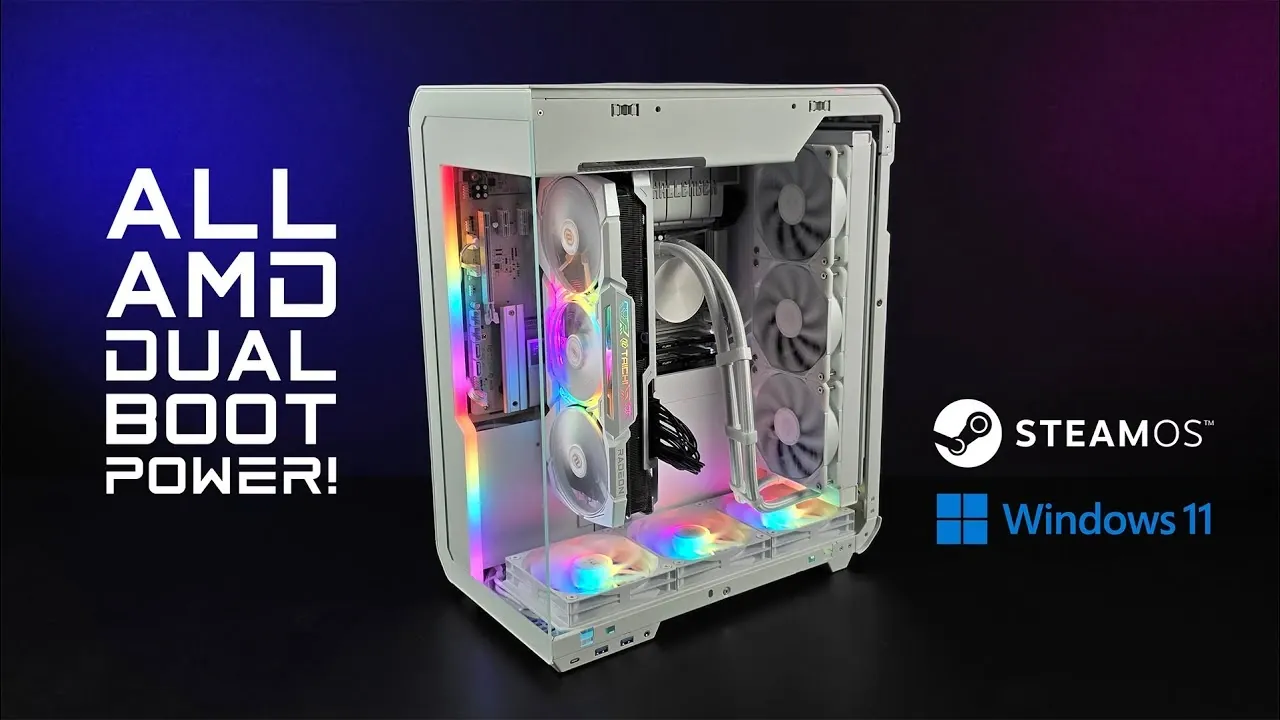
What if you could build a gaming PC so versatile it feels like having two machines in one? In a fascinating breakdown, ETA Prime outlines how an all-AMD dual-boot setup can deliver both the streamlined, gaming-first experience of SteamOS and the expansive compatibility of Windows 11 Pro. This isn’t just a theoretical experiment, it’s a fully realized powerhouse featuring the AMD Ryzen 7 9800 X3D and Radeon RX 7900 XTX, capable of pushing 4K gaming to its limits. But here’s the kicker: the performance differences between these two operating systems might not be what you expect. With some games favoring SteamOS and others thriving on Windows, the results challenge conventional wisdom about gaming platforms.
In this analysis, you’ll discover how this carefully crafted build balances raw power with flexibility, offering insights into the strengths and quirks of each OS. From the seamless hardware integration of SteamOS to the broader software support of Windows, this dual-boot system highlights the unique advantages of both environments. Whether you’re curious about the impact of AMD’s innovative hardware or wondering how features like FidelityFX Super Resolution enhance gameplay, this guide offers plenty to unpack. The question is, can one PC truly offer the best of both worlds?
Ultimate Dual-Boot Gaming PC
TL;DR Key Takeaways :
- The dual-boot gaming PC features an all-AMD configuration with an AMD Ryzen 7 9800 X3D CPU and Radeon RX 7900 XTX GPU, optimized for exceptional 4K gaming performance on both SteamOS and Windows 11 Pro.
- Key hardware includes 32GB DDR5 RAM, dual 1TB M.2 SSDs for separate operating systems, and an ASRock B850 motherboard, making sure high performance, reliability, and multitasking efficiency.
- Performance testing revealed that SteamOS excels in some games like Cyberpunk 2077 and Spider-Man 2, while Windows 11 Pro outperforms in titles like Forza Horizon 5 and Red Dead Redemption 2.
- SteamOS offers a streamlined, gaming-focused experience with features like Variable Refresh Rate (VRR), while Windows 11 Pro provides broader software compatibility and advanced optimization tools.
- The dual-boot setup combines the strengths of both operating systems, offering flexibility for gaming and productivity, with FidelityFX Super Resolution (FSR) enhancing performance in demanding scenarios.
Key System Specifications
The foundation of this build is a carefully selected set of components, optimized to ensure peak performance and reliability. Each part contributes to the system’s ability to handle demanding gaming scenarios and multitasking with ease:
- Processor: AMD Ryzen 7 9800 X3D – An 8-core, 16-thread CPU designed to excel in gaming and intensive multitasking workloads.
- Graphics Card: AMD Radeon RX 7900 XTX – A high-performance GPU with 24GB of VRAM, delivering outstanding 4K gaming and rendering capabilities.
- Memory: 32GB of DDR5 RAM clocked at 7000 MT/s – Ensures smooth multitasking, faster load times, and efficient data handling.
- Storage: Dual 1TB M.2 SSDs – Dedicated drives for SteamOS and Windows 11 Pro, allowing seamless dual-boot functionality and fast data access.
- Motherboard: ASRock B850 Challenger – A robust and reliable platform that supports the system’s advanced features.
- Power Supply: 850W Gold-rated PSU – Provides consistent and efficient power delivery to all components.
This configuration strikes a balance between raw power and stability, making it ideal for gamers who demand top-tier performance without compromising reliability.
Performance Testing: SteamOS vs Windows 11 Pro
To assess the system’s capabilities, a variety of AAA games were tested on both SteamOS and Windows 11 Pro. The results highlight how each operating system handles the challenges of 4K gaming:
- Cyberpunk 2077: SteamOS achieved a slight edge with 85 FPS, compared to 84 FPS on Windows.
- Forza Horizon 5: Windows 11 Pro demonstrated a clear advantage, delivering 191 FPS versus 157 FPS on SteamOS.
- Spider-Man 2: SteamOS outperformed Windows with 111 FPS, while Windows reached 103 FPS.
- Red Dead Redemption 2: Windows led with 96 FPS, compared to 88 FPS on SteamOS.
The AMD Radeon RX 7900 XTX proved to be a powerful GPU for 4K gaming, consistently delivering smooth frame rates. Additionally, allowing FidelityFX Super Resolution (FSR) in supported titles further enhanced performance without compromising visual fidelity, making sure a seamless gaming experience even in the most demanding scenarios.
Ultimate Dual Boot All-AMD PC Running SteamOS & Windows 11
Explore further guides and articles from our vast library that you may find relevant to your interests in budget gaming PC builds.
SteamOS: Features and Drawbacks
SteamOS, a Linux-based operating system developed by Valve, is tailored specifically for gaming. It offers several advantages that make it an appealing choice for gamers:
- Optimized Gaming Experience: SteamOS is designed to minimize system overhead, providing features like Variable Refresh Rate (VRR) and scaling filters to enhance visual quality and reduce input lag.
- Seamless Hardware Integration: The operating system works exceptionally well with AMD hardware, requiring minimal configuration to achieve optimal performance.
Despite its strengths, SteamOS has some limitations. It lacks built-in tools for fine-tuning performance metrics such as TDP and GPU clock speeds, which must be adjusted through the BIOS. Additionally, while it excels in gaming, advanced performance tuning often relies on third-party tools that are more readily available on Windows.
Windows 11 Pro: Strengths and Weaknesses
Windows 11 Pro offers a comprehensive software ecosystem and greater compatibility with third-party applications, making it a versatile choice for gamers and power users. Its advantages include:
- Broader Software Support: Windows supports a wide range of applications, tools, and games, making sure compatibility with virtually any software you may need.
- Performance Optimization: Advanced drivers and optimization tools allow Windows to excel in certain games, such as Forza Horizon 5 and Red Dead Redemption 2.
However, Windows can feel less streamlined for gaming compared to SteamOS. Background processes and system overhead may impact performance in some scenarios, making it less efficient for users seeking a purely gaming-focused experience.
Why a Dual-Boot Setup?
A dual-boot configuration offers unparalleled flexibility, allowing you to switch between operating systems based on your specific needs. SteamOS provides a focused, gaming-centric environment, while Windows 11 Pro offers broader compatibility and access to a wider range of tools and applications. This setup ensures that you can tailor your system to meet the demands of each game or task, maximizing both performance and versatility.
Insights from the Build
This all-AMD gaming PC demonstrates the potential of combining powerful hardware with versatile software. The AMD Ryzen 7 9800 X3D and Radeon RX 7900 XTX deliver exceptional performance, particularly in 4K gaming scenarios. The inclusion of DDR5 RAM and dual M.2 SSDs ensures the system remains responsive and capable of handling intensive workloads with ease.
For demanding titles, allowing FidelityFX Super Resolution (FSR) can help maintain high frame rates without sacrificing image quality. The ASRock B850 motherboard provides a stable and reliable foundation, making sure consistent performance during extended gaming sessions.
This build highlights the advantages of a dual-boot setup, offering the best of both worlds for gamers and power users alike. Whether you’re exploring expansive open worlds or engaging in fast-paced action, this system delivers a seamless and enjoyable experience tailored to your preferences.
Media Credit: ETA PRIME
Filed Under: Gaming News, Guides, Hardware
Latest Geeky Gadgets Deals
Disclosure: Some of our articles include affiliate links. If you buy something through one of these links, Geeky Gadgets may earn an affiliate commission. Learn about our Disclosure Policy.
Credit: Source link