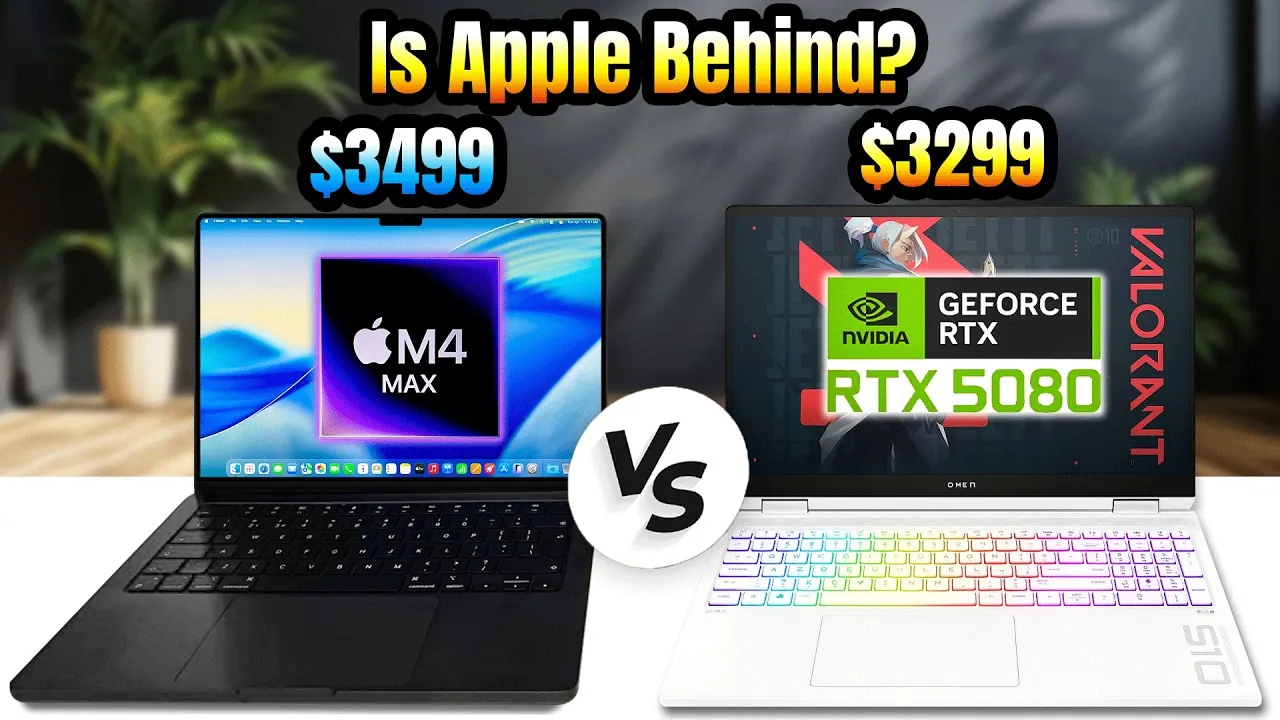
Choosing between the HP Omen Max 16, equipped with the Nvidia RTX 5080 GPU and Intel Ultra 9275HX processor, and the Apple MacBook Pro 16-inch M4 Max is a decision that hinges on your specific needs. Both devices are premium offerings, but they cater to distinct audiences. The Omen Max is tailored for gamers seeking raw power and advanced graphics capabilities, while the MacBook Pro is designed for creators who prioritize efficiency, portability, and professional-grade media editing. Understanding the strengths and limitations of each device will help you make an informed choice. The video below from Matt Talks Tech gives us a look at the two devices.

Performance: Gaming Power vs. Consistent Efficiency
The HP Omen Max 16 is a powerhouse when it comes to gaming. Its Nvidia RTX 5080 GPU delivers high frame rates and supports advanced features like ray tracing and DLSS (Deep Learning Super Sampling), ensuring an immersive gaming experience. However, this performance comes with a caveat: the laptop must remain plugged in to achieve its full potential. When running on battery, performance drops significantly, which can be a limitation for users who need flexibility.
In contrast, the MacBook Pro M4 Max offers consistent performance whether it’s plugged in or running on battery. Its multi-threaded benchmarks are impressive, and its optimized media engines for ProRes and HEVC ensure seamless video editing. While gaming isn’t its primary focus, the MacBook Pro performs respectably, especially with Apple’s MetalFX upscaling technology, which enhances gaming performance for casual users. If your work involves demanding creative tasks, the MacBook Pro’s efficiency and reliability stand out.
Display: Gaming Fluidity vs. Creative Precision
The Omen Max features a 16-inch display with a 240Hz refresh rate and a resolution of 2560×1600, making it ideal for gaming and fast-paced tasks. The high refresh rate ensures smooth visuals, particularly in competitive gaming scenarios where every frame counts. This display is well-suited for gamers who value fluidity and responsiveness.
On the other hand, the MacBook Pro’s 16-inch mini-LED XDR display is a standout for creative professionals. With a 120Hz refresh rate, exceptional color accuracy, and HDR grading capabilities, it’s perfect for video editing, photo retouching, and other color-sensitive tasks. The display’s ability to reproduce vibrant and accurate visuals makes it an excellent choice for professionals who demand precision in their work. If your focus is on creative projects, the MacBook Pro’s display is unmatched in its class.
Battery Life: Extended Longevity vs. Power Limitations
Battery life is a critical factor for users who need to work or play on the go. The Omen Max offers limited battery life, averaging around 5.5 hours under normal usage. Additionally, its performance diminishes significantly when unplugged, making it less suitable for extended use away from a power source. Gamers and professionals who rely on consistent performance may find this a drawback.
In contrast, the MacBook Pro excels with its exceptional battery life, lasting up to 20 hours on a single charge. Whether you’re editing videos, browsing the web, or working on intensive tasks, the MacBook Pro delivers consistent performance without the need to stay tethered to an outlet. This makes it an ideal choice for users who prioritize portability and long-lasting productivity.
Cooling and Noise: Quiet Efficiency vs. Audible Power
Cooling and noise management play a significant role in the overall user experience, especially during demanding tasks. The Omen Max generates noticeable heat and noise, with its fans becoming louder even during moderate workloads. This can be distracting in quieter environments, such as offices or shared spaces.
The MacBook Pro, by comparison, operates quietly and efficiently, even under heavy pressure. Its advanced cooling system ensures the device remains comfortable to use, making it a better choice for those who value a quiet workspace. For professionals working in noise-sensitive environments, the MacBook Pro’s efficient thermal management is a clear advantage.
Port Selection: Traditional Versatility vs. Modern Connectivity
The port selection on these devices reflects their target audiences. The Omen Max includes HDMI 2.1, Ethernet, and USB-A ports, catering to gamers and creators who rely on traditional connectivity options. This versatility is particularly useful for connecting external monitors, gaming peripherals, or wired networks.
The MacBook Pro adopts a more modern approach, featuring Thunderbolt 5 ports, MagSafe charging, and an SD card slot. While it lacks USB-A and Ethernet ports, its Thunderbolt connectivity offers high-speed data transfer and support for multiple external displays. This setup appeals to professionals with advanced workflows who prioritize innovative technology over legacy connections.
Media Editing: Specialized Optimization vs. General Capability
For video editing and other media-intensive tasks, the MacBook Pro is the clear leader. Its ProRes and HEVC media engines are specifically designed to handle complex editing workflows efficiently, delivering consistent export times regardless of whether it’s plugged in or running on battery. This level of optimization makes it a top choice for professionals in the creative industry.
The Omen Max is capable of handling video editing but lacks the specialized optimization found in the MacBook Pro. To achieve peak performance, it must remain plugged in, which can be a limitation for users who need flexibility. While it can handle demanding tasks, its focus on raw power over efficiency makes it less suitable for professional media workflows.
Gaming: Immersive Experience vs. Secondary Capability
Gaming is where the Omen Max truly excels. With its RTX 5080 GPU, it achieves higher frame rates and supports advanced technologies like ray tracing and DLSS, providing an immersive and visually stunning gaming experience. For gamers who prioritize performance and innovative features, the Omen Max is the clear choice.
The MacBook Pro, while not designed for gaming, holds its own in casual scenarios. Apple’s MetalFX upscaling enhances performance, but it cannot match the raw power and gaming-specific features of the Omen Max. For creators who game occasionally, the MacBook Pro offers a decent experience, but it is not a substitute for a dedicated gaming laptop.
Making the Right Choice
The HP Omen Max 16 and the Apple MacBook Pro M4 Max are both exceptional devices, but they cater to different needs. If you’re a gamer who occasionally edits media, the Omen Max’s raw power and gaming-focused features make it the better choice. However, if you’re a creator who prioritizes media editing, portability, and consistent performance, the MacBook Pro is the superior option. Both devices excel in their respective domains, so your decision should align with your primary use case and personal preferences.
Explore further guides and articles from our vast library that you may find relevant to your interests in RTX 5080 gaming performance.
Source & Image Credit: Matt Talks Tech
Filed Under: Laptops, Technology News, Top News
Latest Geeky Gadgets Deals
Disclosure: Some of our articles include affiliate links. If you buy something through one of these links, Geeky Gadgets may earn an affiliate commission. Learn about our Disclosure Policy.
Credit: Source link