
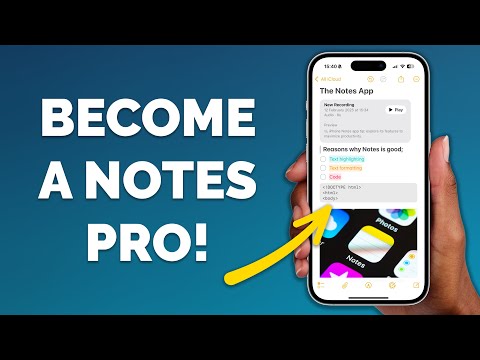
The iPhone Notes app has transformed from a simple note-taking tool into a robust productivity hub. Packed with features, it can help you stay organized, collaborate effectively, and manage tasks with ease. Whether you’re a professional balancing multiple projects or someone looking to streamline personal tasks, these 10 tips from Proper Honest Tech will help you maximize the app’s capabilities.
1. Switch Between Recent Notes with Ease
Navigating between notes is seamless with the Notes app. You can quickly toggle between recently opened notes by swiping left or right on your screen. This eliminates the need to return to the main menu, allowing you to maintain focus and efficiency. This feature is especially useful when multitasking or referencing multiple notes simultaneously, saving you both time and effort.
2. Protect Sensitive Notes with Face ID
The Notes app offers robust security for your private information. You can lock individual notes using Face ID, Touch ID, or a passcode. To secure a note, select it, tap the share icon, and choose “Lock Note.” This feature is ideal for safeguarding sensitive data such as passwords, personal reflections, or confidential work details, making sure your information remains private and secure.
3. Record Audio Directly in Notes
The Notes app allows you to record audio directly within a note, making it a versatile tool for capturing ideas on the go. Whether it’s a meeting, lecture, or personal reminder, you can attach audio files seamlessly. Additionally, you can import existing recordings, allowing you to manage multimedia content alongside your written notes. This feature is perfect for users who need to combine text and audio for comprehensive documentation.
4. Use Quick Notes for Instant Ideas
Quick Notes is a powerful feature designed to capture ideas without delay. Accessible from the Control Center or by swiping up with an Apple Pencil on an iPad, it lets you create notes instantly without opening the app. You can even link Quick Notes to apps like Safari, Mail, or Maps, providing contextual relevance to your entries. This makes it easier to revisit and expand on your ideas later.
5. Organize Notes with Folders and Subfolders
As your collection of notes grows, staying organized becomes essential. The Notes app allows you to create folders and subfolders, which can be rearranged using drag-and-drop functionality. Group related notes together—whether for work projects, personal goals, or study materials—and locate them quickly. This feature ensures that your notes remain accessible and well-structured, even as your library expands.
6. Collaborate in Real-Time
The Notes app makes collaboration effortless. You can share individual notes or entire folders with others, allowing real-time edits and updates. This is particularly useful for team projects, shared to-do lists, or family planning. To collaborate, tap the share icon in a note or folder and invite others via email or messaging apps. With this feature, you can work together efficiently, no matter where you are.
7. Organize with Hashtags
Hashtags provide a simple yet effective way to organize your notes across folders. By adding tags like #Work or #Personal, you can filter and locate notes quickly, regardless of their folder location. This feature is especially helpful for managing overlapping categories or themes, making sure that your notes remain easy to find and sort.
8. Format Notes for Better Readability
The Notes app includes advanced formatting options to enhance the readability and organization of your content. You can highlight text, use block quotes, or apply mono-styled text for code snippets. Additionally, collapsible headings allow you to structure lengthy notes, making navigation easier. These formatting tools ensure that your notes are not only visually appealing but also easy to reference and understand.
9. Link Notes to Reminders
Integrating Notes with the Reminders app enhances task management. You can link a note to a reminder by using the share menu or dragging and dropping. This ensures that important tasks or deadlines are never overlooked, as related notes are just a tap away from your reminders. This feature bridges the gap between planning and execution, making it easier to stay on top of your responsibilities.
10. Simplify Navigation with Collapsible Headings
For detailed or lengthy notes, collapsible headings are an invaluable tool. By organizing content under headings and collapsing sections, you can focus on specific parts of your note without feeling overwhelmed. This feature is particularly useful for research, meeting minutes, or complex project plans, allowing you to navigate your notes with ease and precision.
Maximize Your Productivity with the Notes App
The iPhone Notes app is no longer just a basic tool—it’s a comprehensive productivity solution designed to meet a variety of needs. By incorporating these 10 tips into your workflow, you can enhance multitasking, improve organization, and collaborate more effectively. Whether you’re managing personal tasks or professional projects, these features make the Notes app an indispensable part of your digital toolkit. Start exploring these tips today to unlock its full potential and elevate your productivity.
Dive deeper into iPhone Notes app tips with other articles and guides we have written below.
Source & Image Credit: Proper Honest Tech
Filed Under: Apple, Apple iPhone, Guides, Top News
Latest Geeky Gadgets Deals
Disclosure: Some of our articles include affiliate links. If you buy something through one of these links, Geeky Gadgets may earn an affiliate commission. Learn about our Disclosure Policy.
Credit: Source link