Open source Android apps provide a powerful combination of customization, security, and cost-effectiveness. These apps are not only free but also designed to cater to a variety of needs, from productivity and media management to security and organization. Below is an in-depth look at eight standout apps that can simplify your daily tasks and elevate your Android experience. The video below from Enoch Boateng gives us more details on these awesome apps.
1. Reef: A Comprehensive Productivity Tool
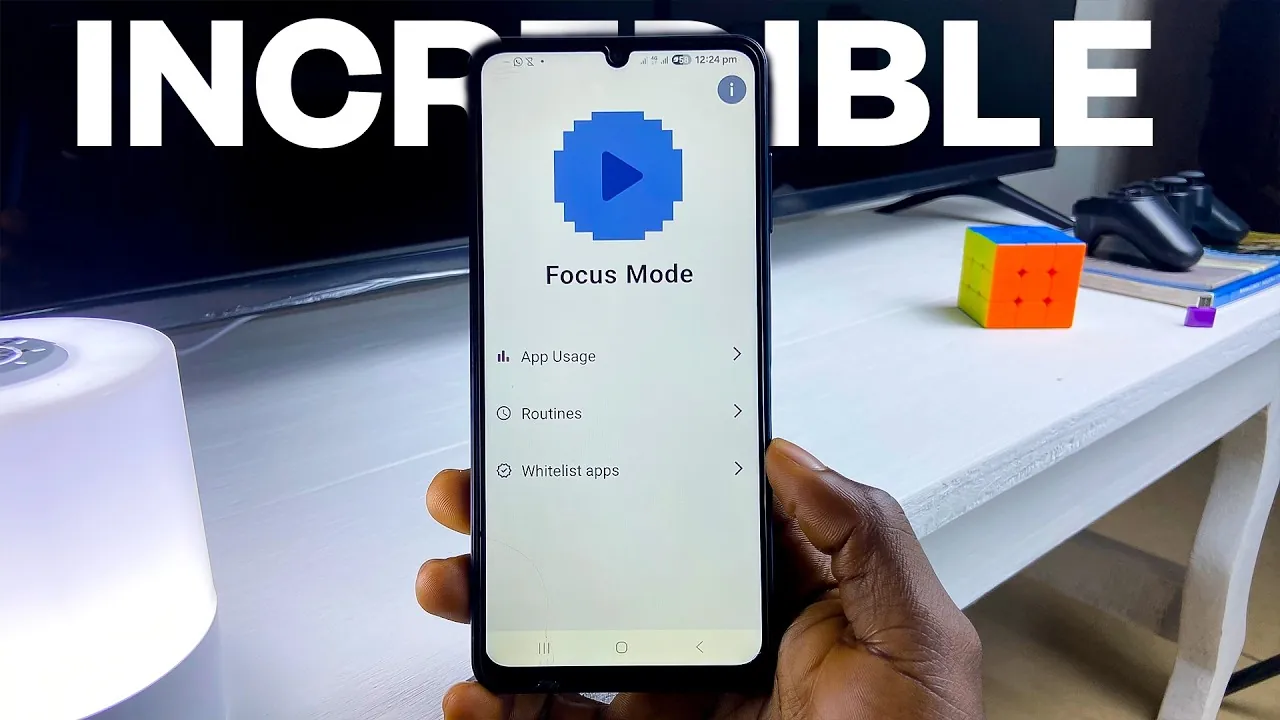
Reef is a feature-rich productivity app tailored to help you stay organized and focused. Its intuitive design and functionality make it a valuable tool for managing your time effectively. Key features include:
- Focus Mode: Block distractions by restricting app usage during work or study sessions.
- Routine Creation: Build and customize daily routines to maximize productivity.
- App Usage Tracking: Gain insights into how much time you spend on various apps.
Reef’s sleek interface ensures ease of use, making it an essential app for anyone looking to optimize their workflow and maintain focus.
2. Passwords: Secure and Simplified Credential Management
Passwords is a robust app designed to securely store and manage sensitive information, such as login credentials and payment details. Its standout features include:
- Encryption: All stored data is encrypted and accessible only with a master password.
- Centralized Storage: Keep all your credentials in one secure location for quick access.
By offering a secure and user-friendly solution, Passwords reduces the risk of breaches and ensures your digital life remains protected and organized.
3. reReminder: Efficient Interval-Based Notifications
reReminder is a minimalist app designed to help you manage recurring tasks and reminders effortlessly. Its key features include:
- Customizable Intervals: Set reminders to align with your specific schedule.
- Minimalist Interface: Focus on essential tasks without unnecessary distractions.
This app is ideal for users who need a straightforward tool to stay on top of deadlines and recurring activities.
4. MPVX: Advanced Video Playback Features
MPVX is a modern video player that offers a range of tools to enhance your viewing experience. Its features are particularly useful for users who require precision and flexibility. Key features include:
- Subtitle Customization: Adjust subtitle size, color, and position to suit your preferences.
- Picture-in-Picture Mode: Watch videos while multitasking on your device.
- Frame Navigation: Navigate through videos frame by frame for detailed analysis.
MPVX is a reliable choice for both casual viewers and professionals who need advanced playback options.
5. Another Notes: A Flexible Note-Taking Solution
Another Notes is a customizable note-taking app that caters to a wide range of needs, from jotting down quick ideas to managing detailed project plans. Its features include:
- Customizable Previews: Personalize how your notes are displayed for better organization.
- Reminders: Set alerts to ensure you never miss important tasks.
- Data Backup: Protect your notes with secure backup options.
This app is perfect for users seeking a versatile and reliable alternative to mainstream note-taking tools.
6. ForceStop Helper: Optimize Your Device Performance
ForceStopHelper is a utility app designed to improve your device’s efficiency by managing background processes. Its key features include:
- One-Tap App Stopping: Instantly free up system resources by halting unnecessary background apps.
- App Pinning and Sorting: Organize your apps for quicker access and better management.
This app is particularly useful for extending battery life and maintaining your device’s overall performance.
7. Ultimate Photo Cleaner: Organize Your Media Library
Ultimate Photo Cleaner simplifies the process of managing and decluttering your media files. Its intuitive design makes it easy to keep your photo and video library organized. Key features include:
- Swipe-to-Delete: Quickly remove unwanted media files with simple gestures.
- Storage Tracking: Monitor your storage usage to prevent running out of space.
This app is an excellent tool for users who want to maintain a tidy media library and free up storage for new content.
8. Offline Translator: Reliable Translations Without Internet
Offline Translator combines innovative OCR technology with offline functionality to provide accurate translations. Its features include:
- Image-to-Text Translation: Extract and translate text directly from images.
- Offline Language Packs: Translate text without requiring an internet connection.
This app is invaluable for travelers, students, and professionals working in multilingual environments, offering convenience and reliability wherever you go.
Explore the Potential of Open-Source Apps
These eight open source Android apps demonstrate the versatility and practicality of free software. From productivity tools and secure password management to advanced media players and translation apps, each app is designed to address specific needs while maintaining ease of use. By integrating these apps into your daily routine, you can enhance your efficiency, organization, and overall digital experience. Open source technology continues to empower users by offering accessible and customizable solutions for modern challenges.
Below are more guides on Open source Android apps from our extensive range of articles.
Source & Image Credit: Enoch Boateng
Filed Under: Android News, Mobile Phone News, Top News
Latest Geeky Gadgets Deals
Disclosure: Some of our articles include affiliate links. If you buy something through one of these links, Geeky Gadgets may earn an affiliate commission. Learn about our Disclosure Policy.
Credit: Source link