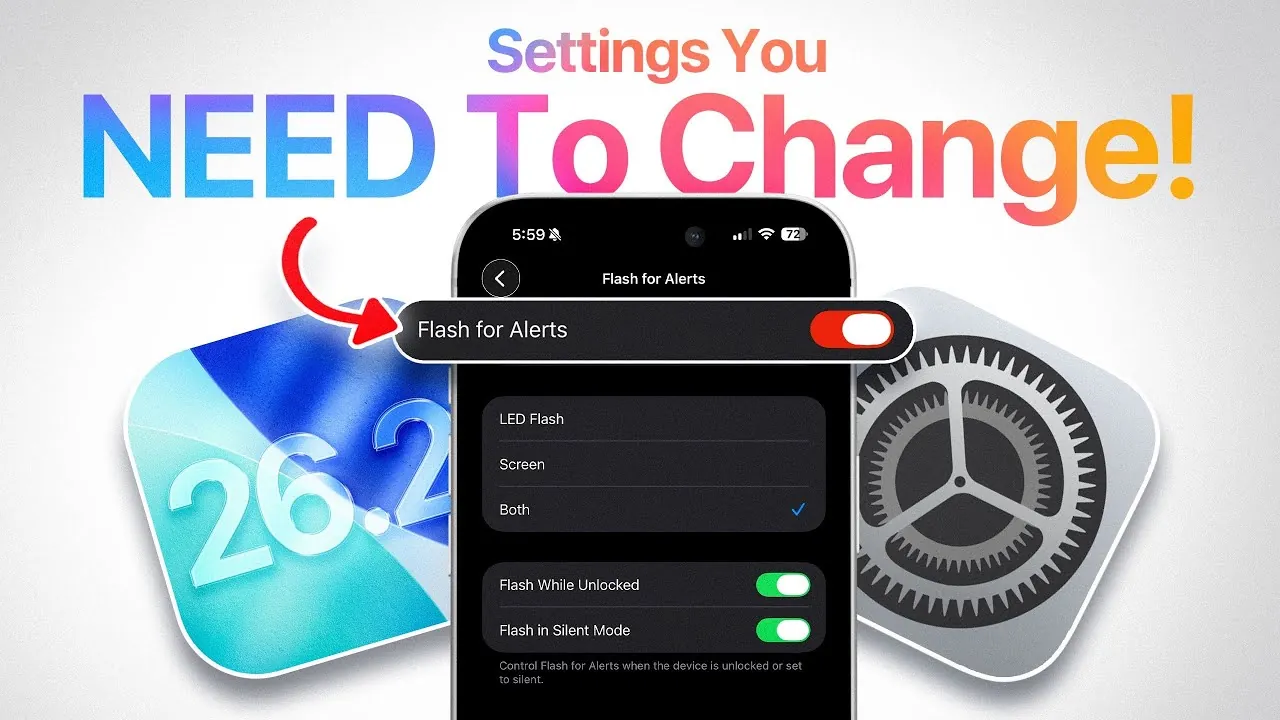
Apple’s iOS 26.2 brings a host of new features and improvements designed to enhance your iPhone’s performance, security, and usability. From optimizing network connectivity to introducing advanced accessibility tools, this update offers significant benefits for all users. To fully use these enhancements, it’s important to adjust a few key settings. Below is a detailed video from iDeviceHelp to help you make the most of iOS 26.2.

Optimize Network Performance with Carrier Bundle Updates
iOS 26.2 introduces updated carrier bundles that are specifically designed to improve your device’s network performance. These updates can enhance call quality, boost data speeds, and provide more stable connectivity, especially in areas with inconsistent network coverage. Making sure that your iPhone is equipped with the latest carrier settings is a simple yet effective way to maximize performance.
To check and apply carrier bundle updates:
- Open Settings > General > About.
- If an update is available, a prompt will appear to install it.
By completing this quick step, you can significantly improve your iPhone’s overall connectivity and ensure a smoother experience, particularly when using mobile data or making calls.
Customize Your Lock Screen with the Liquid Glass Effect
The new “liquid glass” effect for the lock screen clock is one of the most visually appealing features in iOS 26.2. This feature allows you to personalize your lock screen by adjusting the intensity of the effect, ranging from a subtle frosted appearance to a dynamic, liquid-like design. It’s a simple way to give your iPhone a fresh and modern look.
To enable and customize the liquid glass effect:
- Go to Settings > Wallpaper > Customize Lock Screen.
- Use the customization options to adjust the effect to your liking.
This feature not only enhances the aesthetic appeal of your device but also allows you to express your personal style in a unique way.
Stay Safe with Enhanced Emergency Alerts
Safety is a top priority in iOS 26.2, which introduces improved emergency alert systems. These alerts are designed to notify you of critical events such as earthquakes, severe weather, and public safety emergencies. The system ensures that you stay informed and prepared during urgent situations, offering peace of mind when it matters most.
To manage and customize emergency alerts:
- Navigate to Settings > Notifications > Emergency Alerts.
- Enable or adjust the types of alerts you want to receive.
- Optionally, allow your device to share anonymous location data to improve the accuracy of alerts.
These updates provide a reliable way to stay informed about potential dangers, making sure that you and your loved ones remain safe and prepared.
Expanded LED Flash Notifications for Accessibility
Accessibility receives a significant boost in iOS 26.2 with the enhancement of LED flash notifications. This feature now allows your iPhone to flash both the LED light and the screen simultaneously when you receive alerts. It’s particularly useful in noisy environments or for individuals with hearing impairments, making sure that no notification goes unnoticed.
To activate and customize LED flash notifications:
- Go to Settings > Accessibility > Audio/Visual > Flash for Alerts.
- Toggle the feature on and adjust the settings to suit your preferences.
This improvement underscores Apple’s commitment to inclusivity, making the iPhone more accessible to users with diverse needs.
Break Language Barriers with Live Translation for AirPods
For users with compatible AirPods (Pro 2, Pro 3, or 4th Gen), iOS 26.2 introduces a new live translation feature. This tool enables real-time conversations across different languages, making it an invaluable resource for travel, business, or international communication. Currently available in the EU, this feature highlights Apple’s focus on seamless global interaction.
To use live translation with your AirPods:
- Ensure your AirPods firmware is updated to the latest version.
- Pair your AirPods with your iPhone.
- Access the feature through the Control Center or the AirPods settings menu.
This feature simplifies communication across language barriers, offering a practical solution for multilingual conversations and fostering better global connectivity.
Maximize the Benefits of iOS 26.2
iOS 26.2 is packed with features that enhance your iPhone’s functionality, safety, and personalization. By updating carrier bundles, exploring the liquid glass lock screen effect, allowing advanced emergency alerts, customizing LED flash notifications, and using live translation for AirPods, you can tailor your device to better suit your needs. Taking the time to adjust these settings ensures that you unlock the full potential of iOS 26.2 and enjoy a more seamless and personalized user experience.
Master iOS 26.2 features with the help of our in-depth articles and helpful guides.
Source & Image Credit: iDeviceHelp
Filed Under: Apple, Apple iPhone, Top News
Latest Geeky Gadgets Deals
Disclosure: Some of our articles include affiliate links. If you buy something through one of these links, Geeky Gadgets may earn an affiliate commission. Learn about our Disclosure Policy.
Credit: Source link