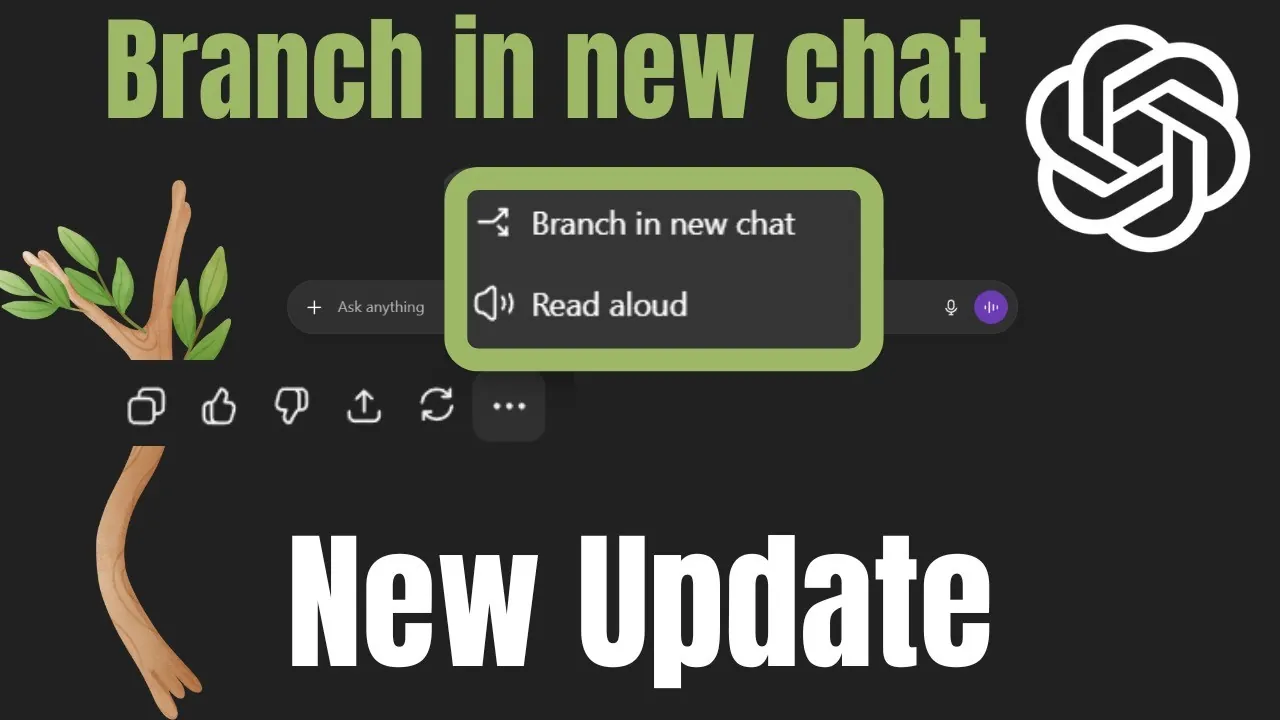
What if you could explore every “what if” without losing track of where you started? Imagine brainstorming a new project, testing multiple strategies, or analyzing conflicting ideas, all within a single conversation. OpenAI’s latest innovation, the branching feature in ChatGPT 5, promises to transform how we interact with AI by allowing users to create multiple conversational pathways while preserving the original context. This isn’t just a minor tweak; it’s a innovative upgrade that transforms ChatGPT into a dynamic tool for layered thinking and complex problem-solving. Whether you’re a researcher, a project manager, or simply someone juggling creative ideas, this feature opens doors to a more organized and flexible workflow.
In this guide, Bhavani Kola explains how the new ChatGPT 5 branching feature works, why it matters, and the surprising ways it can enhance both professional and personal tasks. From brainstorming multiple approaches to dissecting historical events from different perspectives, the possibilities are as diverse as they are practical. You’ll discover how this feature not only preserves context but also enables you to compartmentalize ideas without the frustration of starting over. By the end, you may find yourself rethinking how you approach complex tasks, armed with a tool that’s as adaptable as your imagination. Could this be the feature that redefines how we collaborate with AI? Let’s explore its potential.
ChatGPT 5 Branching Feature Overview
TL;DR Key Takeaways :
- The new branching feature in ChatGPT allows users to create multiple conversational threads within a single chat, preserving the full context of the original conversation for better organization and flexibility.
- Key applications include brainstorming, research and analysis, project planning, and scenario exploration, allowing users to explore diverse ideas and strategies without overwriting prior discussions.
- Benefits of the feature include context preservation, improved organization, and enhanced flexibility, making it easier to manage complex tasks and workflows.
- The branching feature is particularly useful in educational settings, fostering critical thinking by allowing teachers and students to analyze topics from multiple perspectives.
- With an intuitive interface and broad applications for professional and personal use, the branching feature enhances productivity, creativity, and decision-making processes in various domains.
What is the Branching Feature?
The branching feature enables you to create multiple conversational threads within a single chat. Each branch retains the full history of the original conversation, making sure that no context is lost. This functionality allows you to explore alternative ideas, strategies, or solutions without overwriting prior discussions or starting a new chat.
For example, if you’re brainstorming ideas for a project, you can create separate branches to explore different themes or approaches while maintaining access to the original conversation. This feature is particularly valuable for tasks that require layered thinking, such as analyzing problems from multiple angles or testing various solutions. It allows you to compartmentalize your thoughts while keeping everything organized and accessible.
Key Applications of the Branching Feature
The branching feature is highly versatile, making it applicable across numerous domains. Here are some practical use cases:
- Brainstorming: Generate and explore multiple ideas simultaneously without losing track of the original discussion.
- Research and Analysis: Investigate different perspectives or hypotheses and compare outcomes side by side.
- Project Planning: Organize workflows by creating branches for various project components or strategies.
- Scenario Exploration: Test “what-if” scenarios to evaluate potential outcomes and make informed decisions.
For instance, if you’re planning an event, you can use one branch to explore budget-friendly options and another to focus on premium alternatives. This approach ensures that all possibilities are evaluated without duplicating effort or losing clarity. Similarly, researchers can use branches to test competing hypotheses, while business professionals can explore multiple strategies for achieving their goals.
ChatGPT 5 Branching Feature Update Explained

Explore further guides and articles from our vast library that you may find relevant to your interests in ChatGPT 5.
Advantages of Using the Branching Feature
The branching feature introduces several benefits that enhance your experience with ChatGPT:
- Context Preservation: Each branch retains the full conversation history, saving you time and eliminating the need to reintroduce background information.
- Improved Organization: Branches help you manage complex tasks by keeping related ideas and discussions neatly compartmentalized.
- Enhanced Flexibility: You can explore diverse approaches without committing to a single path, reducing cognitive load and improving decision-making.
This feature eliminates the frustration of overwriting existing conversations or starting new chats for every new idea. Instead, you can seamlessly switch between branches, making sure that all your ideas remain intact and accessible. Whether you’re working on a creative project, conducting in-depth research, or managing a multifaceted task, the branching feature provides a structured and efficient way to organize your work.
Educational Applications
The branching feature also holds significant potential for educational use. Teachers and students can use it to analyze topics from multiple perspectives, fostering critical thinking and encouraging the exploration of diverse viewpoints.
For example, in a history class, a teacher might use branching to examine the causes of a historical event from economic, political, and social perspectives. Each branch would focus on a specific aspect while maintaining the broader context of the lesson. This approach not only enhances understanding but also promotes a more nuanced analysis of complex topics. Similarly, students working on group projects can use branches to explore different approaches to a problem, making sure that all ideas are considered before reaching a consensus.
How to Navigate the Branching Feature
The branching feature is designed with user-friendliness in mind. Branches are displayed in the sidebar, with clear labels distinguishing the main conversation from its offshoots. This intuitive layout allows you to quickly locate and switch between branches as needed.
For instance, if you’re managing a project with multiple components, you can label each branch according to its focus, such as “Budget Planning,” “Marketing Strategy,” or “Risk Assessment.” This organization reduces confusion and helps you stay on top of complex workflows. Additionally, the ability to revisit and expand on previous branches ensures that no idea is lost, making it easier to refine your work over time.
Broader Implications for Professional and Personal Use
The branching feature transforms ChatGPT into a more dynamic and effective tool for both professional and personal use. In professional settings, it can streamline workflows, enhance collaboration, and improve decision-making processes. For instance, teams working on product development can use branches to explore different design concepts, while marketers can test various campaign strategies within a single chat session.
On a personal level, the feature can assist with tasks such as planning vacations, organizing personal projects, or even exploring creative writing ideas. By allowing you to compartmentalize and revisit different threads of thought, the branching feature ensures that your ideas remain organized and accessible, no matter how complex the task.
Final Thoughts on the Branching Feature
The branching feature in ChatGPT represents a significant advancement in conversational AI. By allowing you to create multiple conversational threads within a single chat, it enhances flexibility, preserves context, and streamlines workflows. Whether you’re brainstorming ideas, planning projects, conducting research, or teaching critical thinking skills, this feature equips you with the tools to tackle complex, layered tasks efficiently.
With its intuitive interface and wide range of applications, the branching feature positions ChatGPT as a more versatile and powerful tool, capable of meeting the diverse needs of its users. As AI technology continues to evolve, features like branching will play a crucial role in enhancing productivity, fostering creativity, and allowing more effective problem-solving.
Media Credit: Bhavani Kola
Filed Under: AI, Top News
Latest Geeky Gadgets Deals
Disclosure: Some of our articles include affiliate links. If you buy something through one of these links, Geeky Gadgets may earn an affiliate commission. Learn about our Disclosure Policy.
Credit: Source link