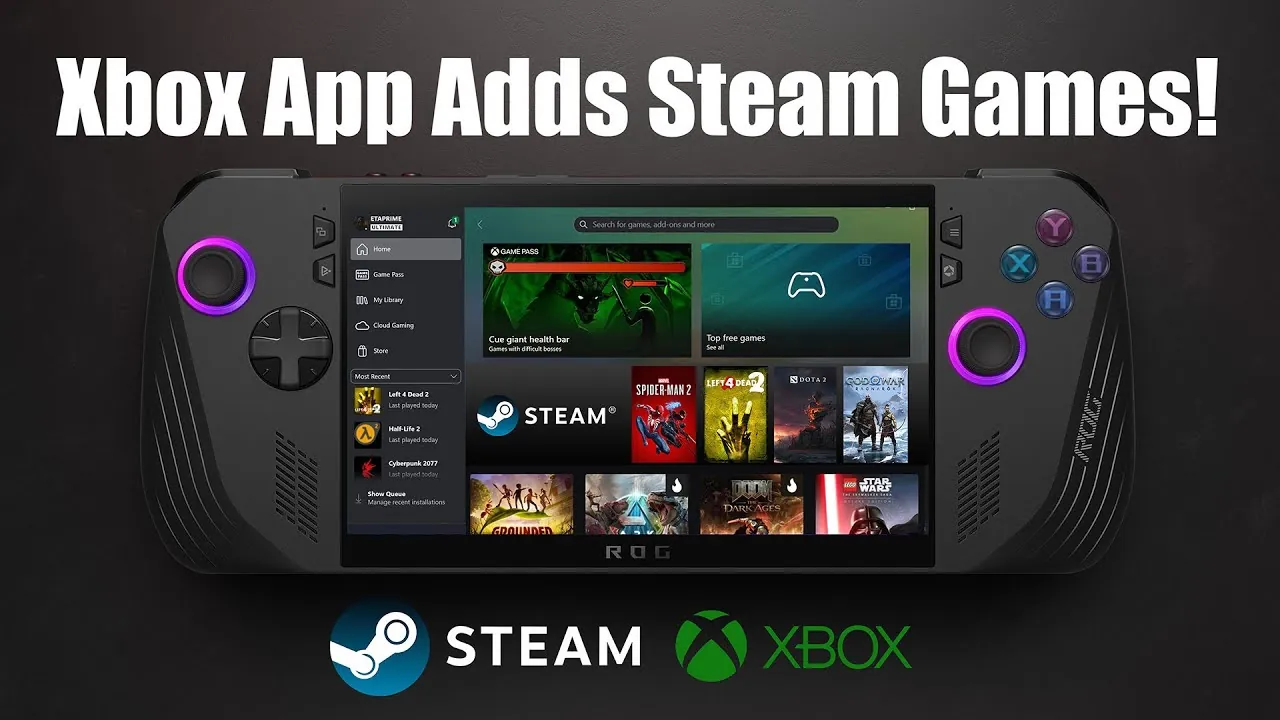
Have you ever wished for a single app to manage all your PC games, no matter where they’re from? Microsoft’s latest update to the Xbox app might just be the solution gamers have been waiting for. In a bold move to simplify the often chaotic world of PC gaming, the Xbox app now supports Steam and Epic Games libraries, allowing users to launch titles from these platforms directly within the app. Whether you’re gaming on a desktop, laptop, or a handheld PC like the ROG Ally, this update promises to unify your gaming experience and reduce the hassle of juggling multiple launchers. It’s a small but significant step toward consolidating the fragmented PC gaming ecosystem.
But what does this mean for you as a gamer? ETA Prime explores how the Xbox app’s new integration could redefine how you access and organize your games. From the convenience of managing your entire library in one place to the potential limitations of this early-stage feature, we’ll unpack the benefits and challenges of this update. Whether you’re curious about how this works on handheld devices or wondering about the future possibilities of this integration, there’s plenty to discover. As the gaming landscape continues to evolve, this move by Microsoft raises an exciting question: could the Xbox app become the ultimate hub for PC gaming?
Xbox App Game Integration
TL;DR Key Takeaways :
- Microsoft’s Xbox app on Windows now supports integration with Steam and Epic Games libraries, allowing users to launch games from these platforms directly through the app.
- The update simplifies game management by consolidating libraries into a single interface, though it currently lacks the ability to install or uninstall games from Steam or Epic Games.
- The feature is optimized for Windows devices, including desktops, laptops, and handheld PCs like the ROG Ally, enhancing portability and convenience for gamers.
- To access the feature, users must join the Xbox Insider Hub preview program and update their Xbox app to the latest version.
- While the integration is in its early stages with limitations like incomplete game data scraping, Microsoft plans to refine and expand the app’s functionality in future updates.
Enhanced Game Library Integration
The update integrates Steam and Epic Games libraries into the Xbox app, allowing you to launch games without needing to switch between multiple applications. This feature is particularly advantageous for users with extensive game collections spread across different platforms. However, the current functionality comes with certain limitations.
- While you can launch games, the app does not yet support installing or uninstalling titles from Steam or Epic Games.
- Games from these platforms do not appear in the app’s home section, which may make navigation less seamless.
Despite these constraints, the integration offers a more streamlined way to access your games compared to juggling multiple launchers. By consolidating access to your libraries, the Xbox app takes a step toward simplifying the gaming experience.
Optimized for Windows and Handheld Devices
This update is compatible with all Windows devices, including desktops, laptops, and handheld PCs. Handheld gaming devices such as the ROG Ally are poised to benefit the most, as the integration enhances portability and simplifies navigation. By consolidating your game libraries into a single app, you can enjoy a more cohesive gaming experience, especially when gaming on the go.
However, it’s important to note that the feature is still in its early stages. Certain elements, such as game data scraping, remain incomplete, which could impact the overall user experience. These early limitations highlight the need for further refinement, but the update still represents a meaningful step forward for gamers seeking convenience and accessibility.
Xbox App’s Steam and Epic Integration Simplifies PC Gaming

Take a look at other insightful guides from our broad collection that might capture your interest in Xbox app Steam integration.
How to Access and Enable the Feature
To explore this new functionality, you’ll need to join the Xbox Insider Hub preview program. The process is straightforward and allows you to try out the feature while contributing feedback to shape its future development. Follow these steps to get started:
- Download the Xbox Insider Hub app from the Microsoft Store.
- Enable the “PC gaming” preview within the app.
- Update your Xbox app to the latest version to access the new features.
By joining the preview program, you not only gain early access to the integration but also have the opportunity to provide feedback that could influence future updates. This collaborative approach underscores Microsoft’s commitment to refining the Xbox app based on user input.
Customization and Future Prospects
The Xbox app offers customization options that allow you to manage your libraries according to your preferences. You can enable or disable Steam and Epic Games integration through the app’s settings, giving you control over how you interact with your game collection. While the current version lacks advanced features such as custom artwork for games, Microsoft’s iterative update strategy suggests that these enhancements could be introduced in the future.
This ongoing development approach indicates that the Xbox app has the potential to evolve into a more versatile and comprehensive tool for PC gamers. By addressing current gaps and expanding customization options, Microsoft could transform the app into a central hub for managing game libraries across multiple platforms.
Current Limitations and Future Outlook
While the integration is a promising step forward, it does come with notable limitations that may affect the user experience:
- You cannot install or uninstall games from Steam or Epic Games directly through the Xbox app.
- Game data scraping is incomplete, resulting in some titles lacking artwork, which diminishes the visual appeal of the interface.
These shortcomings are expected to be addressed in future updates as Microsoft continues to refine the feature. For now, the integration provides a glimpse into a more unified future for managing game libraries across platforms.
Looking ahead, this update marks a significant milestone in consolidating PC gaming platforms. By resolving current issues and introducing more customization options, Microsoft could position the Xbox app as an essential tool for PC gamers. While the feature is still evolving, it lays the groundwork for a more streamlined and accessible gaming experience, making it easier to manage and enjoy your games across different platforms.
Media Credit: ETA PRIME
Filed Under: Gaming News, Top News
Latest Geeky Gadgets Deals
Disclosure: Some of our articles include affiliate links. If you buy something through one of these links, Geeky Gadgets may earn an affiliate commission. Learn about our Disclosure Policy.
Credit: Source link