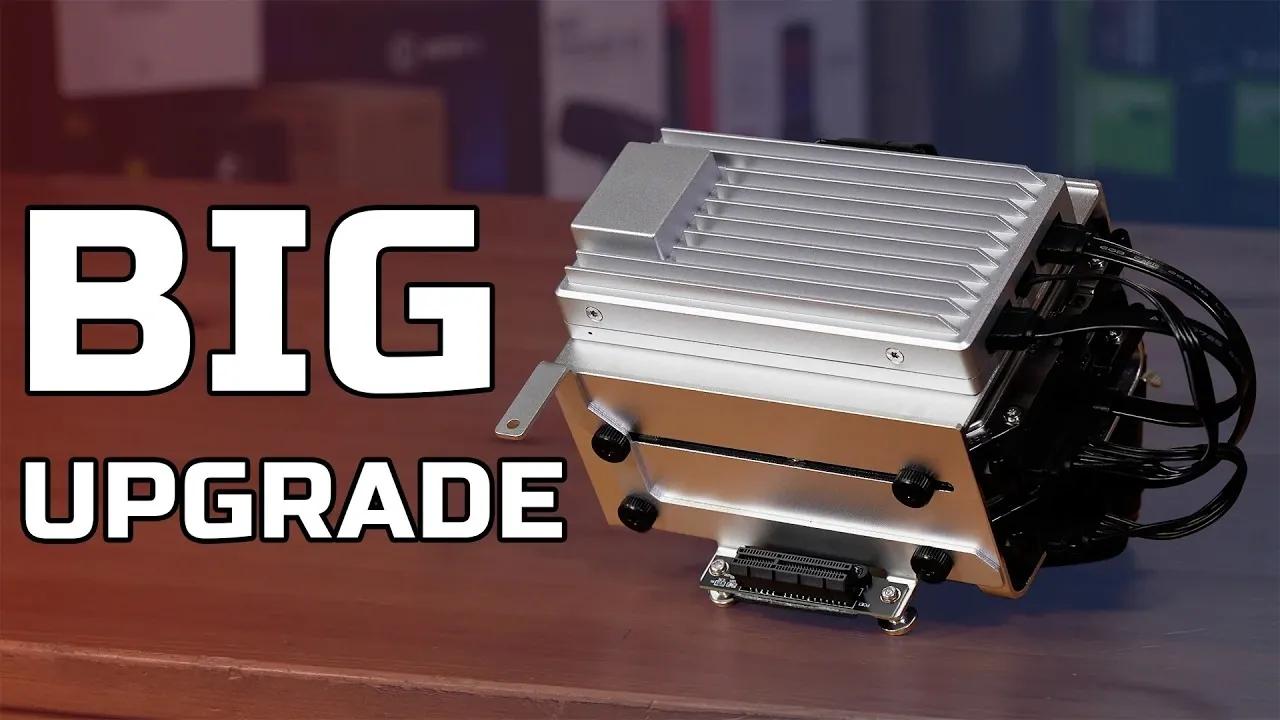
What if your next home server could do it all, without breaking the bank or demanding hours of setup? Below Techteam GB shows how the ZimaBoard 2 is redefining what a compact server can achieve, offering a rare blend of power, flexibility, and affordability. With its Intel N150 quad-core processor, dual 2.5Gb Ethernet ports, and PCIe expandability, this device isn’t just a step up from its predecessor, it’s a leap. Whether you’re managing a personal NAS, running virtual machines, or experimenting with AI applications, the ZimaBoard 2 promises to handle it all with ease. But does it truly live up to its bold claims? That’s what we’re here to unpack.
In this rundown, we’ll explore how the ZimaBoard 2 stacks up against traditional NAS devices and single-board computers, highlighting its standout features like the pre-installed ZimaOS and its 372 one-click install applications. You’ll discover why its energy-efficient hardware and versatile design make it a fantastic option for home labs and beyond. From its ability to support advanced virtualization platforms to its seamless integration into existing setups, this device offers something for everyone. By the end, you might just find yourself rethinking what’s possible with a home server.
Compact Home Server Solution
TL;DR Key Takeaways :
- The ZimaBoard 2 is a compact and versatile home server featuring an Intel N150 quad-core CPU, high-speed LPDDR5 RAM (8GB or 16GB), and flexible storage options (32GB or 64GB), designed for tasks like NAS, virtualization, and home labs.
- It offers robust connectivity with dual 2.5Gb Ethernet ports, PCIe Gen 3 slot, SATA 6Gb connectors, USB 3.1 ports, and Mini DisplayPort 1.4, making sure expandability and high-speed data transfers.
- Pre-installed ZimaOS includes an app store with 372 one-click install applications and supports Docker for advanced customization, making it user-friendly for both beginners and professionals.
- The device supports advanced applications like running local large language models (LLMs), virtualization platforms (e.g., Proxmox), and server solutions (e.g., TrueNAS, Home Assistant), offering flexibility for diverse use cases.
- Priced at $220 for the base model (8GB RAM) and $300 for the high-end model (16GB RAM), the ZimaBoard 2 provides a cost-effective, feature-rich alternative to traditional NAS devices and single-board computers.
Key Features at a Glance
The ZimaBoard 2 is packed with features that make it a standout choice for home server applications. Its hardware and software capabilities are designed to provide flexibility and efficiency for a wide range of tasks:
- Intel N150 quad-core CPU with low power consumption (10W TDP), making sure energy efficiency without compromising performance.
- High-speed LPDDR5 RAM options: 8GB or 16GB, running at 4800 MHz for smooth multitasking and demanding workloads.
- Flexible storage configurations: 32GB or 64GB, depending on the RAM variant, with expandability options for additional storage.
- Enhanced connectivity with a PCIe Gen 3 slot, dual 2.5Gb Ethernet ports, SATA 6Gb connectors, USB 3.1 ports, and Mini DisplayPort 1.4.
- Pre-installed ZimaOS featuring an app store with 372 one-click install applications for seamless setup and customization.
Performance-Driven Hardware
At the heart of the ZimaBoard 2 lies the Intel N150 quad-core processor, delivering a threefold performance improvement over its predecessor while maintaining a low power consumption of just 10W TDP. This processor is paired with high-speed LPDDR5 RAM, making sure reliable performance for multitasking and resource-intensive applications. The inclusion of a PCIe Gen 3 slot further enhances the device’s capabilities, doubling the data throughput compared to the previous generation and allowing faster performance for connected peripherals.
The dual 2.5Gb Ethernet ports provide robust networking capabilities, making the ZimaBoard 2 ideal for high-speed data transfers and stable connections in demanding environments. Additionally, the device includes two SATA 6Gb connectors and USB 3.1 ports, making sure compatibility with a wide range of storage devices and peripherals. These features make it a powerful and flexible solution for users seeking a reliable home server.
ZimaBoard 2 Review : Home Server Build

Uncover more insights about ZimaBoard in previous articles we have written.
Refined Design for Practical Use
The ZimaBoard 2’s design prioritizes both functionality and aesthetics, making it a practical choice for various setups. Its improved heat sink ensures efficient cooling during intensive tasks, while the optional fan header enhances airflow when using PCIe cards. This thoughtful design helps maintain optimal performance even under heavy workloads.
For users requiring additional storage, the optional hard drive cage can accommodate two hard drives alongside PCIe cards, making the ZimaBoard 2 an excellent choice for NAS setups. The compact form factor and modular design further enhance its usability, allowing it to fit seamlessly into different environments, whether as a standalone server or part of a larger system.
User-Friendly Operating System
The ZimaBoard 2 comes pre-installed with ZimaOS, a polished and intuitive operating system that builds on the foundation of its predecessor, CassaOS. ZimaOS features an app store with a wide selection of 372 one-click install applications, ranging from media servers to productivity tools. This makes it easy for users to customize their setup and access the tools they need without extensive technical knowledge.
For advanced users, ZimaOS supports Docker, allowing the deployment of containerized applications for greater flexibility and customization. This feature is particularly valuable for those looking to run specialized software or experiment with different configurations, making the ZimaBoard 2 a versatile platform for both beginners and experienced users.
Performance for Advanced Applications
The ZimaBoard 2 is designed to handle a variety of demanding tasks, making it suitable for advanced applications. Its 16GB RAM configuration supports running local large language models (LLMs) with up to 1-3 billion parameters, allowing AI and machine learning applications. This capability opens up opportunities for users to explore innovative technologies and develop innovative solutions.
In addition, the ZimaBoard 2 supports popular virtualization platforms like Proxmox, as well as server solutions such as OpenSense, Home Assistant, and TrueNAS. Whether you are managing a home lab, deploying a router or firewall, or setting up a personal NAS, the ZimaBoard 2 delivers consistent and reliable performance to meet your needs.
Comparison with Alternatives
When compared to other options like the Raspberry Pi 5, the ZimaBoard 2 stands out with its superior processing power, additional PCIe lanes, and built-in dual 2.5Gb Ethernet ports. These features provide greater flexibility and expandability, making it a better choice for users seeking a customizable solution. While it may be slightly more expensive than entry-level NAS devices, its enhanced capabilities and robust performance offer excellent value for the price.
Unlike traditional NAS devices, the ZimaBoard 2 is not limited to a single purpose. Its versatility allows it to function as a personal NAS, a router or firewall, a general-purpose home server, or even a mini desktop PC. This adaptability makes it a practical investment for users with diverse needs.
Pricing and Availability
The ZimaBoard 2 is competitively priced to appeal to a wide range of users, offering excellent value for its features and capabilities:
- Base model (8GB RAM, 32GB storage): $220
- High-end model (16GB RAM, 64GB storage): $300
- Optional hard drive cage: $30
These price points position the ZimaBoard 2 as an affordable yet feature-rich alternative to traditional two-bay NAS devices, providing users with a cost-effective solution for their home server needs.
Versatile Applications
The ZimaBoard 2 excels in a variety of roles, making it a versatile addition to any home or office setup. Its potential applications include:
- Personal NAS for secure and efficient data storage, making sure your files are always accessible and protected.
- Router or firewall for managing network traffic and enhancing security.
- General-purpose home server for media streaming, backups, and other everyday tasks.
- Mini desktop PC for lightweight computing tasks, offering a compact and energy-efficient alternative to traditional desktops.
Its compatibility with Raspberry Pi devices further enhances its versatility, allowing users to expand its capabilities and integrate it into existing setups as needed. This flexibility makes the ZimaBoard 2 a practical choice for users with diverse requirements.
Media Credit: TechteamGB
Filed Under: Hardware, Top News
Disclosure: Some of our articles include affiliate links. If you buy something through one of these links, Geeky Gadgets may earn an affiliate commission. Learn about our Disclosure Policy.
Credit: Source link