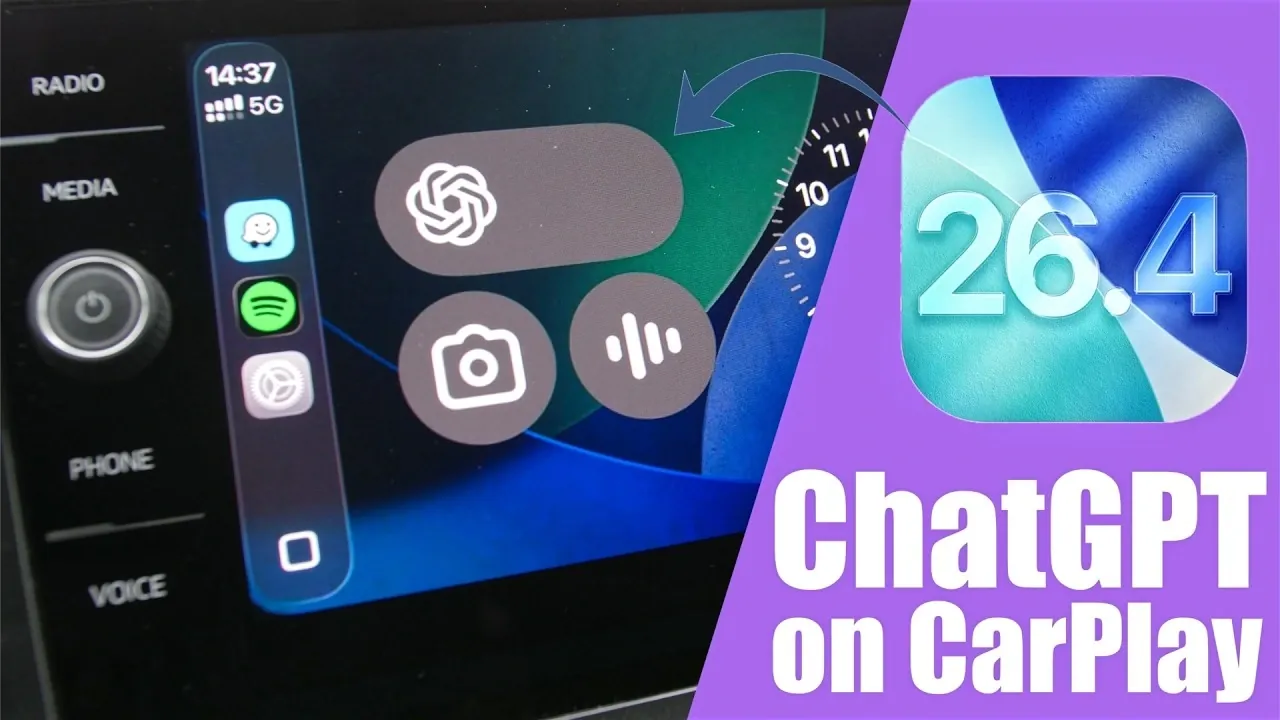
Apple’s iOS 26.4 update introduces an exciting feature: the integration of ChatGPT with CarPlay. This addition allows drivers to interact with ChatGPT hands-free, enhancing both convenience and safety during commutes. By combining voice commands and widget functionality, this feature ensures seamless access to AI assistance while keeping your focus on the road. Below is a comprehensive guide to setting up and using ChatGPT on CarPlay in a new video from iReviews.

What You Need Before You Start
Before setting up ChatGPT on CarPlay, ensure your iPhone meets the necessary requirements. Proper preparation ensures a smooth installation process and compatibility with your vehicle’s CarPlay system. Here’s what you’ll need:
- ChatGPT App: Download and install the ChatGPT app from the App Store. If you haven’t already, search for “ChatGPT” and follow the installation instructions.
- iOS 26.4 or Later: Update your iPhone to iOS 26.4 or a newer version. To verify your current version, navigate to Settings > General > About.
- CarPlay Compatibility: Ensure your vehicle supports Apple CarPlay. Most modern vehicles include this feature, but it’s always good to confirm in your car’s user manual or settings.
These prerequisites are essential for allowing ChatGPT on your CarPlay interface, making sure a seamless and reliable experience.
How to Set Up ChatGPT on CarPlay
Once your iPhone is ready, follow these steps to integrate ChatGPT into your CarPlay system. The process is straightforward and ensures that ChatGPT is easily accessible while driving:
- Open the Settings app on your iPhone and go to General > CarPlay.
- Select your vehicle from the list of connected cars. If your car isn’t listed, ensure it’s paired with your iPhone via Bluetooth or a USB connection.
- In the CarPlay app menu, locate the ChatGPT app. If it’s not already in the active app list, drag it from the available apps section to the active apps section.
- For quick access, configure ChatGPT as a widget on your CarPlay home screen. This allows you to initiate interactions without navigating through multiple menus.
By completing these steps, ChatGPT will be fully integrated into your CarPlay system, ready for hands-free use.
How to Use ChatGPT on CarPlay
After installation, ChatGPT can be accessed directly from your CarPlay interface. Designed for hands-free operation, the app relies entirely on voice commands to minimize distractions while driving. Here’s how you can make the most of this feature:
- Start a Conversation: Tap the ChatGPT widget or app icon on the CarPlay screen to initiate a new voice chat. The app will immediately begin listening for your input.
- Ask Questions or Perform Tasks: Use natural voice commands to request information or complete tasks. For example, you can say, “What’s the weather like today?” or “Remind me to pick up groceries.”
- Control Conversations: Use simple voice prompts to pause, mute, or end interactions. This ensures minimal disruption while driving and keeps your focus on the road.
- Review Past Interactions: Access recent conversations directly on the CarPlay screen. This feature allows you to revisit previous queries or continue ongoing discussions without starting over.
It’s important to note that typing is not supported, reinforcing the hands-free nature of this feature and prioritizing driver safety.
Current Limitations and Future Prospects
While the integration of ChatGPT with CarPlay is a significant advancement, there are a few limitations to consider. Understanding these constraints can help you set realistic expectations and make the most of the current functionality:
- Voice-Only Functionality: The ChatGPT widget currently supports voice commands exclusively. Unlike some other CarPlay apps, it does not offer additional features such as text input or advanced customization options.
- Limited Widget Capabilities: While the widget provides quick access to ChatGPT, it redirects to the app for more complex interactions. Future updates may expand widget functionality, allowing more robust features directly from the CarPlay interface.
Despite these limitations, the current setup offers a practical and efficient way to access AI assistance while driving. Both Apple and OpenAI are expected to refine this technology further, potentially introducing new features and improvements in upcoming updates.
By using the hands-free capabilities of ChatGPT on CarPlay, drivers can enjoy a safer and more connected driving experience.
Source & Image Credit: iReviews
Filed Under: AI, Apple, Apple iPhone, Top News
Disclosure: Some of our articles include affiliate links. If you buy something through one of these links, Geeky Gadgets may earn an affiliate commission. Learn about our Disclosure Policy.
Credit: Source link