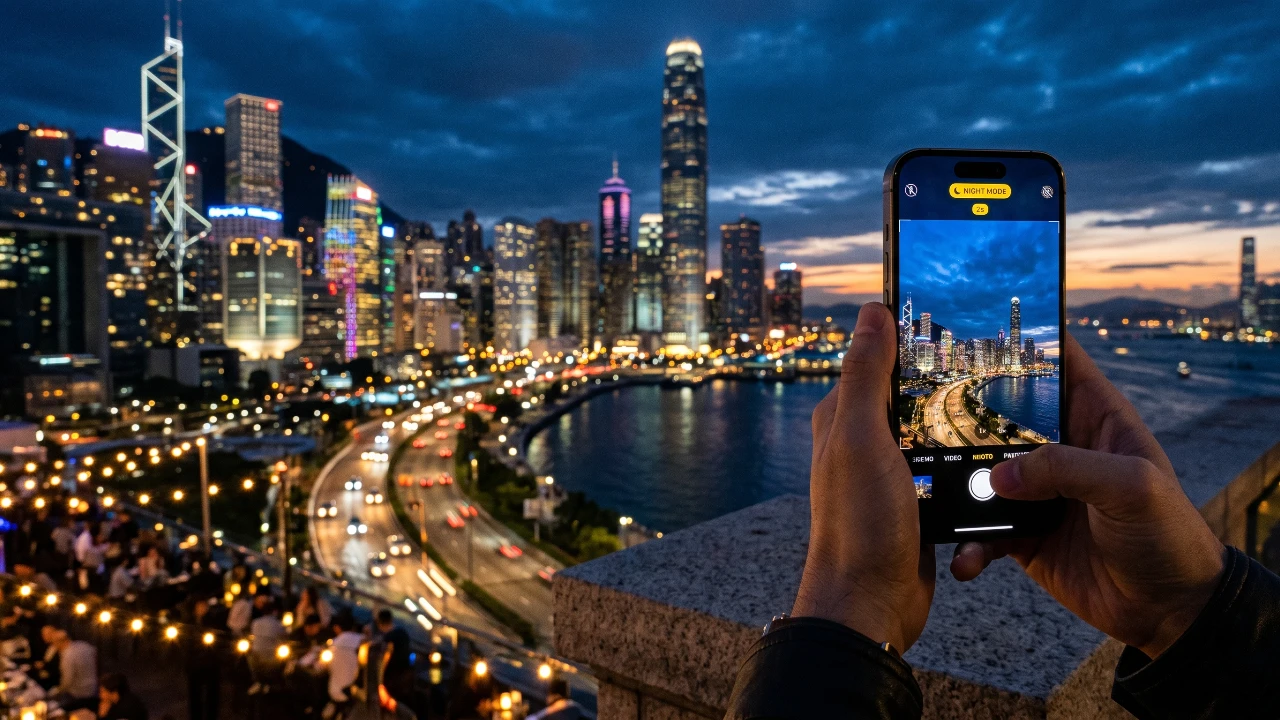
Capturing sharp and detailed photos in low-light conditions with your iPhone can be challenging. Factors like camera shake, insufficient lighting and incorrect settings often lead to blurry or grainy images. However, with the right techniques and tools, you can significantly enhance your night photography. Below, we’ll explore practical steps and features to help you take stunning low-light photos with your iPhone.

Stability: The Foundation of Clear Night Photos
Maintaining stability is crucial for capturing sharp images, especially in low-light conditions where longer exposure times are often required. Even the slightest movement can result in blurry photos. To ensure your iPhone remains steady:
- Hold your iPhone with both hands, keeping your elbows tucked close to your body for added support.
- Use a stable surface, such as a wall, table, or railing, to rest your phone and minimize movement.
- Invest in a tripod for optimal stability, particularly when using night mode or long exposure settings.
- Activate the timer or use a remote shutter to avoid any shake caused by tapping the screen.
By following these steps, your iPhone’s camera can capture more light and detail, resulting in sharper, clearer images.
Why the Main Camera (1x) Excels in Low Light
The main (1x) camera on your iPhone is specifically designed to perform better in low-light scenarios. Its larger sensor is capable of capturing more light compared to the telephoto or ultra-wide lenses. To maximize the quality of your night photos:
- Use the main camera whenever possible, as it delivers the sharpest and most detailed images in dim lighting.
- Avoid relying on the telephoto lens unless your iPhone is mounted on a tripod, as it is more prone to blur due to longer exposure times.
By prioritizing the main camera, you can take full advantage of its superior light-gathering capabilities, making sure better results in low-light conditions.
Unlock the Potential of Night Mode
Night mode is one of the most powerful tools for low-light photography on your iPhone. This feature automatically activates in dim environments, extending the exposure time to brighten your images and enhance details. To make the most of night mode:
- Keep your phone as still as possible during the exposure period to avoid motion blur.
- Manually adjust the exposure time by tapping the night mode icon and sliding the timer to your desired duration.
- Experiment with different exposure lengths to find the ideal balance between brightness and sharpness for your scene.
While night mode adapts to your surroundings, manual adjustments allow you to exercise greater creative control over your photos.
ProRAW: Elevate Your Night Photography
For those looking to take their night photography to the next level, shooting in ProRAW format is a fantastic option. This feature combines the flexibility of RAW files with computational enhancements like night mode. Here’s why ProRAW is worth considering:
- ProRAW files retain more image data than standard JPEGs, preserving details in both shadows and highlights.
- They allow for advanced editing, allowing you to fine-tune exposure, color balance and noise reduction with greater precision.
By using ProRAW, you can achieve more natural and detailed images, especially when editing your photos in post-processing software. This format is particularly useful for photographers who want maximum control over their final images.
Additional Tips for Exceptional Night Photos
To further enhance your low-light photography, consider these practical tips:
- Take multiple shots of the same scene. This increases your chances of capturing a sharp image, as slight variations in stability can affect each photo differently.
- Be mindful that night mode images are limited to 12 megapixels, regardless of your iPhone’s resolution settings. Focus on composition and lighting rather than resolution.
- Use editing tools to refine your photos. Adjust brightness, contrast and sharpness to bring out hidden details and improve overall quality.
- Pay attention to ambient light sources. Incorporating streetlights, candles, or other light sources into your composition can add depth and interest to your photos.
These techniques, combined with the right settings and tools, can transform your night photography from average to exceptional.
Achieving Stunning Low-Light Photos
Capturing clear and detailed photos in low-light conditions with your iPhone is entirely possible with the right approach. By focusing on stability, using the main camera, optimizing night mode and experimenting with ProRAW, you can overcome the challenges of night photography. Additionally, incorporating practical tips like taking multiple shots and refining your images through editing can further enhance your results. With practice and attention to detail, you’ll be able to turn blurry, grainy images into stunning, well-lit masterpieces that truly stand out.
Here is a selection of other guides from our extensive library of content you may find of interest on iPhone Night Photography.
Source: iPhone Photography School
Filed Under: Apple, Apple iPhone, Guides
Disclosure: Some of our articles include affiliate links. If you buy something through one of these links, Geeky Gadgets may earn an affiliate commission. Learn about our Disclosure Policy.
Credit: Source link