Upgrading to Android 16 brings a new layer of security enhancements, but it also introduces one of the strictest implementations of Factory Reset Protection (FRP) to date. While these protections are designed to safeguard user data, they can also create unexpected friction—especially when legitimate users are locked out of their own devices after a reset.
Whether it’s a forgotten Google account, a second-hand purchase, or an improperly reset device, FRP lockouts are becoming increasingly common. Fortunately, as Android security evolves, so do the tools designed to work within these constraints. Solutions like WondershareDr.Fone aims to provide a more structured and reliable way to regain access when traditional methods fall short.
Part 1. Android 16 Raises the Bar for Device Security
With Android 16, Google has significantly tightened system-level protections. Many previously known workarounds—such as installing third-party APKs during setup or exploiting system UI gaps—have been patched.
In addition, USB-based installation paths are now more restricted prior to verification, identity checks are enforced more frequently, and system partitions are better protected against modification. Together, these changes make FRP significantly more effective as a security feature, but they also reduce the viability of many older bypass techniques that were once widely used.
Part 2. Why FRP Lock Becomes a Real Issue
FRP is designed with a clear purpose: preventing unauthorized access after a factory reset. However, in real-world scenarios, it often affects legitimate users.
Common situations include:
- Second-Hand Devices: If the previous owner did not remove their account, the new user may be unable to complete setup.
- Forgotten Login Credentials: Users resetting their devices may realize too late that they no longer have access to the original Google account.
- Enterprise device turnover: Organizations may receive returned devices still linked to employee accounts.
- Accidental resets: Remote wipes or unintended resets can trigger FRP even when the device is recovered.
With Android 16 closing many historical loopholes, these situations are now harder to resolve using conventional methods.
Part 3. Current FRP Bypass Methods and Their Limits
Several approaches to bypass FRP still exist, but each comes with trade-offs:
- Manual Bypass (menus, system glitches, TalkBack, etc.) typically delivers a low to medium success rate, but comes with high operational complexity. Device coverage is relatively narrow to medium, and while the security risk is moderate, these methods are often outdated due to frequent system patches.
- APK-Based Tools offer a medium success rate with moderate complexity. However, their device compatibility is limited, and they carry a high security risk, as such tools are frequently broken or blocked by system updates.
- PC-Side Flashing Tools generally achieve a medium success rate, but require high technical expertise. They support moderate device coverage and present a medium to high security risk, with ongoing reliance on expert-level maintenance and updates.
- Remote Unlock Services can reach a medium to high success rate with low user-side complexity. Coverage is moderate, but the security risk remains high, and overall reliability is strongly dependent on third-party vendors.
- Official OEM Unlock/Reset Flows stand out with a high success rate and low complexity. While device support is specific to OEM policies, they offer low security risk and are well maintained by manufacturers, making them the most stable and compliant option.
Part 4. The Shift Toward Dedicated FRP Unlock Solutions
In response to these limitations, the industry has gradually shifted toward dedicated FRP unlock tools designed to adapt to newer Android versions, provide guided workflows instead of manual exploits, and improve compatibility across devices and chipsets. Rather than relying on unstable system gaps, these modern solutions aim to work alongside evolving security frameworks, offering a more structured and reliable unlocking process.
Part 5. Example Solution: WondershareDr.Fone for Android 16 FRP Unlock
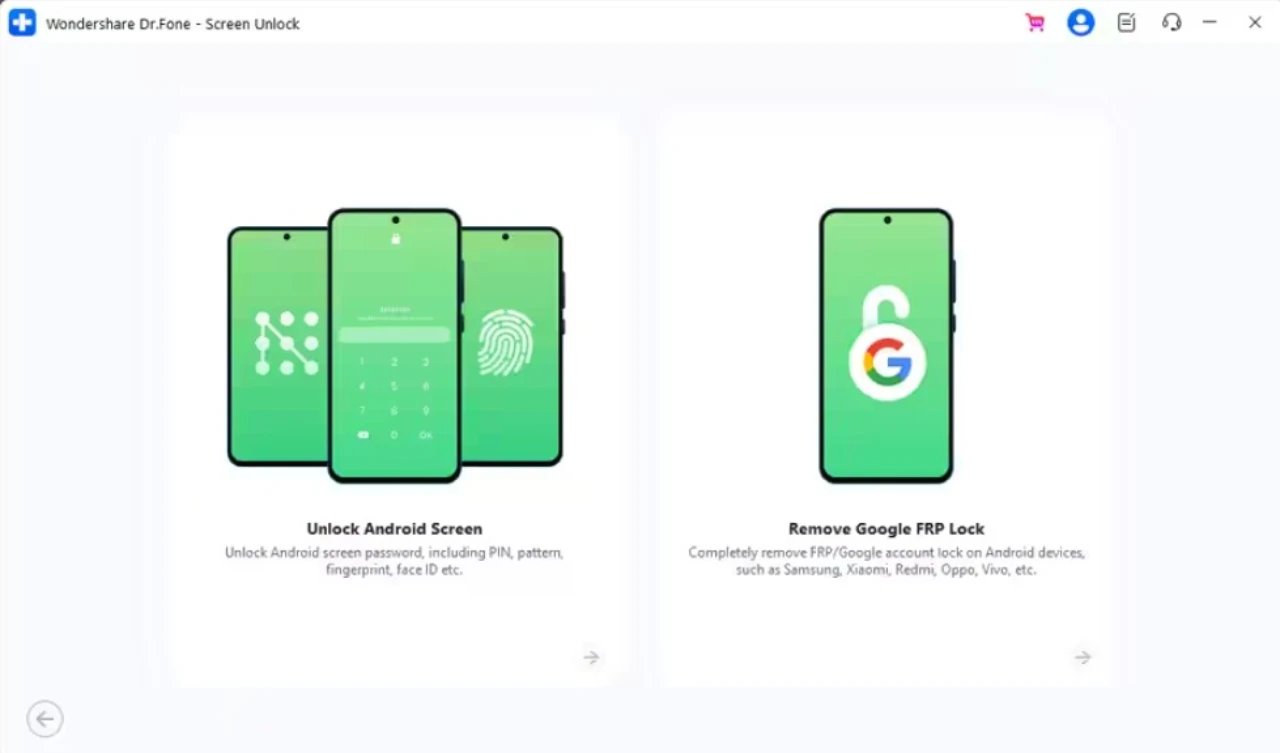
For those looking for a reliable option, Wondershare Dr.Fone Android Screen Unlock comes with an AI-powered and one-click FRP bypass facility. It can remove the FRP lock from 13 Android phones and tablets, including Samsung, Xiaomi, Redmi, OPPO, Realme, Vivo, Motorola, Lenovo, etc., compared to other options, WondershareDr.Fone is the pioneer to introduce FRP bypass for Android 16, mainly for Samsung Galaxy S26 Series and all Samsung Snapdragon devices.
Furthermore, it can remove the FRP lock with a 100% success rate in less than 10 minutes, using 2-3 simple guided steps. It also provides clear on-screen instructions, security prompts, and guides for every Android model and version. Another main aspect is that it supports all the major US versions while being compatible with Qualcomm Snapdragon, MTK, and Exynos chipsets. As a Samsung user, you can also remove FRP online effortlessly.
Part 6. How WondershareDr.Fone FRP Unlocking Works
After having the right FRP bypass option, if you want to know how this software typically works, here is the general workflow guide for you:
Step 1. Set Up and Select Unlocking Method
Launch the Screen Unlock (Android) tool and select the “Remove Google FRP Lock” option. After choosing your device brand, the tool will guide you to select the appropriate unlocking method based on your device’s chipset (such as MediaTek, Qualcomm, or others), or recommend a suitable solution through its built-in AI assistant.
Step 2. Follow the Guided Unlocking Process
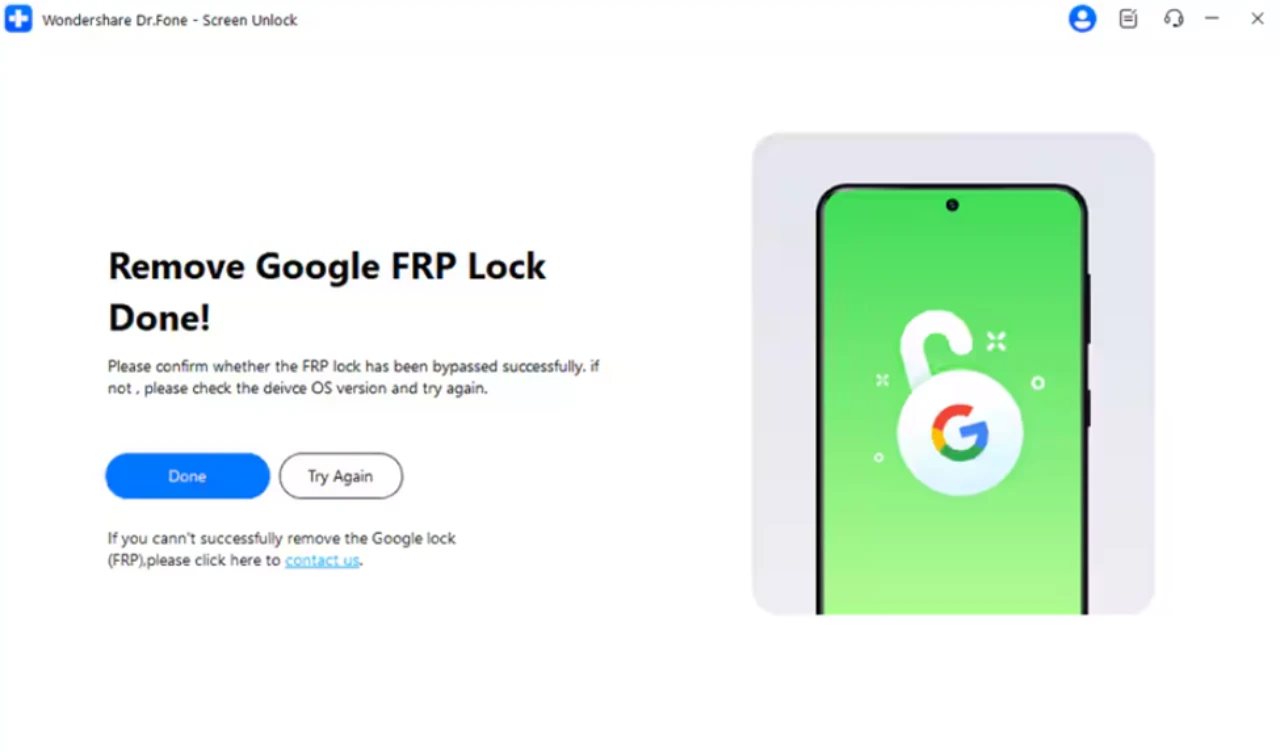
Once the method is selected, the tool will install the necessary drivers and provide step-by-step on-screen instructions. Based on your device model and system version, it may automatically adjust the process or offer alternative methods if needed. After the FRP lock is successfully removed, simply click “Done” to complete the process.
Conclusion
Android 16 represents a significant step forward in mobile security, but it also makes FRP lockouts more difficult to resolve through traditional means. As older bypass methods lose effectiveness, users are increasingly turning to dedicated tools that offer guided, compatible, and more reliable solutions.
While no single approach fits every scenario, the shift toward structured FRP unlock solutions reflects a broader trend: making complex device recovery processes more accessible in an increasingly secure mobile ecosystem.
About Wondershare
Wondershare is a globally recognized software company founded in 2003, known for its innovative solutions in creativity and productivity. Driven by the mission “Creativity Simplified”, Wondershare offers a range of tools, including Filmora and SelfyzAI for video editing; PDFelement for document management; and EdrawMax, EdrawMind for diagramming. With over 2 billion cumulative active users across all products and a presence in over 200 countries and regions, Wondershare empowers the next generation of creators with intuitive software and trendy creative resources, continually expanding the possibilities of creativity worldwide.
Filed Under: Guides
Disclosure: Some of our articles include affiliate links. If you buy something through one of these links, Geeky Gadgets may earn an affiliate commission. Learn about our Disclosure Policy.
Credit: Source link