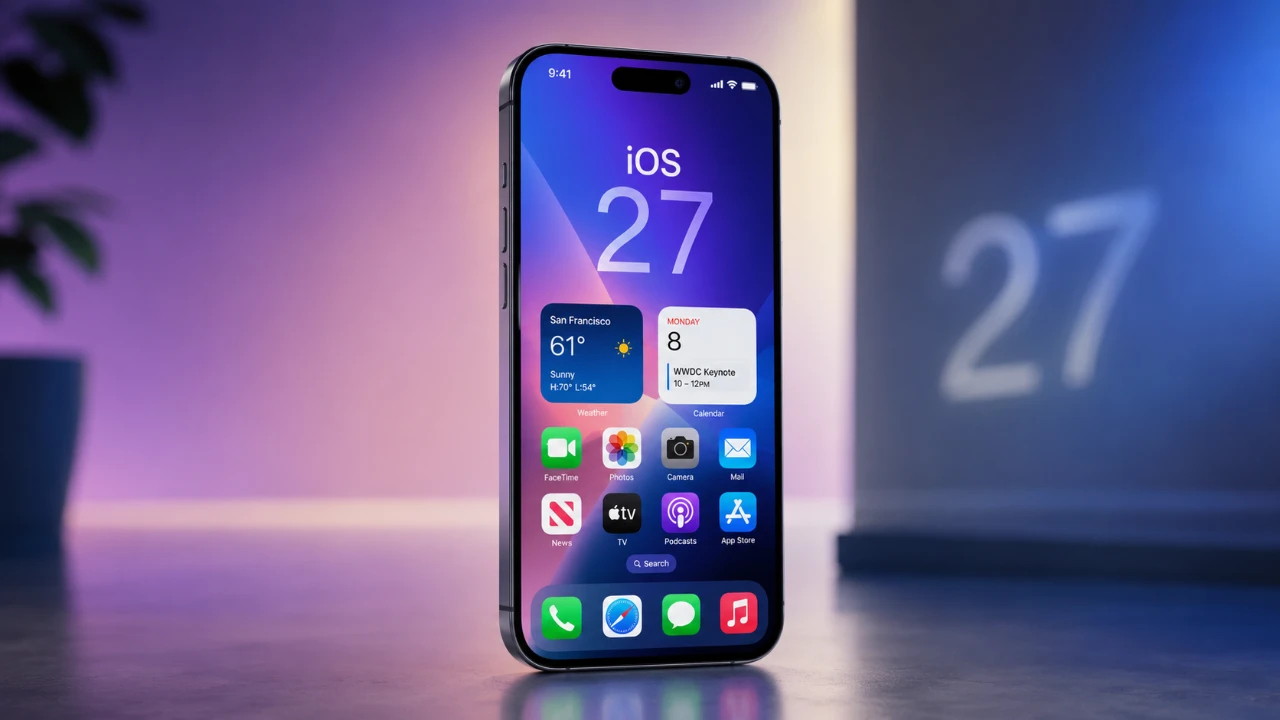
Apple’s upcoming iOS 27 update is poised to deliver a significant leap forward, emphasizing advancements in artificial intelligence (AI), enhanced customization, and a user-focused design philosophy. Recent leaks have revealed a host of exciting features, including a reimagined Siri, smarter photo editing tools, and improved app functionality. Let’s explore the key updates that make iOS 27 one of the most anticipated releases in recent years in a new video from AppleTrack.

Siri Gets a Major Overhaul
A central highlight of iOS 27 is the complete transformation of Siri, now seamlessly integrated into the Dynamic Island for more fluid interactions. Powered by the innovative Google Gemini AI model, Siri’s capabilities expand to include advanced conversational skills and contextual understanding. This upgrade enables Siri to handle complex, multi-step tasks, such as setting reminders while simultaneously composing messages, with remarkable ease.
The introduction of a standalone Siri app further enhances its utility, offering chatbot-like functionality for dynamic and personalized interactions. Additionally, support for third-party AI extensions allows you to customize Siri’s capabilities to suit your specific needs. Whether managing your daily schedule or seeking detailed answers, Siri’s enhanced on-screen awareness ensures a more intuitive and efficient user experience.
Camera App: Smarter and More Customizable
The camera app in iOS 27 receives a comprehensive upgrade, featuring widget-like controls that make adjusting settings such as exposure and focus faster and more intuitive. These enhancements streamline the photography process, giving users greater control over their shots.
One of the standout additions is the new “Siri Mode,” which uses visual intelligence to perform tasks like identifying objects, scanning business cards and analyzing food for nutritional information. This feature transforms the camera into a versatile tool, capable of capturing moments while also delivering actionable insights.
AI-Powered Photo Editing Tools
The Photos app in iOS 27 introduces advanced AI-driven tools designed to simplify and enhance the editing process. Key features include:
- Extend: Seamlessly expand the edges of your photos for a broader composition.
- Enhance: Instantly improve image quality with a single tap.
- Reframe: Generate alternate perspectives to reimagine your shots.
These tools are complemented by updates to the Image Playground app, which now produces more realistic AI-generated images. Whether you’re a casual user or a photography enthusiast, these enhancements provide unparalleled creative control, making photo editing more accessible and enjoyable.
Smarter Keyboard with AI Assistance
Typing on iOS 27 becomes more seamless and intuitive, thanks to an upgraded keyboard with expanded autocorrect and AI-powered writing suggestions. Drawing inspiration from tools like Grammarly, the keyboard now offers context-aware recommendations to refine your text. Additionally, built-in AI writing tools simplify the process of drafting emails, social media posts, or other written content directly from the keyboard interface.
Enhanced Customization and Design
iOS 27 introduces a sleek, modern aesthetic with a liquid glass design, allowing users to adjust transparency levels for a more personalized visual experience. Home screen customization sees significant improvements, including the addition of undo and redo buttons for widget and app layout changes, giving users greater flexibility and control.
The Wallet app also receives notable updates, allowing the creation of custom passes for barcodes and QR codes. These enhancements not only improve the visual appeal of the operating system but also boost its overall functionality, making sure a more tailored user experience.
Improved App Experiences
Several core apps in iOS 27 benefit from thoughtful updates aimed at improving usability and efficiency:
- Weather: A redesigned “Conditions” panel simplifies navigation, making it easier to access key information at a glance.
- Safari: AI-based tab grouping intelligently organizes your browsing sessions, while a revamped start page enhances usability and aesthetics.
These updates are designed to streamline your daily interactions with essential apps, making sure a smoother and more user-friendly experience.
Device Compatibility and Release Schedule
While iOS 27 introduces a wealth of new features, it will not support older devices, including the iPhone 11 series and the 2nd generation iPhone SE. The beta version is set to debut at WWDC on June 8, 2026, with a public release scheduled for September 2026. This timeline provides developers and users with ample opportunity to explore and adapt to the new operating system.
What iOS 27 Means for You
iOS 27 represents a significant step forward in mobile operating systems, focusing on refinement and user-centric enhancements. By integrating advanced AI tools, offering greater customization and improving app functionality, Apple continues to push the boundaries of what a smartphone can achieve. Whether you’re excited about the redesigned Siri, powerful photo editing tools, or streamlined app updates, iOS 27 promises a smarter, more personalized experience tailored to your needs.
Find more information on AI Integration by browsing our extensive range of articles, guides and tutorials.
Source & Image Credit: AppleTrack
Filed Under: Apple, Apple iPhone, Top News
Disclosure: Some of our articles include affiliate links. If you buy something through one of these links, Geeky Gadgets may earn an affiliate commission. Learn about our Disclosure Policy.
Credit: Source link