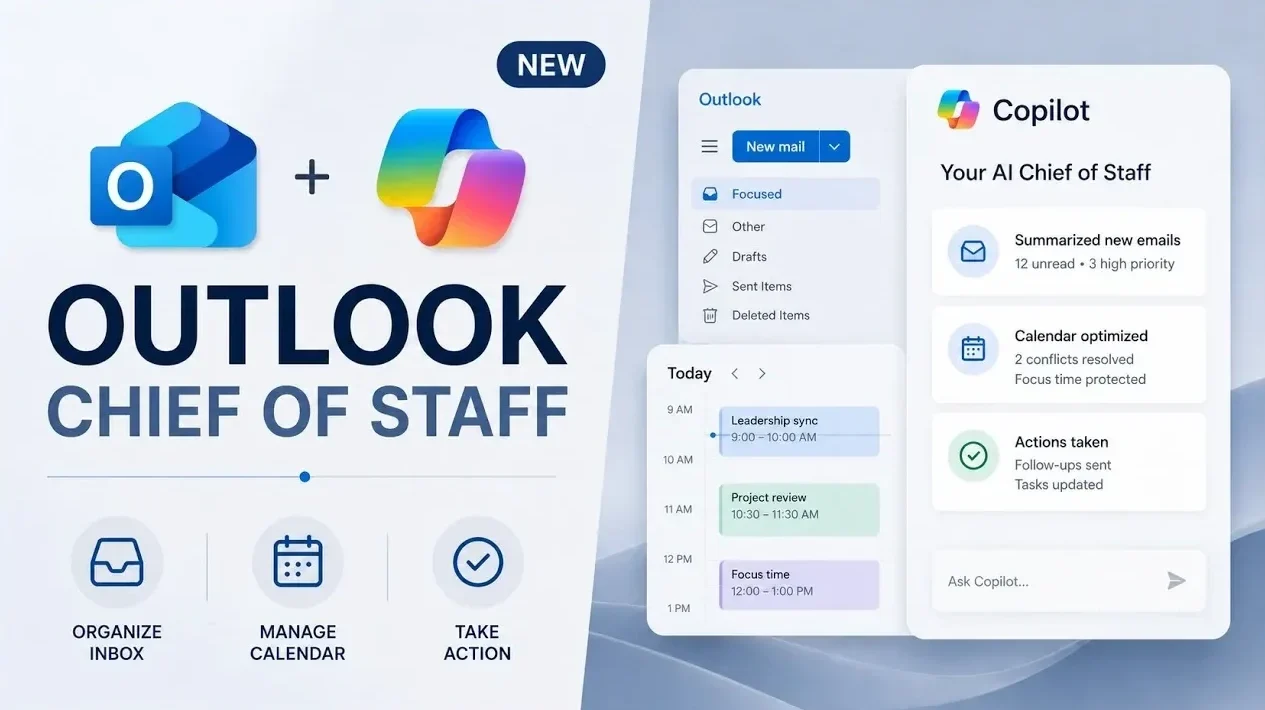
Microsoft 365 Copilot in Outlook integrates artificial intelligence to assist with email and calendar management, offering practical solutions for everyday tasks. As explained by Mike Tholfsen, one key feature is its ability to summarize unread emails into concise overviews, helping users quickly identify urgent messages and prioritize their responses. For instance, Copilot can draft replies based on specific instructions, reducing the time spent on routine communication and allowing more efficient task management.
Discover how Copilot supports productivity through features like generating detailed meeting agendas and optimizing schedules with intelligent calendar adjustments. Learn how it streamlines communication by allowing chat-based scheduling and adapts to individual workflows through customizable settings, such as inbox rules and recurring focus time blocks. This overview examines how these capabilities contribute to a more organized and manageable workday.
Inbox Management: Simplifying Email Overload
TL;DR Key Takeaways :
- Microsoft 365 Copilot in Outlook uses AI to streamline email management by summarizing unread messages, highlighting urgent communications and automating inbox organization with natural language commands.
- Copilot enhances calendar management by prioritizing meetings, suggesting actionable changes and generating detailed agendas to improve time management and productivity.
- Custom calendar instructions allow users to automate tasks like removing canceled meetings, blocking focus time and aligning schedules with personal preferences for seamless time management.
- Integrated Copilot Chat simplifies scheduling by suggesting available times, sending invites and coordinating meetings directly within the chat interface, reducing the need to switch tools.
- Copilot boosts overall productivity with AI-driven insights, actionable recommendations and automation of repetitive tasks, transforming Outlook into a central hub for efficient workflow management.
Handling an overflowing inbox is no longer a daunting task with Microsoft 365 Copilot. Using AI-powered summarization, it condenses unread emails into concise overviews, allowing you to quickly identify critical messages. Copilot highlights urgent communications and drafts responses based on your instructions. For instance, you can prompt it to compose a high-priority email or craft a confidential message with ease.
Additionally, Copilot automates inbox organization. By using natural language commands, you can set rules to tag emails from specific senders as high priority or move newsletters into designated folders. These features not only save time but also reduce the mental effort required to manage a cluttered inbox, making sure you stay focused on what matters most.
Calendar Optimization: Intelligent Scheduling for Better Time Management
Microsoft 365 Copilot transforms your calendar into a strategic tool for managing your time effectively. It analyzes your schedule to prioritize meetings and offers actionable suggestions, such as declining low-priority invitations or delegating attendance to others. By identifying opportunities to replace meetings with asynchronous updates, Copilot helps you reclaim valuable time for more meaningful work.
When preparing for meetings, Copilot generates detailed agendas that include key questions, risks and action items. This ensures you’re always well-prepared, maximizing the productivity of every interaction. Whether you’re managing a packed schedule or planning ahead, Copilot’s intelligent scheduling tools reduce stress and improve time management.

Unlock more potential in Outlook by reading previous articles we have written.
Custom Calendar Instructions: Tailored Time Management
Copilot’s ability to follow custom calendar instructions provides a personalized approach to managing your time. You can automate routine tasks, such as removing canceled meetings or declining invitations outside your working hours. It also helps you create recurring focus time blocks, making sure uninterrupted periods for deep, concentrated work.
These AI-driven features adapt to your unique preferences, making calendar management seamless and efficient. By aligning your schedule with your priorities, Copilot enables you to maintain control over your time while minimizing disruptions.
Integrated Copilot Chat: Streamlining Scheduling
The integration of Copilot Chat with calendar functionality introduces a new level of convenience. You can schedule meetings directly within the chat interface, where Copilot suggests available times and sends invites on your behalf. This eliminates the need to switch between tools, simplifying the scheduling process.
Whether coordinating with colleagues or external partners, Copilot ensures that scheduling is quick and hassle-free. Its intuitive interface and real-time suggestions make it easier than ever to manage appointments, saving you time and effort.
Enhanced Productivity Features: Insights and Automation
Beyond managing emails and calendars, Microsoft 365 Copilot enhances productivity by delivering actionable insights. It searches across emails, documents and other content to gather relevant information for meetings or tasks. For example, it can retrieve key data points from past conversations or reports, making sure you’re always well-informed and prepared.
Copilot also provides AI-driven recommendations to optimize your workload. By identifying high-impact activities and automating repetitive tasks, it enables you to focus on strategic objectives. These features reduce manual effort, improve efficiency and help you achieve more in less time.
Outlook as a Central Hub for Productivity
Microsoft 365 Copilot in Outlook is more than just an AI assistant, it’s a comprehensive tool designed to simplify and enhance your professional life. From summarizing emails to optimizing your calendar and delivering actionable insights, Copilot enables you to work smarter and more efficiently. By automating routine tasks and offering intelligent recommendations, it positions itself as an indispensable resource for managing your day-to-day responsibilities. With these updates, Outlook evolves into a central hub for productivity, allowing you to achieve more with less effort.
Media Credit: Mike Tholfsen
Filed Under: AI, Top News
Disclosure: Some of our articles include affiliate links. If you buy something through one of these links, Geeky Gadgets may earn an affiliate commission. Learn about our Disclosure Policy.
Credit: Source link