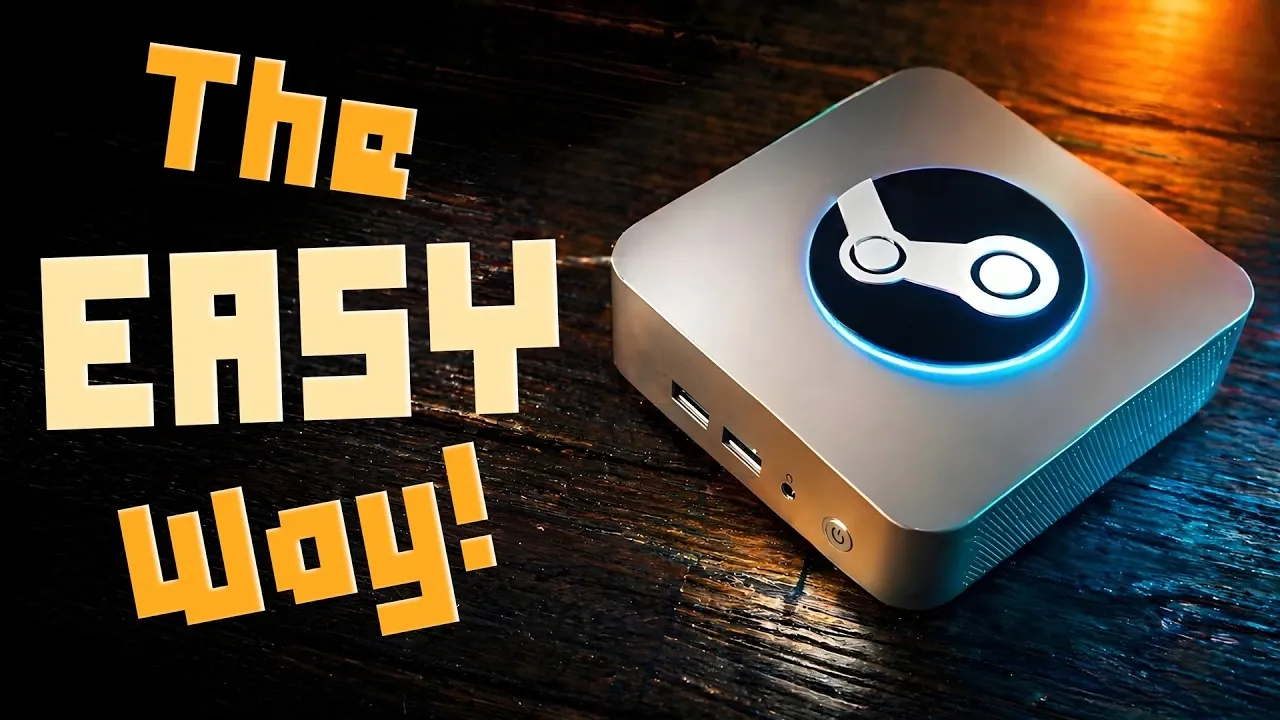
The Geekom A5 Pro 2026 can be quickly turned into a custom DIY Steam Machine gaming system by installing Chimera OS, a Linux-based operating system tailored for simplicity and gaming performance. As explained by TechDweeb, Chimera OS delivers a console-like experience and supports a variety of games, from indie releases to retro classics and older PC titles. However, it’s important to note that Chimera OS completely replaces Windows, as dual-booting is not supported, requiring users to commit fully to this setup.
Learn how to install Chimera OS and configure the Geekom A5 Pro 2026 for gaming, including steps to optimize its Ryzen 5 7530U processor and 16 GB of DDR4 RAM. Explore how Chimera OS works with platforms like Steam and GOG and gain insight into its retro gaming features, including emulator support for systems up to the PlayStation 2. This breakdown provides the key details to create a streamlined and capable gaming environment.
Hardware Highlights of the Geekom A5 Pro 2026
TL;DR Key Takeaways :
- The Geekom A5 Pro 2026 mini PC, powered by a Ryzen 5 7530U processor, 16 GB DDR4 RAM and a 1 TB NVMe SSD, offers a compact and efficient gaming solution, especially for indie, retro and older games.
- Chimera OS, a Linux-based operating system, transforms the mini PC into a console-like gaming machine with a clean interface, built-in Steam support and pre-installed emulators for retro gaming.
- The system excels in handling indie and retro games, with support for emulation up to PlayStation 2 and GameCube, but struggles with modern AAA titles due to hardware limitations.
- Chimera OS enhances retro gaming with features like save states, graphical improvements and seamless integration of retro games into the Steam library.
- This setup is ideal for gamers prioritizing portability, simplicity and retro gaming, but it is not recommended for high-end AAA gaming due to its mid-range hardware capabilities.
The Geekom A5 Pro 2026 is a compact yet powerful mini PC that strikes a balance between performance and portability. Its hardware specifications make it an excellent choice for gamers looking to create a lightweight and efficient gaming system.
- Processor: The Ryzen 5 7530U processor ensures smooth multitasking and reliable performance for gaming and everyday tasks.
- Memory and Storage: With 16 GB of DDR4 RAM and a 1 TB NVMe SSD, the device offers fast load times and ample storage for games and applications.
- Connectivity: Equipped with Wi-Fi 6 and Bluetooth 5.2, it provides stable and fast wireless connections for peripherals like controllers and headsets.
- Ports: Multiple USB ports and an SD card slot enhance flexibility, allowing for easy connection of external storage and accessories.
- Operating System: While it ships with Windows 11 Pro, the system can be reconfigured with Chimera OS to create a dedicated gaming environment.
Understanding Chimera OS
Chimera OS is a Linux-based operating system built with gamers in mind. It transforms your PC into a console-like gaming machine, offering a clean and intuitive interface that prioritizes ease of use and performance. Designed for simplicity, Chimera OS eliminates unnecessary distractions, making it ideal for those who want a focused gaming experience.
- Installation: Installing Chimera OS is straightforward, requiring a USB installer. However, it is important to note that Chimera OS replaces Windows entirely, as dual-booting is not supported.
- Gaming Platform Integration: The OS comes with built-in support for Steam and integrates with other platforms like Epic Games and GOG, providing access to a vast library of titles.
- Retro Gaming: Pre-installed emulators make it easy to play classic games, offering a nostalgic gaming experience.
Expand your understanding of Steam Machine with additional resources from our extensive library of articles.
Gaming Performance and Capabilities
When paired with Chimera OS, the Geekom A5 Pro 2026 delivers solid performance for indie, retro and older games. Its hardware is well-suited for these categories, making sure smooth gameplay and quick load times. However, its limitations become apparent with modern AAA games, where reduced graphical settings may be necessary for playable performance.
- Indie and Older Games: The system handles most indie and older titles effortlessly, providing a smooth and enjoyable gaming experience.
- Retro Gaming: Built-in emulators support a wide range of retro consoles, including systems up to the PlayStation 2 and GameCube. For enhanced features like save states and graphical improvements, tools like Retro Deck can be installed.
- AAA Titles: While capable of running some modern games, the hardware struggles with graphically intensive AAA titles, making it less suitable for high-end gaming.
Notable Features of Chimera OS
Chimera OS stands out for its ability to deliver a console-like gaming experience while offering additional features for flexibility and customization. Its design caters to gamers who value simplicity and functionality.
- Minimalistic Interface: The clean and user-friendly interface ensures quick access to games without unnecessary distractions.
- Desktop Mode: Powered by the GNOME desktop environment, it allows users to perform basic tasks like file management and web browsing when needed.
- Game Library Management: A web-based tool enables remote organization of your game library, integrating titles from platforms like Steam, Epic Games and GOG.
- Emulation Integration: Retro games are automatically added to your Steam library, simplifying access to your favorite classics.
Enhanced Retro Gaming with Chimera OS
For retro gaming enthusiasts, Chimera OS offers robust emulation capabilities that bring classic titles to life. The built-in emulators support a wide range of consoles and additional tools like Retro Deck can further enhance the experience.
- Save States: Save your progress at any point, allowing for greater flexibility and convenience during gameplay.
- Graphical Enhancements: Apply shaders and other visual improvements to elevate the look and feel of retro games.
- Expandable Storage: Use SD cards or external drives to store large collections of retro games, making sure you never run out of space.
Who Should Consider the Geekom A5 Pro 2026 with Chimera OS?
The Geekom A5 Pro 2026, when paired with Chimera OS, is an excellent choice for gamers who prioritize indie, retro and older games. Its compact design, quiet operation and portability make it a versatile device for gaming and experimentation. However, it is not recommended for those seeking high-performance AAA gaming due to its hardware limitations.
- Strengths: Ideal for low-maintenance gaming, retro emulation and exploring Linux-based gaming setups.
- Limitations: Not suitable for modern AAA titles that demand high-end hardware for optimal performance.
Building Your Gaming Setup
Transforming the Geekom A5 Pro 2026 into a dedicated gaming machine with Chimera OS is a straightforward and rewarding project. Chimera OS offers a simple, low-maintenance gaming experience, while the Geekom A5 Pro 2026 provides reliable mid-range performance in a compact form factor. Together, they create a versatile gaming system perfect for indie and retro gaming enthusiasts.
Before making the switch, consider your gaming preferences and budget. While this setup is not designed for high-end gaming, it excels in delivering a streamlined and enjoyable experience for a wide range of games. If you’re looking for a project device or a dedicated gaming machine, the Geekom A5 Pro 2026 with Chimera OS is a practical and compelling option.
Media Credit: TechDweeb
Filed Under: DIY Projects, Gaming News, Top News
Disclosure: Some of our articles include affiliate links. If you buy something through one of these links, Geeky Gadgets may earn an affiliate commission. Learn about our Disclosure Policy.
Credit: Source link