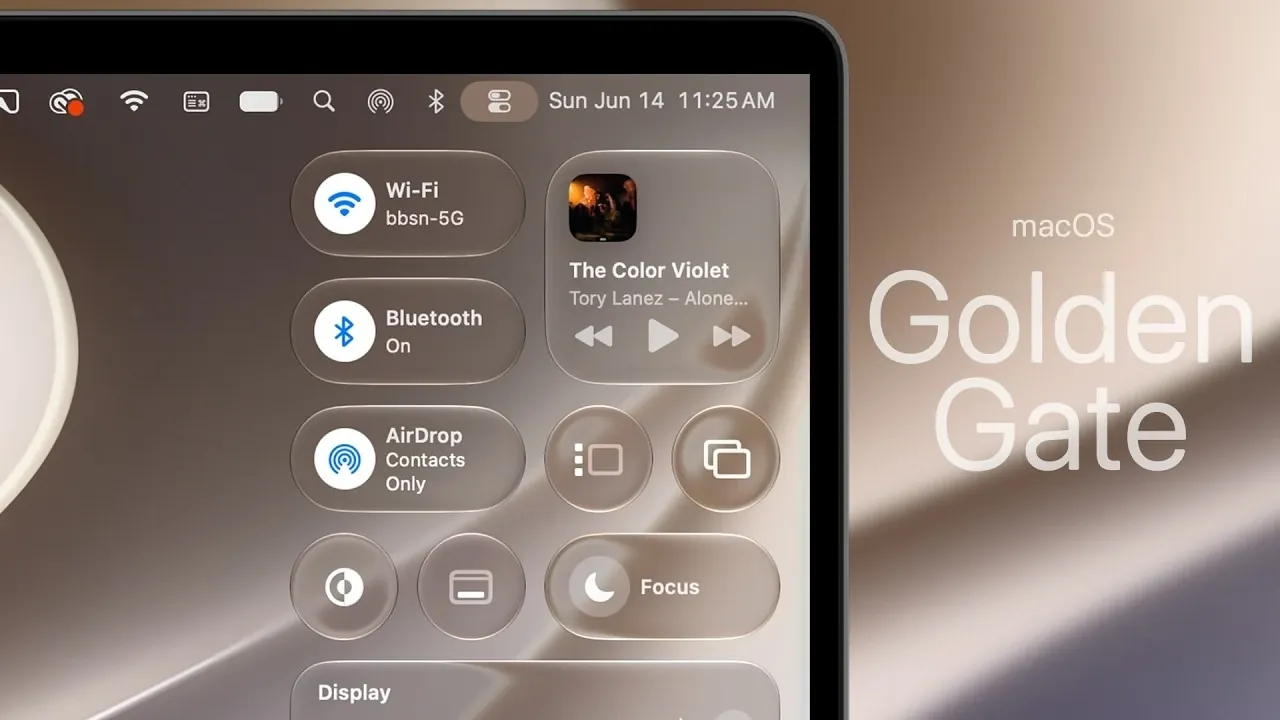
Apple’s macOS 27 Golden Gate represents a significant step forward in the evolution of its desktop operating system. With over 50 new features and refinements, this release focuses on enhancing the user experience through advanced AI integration, a cohesive design overhaul, and functional improvements across core applications. Whether you’re a professional seeking efficiency or a casual user looking for simplicity, macOS 27 is designed to streamline workflows and elevate daily interactions. The video below from Brandon Butch gives us a detailed look at the new macOS.

Refined Design and Visual Enhancements
The design updates in macOS 27 are both functional and visually striking. The new Golden Gate wallpaper, available in light and dark modes, sets a sophisticated tone for the operating system. Enhanced liquid glass effects sharpen icons and refine UI elements, creating a sleek and modern aesthetic. Consistent corner radii across all windows, including third-party apps, unify the design language, ensuring a seamless visual experience.
Additional design improvements include:
- Edge-to-edge sidebars and uniform toolbars for a cleaner, more organized interface.
- HDR integration for richer, more vibrant visuals on compatible displays.
- Polished animations that enhance transitions and interactions throughout the OS.
These updates not only improve the aesthetic appeal but also contribute to a more cohesive and intuitive user environment.
Unified Siri and Search: A Smarter Assistant
macOS 27 introduces a new integration of Siri and Spotlight into a single, unified feature called “Search or Ask.” This enhancement simplifies how you interact with your Mac, making it easier to find information or perform tasks. Siri’s AI capabilities have been significantly upgraded, offering:
- Personalized context for smarter and more relevant responses.
- In-app actions allow you to complete tasks directly within applications.
- Broader knowledge, allowing more comprehensive answers to your queries.
A new standalone Siri app further enhances functionality by introducing conversational interactions, visual intelligence and task automation. This makes Siri a versatile tool for both casual users and professionals, capable of adapting to a wide range of needs.
Enhanced Finder for Better File Management
Finder has been reimagined in macOS 27 to improve efficiency and usability. The updates are designed to make file navigation and organization more intuitive, with features such as:
- Suggested file names based on content and folder context, saving time during file creation.
- New animations for search and updated glyph icons, creating a more engaging experience.
- The removal of floating sidebars results in a cleaner and less distracting layout.
These changes aim to simplify file management, making it easier to locate, organize and interact with your documents and media.
Safari: Smarter and More Efficient
Safari has received a comprehensive update in macOS 27, focusing on both functionality and user experience. Key improvements include:
- Liquid glass effects in the address bar and smoother scrolling for a more refined browsing experience.
- A swipe-to-refresh gesture, allowing for quicker page updates.
- Automatic tab organization based on topics or user preferences improves workflow efficiency.
- The “Notify Me” feature, which alerts you about updates on your favorite websites.
- Improved power efficiency and faster shortcuts indexing for enhanced performance.
These updates make Safari a more powerful and user-friendly browser, catering to both casual browsing and professional research needs.
Core Applications: Productivity and Creativity Boosts
macOS 27 brings significant upgrades to its built-in applications, enhancing both productivity and creativity. Key updates include:
- Weather: Now features detailed graphs and highlights for more comprehensive forecasts.
- Freeform: Gains dark mode, new drawing tools, and folder organization for improved project management.
- Notes: Introduces freeform drawing, allowing users to sketch directly within their notes.
- Passwords: Adds automatic fixes for compromised accounts, bolstering security.
- Podcasts: Now supports video content with captions and chapters for better accessibility.
- Image Playground: A new app that uses AI for photo edits and style adjustments, catering to creative users.
These enhancements ensure that macOS 27 meets the diverse needs of its users, from managing daily tasks to executing complex creative projects.
Accessibility Features for Inclusivity
Apple continues to prioritize inclusivity with expanded accessibility features in macOS 27. These updates are designed to make the operating system more usable for individuals with diverse needs:
- Consolidated subtitle and captioning settings that apply across multiple apps, simplifying customization.
- Enhanced tools for hearing and visual assistance, making sure a more inclusive experience for all users.
These improvements reflect Apple’s ongoing commitment to creating technology that is accessible to everyone.
Performance and Display Innovations
macOS 27 delivers notable performance enhancements, focusing on speed, efficiency and compatibility. Key updates include:
- Faster user account creation during the initial setup process.
- Smoother animations in Mission Control and Spaces, improving multitasking fluidity.
- Upgraded external display support, including compatibility with 5K Mac mirroring and high refresh rate displays.
These improvements ensure a seamless and responsive experience, whether you’re multitasking or working on demanding projects.
AI-Powered Creativity in Photos and Shortcuts
Generative AI tools in macOS 27 empower users to enhance their creativity and productivity. Key features include:
- Advanced photo editing tools that allow you to clean up, extend, or reframe images with ease.
- Natural language-based creation and editing in Shortcuts, making automation more accessible and intuitive.
These tools are designed to save time while fostering creativity, allowing users to achieve professional-quality results with minimal effort.
macOS 27: A Comprehensive Upgrade
macOS 27 Golden Gate represents a significant evolution in Apple’s desktop operating system. By focusing on design consistency, advanced AI integration and performance improvements, this update caters to a wide range of users. Whether you’re drawn to the refined interface, enhanced productivity tools, or expanded accessibility features, macOS 27 offers a robust and versatile platform designed to elevate your computing experience.
Here is a selection of other guides from our extensive library of content you may find of interest on macOS 27 Golden Gate.
Source & Image Credit: Brandon Butch
Filed Under: Apple, Laptops, Top News
Disclosure: Some of our articles include affiliate links. If you buy something through one of these links, Geeky Gadgets may earn an affiliate commission. Learn about our Disclosure Policy.
Credit: Source link