
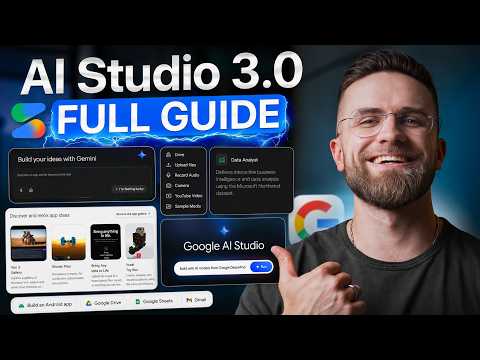
Google AI Studio 3.0 is a platform designed for building full-stack AI applications, suitable for both beginners and experienced developers. In a tutorial by AI Master, the focus is on using features such as custom asset generation and native app deployment to create functional applications without requiring extensive coding knowledge. For example, users can build branded dashboards or prototypes while integrating seamlessly with Google Workspace, making it a practical option for tasks like lightweight automation or internal project management.
Dive into this practical overview to refine app designs using interactive editing features, deploy fully native Android applications directly from your browser and connect with Google Workspace for tasks like data visualization. You will also gain insight into workflows for exporting projects to advanced IDEs, allowing further customization and development.
Features of Google AI Studio 3.0
TL;DR Key Takeaways :
- Google AI Studio 3.0 simplifies full-stack AI app development with features like custom asset generation, interactive editing and native app deployment, catering to both non-technical users and professionals.
- Key features include seamless Google Workspace integration, allowing easy creation of dashboards and tools and the ability to deploy fully native Android apps directly from the browser.
- The platform uses the Gemini 3.5 Flash engine for faster processing, efficient handling of large datasets and smoother workflows, ideal for rapid prototyping and data-heavy projects.
- Users can export projects to a local IDE called “Antigravity” for advanced customization, offering flexibility for both beginners and experienced developers.
- Limitations include dependency on the Google ecosystem and unsuitability for large-scale or highly sensitive projects, making it best suited for lightweight applications and internal tools.
Google AI Studio 3.0 introduces a range of features designed to simplify and enhance the app development process. These tools are tailored to meet the needs of both beginners and professionals, making sure flexibility and ease of use.
Custom Asset Generation
The platform includes a robust custom asset generation feature, allowing you to create visual elements directly within the tool.
- Design icons, hero images and placeholders that align with your project’s branding.
- Store assets within project files to maintain consistency across deployments.
For example, if you are building a company dashboard, you can quickly generate branded visual components, saving time and making sure a cohesive design.
Interactive Editing Tools
Interactive editing tools make it easier to refine your app’s design and functionality.
- Adjust colors, fonts and layouts without rewriting prompts or starting from scratch.
- Use the annotation layer to provide feedback and collaborate with team members in real time.
For instance, if a colleague suggests resizing a button or changing its position, you can implement these changes instantly, improving workflow efficiency.
Seamless Google Workspace Integration
Google AI Studio 3.0 integrates seamlessly with Google Workspace, allowing you to connect with tools such as Google Sheets and Google Drive.
- Create dashboards, file organizers, or CRM tools without the need for complex API configurations.
- Note: Data snapshots are static and require manual updates to reflect new information.
For example, if you are building an expense tracker linked to Google Sheets, you can easily pull data from your spreadsheet, though you will need to refresh it periodically to include the latest entries.
Native App Deployment
One of the standout features of Google AI Studio 3.0 is its ability to deploy fully native Android applications directly from your browser.
- No additional SDKs, emulators, or third-party tools are required.
- Applications function as standalone native apps rather than web-based solutions.
This feature is particularly beneficial for organizations looking to deploy internal tools or prototypes quickly without navigating complex development environments.
Enhanced Performance with Gemini 3.5 Flash
The platform uses the Gemini 3.5 Flash engine to deliver faster processing and generation times.
- Improved performance ensures smoother workflows and reduces waiting times.
- Handles large datasets and complex layouts more efficiently.
This enhancement is especially useful for users working on data-heavy projects or those requiring rapid prototyping.
Mobile App Support
Google AI Studio 3.0 is preparing for mobile app availability, offering users the flexibility to initiate and manage projects on the go. Pre-registration for this feature is currently open, making it an exciting option for professionals who need to work across multiple devices.
Publishing and Exporting Options
Publishing apps through Google Cloud is straightforward and requires minimal configuration.
- For advanced users, projects can be exported to a local IDE called “Antigravity” for further customization and refinement.
- This dual approach caters to both non-technical users and developers seeking greater control over their codebases.
For example, a developer could start a project in Google AI Studio 3.0 and later export it to “Antigravity” to add advanced features or integrate with external systems.
Who Should Use Google AI Studio 3.0?
Google AI Studio 3.0 is designed to cater to a diverse range of users, from beginners to experienced professionals.
- Non-technical users: Ideal for creating internal tools, dashboards and lightweight applications without requiring coding expertise.
- Professionals: Perfect for those using Google Workspace to automate tasks, develop prototypes, or build custom applications.
Its intuitive interface and deep integration with Google’s ecosystem make it a versatile tool for individuals and organizations alike.
Find more information on Google AI Studio by browsing our extensive range of articles, guides and tutorials.
Limitations to Consider
While Google AI Studio 3.0 offers numerous advantages, it is important to be aware of its limitations:
- Google Ecosystem Dependency: The platform is heavily reliant on Google tools, which may limit compatibility with non-Google systems.
- Not Suitable for Large-Scale Projects: It is not designed for managing large-scale production codebases or industries with strict data privacy requirements.
For example, organizations handling sensitive financial or healthcare data may find the platform’s data handling capabilities insufficient for their needs.
Practical Use Cases
Google AI Studio 3.0 is particularly effective for a variety of applications, including:
- Developing internal tools such as dashboards, CRM apps and expense trackers.
- Prototyping applications before transitioning to traditional development workflows.
- Creating lightweight apps to automate repetitive tasks within Google Workspace.
For instance, a small business owner could use the platform to build a custom CRM tool that integrates seamlessly with Google Sheets, streamlining customer data management and improving operational efficiency.
Google AI Studio 3.0 simplifies the process of full-stack AI app development, making it accessible to non-technical users while providing robust tools for professionals. Its features, such as custom asset generation, interactive editing and native app deployment, empower users to create functional and visually appealing applications with minimal effort. However, its reliance on the Google ecosystem and limitations in handling large-scale or highly sensitive data may not suit every use case. For individuals and organizations seeking to enhance productivity and streamline app development, Google AI Studio 3.0 offers a practical and versatile solution.
Media Credit: AI Master
Filed Under: AI, Guides
Disclosure: Some of our articles include affiliate links. If you buy something through one of these links, Geeky Gadgets may earn an affiliate commission. Learn about our Disclosure Policy.
Credit: Source link