
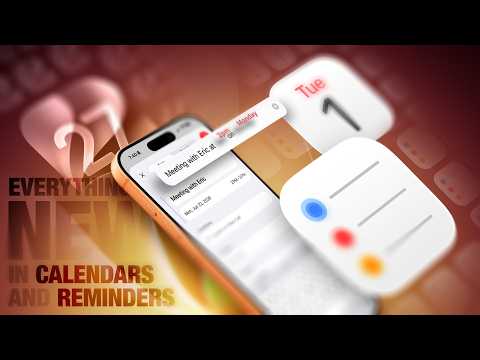
Apple’s iOS 27 brings a host of updates to its Calendar and Reminders apps, focusing on simplifying task management and scheduling. By incorporating advancements in natural language processing, enhanced Siri integration, and visual intelligence, these updates aim to make organizing your personal and professional life more intuitive and efficient. Whether you’re juggling a busy schedule or managing daily tasks, iOS 27 offers tools designed to streamline workflows and boost productivity. The video below from MacRumors gives us a detailed look at the new features coming in iOS 27.
Calendar App: Smarter and Faster Scheduling
The Calendar app in iOS 27 has been redesigned to make event creation and management faster and more intuitive. These updates focus on reducing manual effort while enhancing usability.
- Natural Language Event Entry: Creating events is now as simple as typing or speaking conversationally. For example, saying “Lunch with Sarah next Friday at noon” automatically populates the date, time and event details, eliminating the need for manual adjustments.
- Streamlined Event Editing: The redesigned interface allows you to modify event details, such as time, date, or recurrence settings, with ease. Changes to recurring events can now be applied intelligently to all or selected instances, saving time.
- Visual Intelligence: The app can analyze documents or images, such as a conference agenda or sports schedule and automatically generate multiple events. This feature is particularly useful for managing complex schedules with minimal effort.
- Extra-Large Widget: A new full-screen widget prominently displays your daily schedule on the home screen, making sure you never miss an important appointment or event.
These updates make the Calendar app a more powerful tool for managing both personal and professional commitments, offering a seamless experience for users with diverse scheduling needs.
Reminders App: Smarter Task Management
The Reminders app in iOS 27 has undergone a significant transformation, introducing features that make task organization more efficient and user-friendly. These enhancements cater to a wide range of users, from casual task managers to those with more complex organizational needs.
- Natural Language Processing: Adding reminders is now as simple as speaking or typing in everyday language. For instance, “Call the plumber tomorrow at 10 AM” automatically sets the time and date and even location-based reminders can be added effortlessly.
- Refined Interface: The app’s interface has been decluttered, with the bottom menu bar removed and additional options, such as adding images or flags, now accessible through a streamlined details screen. This ensures a cleaner, more intuitive user experience.
- Enhanced Grocery Lists: Grocery lists are now smarter, automatically grouping items by category, such as produce, dairy, or pantry staples. This feature, combined with expanded language support, makes shopping more efficient for users worldwide.
- New Shortcuts Actions: Automate your tasks with new Shortcuts options, including creating or deleting groups, lists and sections. The “get what’s on screen” feature allows you to extract relevant information directly from your device, allowing quick and accurate task creation.
These updates make the Reminders app a versatile tool for managing everything from simple to-do lists to more complex task workflows, making sure users stay organized with minimal effort.
Siri Integration: A Smarter Assistant
Siri’s enhanced capabilities in iOS 27 make it a more effective assistant for managing schedules and tasks. By using natural language processing and cross-app integration, Siri becomes an indispensable tool for staying organized.
- Conversational Commands: Siri now supports natural language input for creating events and reminders. For example, saying “Remind me to submit the project overview next Monday at 10 AM” automatically sets up the task with all relevant details.
- Recurring Tasks: Managing repeating events or reminders is now easier. Siri can handle tasks like weekly team meetings or monthly bill payments with minimal input, ensuring consistency in your schedule.
- Unified Search: Siri can search across both the Calendar and Reminders apps, providing a comprehensive view of your schedules and tasks. This ensures you have all the information you need in one place, reducing the risk of overlooking important commitments.
- Cross-App Integration: Siri can extract information from apps like Mail and Messages to create events or reminders based on your conversations or emails. This feature saves time and ensures no important details are missed.
With these enhancements, Siri becomes a more proactive and intelligent assistant, capable of handling complex scheduling and task management scenarios with ease.
Why These Updates Matter
The updates to the Calendar and Reminders apps in iOS 27 are designed to make staying organized more intuitive and efficient. By using natural language processing, visual intelligence, and enhanced Siri integration, these tools reduce the effort required to manage schedules and tasks. Whether you’re planning your day, automating routines, or collaborating across apps, iOS 27 ensures a seamless and user-friendly experience. With expanded customization options and smarter automation, staying on top of your responsibilities has never been more straightforward.
Source & Image Credit: MacRumors
Filed Under: Apple, Apple iPhone, Guides
Disclosure: Some of our articles include affiliate links. If you buy something through one of these links, Geeky Gadgets may earn an affiliate commission. Learn about our Disclosure Policy.
Credit: Source link