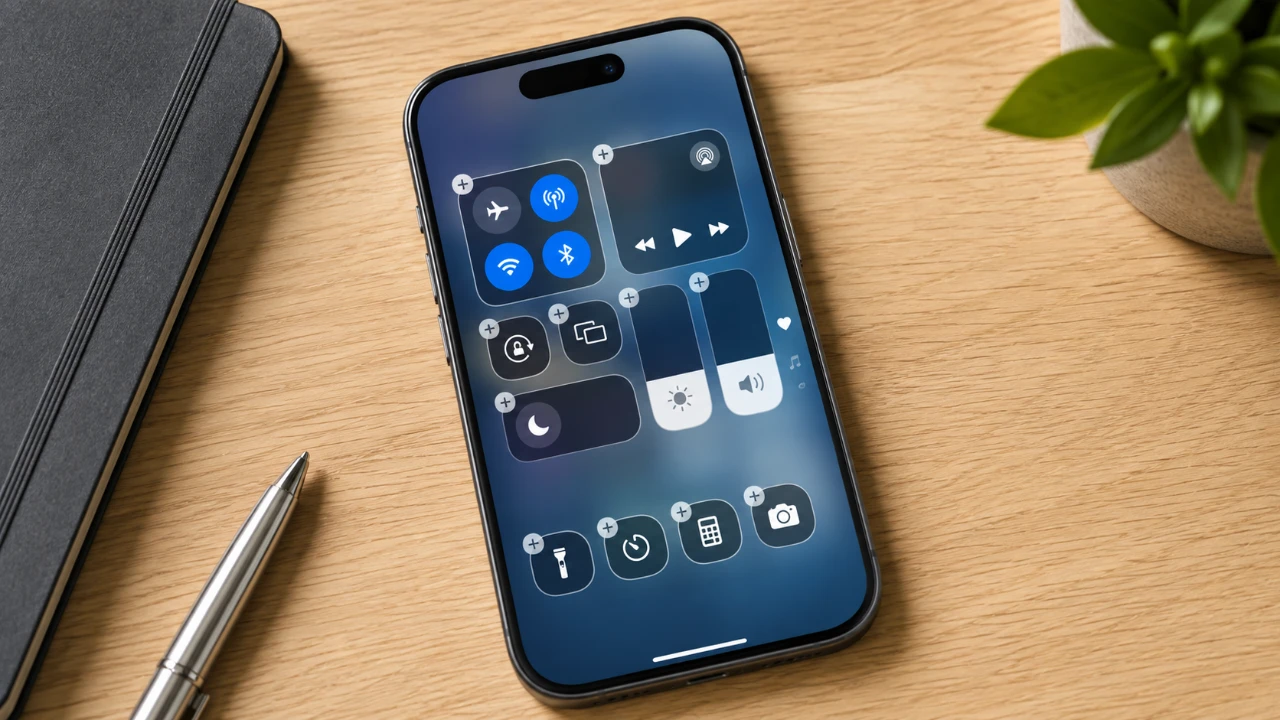
The iPhone Control Center in iOS 27 offers a highly customizable and centralized hub for managing productivity, entertainment and smart home devices. With advanced features, seamless third-party app integrations, and personalized shortcuts, it transforms your device into a powerful tool for daily efficiency. This guide explores how to optimize the Control Center to suit your unique needs and preferences. The video below from Stephen Robles gives us more details on how tgo get the most out of the Control Center.

Why Customize the Control Center?
Customizing the Control Center allows you to tailor your iPhone experience, making sure that your most-used tools and settings are always accessible. iOS 27 introduces the ability to add, resize and rearrange controls, giving you full control over your setup. Key toggles like Wi-Fi, Bluetooth, and silent mode can be prioritized for quick access, while long-press actions provide deeper functionality, such as adjusting AirDrop settings or allowing dark mode.
For enhanced organization, iOS 27 allows you to create multiple pages within the Control Center. This modular approach ensures that your setup is both intuitive and efficient. For example:
- One page can focus on focus modes and media playback for uninterrupted productivity or entertainment.
- Another page can be dedicated to smart home controls, offering quick access to connected devices and scenes.
By customizing the layout, you can streamline your workflow and reduce the time spent navigating through menus.
Unlocking the Power of Third-Party Apps
The integration of third-party apps into the Control Center significantly expands its functionality, making it a versatile tool for managing various aspects of your life. These integrations allow you to access essential features directly from the Control Center, saving time and effort. Examples include:
- Shopping and Lists: Apps like Amazon and AnyList enable quick access to shopping lists, order tracking and barcode scanning.
- Entertainment: Tools such as Sequel and CallSheet help you manage watchlists or retrieve detailed information about movies and TV shows.
- Health Tracking: Apps like FoodNoms provide AI-powered food tracking, including calorie estimation and meal logging.
- Creative Tools: Use apps like ShareShot to frame screenshots with customizable gradients for a polished, professional look.
These integrations transform the Control Center into a one-stop solution for productivity, entertainment and creativity, enhancing the overall user experience.
Creating Custom Shortcuts
Personalized shortcuts are among the most powerful features of iOS 27, allowing you to streamline your workflow and access frequently used apps or actions with a single tap. By using this feature, you can save time and improve efficiency. Examples of custom shortcuts include:
- Launching essential apps like Wallet, voice memos, or clipboard managers instantly.
- Setting up app-specific shortcuts to access storage details, notification settings, or other frequently used features.
- Automating tasks such as creating reminders, managing social media links, or sharing media files directly from the Control Center.
These shortcuts are particularly useful for users who rely on their iPhones for multitasking, making sure that important tools are always within reach.
Enhancing the Experience with Siri AI
Siri’s AI capabilities in iOS 27 elevate the functionality of the Control Center by allowing context-aware actions. Instead of relying solely on manual inputs, Siri can perform tasks based on real-time information, making your device smarter and more intuitive. For instance:
- Siri can recognize a restaurant’s location from a webpage and provide directions or suggest nearby dining options.
- It can identify a song playing in the background and display detailed information, including the artist and album.
These enhancements reduce the need for manual navigation, allowing Siri to act as a proactive assistant that simplifies your daily tasks.
Smart Home Integration at Your Fingertips
The Control Center in iOS 27 is a powerful tool for managing smart home devices, offering seamless integration with connected systems. You can dedicate specific pages to control devices such as lights, thermostats, and cameras, making sure that your smart home is always at your fingertips. Additionally, predefined scenes like “Good Morning” or “Movie Night” can be activated with a single tap, creating the perfect ambiance for any occasion.
Predictive toggles further enhance the experience by anticipating your needs. For example, the Control Center can automatically suggest turning on the lights when you arrive home or adjusting the thermostat based on the time of day. These features make smart home management more intuitive and efficient.
Widgets and the Action Button
Widgets play a crucial role in enhancing the functionality of the Control Center, providing quick access to apps, shortcuts, or detailed information. Large widgets are particularly useful for displaying real-time updates or managing tasks without opening individual apps. Examples include:
- A project management widget that shows task progress at a glance, helping you stay on top of deadlines.
- A calendar widget that displays upcoming events, making sure you never miss an important meeting or appointment.
The action button, a configurable hardware feature, adds another layer of convenience by allowing you to assign specific tasks or shortcuts. Whether it’s launching voice memos, accessing app settings, or triggering automation workflows, the action button complements the digital Control Center, offering a seamless blend of physical and virtual controls.
Accessibility Features for Everyone
iOS 27 introduces several accessibility tools that make the Control Center more inclusive and user-friendly. These features are designed to cater to a wide range of user needs, making sure that everyone can benefit from the platform’s capabilities. Key accessibility features include:
- White Point Control: Dim the screen beyond standard brightness levels to reduce eye strain in low-light environments.
- Screen Mirroring: Easily share your screen with others or control your Apple TV directly from the Control Center.
- Apple TV Remote Integration: Simplify the management of your entertainment system, offering a unified control experience.
These tools enhance usability and ensure that the Control Center remains accessible to all users, regardless of their individual needs or preferences.
Source & Image Credit: Stephen Robles
Filed Under: Apple, Apple iPhone, Guides
Disclosure: Some of our articles include affiliate links. If you buy something through one of these links, Geeky Gadgets may earn an affiliate commission. Learn about our Disclosure Policy.
Credit: Source link