
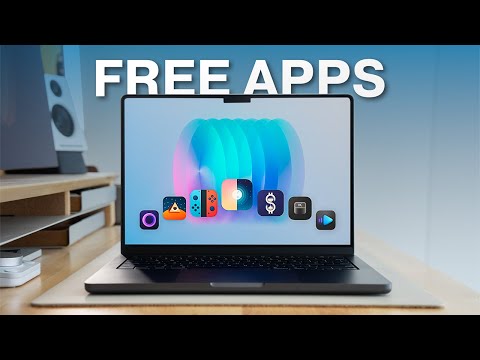
The right apps can transform your Mac into a highly efficient and functional tool. Whether you’re a professional managing multiple projects or a casual user seeking to enhance your experience, these 12 carefully selected apps are designed to streamline workflows, improve usability, and optimize your system. From automating repetitive tasks to enhancing media playback, each app serves a distinct purpose, helping you maximize your Mac’s capabilities. The video below from Andrew Ethan Zeng gives us a look at some awesome Mac apps.
Keyboard Enhancements: Supercharge Your Typing
Your keyboard is a central part of your workflow, and these apps elevate its functionality to new heights:
- Klack: Bring back the tactile joy of mechanical keyboards with customizable sound effects. Klack makes typing more engaging, especially during extended work sessions, by adding satisfying auditory feedback.
- Keyboard Maestro: Automate repetitive tasks effortlessly. With Keyboard Maestro, you can create custom shortcuts and macros to handle complex workflows, such as organizing files, launching apps, or even controlling system settings, all with a single keystroke.
Text and Task Management: Stay Organized and Focused
Efficient text and task management are essential for maintaining productivity:
- Espanso: Save time and reduce typing effort with this powerful text expansion tool. Espanso allows you to create shortcuts for frequently used phrases, templates, or code snippets. For example, typing “/email” can instantly generate your full email signature, saving you valuable time.
- One Thing: Simplify your focus with One Thing. This minimalist app displays a single task or reminder in your menu bar, helping you prioritize your most important goals and avoid unnecessary distractions.
Interface and Visual Customization: Personalize Your Mac
Customizing your Mac’s interface can make your system more intuitive and visually appealing:
- MediaMate: Take control of your volume and brightness settings with MediaMate. This app allows you to create a personalized interface that enhances usability and aligns with your preferences, making everyday adjustments seamless.
- Alt Tab: Improve multitasking with Alt Tab. This app replaces the default app-switching interface with a more visual and customizable solution, making it easier to navigate between open applications and stay productive.
Screen Recording and Media Playback: Elevate Your Content Creation
Whether you’re creating tutorials or enjoying media, these apps deliver exceptional functionality:
- Screen Studio: Record your screen with precision using features like zoom, cursor enhancements, and captions. Screen Studio is ideal for creating professional presentations, tutorials, or demonstrations with minimal effort.
- IINA: Experience a modern media player built specifically for Mac. IINA supports a wide range of formats and offers gesture controls, a sleek interface, and advanced playback options, making it perfect for both casual viewing and professional media analysis.
Time Tracking and Optimization: Master Your Productivity
Understanding how you spend your time is key to improving efficiency:
- Activity Watch: Gain valuable insights into your app usage and activity patterns. Activity Watch tracks how you allocate your time, helping you identify inefficiencies and optimize your workflow for better productivity.
File and System Management: Keep Your Mac Running Smoothly
Maintaining your Mac’s performance is essential for long-term productivity:
- ImageOptim: Optimize images without compromising quality. ImageOptim removes unnecessary metadata and compresses files efficiently, making it an indispensable tool for web developers, designers, and anyone working with images.
- App Cleaner: Ensure a thorough uninstallation of apps with App Cleaner. This tool removes all associated files, freeing up valuable space and preventing leftover clutter from slowing down your system.
Clipboard Management: Simplify Copy-Paste Tasks
Efficient clipboard management can significantly enhance multitasking:
- CopyClip: Never lose copied content again. CopyClip stores your clipboard history, allowing you to retrieve previously copied items quickly and easily. It’s a simple yet powerful tool for managing multiple tasks simultaneously.
Maximize Your Mac’s Potential in 2026
These 12 Mac apps are essential for anyone looking to enhance productivity, streamline workflows, and improve their overall Mac experience. From automating tasks and managing text to customizing your interface and optimizing system performance, these tools cater to a wide range of needs. By integrating them into your daily routine, you can work smarter, stay organized, and unlock the full potential of your Mac in 2026.
Here is a selection of other guides from our extensive library of content you may find of interest on Mac productivity apps.
Source & Image Credit: Andrew Ethan Zeng
Filed Under: Apple, Guides, Laptops
Latest Geeky Gadgets Deals
Disclosure: Some of our articles include affiliate links. If you buy something through one of these links, Geeky Gadgets may earn an affiliate commission. Learn about our Disclosure Policy.
Credit: Source link