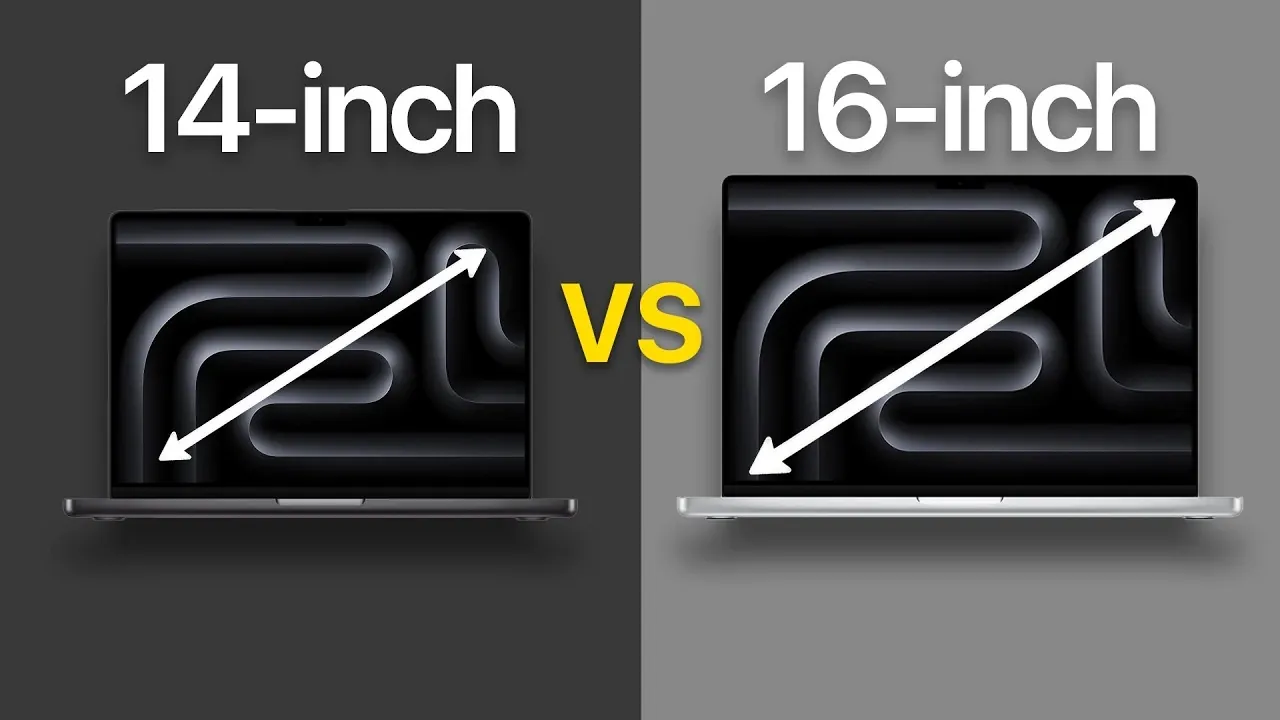
Deciding between the 14-inch and 16-inch MacBook Pro models requires a clear understanding of your priorities, whether they lean toward portability, performance, or screen size. Both models feature advanced technologies like the Liquid Retina XDR display and 120Hz refresh rates, but they differ significantly in dimensions, weight, battery life, and chip configurations. Below is a detailed comparison to help you make the most informed decision. The video below from AppleDsign gives us more details about the two MacBooks to help you decide which model to go for.
Portability: Compact Convenience vs Larger Workspace
For users who prioritize portability, the 14-inch MacBook Pro is the more practical choice. Its smaller size and lighter weight make it an excellent companion for frequent travelers, remote workers, or anyone needing a device that’s easy to carry. Whether you’re commuting, attending meetings, or working in various locations, the 14-inch model’s compact design fits effortlessly into most backpacks or briefcases, making sure convenience without compromising on performance.
The 16-inch MacBook Pro, while still portable, is better suited for users who primarily work from a desk or prefer a larger screen for stationary setups. Its increased size and weight provide a more spacious workspace, but may feel cumbersome for those constantly on the move. If portability is a key factor in your decision, the 14-inch model offers a clear advantage.
Performance: Tailored Power for Every Workflow
Performance is a critical consideration, and the 16-inch MacBook Pro stands out in this area. Its larger chassis allows for superior cooling and thermal management, allowing it to sustain peak performance during demanding tasks. This makes it an ideal choice for professionals working with resource-intensive applications such as video editing, 3D rendering, or software development. The enhanced thermal efficiency ensures consistent performance, even during extended workloads.
The 14-inch model, while still powerful, offers more flexibility in chip configurations, including the base M2 chip. This makes it a versatile option for users who need reliable performance without requiring the highest-end specifications. However, for users tackling intensive tasks over long periods, the 16-inch model’s ability to maintain optimal performance levels gives it a distinct edge.
Display: Maximizing Visual Real Estate
Both models feature Apple’s Liquid Retina XDR display, delivering exceptional visuals with vibrant colors, deep blacks, and a smooth 120Hz refresh rate. However, the 16-inch MacBook Pro provides a larger screen, which can significantly enhance productivity for tasks like video editing, graphic design, or managing multiple windows simultaneously. The additional screen real estate is particularly beneficial for creative professionals and multitaskers who rely on a spacious and immersive display.
The 14-inch model offers the same high-quality display but in a more compact form. For users who prioritize portability over screen size, the 14-inch model still delivers an outstanding visual experience. However, if your workflow involves detailed visual work or frequent multitasking, the 16-inch model’s larger display may prove invaluable.
Battery Life: Extended Usage for Demanding Days
Battery life is another area where the 16-inch MacBook Pro excels. Its larger size accommodates a bigger battery, providing extended usage times that are ideal for long work sessions or travel without frequent recharging. This makes it a reliable choice for users who often work away from power outlets or need their laptop to last through demanding schedules.
The 14-inch model, while still offering impressive battery performance, falls slightly behind due to its smaller form factor. For users who prioritize portability and don’t require the longest battery life, the 14-inch model remains a strong contender. However, for those who value uninterrupted productivity, the 16-inch model’s extended battery life is a significant advantage.
Audio and Cooling: Enhanced Immersion and Efficiency
The 16-inch MacBook Pro’s larger chassis allows for a superior audio system, delivering richer sound quality with deeper bass. This makes it an excellent choice for media consumption, video editing, or audio production. Additionally, its advanced cooling system ensures quieter operation and better thermal efficiency during intensive tasks, making it a dependable option for professionals handling heavy workloads.
The 14-inch model also features high-quality speakers and effective cooling, but it doesn’t quite match the immersive audio experience or thermal performance of its larger counterpart. For users who prioritize sound quality or need a laptop that stays cool under pressure, the 16-inch model offers a more robust solution.
Chip Configurations: Flexibility vs Maximum Power
The chip options available for each model reflect their intended use cases. The 14-inch MacBook Pro supports a wider range of configurations, from the base M2 chip to the more powerful M2 Pro and M2 Max. This flexibility makes it suitable for a diverse audience, from casual users to professionals who need a balance of performance and portability.
The 16-inch MacBook Pro, on the other hand, is limited to the M2 Pro and M2 Max chips, emphasizing its focus on high-performance tasks. For users requiring maximum computing power for activities like machine learning, 4K video editing, or complex simulations, the 16-inch model with the M2 Max chip is the optimal choice. The 14-inch model, however, remains a versatile option for those who don’t need the highest-end specifications.
Which MacBook Pro is Right for You?
Choosing between the 14-inch and 16-inch MacBook Pro ultimately depends on your specific needs and priorities. Here’s a quick breakdown to help you decide:
- 14-inch MacBook Pro: Perfect for users who need a balance of portability and performance. Its compact design and flexible chip configurations make it ideal for frequent travelers, remote workers, or those who value convenience without sacrificing power.
- 16-inch MacBook Pro: Best suited for professionals requiring maximum performance, extended battery life, and a larger screen. The M2 Max chip is particularly advantageous for resource-intensive tasks like video editing, 3D rendering, or software development.
- 16-inch MacBook Pro with M2 Pro: A practical choice for users who want a larger display and strong performance but don’t need the highest-end specifications.
By carefully considering your workflow, preferences, and priorities, you can confidently select the MacBook Pro model that best aligns with your needs. Both models offer exceptional features and performance, making sure a premium experience regardless of your choice.
Source & Image Credit: AppleDsign
Filed Under: Apple, Guides, Laptops
Disclosure: Some of our articles include affiliate links. If you buy something through one of these links, Geeky Gadgets may earn an affiliate commission. Learn about our Disclosure Policy.
Credit: Source link