
Learn more about optimizing the Raspberry Pi 5’s software environment from the team responsible for developing the latest mini PC in the range. The evolution and development of the Raspberry Pi 5 software environment is a fascinating journey that has seen a significant shift from a hardware-centric focus to a more software-oriented approach. This shift has been instrumental in the progression of the Raspberry Pi project, with the Raspberry Pi 5 being a testament to this new direction.
The Raspberry Pi 4 software environment served as the foundation for the Raspberry Pi 5, with numerous features being added and refined throughout the Pi 4’s lifecycle. This evolution has been marked by a significant transition of software from the Video Processing Unit (VPU) firmware to Linux, including the display driver stack. This shift has resulted in a mature Kernel Mode Setting (KMS) display driver for the Pi 5, and the Image Signal Processor (ISP) has been fully integrated into Linux.
Combining hardware and software
The Raspberry Pi 5 project has been a combined hardware and software effort, with a ratio of two software engineers for every hardware engineer. This ratio underscores the importance of software in the development process and the commitment to creating a robust and efficient software environment.
Other articles you may find of interest on the subject of latest Raspberry Pi mini PC :
Pi 5 software optimization
One of the most significant changes in the Raspberry Pi 5 is the migration of multimedia responsibilities from the VPU to the ARM. This shift has allowed for a more streamlined and efficient operation, with no remaining firmware run on the SD card. Instead, all necessary firmware now resides in the Spy flash, a move that has simplified the boot process and improved overall system performance.
New boot modes
The Raspberry Pi 5 also introduces new boot modes, further enhancing its versatility and adaptability. These new boot modes, coupled with the integration of a new power supply, have resulted in a sophisticated power supply system that can interrogate the power supply and adjust USB current limits as needed.
The development of the bootloader has been another critical aspect of the Raspberry Pi 5 software environment. This development has been instrumental in ensuring a smooth and efficient boot process, contributing to the overall performance and user experience of the Pi 5.
Operating system
The Raspberry Pi 5 is expected to launch with Bookworm Debian 12 Linux, a move that aims to align the release of the Pi 5 and Bookworm. This alignment is expected to provide a seamless and integrated user experience, further enhancing the appeal of the Raspberry Pi 5.
The performance of the Raspberry Pi 5 as a desktop computer is expected to be significantly improved over the Pi 4. With hardware that is two to three times faster and a display subsystem with a path to pixels that is twice as fast, the Pi 5 is expected to handle dual 4K p60 displays smoothly, even with heavy JavaScript websites running. This performance improvement is not just limited to the Pi 5, but is also expected to benefit the Pi 1.
New window manager
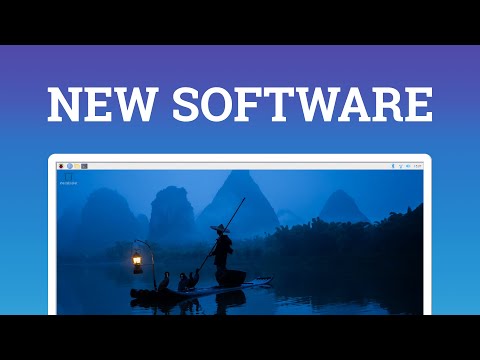
The Raspberry Pi 5 also introduces a new window manager called Wayfire. This window manager separates the window management part and the composition part, allowing for better use of hardware for acceleration tasks. This separation results in a more efficient and responsive user interface, contributing to the overall performance of the Pi 5 as a desktop computer.
The evolution and development of the Raspberry Pi 5 software environment have been marked by a significant shift from hardware to software focus. This shift, coupled with the introduction of new features and improvements, has resulted in a robust and efficient software environment that enhances the performance and user experience of the Raspberry Pi 5.
Image Credit : RPiF
Filed Under: Technology News, Top News
Latest Geeky Gadgets Deals
Disclosure: Some of our articles include affiliate links. If you buy something through one of these links, Geeky Gadgets may earn an affiliate commission. Learn about our Disclosure Policy.
Credit: Source link