
Navigating the myriad of system services on your iPhone can sometimes feel like a daunting task. But worry not! A recent video analysis from Payette Forward has delved deep into these services, offering a clear view on their impact on privacy, battery life, and data usage. This article will guide you through these revelations, helping you understand the nuances of your device’s features and make informed decisions about their usage.
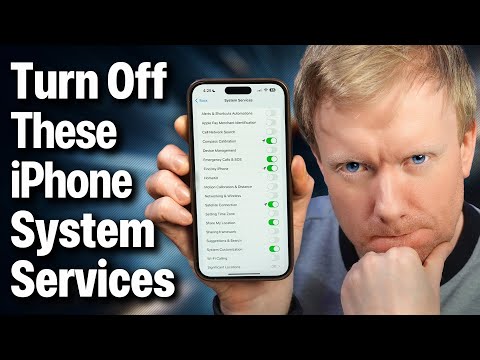
- Alerts and Shortcuts Automations: Picture this: you’re nearing the grocery store and your phone reminds you to buy milk. Convenient, right? This is the magic of location-based reminders. While generally privacy-friendly, keep in mind, it’s the GPS usage that might nibble at your battery life.
- Apple Pay Merchant Identification: Ever used Apple Pay and noticed how it identifies merchants? It’s mostly seamless, but sometimes, there can be a hiccup in recognizing the correct merchant, causing a bit of a mix-up.
- Cell Network Search: Here’s a twist – this service is less about searching for networks and more about assisting Apple in building a location-based database for targeted advertising. A bit of a double-edged sword in terms of privacy.
- Compass Calibration: Essential for your Maps app, particularly in urban canyons where GPS signals might play hide and seek. It utilizes the phone’s internal compass to keep you on the right path.
- Device Management: If your iPhone is part of an organization, like your workplace or school, this feature is a must-have. For the rest, turning it off could enhance your privacy.
- Emergency Calls and SOS: In times of crisis, this service can be a lifesaver, literally. It’s highly recommended to keep this feature active for your safety.
- Find My iPhone: Losing your phone is a modern-day nightmare. This service turns that nightmare back into a dream by helping you locate your misplaced device. A definite keeper.
- HomeKit: A smart home enthusiast? This service is for you. But, if you’re not using it, consider turning it off to save some battery juice.
- Motion Calibration and Distance: Fitness buffs, take note – this improves the accuracy of your Apple Watch’s fitness data. If you’re not into fitness tracking, this one’s optional.
- Networking and Wireless: Similar to Cell Network Search, this contributes to Apple’s database of Wi-Fi networks, aiding in location tracking and, yes, targeted ads.
- Satellite Connection: For those with the latest iPhone 14 and beyond, this feature enables Emergency SOS via Satellite – a cutting-edge addition to your safety toolkit.
- Setting Time Zone: It automatically adjusts your time zone, a nifty feature for travelers. However, it can be a drain on your battery, so consider managing it manually when on the move.
- Share My Location: Want to let your friends know where you are through Messages? This is the feature for you, but remember, it can impact battery life.
- Suggestions and Search: This sends your location to Apple for personalized suggestions. Turning it off can save some battery and keep your locations more private.
- System Customization: It tailors your system’s appearance and settings to your current location. The good news? It’s secure and doesn’t share data outside your device.
- Wi-Fi Calling: Important for certain carrier services, this feature can be turned off if you don’t find it necessary.
- Significant Locations: It tracks and stores your frequented places to offer personalized services. While it’s encrypted, it can be a bit heavy on the battery.
- iPhone Analytics: This includes your location in the data sent to Apple. Its use of data is somewhat vague, so turning it off is an option for the privacy-conscious.
- Routing and Traffic: Essential for real-time traffic updates in Apple Maps. It does send barometric pressure data to Apple, which you can opt out of.
- Improve Maps: Aiding Apple in correlating GPS coordinates with street addresses, this can be disabled if you’re privacy-minded.
- Status Bar Icon: A small but mighty feature that indicates when location services are in use. It’s a transparent way to keep tabs on what your phone is up to.
Understanding these services’ functionalities and their impact on your iPhone’s privacy and battery life empowers you to tailor your device to your needs. Whether you’re a privacy advocate, a tech enthusiast, or just a regular user, this knowledge puts you in the driver’s seat of your iPhone experience.
Source: Payette Forward
Image Credit: Lucas Hoang
Filed Under: Apple, Apple iPhone, Guides
Latest Geeky Gadgets Deals
Disclosure: Some of our articles include affiliate links. If you buy something through one of these links, Geeky Gadgets may earn an affiliate commission. Learn about our Disclosure Policy.
Credit: Source link