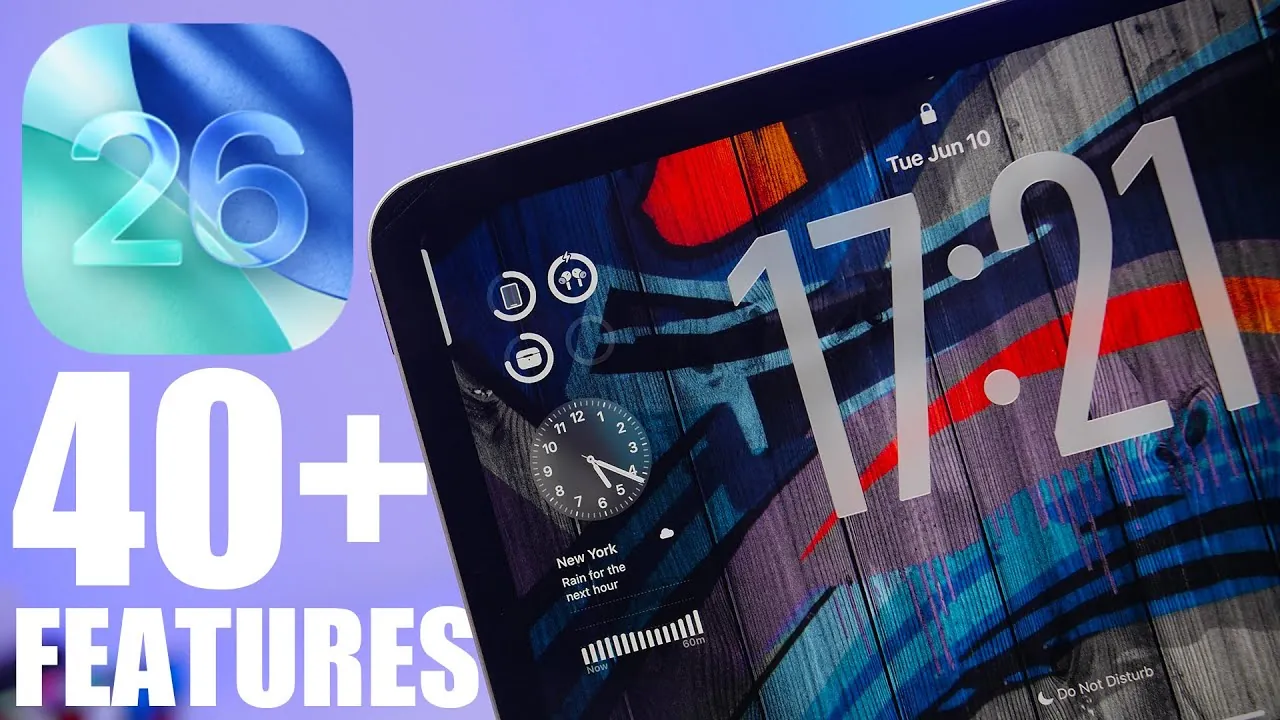
Apple’s iPadOS 26 introduces a comprehensive suite of features designed to enhance productivity, creativity, and usability. With significant improvements in multitasking, customization, and system performance, this update redefines how users interact with their iPads. Below is an in-depth exploration of the most impactful changes and how they can streamline your daily activities in a new video from iReviews.

Enhanced Multitasking for Greater Efficiency
iPadOS 26 improves multitasking capabilities, making it easier to manage multiple tasks simultaneously. The updated Stage Manager now supports more flexible window arrangements, allowing you to resize and reposition apps to suit your workflow. This feature ensures that your workspace adapts to your needs, whether you’re working on a single project or juggling multiple tasks.
Refinements to Split View and Slide Over provide smoother transitions between apps and improved side-by-side functionality. These upgrades are particularly beneficial for users who frequently switch between applications, such as editing documents while attending virtual meetings or managing complex projects. By streamlining multitasking, iPadOS 26 helps you save time and boost overall productivity.
Customization: Tailor Your iPad to Your Needs
Personalization takes center stage in iPadOS 26, offering users greater control over their device’s appearance and functionality. The home screen now supports expanded widget options, allowing you to resize, stack, and place widgets anywhere for quick access to essential information. This flexibility allows you to design a layout that aligns with your workflow and preferences.
The lock screen also receives significant upgrades, with options to customize wallpapers, fonts, and widgets. These enhancements not only reflect your personal style but also provide at-a-glance updates, making sure you stay informed without unlocking your device. Together, these features empower you to create a workspace that is both functional and uniquely yours.
Improved Native App Functionality
Several built-in apps in iPadOS 26 have been enhanced to improve usability and efficiency. These updates make everyday tasks more intuitive and streamlined:
- Notes: Advanced organization tools, such as smart folders and improved search capabilities, simplify content management and retrieval.
- Safari: The introduction of profiles allows you to separate work and personal browsing, keeping your activities organized and distraction-free.
- Mail: Enhanced scheduling options and follow-up reminders ensure you stay on top of important communications and deadlines.
These improvements cater to a wide range of users, from professionals managing work projects to students organizing study materials or individuals handling personal tasks.
Stronger Privacy and Security Features
Privacy and security remain a cornerstone of iPadOS 26, with new features designed to protect your data and provide greater control over your digital footprint. Enhanced app tracking transparency gives you more visibility into how your data is shared, while advanced encryption protocols safeguard sensitive information.
The system also introduces real-time alerts for potential security risks, helping you navigate the digital landscape with confidence. Whether you’re browsing the web or using third-party apps, these measures ensure a safer and more secure experience.
Tools for Creators and Professionals
iPadOS 26 introduces powerful tools tailored to creative and professional workflows. The Files app now supports advanced file management features, such as tagging and quick actions, making it easier to organize and access your documents. This is particularly useful for users handling large volumes of files or working on collaborative projects.
Apple Pencil responsiveness has been further refined, offering a more natural and precise experience for drawing, note-taking, and design work. Additionally, new APIs enable developers to create professional-grade tools for photo editing, video production, and graphic design. These enhancements solidify the iPad as a versatile platform for both creative and professional endeavors.
Accessibility Enhancements for Inclusivity
Apple continues its commitment to inclusivity with significant accessibility improvements in iPadOS 26. Voice Control has been refined for greater accuracy, making it easier for users to navigate their devices using voice commands. New features like Live Speech and updates to the Magnifier tool enhance usability for individuals with disabilities.
These updates ensure that the iPad remains accessible to everyone, regardless of their abilities, reinforcing Apple’s dedication to creating technology that serves all users.
Better External Device Compatibility
iPadOS 26 enhances compatibility with external devices, further expanding the iPad’s versatility. The system now supports higher-resolution external displays, providing a seamless experience for users who connect their iPads to monitors for work or entertainment. Improved integration with accessories like the Magic Keyboard enhances productivity, while advanced power management features optimize battery life for extended usage.
These updates make the iPad a more capable tool for both personal and professional use, making sure it can adapt to a variety of scenarios and requirements.
Seamless Third-Party App Integration
Developers now have access to expanded APIs, allowing them to create apps that integrate seamlessly with iPad features like Stage Manager and Apple Pencil. This fosters a more connected ecosystem, allowing for innovative applications that enhance productivity, creativity, and entertainment. These integrations ensure that third-party apps can fully use the capabilities of iPadOS 26, providing users with a richer and more cohesive experience.
Here are additional guides from our expansive article library that you may find useful on iPadOS 26 features.
Source & Image Credit: iReviews
Filed Under: Apple, Apple iPad, Tablet News, Top News
Latest Geeky Gadgets Deals
Disclosure: Some of our articles include affiliate links. If you buy something through one of these links, Geeky Gadgets may earn an affiliate commission. Learn about our Disclosure Policy.
Credit: Source link