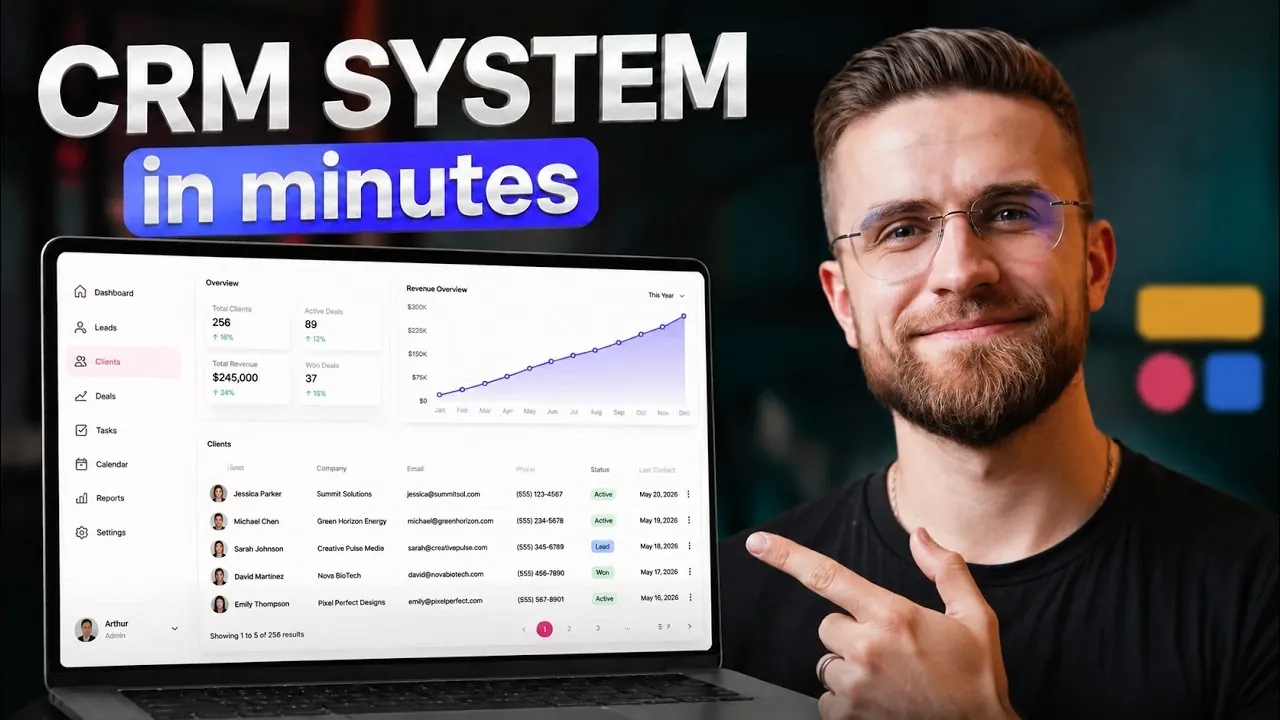
Building a customer relationship management (CRM) system no longer requires deep technical expertise or a substantial budget. AI Master demonstrates how Softr’s AI Co-Builder allows you to create a fully functional, AI-powered CRM system without writing any code. By using plain English commands, the platform can automatically generate backend tables, establish data relationships and define user roles. This approach not only simplifies the development process but also addresses common challenges of traditional CRM systems, such as fragmented data and time-consuming maintenance.
In this quick-start guide, you’ll discover how to organize your data into structured workflows, customize pipelines to track leads and automate repetitive tasks like follow-ups and notifications. You’ll also gain insight into how role-based access enhances security by tailoring permissions to specific user needs. Whether you’re managing a small team or scaling a growing business, this guide provides actionable steps to build a CRM system that aligns with your operational goals.
The Challenges of Traditional CRM Systems
TL;DR Key Takeaways :
- Softr’s AI Co-Builder enables businesses to create fully functional, no-code CRM systems tailored to their needs using simple English commands, eliminating the need for technical expertise.
- Traditional CRM challenges like data silos, integration failures and time-consuming maintenance are addressed with Softr’s unified and streamlined platform.
- Key features include customizable pipelines, activity logs, built-in automations and enhanced security through role-based access, making sure efficiency and data protection.
- Softr’s automation capabilities reduce manual tasks by handling lead assignments, follow-up reminders and notifications natively, minimizing reliance on external tools like Zapier.
- The platform offers scalability, cost efficiency and resource optimization, making it suitable for businesses of all sizes to focus on growth without technical complexities.
Traditional CRM systems often rely on a combination of tools such as spreadsheets, Zapier and other third-party integrations. While these setups can be functional, they come with several inherent challenges:
- Data Silos: Information is frequently scattered across multiple platforms, making it difficult to consolidate and analyze effectively.
- Integration Failures: Connecting disparate tools can result in frequent breakdowns, inefficiencies and lost productivity.
- Time-Consuming Maintenance: Managing and troubleshooting these systems often diverts valuable time and resources away from core business activities.
For businesses aiming to scale, these limitations can hinder growth and operational efficiency. A streamlined, unified solution becomes essential to overcome these obstacles.
How Softr’s AI Co-Builder Simplifies CRM Development
Softr’s AI Co-Builder redefines the process of creating CRM systems by allowing users to build them using simple, plain English commands. With minimal input, the platform automatically:
- Generates backend tables: Organizes your data into structured formats for easy management.
- Establishes relationships: Links data points to create seamless workflows and improve operational efficiency.
- Defines user roles: Customizes access and functionality based on specific user needs.
This no-code approach eliminates the need for technical expertise, making CRM development accessible to non-developers. Whether you need to track leads, manage sales pipelines, or automate follow-ups, Softr’s intuitive interface enables you to create a system that aligns with your unique business requirements.

Explore further guides and articles from our vast library that you may find relevant to your interests in no code projects.
Key Features of Softr’s CRM Solution
Softr’s AI-powered platform offers a variety of features designed to enhance functionality and usability:
- Customizable Pipelines: Visual workflows allow you to track leads and monitor sales progress effortlessly.
- Activity Logs: Maintain detailed records of user interactions and updates for improved accountability and transparency.
- Built-In Automations: Automate repetitive tasks such as lead assignments and follow-ups, reducing manual effort and saving time.
These features work cohesively to create a robust, efficient system that adapts to your business’s evolving needs.
Enhanced Security with Role-Based Access
Softr’s role-based access system ensures that users only interact with data relevant to their roles, enhancing security and compliance. For example:
- Sales Representatives: Can view and manage their assigned leads without accessing sensitive company-wide data.
- Managers: Have access to team-wide performance metrics and operational insights to oversee activities effectively.
Granular permissions allow you to control access down to specific fields, making sure that sensitive information remains secure while maintaining operational flexibility.
Automation: The Core of Efficiency
Automation is a cornerstone of Softr’s CRM capabilities, streamlining workflows and reducing manual intervention. The platform includes native automations for tasks such as:
- Lead Assignment: Automatically assign new leads to the appropriate team members based on predefined criteria.
- Follow-Up Reminders: Ensure timely communication by scheduling automated reminders for follow-ups.
- Notifications: Trigger alerts for key updates or milestones to keep your team informed and responsive.
By eliminating the need for external tools like Zapier, Softr minimizes potential points of failure and simplifies your workflow. For instance, when a new lead is added, the system can automatically assign it to a sales representative and schedule a follow-up, making sure a seamless process.
Customization and Scalability
Softr’s visual editor allows you to customize your CRM system to meet specific business needs. For advanced users, the platform offers Vibe Code, allowing the creation of custom components such as bulk CSV imports or tailored workflows. Additionally, Softr integrates seamlessly with external data sources like Airtable and Google Sheets, making sure smooth data management across platforms.
Scalability is another key advantage. Whether you’re a small business or a growing enterprise, Softr’s no-code CRM adapts to your evolving requirements without the need for a complete system overhaul.
Why Softr Outperforms Traditional Development
Softr provides several advantages over traditional CRM development methods:
- Faster Deployment: Build and launch a CRM system in days rather than months, accelerating your time-to-market.
- Cost Savings: Reduce reliance on developers and external tools, significantly lowering overall expenses.
- Production-Ready Systems: Create reliable, real-world solutions designed to handle your business operations effectively.
For example, a startup can quickly implement a CRM to manage leads and customer interactions without hiring a dedicated development team, freeing up resources for other strategic priorities.
Cost Efficiency and Resource Optimization
Softr’s all-in-one platform consolidates multiple tools and subscriptions, offering significant cost savings. By reducing maintenance and integration challenges, businesses can allocate more resources to strategic initiatives. Instead of juggling separate tools for lead tracking, email notifications and data storage, you can manage everything within a single, cohesive system.
Key Takeaway
Softr enables businesses to build no-code CRM systems that are efficient, scalable and tailored to their specific needs. Its AI-driven features, robust automation capabilities and user-friendly interface make it an ideal solution for streamlining operations and reducing costs. By using Softr, you can focus on growing your business while leaving technical complexities behind, making sure a more productive and seamless workflow.
Media Credit: AI Master
Filed Under: AI, Guides
Disclosure: Some of our articles include affiliate links. If you buy something through one of these links, Geeky Gadgets may earn an affiliate commission. Learn about our Disclosure Policy.
Credit: Source link