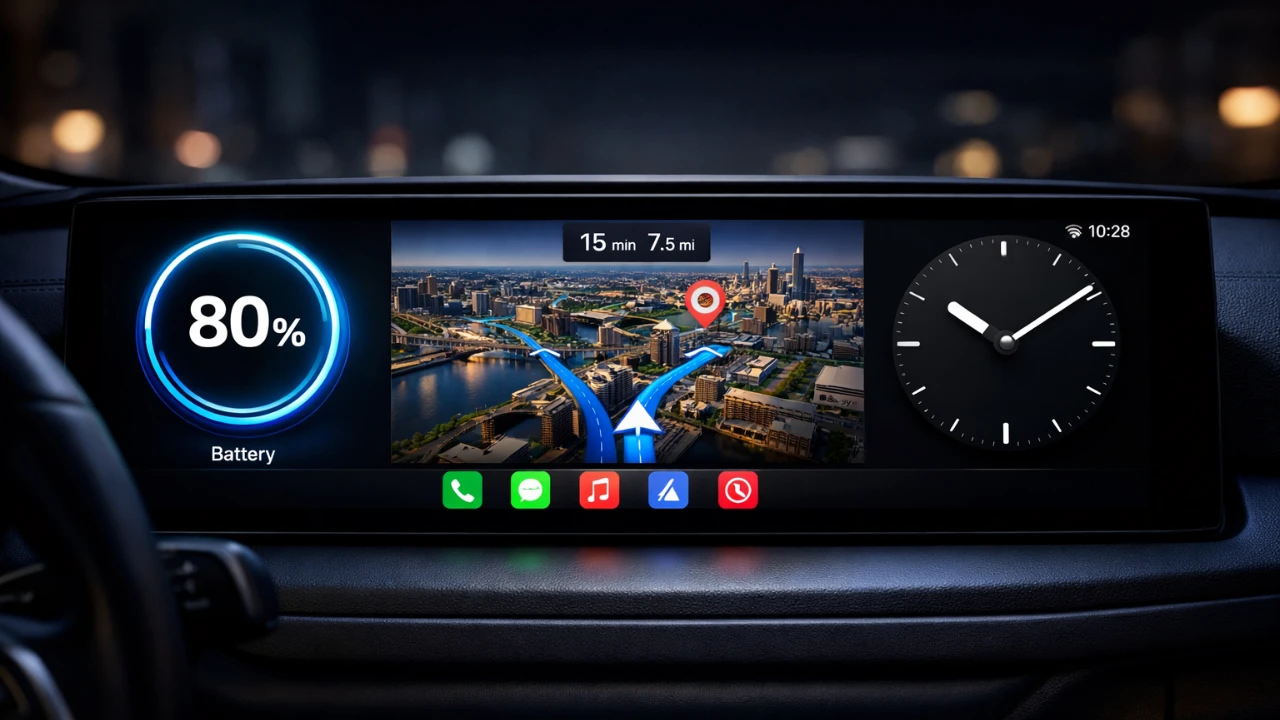
The release of iOS 26 introduced a significant enhancement to Apple CarPlay with the addition of a dedicated widget page. This update supports both Apple and third-party widgets, offering a more dynamic and personalized driving experience. These widgets are designed to improve convenience, functionality, and entertainment, transforming your dashboard into a powerful tool for everyday use. In the video below, HotShotTek explores some of the most impactful CarPlay widgets available in iOS 26 and how they can enhance your time on the road.

Weather Widget: Stay Ahead of the Elements
The weather widget delivers real-time updates on key weather metrics such as temperature, wind speed and precipitation. Its integration with live radar allows you to monitor weather patterns directly from your dashboard, making sure you’re prepared for changing conditions. This feature is particularly beneficial for long-distance drivers or those traveling through regions with unpredictable weather. Apps like Windy take this a step further by offering detailed forecasts and radar views, making this widget an essential tool for commuters and road trippers alike.
Dynamic Lyrics Widget: Enhance Your Music Experience
For music enthusiasts, the dynamic lyrics widget offers a more interactive way to enjoy your favorite songs. This feature synchronizes real-time lyrics with the music you’re playing, creating an engaging and immersive listening experience. It also includes media controls and displays album artwork, adding a visually appealing element to your dashboard. Whether you’re curating a playlist for a road trip or simply enjoying your daily commute, this widget ensures your music experience is seamless and enjoyable.
Voice Memo Widget: Capture Ideas Effortlessly
The voice memo widget, such as Just Press Record, is a practical tool for recording audio notes directly from the CarPlay interface. With one-touch recording, you can easily capture ideas, reminders, or important information without taking your focus off the road. This feature is especially useful for professionals or creative individuals who need to document thoughts on the go. It also serves as a convenient solution for older vehicles that lack built-in voice memo functionality.
Amazon Widget: Stay Updated on Deliveries
The Amazon widget is a must-have for frequent online shoppers. It provides real-time tracking of your package deliveries, displaying details such as delivery schedules and tracking updates. This widget eliminates the need to check your phone for updates, allowing you to stay informed while keeping your attention on the road. Additionally, it highlights current deals, making it a practical and time-saving tool for drivers who want to stay organized.
Apple Watch Face Widget: Add a Touch of Style
The Apple Watch face widget, such as Chargemaster, brings a sleek and personalized aesthetic to your CarPlay interface. It displays essential information like the date, time, weather and iPhone battery percentage in a watch-style layout. This widget not only enhances the visual appeal of your dashboard but also provides quick access to important data, making it both functional and stylish.
Apple Home Widget: Control Your Smart Home from the Road
The Apple Home widget integrates seamlessly with your smart home devices, allowing you to control features like garage doors, locks, lights and more, all from your CarPlay interface. This widget is ideal for making sure your home is secure or preparing it for your arrival. By eliminating the need to access your phone, it offers a safer and more convenient way to manage your smart home while driving.
Dashboard Widget: Personalize Your CarPlay Display
The customizable dashboard widget allows you to tailor your CarPlay interface to reflect your personal style. You can add vehicle images, logos, or text to create a unique and personalized display. This widget is particularly popular among car enthusiasts who want to showcase their car model or add a distinctive touch to their dashboard. With endless customization options, it transforms your CarPlay interface into a reflection of your personality.
Sidecar Widget: Monitor Your Vehicle’s Health
The sidecar widget provides detailed insights into your vehicle’s performance, including fuel levels, tire pressure and engine diagnostics. When paired with OBD2 sensors, it offers advanced monitoring capabilities, alerting you to potential issues before they become serious. This widget is an invaluable tool for maintaining your car’s health and making sure safety on the road, making it a must-have for drivers who prioritize vehicle performance.
Transform Your Driving Experience with iOS 26 Widgets
The iOS 26 update for Apple CarPlay introduces a wide range of widgets designed to cater to diverse needs. From real-time weather updates and interactive music controls to smart home integration and vehicle diagnostics, these tools enhance both the functionality and enjoyment of your driving experience. By incorporating these widgets into your CarPlay setup, you can turn your dashboard into a hub of information, entertainment and practicality, making every journey more efficient and enjoyable.
Explore further guides and articles from our vast library that you may find relevant to your interests in Apple CarPlay.
Source & Image Credit: HotshotTek
Filed Under: Apple, Apple iPhone, Guides
Disclosure: Some of our articles include affiliate links. If you buy something through one of these links, Geeky Gadgets may earn an affiliate commission. Learn about our Disclosure Policy.
Credit: Source link