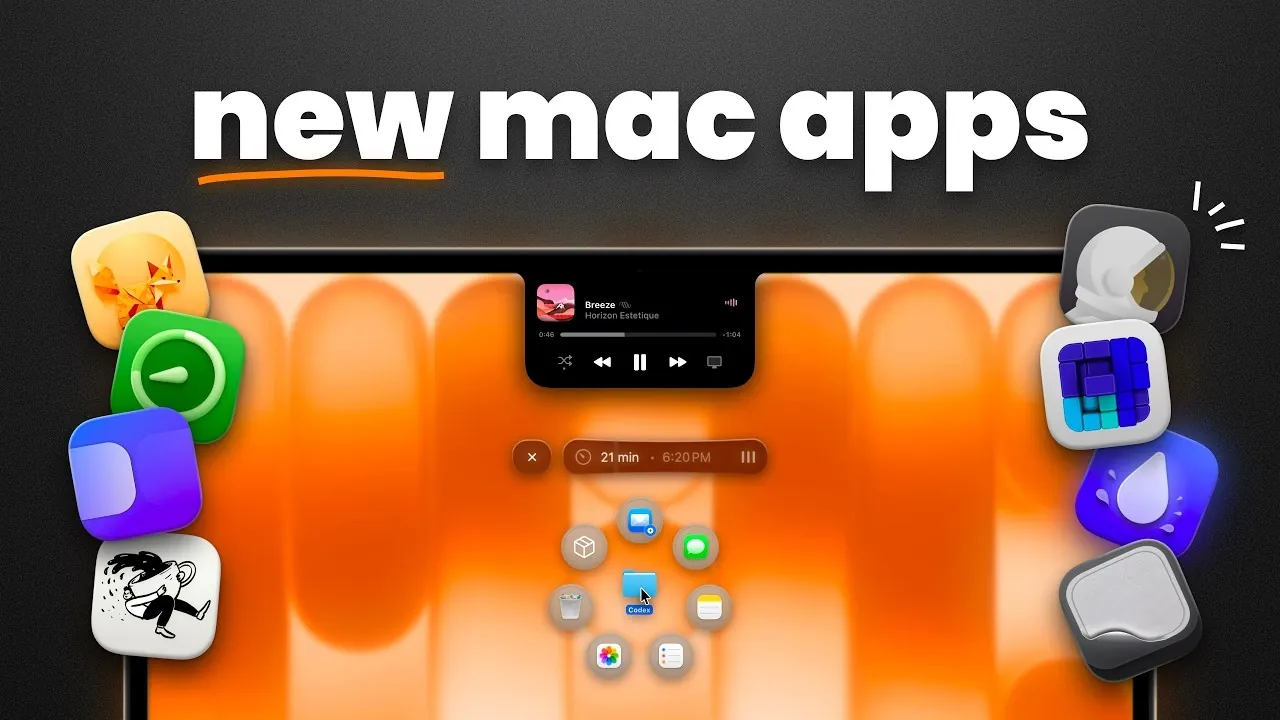
MacVince explores how specific Mac apps address productivity challenges by offering practical solutions for everyday workflows. For instance, Outpost Launcher provides quick access to frequently used files while also serving as temporary storage for short-term projects, helping users manage digital clutter more effectively. This functionality illustrates how small, focused changes can make routine tasks more manageable.
Explore how Piperi brings picture-in-picture multitasking to your desktop or how Coffee Flow combines Pomodoro timers with focus tracking to encourage structured work habits. Learn about customization options like Alcove, which utilizes the MacBook notch in creative ways and utilities such as Grand Perspective, which visually maps storage usage for better organization. These examples offer actionable insights into optimizing your Mac for productivity.
New macOS Productivity Apps
TL;DR Key Takeaways :
- Discover 11 essential Mac productivity apps designed to enhance file management, multitasking, customization and system maintenance for improved efficiency and creativity.
- Key file management tools like Outpost Launcher and Docside simplify organizing, accessing and sharing files, saving time and effort.
- Streamlined multitasking is made easier with apps like Piperi for picture-in-picture functionality and Loop for intuitive window tiling.
- Customization apps such as Alcove and Plash allow users to personalize their Mac interface, enhancing usability and aesthetics.
- System maintenance tools like Clean My Keyboard and Grand Perspective help keep your Mac clean, organized and running smoothly.
File Management and Sharing Made Simple
Efficient file management is a critical aspect of staying productive. These apps simplify how you handle, organize and share files, saving you valuable time and effort.
- Outpost Launcher: This app offers a customizable palette for quick access to frequently used files and folders. It also includes temporary file storage, making it particularly useful for managing short-term projects or frequently updated documents.
- Docside: Docside enhances the functionality of the Mac dock by adding features such as temporary storage, file previews and extensive customization options. It’s an excellent choice for users seeking to maximize the dock’s utility and streamline file access.
Streamlined Window and Screen Management
Managing multiple windows and screens can quickly become overwhelming, especially when multitasking. These apps are designed to help you stay organized and work more effectively across various tasks.
- Piperi: Piperi introduces picture-in-picture functionality for any window, allowing you to keep important content visible while working on other tasks. Whether you’re watching a video, monitoring a live feed, or referencing a document, this app ensures you stay efficient.
- Loop: Loop features an intuitive pie menu interface for window tiling, making it easier to organize and manage multiple applications simultaneously. It’s particularly useful for users who frequently switch between tasks or work with multiple apps at once.
- Hyperkey: Hyperkey transforms the Caps Lock key into a customizable shortcut hub, allowing faster navigation and command execution. This app is ideal for users looking to enhance their keyboard’s functionality and streamline their workflows.
Here are more detailed guides and articles that you may find helpful on productivity.
Task and Time Management Tools
Staying on top of tasks and managing your time effectively are essential for maintaining productivity. These apps are designed to help you stay organized, focused and in control of your schedule.
- Desk Minder: Desk Minder is a simple yet effective reminders app that allows you to create tasks quickly. Its full-screen alerts ensure you never miss important deadlines or commitments, keeping you on track throughout the day.
- Coffee Flow: Coffee Flow combines a Pomodoro timer with focus tracking and productivity statistics. By helping you structure your work sessions and maintain a healthy balance between work and breaks, this app promotes sustained productivity.
Customization and Utility Enhancements
Personalizing your Mac can significantly enhance its functionality and your overall user experience. These apps provide creative ways to customize your device, making it more intuitive and enjoyable to use.
- Alcove: Inspired by the dynamic island feature, Alcove enhances the MacBook notch by adding interactive tools such as media controls and calendar integration. This app transforms the notch into a functional and visually appealing element of your interface.
- Plash: Plash allows you to set live websites as wallpapers, turning your desktop into an interactive and customizable space. Whether you want to display important visuals, live data, or dynamic content, this app offers a unique way to keep information within easy reach.
System Cleaning and Maintenance Tools
A well-maintained system is essential for making sure your Mac runs smoothly and efficiently. These apps simplify system cleaning and maintenance, helping you keep your device in top condition.
- Clean My Keyboard: This utility temporarily locks your keyboard, allowing you to clean it without accidentally triggering commands. It’s a simple yet effective solution for maintaining your device’s cleanliness and functionality.
- Grand Perspective: Grand Perspective visualizes your storage usage with a detailed map of your files. This makes it easy to identify and manage large or unnecessary items, freeing up valuable storage space and improving system performance.
Unlocking Your Mac’s Full Potential
These 11 Mac productivity apps cater to a wide range of needs, from file management and multitasking to customization and system maintenance. By incorporating these tools into your daily routine, you can streamline workflows, enhance focus and personalize your Mac to better suit your preferences. Whether you’re managing complex projects, organizing your workspace, or maintaining your system, these apps provide practical solutions to help you work smarter and more efficiently. Embrace these tools to unlock new levels of productivity and make the most of your Mac’s capabilities.
Media Credit: MacVince
Filed Under: Apple, Guides
Disclosure: Some of our articles include affiliate links. If you buy something through one of these links, Geeky Gadgets may earn an affiliate commission. Learn about our Disclosure Policy.
Credit: Source link