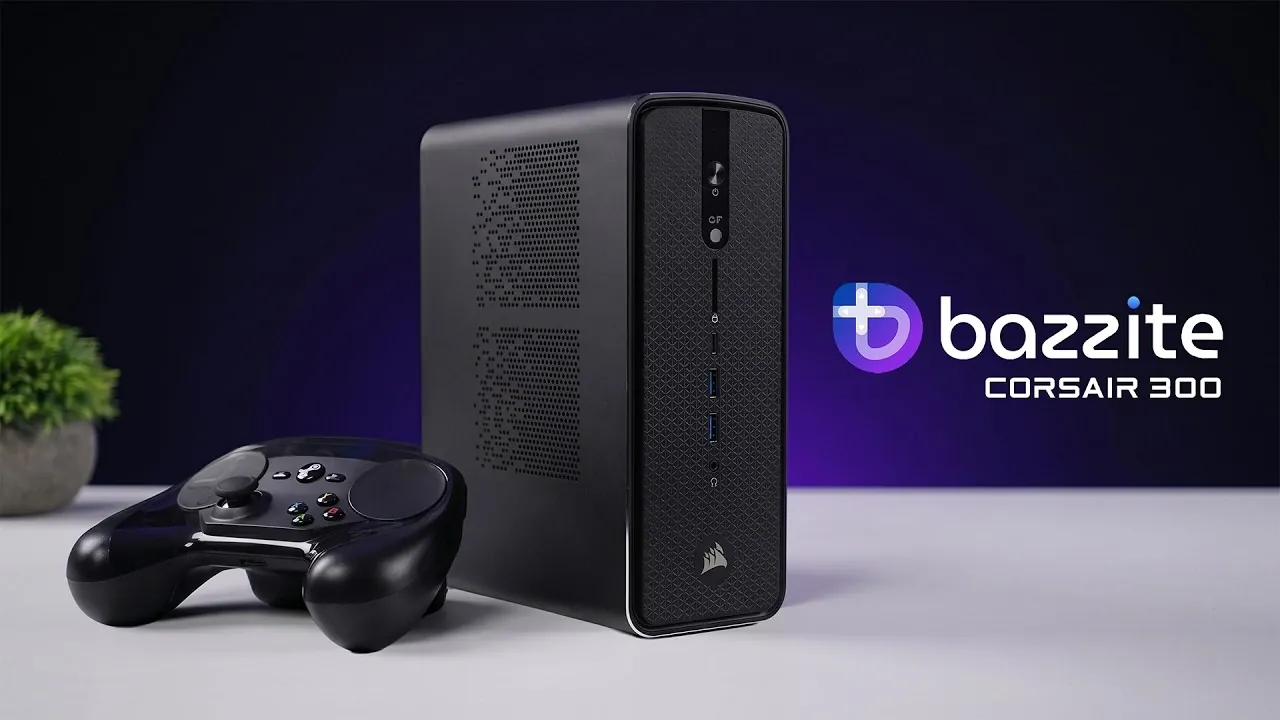
Building your own steam machine can be an exciting project, especially when it comes to creating a system that balances gaming performance with everyday functionality. In a recent feature by ETA Prime, the Corsair AI Workstation 300 serves as a prime example of how compact systems can deliver high performance. With standout components like the AMD Ryzen AI Max Plus processor and the Radeon 8060S GPU, this workstation is designed to handle tasks ranging from video editing to gaming at 1440p resolution. Its dual-boot configuration, offering both Windows 11 and Bazzite OS, further highlights its versatility for users who need a system that transitions seamlessly between productivity and entertainment.
Dive into this guide to explore how you can achieve similar results with your own project. You’ll gain insight into configuring a dual-boot setup for flexibility, optimizing hardware for gaming and creative workflows and managing operating system-specific challenges like Linux gaming adjustments. Whether you’re tackling demanding workloads or aiming for smooth gameplay, this breakdown provides actionable steps to help you build a system tailored to your needs.
DIY Steam Machine 2026
TL;DR Key Takeaways :
- The Corsair AI Workstation 300 features a powerful AMD Ryzen AI Max Plus processor (16 cores, 32 threads) and Radeon 8060S GPU, making it ideal for demanding tasks like video editing, 3D rendering and gaming.
- It supports up to 128 GB of RAM and includes dual M.2 SSD slots for a dual-boot configuration, allowing users to switch between Windows 11 for productivity and Bazzite OS for gaming.
- Bazzite OS, a gaming-focused alternative to Steam OS, offers customization options, plugin support and a desktop mode for non-gaming tasks, enhancing its versatility.
- The workstation delivers smooth gaming performance at 1440p high settings and supports 4K for older titles, though some games on Bazzite OS may require manual configuration for optimal performance.
- While highly versatile for both work and gaming, users should be aware of potential challenges with Linux gaming optimization and default settings on Bazzite OS, which may require technical adjustments.
At the core of the Corsair AI Workstation 300 is the AMD Ryzen AI Max Plus processor, a 16-core, 32-thread powerhouse. This advanced multi-core architecture ensures seamless multitasking, making it ideal for resource-intensive tasks such as:
- Video editing
- 3D rendering
- AI-driven applications
Complementing the processor is the Radeon 8060S GPU, equipped with 40 compute units. This graphics card delivers exceptional performance for both gaming and creative workflows. Whether you’re rendering complex visuals or playing the latest AAA games, the hardware is designed to meet the challenge.
The system supports up to 128 GB of RAM, providing ample memory for even the most demanding applications. Additionally, dual M.2 SSD slots enable a dual-boot configuration, allowing users to separate gaming and productivity environments. A BIOS-controlled performance selector offers three modes, Quiet, Balanced and Max, giving you the flexibility to optimize the system’s performance based on your specific needs.
Dual-Boot Operating System: Windows 11 and Bazzite OS
The Corsair AI Workstation 300 features a dual-boot setup, providing access to both Windows 11 and Bazzite OS. Each operating system is tailored to meet distinct user needs:
- Windows 11: A familiar and versatile environment for productivity, mainstream applications and general use.
- Bazzite OS: A gaming-focused alternative to Steam OS, designed for customization and performance optimization.
Bazzite OS distinguishes itself with its unique features, including plugin support via the Bazite Portal, which allows users to enhance their system with additional tools and functionalities. It also includes a desktop mode, allowing non-gaming tasks such as document editing, media playback and software installations. This dual-purpose functionality makes the workstation an excellent choice for users who need a balance between gaming and professional use.

Browse through more resources below from our in-depth content covering more areas on DIY Steam Machines.
Gaming Performance: Smooth and Immersive
The Corsair AI Workstation 300 delivers an impressive gaming experience, particularly at 1440p resolution with high settings. The Radeon 8060S GPU ensures smooth gameplay for modern titles, while older games can often be enjoyed at 4K resolution. Popular games tested on the system include:
- Crimson Desert
- Japanese Drift Master
- No Man’s Sky
- Resident Evil Requiem
- Mortal Kombat 1
- Spider-Man 2
While gaming on Bazzite OS is generally smooth, some adjustments may be required. Certain games default to Steam Deck settings, necessitating manual tweaks to fully use the system’s capabilities. Additionally, although Linux gaming optimization has improved significantly, some titles not natively designed for Linux may exhibit performance inconsistencies. For users willing to fine-tune settings, the system offers a highly rewarding gaming experience.
Additional Features and Versatility
The Corsair AI Workstation 300 goes beyond gaming, offering a range of features that enhance its versatility. Bazzite OS includes built-in tools for customization, emulation and media management, allowing users to:
- Personalize their gaming experience
- Emulate older gaming consoles
- Efficiently manage multimedia content
Despite its gaming focus, the workstation doubles as a capable desktop for professional tasks. Its robust hardware and dual-boot functionality make it an excellent choice for users with diverse needs, from gaming to productivity. This adaptability ensures that the system remains relevant across various use cases, making it a practical investment for those seeking a compact yet powerful solution.
Limitations to Consider
While the Corsair AI Workstation 300 excels in many areas, it is not without its limitations. Users should be aware of the following considerations:
- Linux Gaming Optimization: Some games may require extensive configuration to achieve optimal performance on Bazzite OS.
- Default Settings on Bazzite OS: Certain games default to Steam Deck settings, which may not fully use the system’s hardware capabilities.
These challenges highlight the need for some technical expertise when using Bazzite OS for gaming. However, for users willing to invest time in fine-tuning, the system offers a highly customizable and rewarding experience.
A Compact Solution for Work and Play
The Corsair AI Workstation 300 is a high-performance mini desktop that seamlessly bridges the gap between productivity and gaming. Its robust hardware, dual-boot setup and Bazzite OS features make it a versatile choice for users seeking a compact yet powerful system. While it excels in most areas, potential limitations in Linux gaming optimization and configuration adjustments should be taken into account.
Overall, the Corsair AI Workstation 300 offers a compelling solution for those looking to combine work and play in a single, efficient device. Whether you’re a professional tackling demanding tasks or a gamer seeking immersive experiences, this workstation delivers on both fronts, making it a standout option in its category.
Media Credit: ETA PRIME
Filed Under: Gaming News, Hardware, Top News
Disclosure: Some of our articles include affiliate links. If you buy something through one of these links, Geeky Gadgets may earn an affiliate commission. Learn about our Disclosure Policy.
Credit: Source link