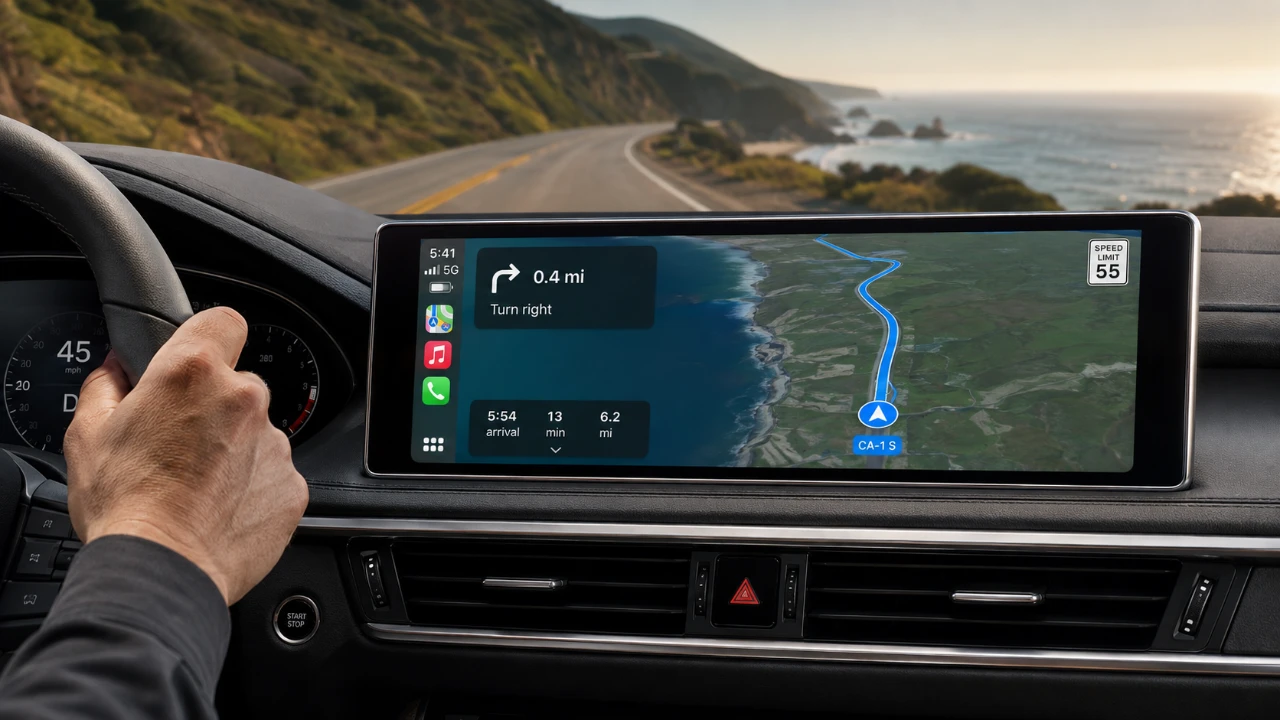
Apple Maps on CarPlay is a feature-rich navigation tool designed to enhance your driving experience. With capabilities that go beyond basic directions, it offers tools to make your journeys safer, more efficient, and tailored to your preferences. However, many users fail to use its full range of features, missing out on opportunities to improve their navigation. From real-time updates to offline maps and seamless integration with other Apple devices, Apple Maps has much to offer. Here’s how you can unlock its full potential. The video below from HotshotTek shows us how to get the most out of Apple Maps in CarPlay.

Advanced Navigation Features for a Smoother Drive
Apple Maps provides a range of advanced navigation tools that simplify even the most complex routes. Two standout features include:
- Lane Guidance: This feature helps you stay in the correct lane for upcoming turns or exits, minimizing confusion and last-minute lane changes.
- Dynamic Zoom: The map automatically adjusts its scale based on your speed and proximity to key points, such as intersections or highway ramps, making sure you always have a clear view of your route.
These tools work together to make navigating busy or unfamiliar roads more intuitive and stress-free.
Real-Time Updates for Smarter Navigation
One of the most valuable aspects of Apple Maps is its ability to provide real-time updates, keeping you informed and in control of your journey. Key features include:
- Live Traffic Conditions: Stay ahead of delays by receiving updates on traffic congestion and alternative routes.
- Road Closures and Hazards: Get alerts about construction zones, accidents, or other obstacles that could impact your route.
- Incident Reporting: Contribute to the community by reporting issues directly through the app, helping others benefit from accurate and timely information.
These real-time updates allow you to make informed decisions, avoid unnecessary delays and adjust your route as needed.
Offline Maps for Uninterrupted Navigation
Apple Maps ensures that poor connectivity doesn’t disrupt your journey. By downloading maps for offline use, you can rely on turn-by-turn directions even in areas with limited or no signal. This feature is particularly useful for road trips, rural travel, or exploring remote locations. Preloading maps before your trip guarantees uninterrupted navigation, making it an essential tool for adventurers and frequent travelers alike.
Personalized Navigation and Device Integration
Apple Maps on CarPlay offers extensive customization options to suit your preferences and integrates seamlessly with other Apple devices. Key features include:
- Adjustable Voice Navigation: Modify the volume of voice prompts using your car’s volume controls, making sure clear and unobtrusive guidance.
- Apple Watch Integration: Receive turn-by-turn notifications on your Apple Watch for added convenience. If these notifications feel redundant, you can easily disable them in the app settings.
These options allow you to tailor your navigation experience, making it more convenient and aligned with your needs.
Enhanced Visualization for Better Clarity
Apple Maps offers flexible visualization options to improve map readability and help you navigate with confidence. These include:
- Manual and Automatic Zoom: Use pinch gestures to zoom in or out manually, or let the app adjust automatically based on your driving conditions.
- 2D and 3D Views: Switch between 2D and 3D map views for better visualization, especially in urban areas with complex layouts or landmarks.
These tools make it easier to understand your surroundings and navigate even the most intricate routes.
Streamlined Coordination and Routine Management
Apple Maps simplifies coordination and helps you manage your routine with features designed for convenience:
- ETA Sharing: Share your estimated time of arrival with friends or family, including those using Android devices, making sure everyone stays informed and synchronized.
- Saved Locations: Pin frequently visited destinations, such as your home, workplace, or favorite coffee shop, for quick and easy access.
These features make it easier to stay organized and connected, whether you’re commuting, running errands, or planning a group outing.
Flexible Routing and Parking Assistance
Apple Maps provides tools to adapt your route and assist you after you’ve reached your destination. These include:
- Add Stops Mid-Route: Use Siri or manual selection to include additional stops, such as gas stations or restaurants, without disrupting your original route.
- Parked Car Locator: After parking, Apple Maps uses GPS to help you find your vehicle, a particularly useful feature in large parking lots or unfamiliar areas.
These features ensure a flexible and stress-free journey from start to finish.
Dashboard Integration for Safer Driving
Apple Maps integrates with your car’s instrument cluster or heads-up display, allowing you to view navigation details directly on your dashboard. This includes information such as upcoming turns, distances and directions. By reducing the need to glance at your main screen, this feature helps you stay focused on the road while staying informed, enhancing both safety and convenience.
Considerations and Limitations
While Apple Maps offers a robust set of features, it’s important to be aware of its limitations:
- No Real-Time Speedometer: Unlike some competitors, Apple Maps does not display your current speed, which may be a drawback for some users.
- Limited Satellite View: The app lacks a full satellite view, though its 3D map visualization partially compensates for this limitation.
Despite these shortcomings, the app’s strengths make it a reliable and versatile navigation tool for most drivers.
Unlocking the Full Potential of Apple Maps on CarPlay
Apple Maps on CarPlay is more than just a navigation app; it’s a comprehensive tool designed to enhance every aspect of your driving experience. By using features such as lane guidance, real-time updates, offline maps, and seamless device integration, you can navigate more efficiently and confidently. Whether you’re commuting, running errands, or embarking on a road trip, these tools ensure a personalized and seamless journey. Take the time to explore these features and make the most of what Apple Maps on CarPlay has to offer.
Find more information on Apple CarPlay by browsing our extensive range of articles, guides, and tutorials.
Source & Image Credit: HotshotTek
Filed Under: Apple, Apple iPhone, Guides
Disclosure: Some of our articles include affiliate links. If you buy something through one of these links, Geeky Gadgets may earn an affiliate commission. Learn about our Disclosure Policy.
Credit: Source link