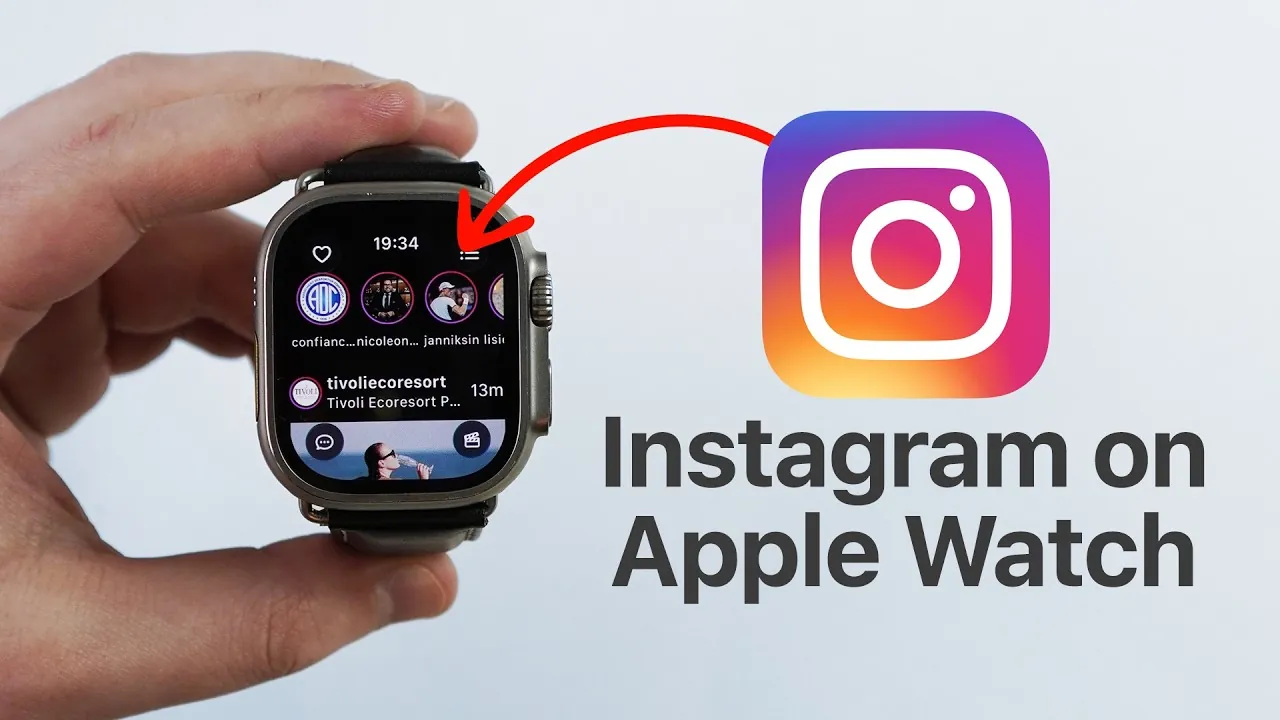
Instagram has become an integral part of modern social media, and now, with the help of the Lens app, you can bring this platform to your Apple Watch. The Lens app allows you to access Instagram’s core features directly from your wrist, offering a compact yet functional experience. From browsing your feed to interacting with stories and reels, the app bridges the gap between mobile devices and wearable technology, allowing you to stay connected wherever you are. The video below from Daniel About Tech gives us more details.

Getting Started: Installing and Setting Up the Lens App
To use Instagram on your Apple Watch, the first step is to install and configure the Lens app. Follow these steps to get started:
- Search for and download the Lens app from the App Store directly onto your Apple Watch.
- Open the Lens app on your iPhone to complete the setup process. This involves logging in securely through Instagram’s official authentication page, making sure your credentials are protected.
- Once authenticated, your Apple Watch will be synced with your Instagram account, allowing it to function independently of your iPhone.
This straightforward setup ensures a secure and seamless experience, giving you access to Instagram’s features directly on your smartwatch.
Features of Instagram on Your Apple Watch
The Lens app transforms your Apple Watch into a compact Instagram interface, offering a variety of features designed to keep you connected:
- Browse Content: View your Instagram feed, stories, and reels directly on your watch, making it easy to stay updated on the go.
- Engage with Posts: Like, comment, and interact with posts effortlessly, maintaining your social presence even when your phone isn’t nearby.
- Real-Time Notifications: Stay informed with instant alerts for likes, comments, and direct messages, making sure you never miss an update.
- Watch Videos: Enjoy videos with sound, enhancing your multimedia experience on a smaller screen.
These features provide a convenient way to stay connected with your Instagram community, offering a nearly complete experience tailored for wearable technology.
Free vs. Premium: Choosing the Right Version
The Lens app offers two versions to cater to different user preferences and needs:
- Free Version: This version includes essential features such as viewing your feed, liking posts, and receiving notifications, making it suitable for casual users.
- Premium Version: For a more comprehensive experience, the premium version unlocks advanced features like access to reels, saved posts, and additional customization options.
The premium subscription can be purchased through the Lens app on your Apple Watch or iPhone. Pricing is flexible, allowing users to choose a plan that fits their needs while supporting the app’s ongoing development.
Benefits of Upgrading to Premium
Opting for the premium version of the Lens app enhances your Instagram experience on the Apple Watch by providing access to exclusive features:
- Reels and Saved Posts: Enjoy full access to Instagram reels and your saved posts, expanding the range of content you can view and interact with.
- Customization Options: Personalize your app experience with additional settings and features tailored to your preferences.
The subscription process is simple and can be completed as an in-app purchase, making sure a quick and hassle-free upgrade.
Wireless Connectivity: Staying Connected Anywhere
One of the standout features of the Lens app is its ability to operate independently of your iPhone after the initial setup. Thanks to wireless connectivity, your Apple Watch syncs with Instagram in real time, allowing you to stay updated no matter where you are. Whether you’re exercising, attending a meeting, or simply away from your phone, the Lens app ensures you remain connected without interruption.
Security and Data Protection
The Lens app prioritizes your security by adhering to Instagram’s official authentication protocols. By using Instagram’s login page for verification, the app ensures your credentials remain protected. Additionally, it complies with Instagram’s security standards, minimizing risks associated with third-party integrations. This commitment to security allows you to confidently access your account, knowing your data is safeguarded.
Enhance Your Instagram Experience with Lens
The Lens app brings Instagram’s functionality to your Apple Watch, offering a convenient and streamlined way to stay connected. Whether you’re browsing your feed, engaging with stories, or responding to direct messages, the app delivers Instagram’s core features in a compact, wearable format. With both free and premium options available, it caters to a wide range of user preferences. By using wireless connectivity and secure authentication, the Lens app ensures a seamless and secure experience, making it an essential tool for Instagram enthusiasts who value convenience and accessibility.
Dive deeper into Apple Watch Instagram app with other articles and guides we have written below.
Source & Image Credit: Daniel About Tech
Filed Under: Apple, Apple iPhone, Gadgets News, Guides
Latest Geeky Gadgets Deals
Disclosure: Some of our articles include affiliate links. If you buy something through one of these links, Geeky Gadgets may earn an affiliate commission. Learn about our Disclosure Policy.
Credit: Source link