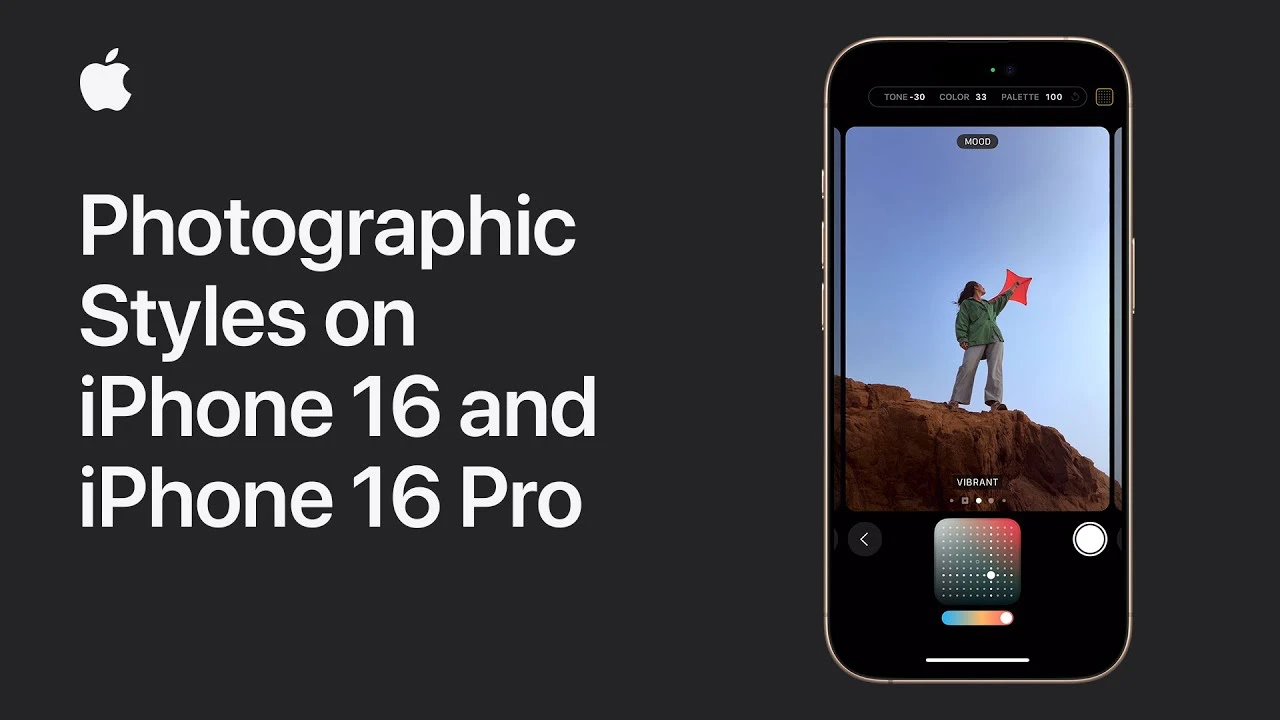
The iPhone 16 and iPhone 16 Pro have transformed mobile photography by offering a comprehensive set of tools that allow users to customize photographic styles according to their preferences. These advanced features empower photographers to fine-tune camera settings, providing unprecedented creative control and allowing them to capture images that truly reflect their unique vision. The video below from Apple shows us how to use these photographic styles on the iPhone 16 models.

Exploring Camera Settings
To begin your journey into personalized photography, dive into the camera settings menu, where you’ll find the option to set a default undertone. This innovative feature allows you to adjust the undertones for various skin tones directly within the camera app. By fine-tuning these settings, you can ensure that your photos possess the perfect level of warmth or coolness, seamlessly matching the subject’s complexion. This level of personalization is essential for achieving professional-quality results that stand out from the crowd.
- Access the camera settings menu to customize undertones
- Adjust undertones for different skin tones to achieve the desired warmth or coolness
- Ensure your photos match the subject’s complexion for a professional look
Fine-Tuning Undertones and Moods
The iPhone 16 series takes personalization to new heights by introducing the ability to customize photos through mood settings. These settings allow you to experiment with a range of moods, such as vibrant, natural, and luminous, allowing you to create a specific atmosphere in your photos and enhance their emotional impact. The mood settings work in harmony with undertone adjustments, providing photographers with a comprehensive toolkit to craft images that resonate with their intended audience.
- Explore different mood settings like vibrant, natural, and luminous
- Create a specific atmosphere in your photos to enhance emotional impact
- Combine mood settings with undertone adjustments for a comprehensive approach
Using Style Intensity Sliders
To further refine your photographic style, take advantage of the sliders that allow you to adjust style intensity and tone. These sliders provide precise control over the strength of the photographic style applied, allowing you to fine-tune the visual impact of your photos. Whether you prefer subtle enhancements or bold transformations, the sliders offer the flexibility to achieve your desired outcome, ensuring that your images align perfectly with your creative vision.
- Utilize sliders to adjust style intensity and tone
- Fine-tune the visual impact of your photos with precise control
- Achieve your desired outcome, whether subtle or bold
Previewing and Adjusting Photos
Before capturing your shot, take advantage of the photo preview feature offered by the iPhone 16 and iPhone 16 Pro. This powerful tool allows you to see how your adjustments will affect the final image in real-time, allowing you to make changes on the fly. By previewing and adjusting undertones before taking photos, you can ensure that you capture the perfect shot every time, minimizing the need for extensive post-processing.
- Use the photo preview feature to see adjustments in real-time
- Make changes on the fly to capture the perfect shot
- Minimize the need for extensive post-processing
Editing Photos Post-Capture
In addition to the powerful pre-capture tools, the iPhone 16 and iPhone 16 Pro provide robust post-capture photo editing capabilities. After capturing your photos, you can easily change or refine styles to ensure that your images align perfectly with your creative vision. This feature is particularly valuable for photographers who enjoy experimenting with different styles after the initial capture, allowing them to explore various artistic possibilities and create truly unique images.
- Utilize post-capture photo editing capabilities to refine styles
- Ensure your images align with your creative vision
- Experiment with different styles after the initial capture for unique results
The iPhone 16 and iPhone 16 Pro offer a comprehensive suite of tools for customizing photographic styles, empowering users to elevate their mobile photography to new heights. By leveraging these advanced features, photographers can enhance their skills and produce images that are both personalized and professional. Whether adjusting undertones, exploring mood settings, or refining styles post-capture, these innovative devices provide the flexibility and control needed to unleash your creativity and capture stunning photos that truly stand out.
Source & Image Credit: Apple
Filed Under: Apple, Apple iPhone, Guides
Latest Geeky Gadgets Deals
Disclosure: Some of our articles include affiliate links. If you buy something through one of these links, Geeky Gadgets may earn an affiliate commission. Learn about our Disclosure Policy.
Credit: Source link