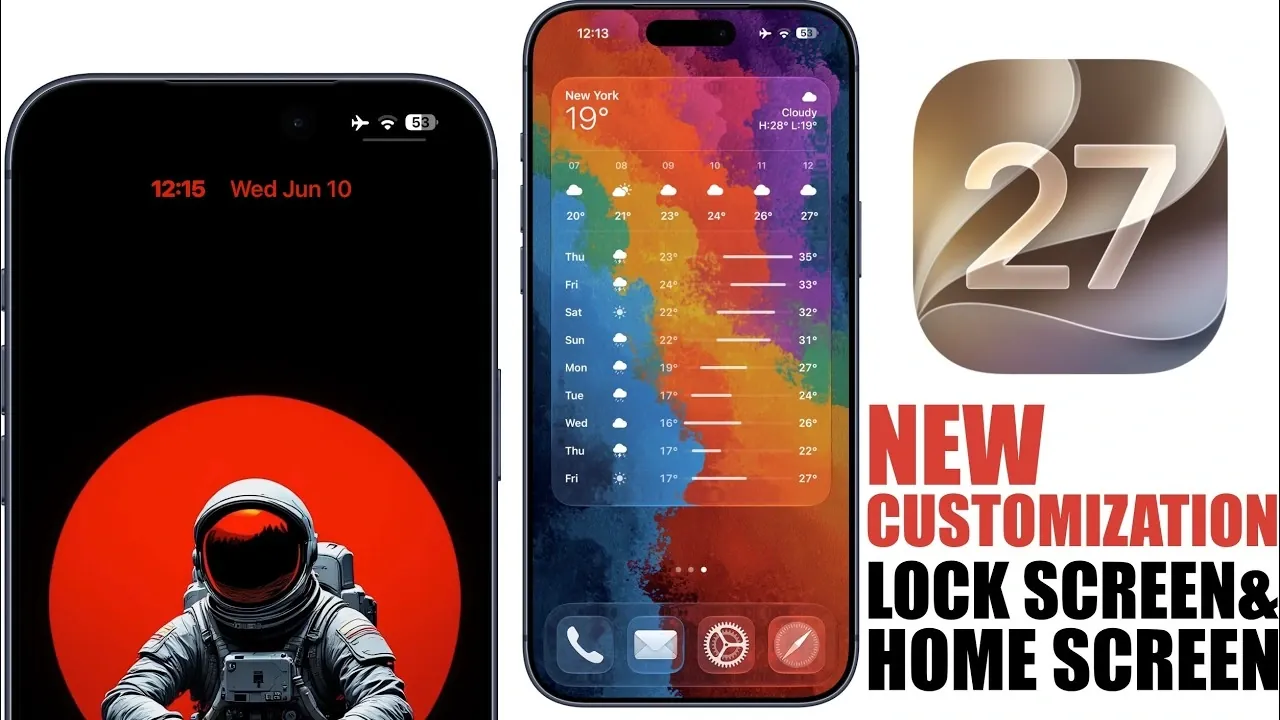
iOS 27 introduces a bold new approach to customization, offering users unprecedented control over their device’s appearance and functionality. With features like dynamic wallpapers, redesigned app icons, and enhanced widgets, this update seamlessly blends aesthetics with practicality. Whether you’re a tech enthusiast seeking advanced personalization or a casual user looking for simplicity, iOS 27 provides tools that allow your device to reflect your unique style and needs.
By focusing on user-centric design and functionality, Apple has redefined how users interact with their devices, making iOS 27 a standout update in the mobile operating system landscape. The video below from iReviews gives us more details.
Reimagining the Lock Screen
The lock screen in iOS 27 has been transformed into a highly customizable space, allowing you to personalize it in ways that go beyond mere aesthetics. It is no longer just a gateway to your device but a dynamic canvas for self-expression. Key features include:
- Dynamic Wallpapers: These animated wallpapers adapt to your device’s theme, time of day, or even environmental conditions. You can customize the colors to match your preferences, creating a lock screen that feels alive and uniquely yours.
- Clock Customization: Adjust the size, font, and color of the clock to suit your style. Whether you prefer a minimalist look or a bold, eye-catching design, this feature ensures your lock screen remains both functional and visually cohesive.
- Intelligent Wallpaper Adjustments: Apple’s AI-driven tools automatically extend and optimize wallpapers to fit perfectly on your screen, making sure no detail is lost or misaligned.
These updates elevate the lock screen from a static interface to an interactive, personalized experience, making it a central part of your daily device usage.
Home Screen Enhancements for a Modern Look
The home screen in iOS 27 has undergone a significant transformation, combining sleek design with enhanced functionality. These updates ensure that your home screen is not only visually appealing but also tailored to your daily needs. Key enhancements include:
- Liquid Glass Effect: This feature allows you to adjust the transparency and tint of home screen elements using a simple slider. The result is a layered, modern aesthetic that feels both sophisticated and customizable.
- Larger Widgets: Widgets can now occupy an entire screen, providing more space for detailed information and interactivity. This is particularly beneficial for tasks like tracking fitness goals, monitoring schedules, or accessing frequently used apps.
- Third-Party Widget Integration: Apple has opened up widget design to external developers, allowing innovative and diverse widget functionalities. This integration enhances the overall user experience by offering a wider range of tools and designs.
These features make the home screen a more dynamic and practical space, making sure that it adapts to your lifestyle while maintaining a polished appearance.
Refined Design Language
iOS 27 introduces a cohesive and modern design language that ties the entire interface together. One of the most noticeable changes is the redesigned app icons, which now feature a liquid glass aesthetic. This design not only enhances the visual appeal of the interface but also creates a sense of unity across the system.
In addition to the app icons, the update includes subtle design refinements that improve usability without overwhelming the user. Combined with the extensive customization options, these updates breathe new life into your device, making it feel fresh and contemporary.
Performance and Battery Life Improvements
While iOS 27 emphasizes customization, it also delivers significant improvements in performance and efficiency. Behind the scenes, Apple has implemented optimizations that enhance battery life, making sure your device can handle the demands of new features without compromising longevity.
The update also introduces smoother animations and faster app load times, contributing to a more seamless user experience. Even in its beta stage, iOS 27 has demonstrated impressive stability, making it a reliable choice for users eager to explore its features.
Looking Ahead: Future Updates
Apple has laid the groundwork for even more customization capabilities in future updates to iOS 27. Upcoming beta releases are expected to introduce additional tools and features, further enhancing the operating system’s flexibility and functionality.
These anticipated updates will likely cater to a wide range of users, from power users seeking advanced tools to those who value simplicity and ease of use. By continuously expanding its customization options, Apple is positioning iOS 27 as a leader in mobile operating system innovation.
Why iOS 27 Stands Out
iOS 27 represents a significant step forward in mobile operating system design, offering a level of customization that sets it apart from previous iterations. From dynamic wallpapers and clock adjustments to larger widgets and redesigned app icons, every feature is crafted with the user in mind.
In addition to its visual and functional enhancements, iOS 27 delivers improved performance and battery life, making sure a seamless and enjoyable experience. Whether you’re a long-time Apple user or new to the ecosystem, this update redefines what your device can do, making it a must-try for anyone looking to personalize their mobile experience.
Unlock more potential in iOS 27 by reading previous articles we have written.
Source & Image Credit: iReviews
Filed Under: Apple, Apple iPhone, Guides, Technology News
Disclosure: Some of our articles include affiliate links. If you buy something through one of these links, Geeky Gadgets may earn an affiliate commission. Learn about our Disclosure Policy.
Credit: Source link