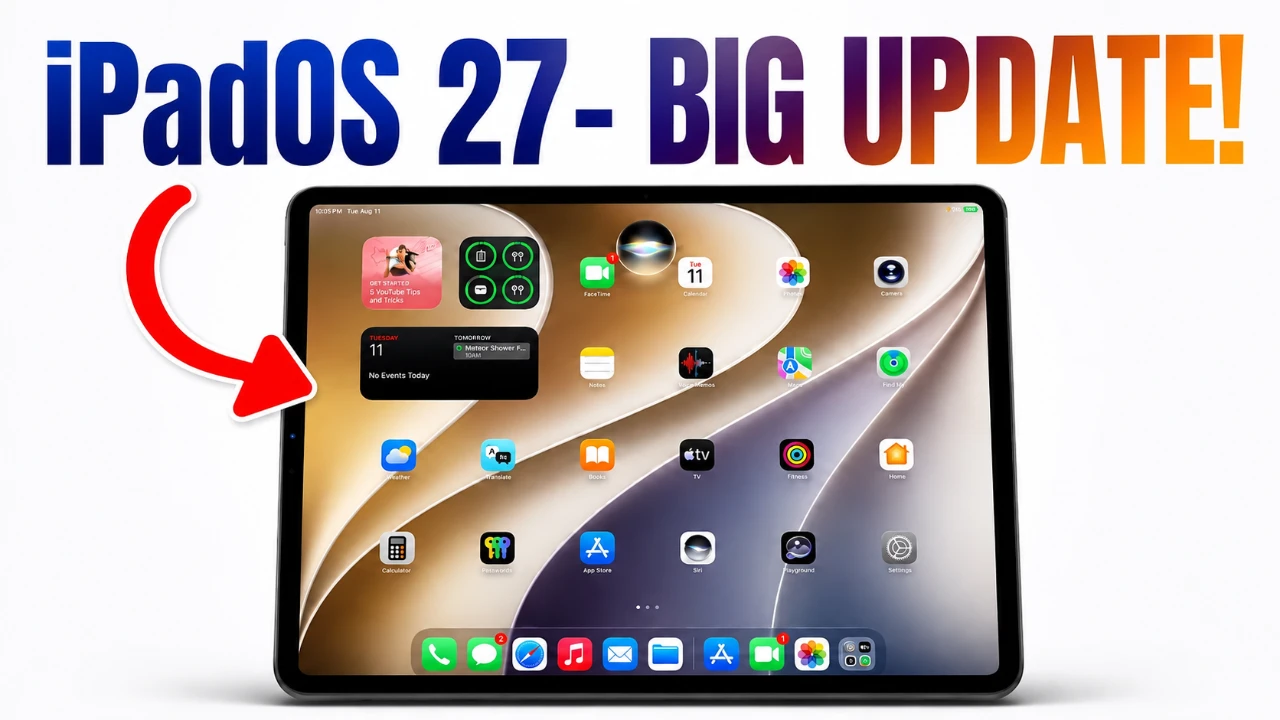
Apple’s iPadOS 27 marks a significant evolution in the iPad ecosystem, introducing a suite of advanced features designed to enhance usability, personalization, and productivity. With a focus on integrating innovative AI tools, refined design elements, and improved multitasking capabilities, this update aims to cater to a diverse range of users, from professionals to casual users. Whether you rely on your iPad for work, creativity, or entertainment, iPadOS 27 promises to deliver a more intuitive and versatile experience. The video below from iDeviceHelp gives us more details on iPadOS 27.

Release Schedule and Device Compatibility
The rollout of iPadOS 27 is scheduled to begin between early and mid-September 2026, aligning with Apple’s tradition of annual software updates. This update will support a broad spectrum of iPad models, making sure that both newer devices and older generations benefit from its features. Apple’s commitment to compatibility ensures that even users with older hardware will notice improved performance and enhanced functionality, making this update accessible to a wide audience.
Enhanced User Interface and Customization
iPadOS 27 introduces a redesigned user interface that emphasizes personalization and modern aesthetics. Key updates include:
- Customizable Lock Screen: Dynamic wallpapers that adapt to user preferences, offering features like color-matching and motion effects for a more personalized experience.
- Refined App Icons: Updated designs for core applications such as Siri, Safari and Preview, creating a cohesive and polished visual experience.
- Improved Control Center: Enhanced contrast and streamlined functionality make essential tools more accessible and easier to use.
These updates provide users with greater control over the appearance and functionality of their devices, making sure a balance between aesthetics and usability.
Innovative Features for a Smarter Experience
iPadOS 27 introduces several standout features aimed at improving the way users interact with their devices:
- Liquid Glass Slider: A unique tool that allows users to adjust the transparency and tint of system-wide glass elements, such as menus and notifications, for a more immersive and visually appealing experience.
- Enhanced Multitasking: The ability to disable the automatic hiding of menu bars when using external keyboards and mice, creating a desktop-like environment ideal for productivity tasks.
These features are designed to cater to a variety of user needs, offering flexibility and functionality that adapt seamlessly to different workflows and preferences.
Smarter Siri and Advanced AI Integration
Siri receives a major overhaul in iPadOS 27, making it a more powerful and versatile assistant. Key improvements include:
- Redesigned Interface: A sleek glyph icon replaces the traditional rainbow animation, offering a more modern and subtle design.
- AI-Driven Capabilities: Enhanced tools for tasks such as advanced photo editing, email organization and scheduling assistance, making Siri a more effective productivity partner.
- Expanded Knowledge Base: Improved accuracy and depth in answering complex questions, making sure users receive reliable and detailed information.
- New Siri App: A dedicated application that tracks conversation history and allows for text-based interactions, providing users with more control over their interactions with Siri.
These updates position Siri as a central tool for managing daily tasks and accessing information, further integrating AI into the iPad experience.
Photos App: Professional-Grade Editing Tools
The Photos app in iPadOS 27 introduces advanced AI-driven editing tools that make professional-level photo editing accessible to all users. Key features include:
- Cleanup Tool: Effortlessly remove unwanted elements from photos for a cleaner and more polished look.
- Extend Tool: Intelligently fill in surrounding areas to expand images, offering creative flexibility.
- Reframe Tool: Adjust angles and framing to achieve the perfect composition.
These tools are designed to simplify the editing process while delivering high-quality results, catering to both casual users and creative professionals.
Productivity and Workflow Enhancements
For users who depend on their iPads for work, iPadOS 27 introduces several productivity-focused updates:
- Improved Multitasking: Enhanced integration with external keyboards and mice, providing a smoother and more efficient workflow.
- Better Menu Visibility: System-wide refinements ensure that menus and tools remain accessible, reducing interruptions and improving overall usability.
These updates solidify the iPad’s position as a viable alternative to traditional laptops, particularly for professionals and creatives seeking a portable yet powerful device.
System-Wide Refinements for a Cohesive Experience
Apple has focused on refining the overall user experience in iPadOS 27, addressing user feedback and enhancing system-wide functionality. From smoother animations to improved interface responsiveness, every detail has been carefully considered to ensure a seamless and cohesive interaction with the device. These refinements highlight Apple’s dedication to delivering a polished and reliable operating system that adapts to the needs of its users.
Elevating the iPad to New Heights
iPadOS 27 represents a significant step forward for Apple’s tablet operating system, combining personalization, AI-driven tools and productivity enhancements into a single, cohesive update. Whether you’re editing photos, managing tasks, or simply enjoying a more dynamic and customizable interface, this release ensures that your iPad remains a powerful and versatile tool. With its focus on innovation and user-centric design, iPadOS 27 continues to push the boundaries of what an iPad can achieve.
Check out more relevant guides from our extensive collection on iPadOS 27 that you might find useful.
Source & Image Credit: iDeviceHelp
Filed Under: Apple iPad, Tablet News, Technology News, Top News
Disclosure: Some of our articles include affiliate links. If you buy something through one of these links, Geeky Gadgets may earn an affiliate commission. Learn about our Disclosure Policy.
Credit: Source link