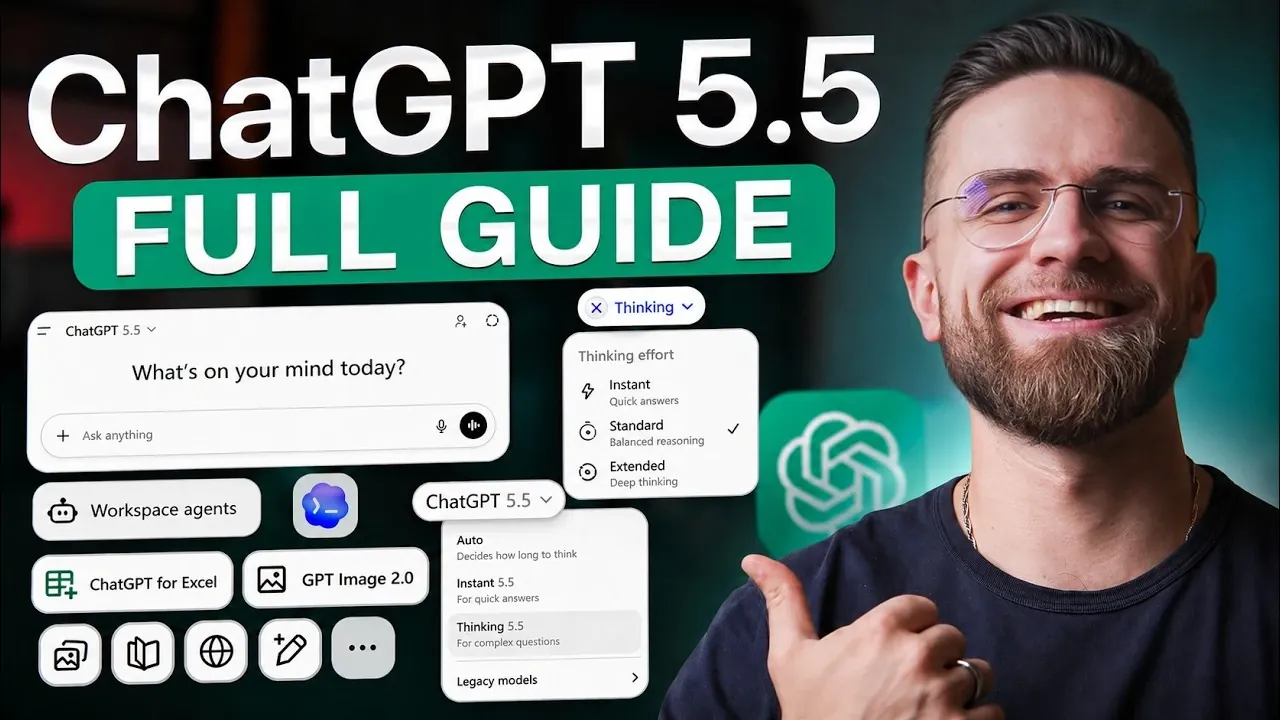
ChatGPT 5.5 offers an accessible yet robust platform for beginners looking to explore artificial intelligence. In a step-by-step guide presented by AI Master, users are introduced to key features such as enhanced memory for maintaining context across sessions and multi-modal processing, which allows the model to interpret images, PDFs and datasets. These advancements make ChatGPT 5.5 a practical choice for tasks ranging from drafting emails to conducting in-depth data analysis. The guide also highlights how selecting the right variant, such as the quick-response “5.5 Instant” or the more analytical “5.5 Thinking”—can optimize your experience based on your specific needs.
Explore how to make the most of ChatGPT 5.5 by mastering its updated features and practical applications. Learn how to use its memory capabilities to streamline ongoing projects, automate spreadsheet tasks with plain language commands and even generate photorealistic visuals with Image Generation 2.0. Whether you’re organizing workflows or tackling creative challenges, this guide equips you with actionable strategies to enhance productivity and achieve more precise results.
What’s New in ChatGPT 5.5?
TL;DR Key Takeaways :
- ChatGPT 5.5 introduces enhanced memory, multi-modal processing and improved token efficiency, making it more coherent, versatile and cost-effective.
- It offers multiple variants, Instant, Thinking (Standard & Extended), and Pro, tailored for tasks ranging from quick responses to complex reasoning and data analysis.
- New features include Image Generation 2.0, Excel/Sheets integration, Codex updates with expanded token limits and autonomous workflow agents for advanced productivity.
- Compared to Claude Opus 4.7, ChatGPT 5.5 excels in coding, image generation and strategic tasks, while Claude is better for long-form writing and project management.
- Practical applications span prototyping, visual design, document analysis, business strategy and professional communication, showcasing its adaptability across industries.
ChatGPT 5.5 introduces several advancements that set it apart from its predecessors. These upgrades are designed to enhance both functionality and user experience:
- Enhanced Memory: The model now retains context across multiple sessions, allowing more coherent and personalized interactions over time.
- Multi-Modal Processing: It can analyze and interpret images, PDFs and complex datasets, making it a versatile tool for diverse tasks.
- Token Efficiency: ChatGPT 5.5 delivers accurate results using fewer tokens, reducing costs and improving response times.
These improvements make ChatGPT 5.5 a powerful assistant for personal, academic and professional use, offering greater adaptability and efficiency.
Understanding the Model Variants
ChatGPT 5.5 is available in several variants, each tailored to specific needs. Selecting the right version can significantly enhance your experience:
- 5.5 Instant: Optimized for quick, everyday tasks such as drafting emails, answering questions, or generating ideas.
- 5.5 Thinking (Standard & Extended): Designed for more complex reasoning and multi-step tasks. The “Extended” version provides deeper analytical capabilities for intricate challenges.
- 5.5 Pro: A specialized variant ideal for critical tasks like research and data analysis. It excludes memory and image generation to focus on streamlined performance.
Each variant is purpose-built to address specific scenarios, from routine tasks to advanced problem-solving, making sure users can select the best fit for their requirements.
Enhance your knowledge on ChatGPT 5.5 by exploring a selection of articles and guides on the subject.
New Features to Explore
ChatGPT 5.5 introduces a range of innovative features that expand its functionality and usability. These tools are designed to enhance productivity and creativity:
- Image Generation 2.0: This upgraded tool incorporates reasoning before rendering, supports aspect ratio adjustments and processes requests faster, making it ideal for creating photorealistic designs.
- Excel/Sheets Integration: Automate data analysis, generate formulas and manage spreadsheets using plain language commands, saving time and effort.
- Codex Updates: With an expanded context window of up to 400,000 tokens and browser interaction, coding workflows are now more seamless and efficient.
- Workflow Agents: Autonomous agents can handle multi-step workflows, making them invaluable for business operations and enterprise-level tasks.
These features not only improve efficiency but also open up new possibilities for creative and analytical endeavors.
How Does ChatGPT 5.5 Compare to Claude Opus 4.7?
To better understand ChatGPT 5.5’s strengths, it’s useful to compare it with Claude Opus 4.7, another leading AI model. Each has unique advantages that cater to different needs:
- ChatGPT 5.5 Advantages: Excels in coding, image generation, data analysis and strategic brainstorming, making it a versatile tool for technical and creative tasks.
- Claude Opus 4.7 Advantages: Better suited for long-form writing, mobile workflows and project management, offering a more user-friendly experience for these specific applications.
By understanding their complementary strengths, users can use both tools to maximize productivity and achieve more comprehensive results.
Best Practices for Using ChatGPT 5.5
To fully use the capabilities of ChatGPT 5.5, consider implementing these best practices:
- Begin with the “Instant” variant for straightforward tasks and transition to reasoning models for more complex challenges.
- For intricate projects, start with the “Standard” model to balance speed and depth, then switch to “Extended” for deeper analysis if needed.
- Craft clear and concise prompts that focus on specific outcomes to ensure accurate and relevant responses.
- Organize your work by separating planning and execution into distinct chats for better clarity and efficiency.
- Use the memory feature to maintain context across sessions, especially for ongoing projects or long-term collaborations.
These strategies will help you optimize your experience with ChatGPT 5.5, making sure both efficiency and precision in your interactions.
Practical Applications of ChatGPT 5.5
ChatGPT 5.5 is a versatile tool capable of streamlining a wide range of workflows. Here are some practical applications:
- Prototyping interactive tools such as games, dashboards, or applications.
- Designing brand assets and creating photorealistic visuals for marketing campaigns or creative projects.
- Automating document analysis, generating meeting summaries and extracting key insights from large datasets.
- Stress-testing strategies for business planning, personal development, or decision-making scenarios.
- Providing tailored communication advice for professional interactions, including email drafting and negotiation strategies.
These examples highlight the adaptability of ChatGPT 5.5, making it a valuable resource across various domains and industries.
Key Takeaways
ChatGPT 5.5 is a sophisticated AI tool designed to enhance productivity, creativity and decision-making. By exploring its features, selecting the appropriate model variant and following best practices, you can harness its full potential. Whether you’re coding, brainstorming, analyzing data, or managing workflows, ChatGPT 5.5 offers the tools and capabilities to help you succeed in a wide range of tasks.
Media Credit: AI Master
Filed Under: AI, Guides
Disclosure: Some of our articles include affiliate links. If you buy something through one of these links, Geeky Gadgets may earn an affiliate commission. Learn about our Disclosure Policy.
Credit: Source link