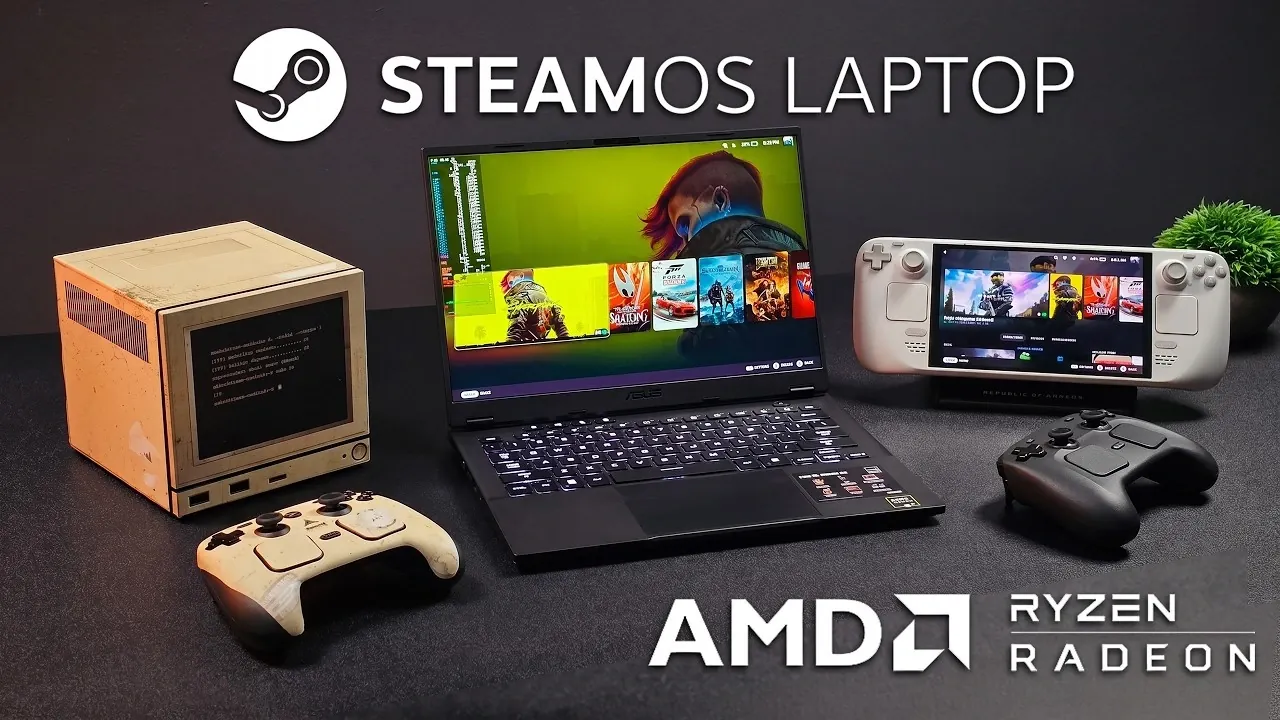
Valve has made significant strides in gaming hardware with devices like the Steam Deck and Steam Machine, but as ETA Prime explores, the concept of a dedicated SteamOS gaming laptop remains largely uncharted. Using the ASUS TUF Gaming A14 as a test case, ETA Prime evaluates its AMD Ryzen AI Max CPU and Radeon 8060S iGPU to assess the feasibility of such a device. The analysis provide more insights into SteamOS’s compatibility with core functions like Wi-Fi and Bluetooth, while also addressing challenges such as battery life and power management.
Discover how SteamOS performs on mid-range gaming hardware, with detailed benchmarks for games like Cyberpunk 2077 and Spider-Man 2. Gain insight into the trade-offs between gaming performance and energy efficiency and understand how the system fares in handling non-gaming tasks. This feature offers a focused look at the practicalities of running SteamOS on a laptop platform.
What Makes SteamOS Stand Out?
TL;DR Key Takeaways :
- Valve has established itself as a leader in gaming hardware with products like the Steam Deck and Steam Machine, but a dedicated SteamOS-powered gaming laptop is notably absent from its lineup.
- SteamOS, Valve’s Linux-based operating system, is optimized for gaming with features like Proton compatibility and a streamlined interface, making it a potential alternative to Windows for gamers.
- Testing SteamOS on the ASUS TUF Gaming A14 demonstrated its adaptability and solid gaming performance on mid-range hardware, but highlighted challenges like power management and battery optimization.
- SteamOS offers desktop functionality and a user-friendly interface, but its limited software compatibility and lack of advanced performance tools remain drawbacks compared to Windows.
- Key challenges for a SteamOS gaming laptop include hardware availability, driver performance, battery efficiency and software ecosystem limitations, which need to be addressed for broader adoption.
SteamOS, Valve’s Linux-based operating system, is the backbone of its gaming ecosystem. Designed specifically for gaming, it powers the Steam Deck and was a central component of the Steam Machine, which aimed to bring PC gaming into the living room. The upcoming Steam Frame VR headset is expected to further expand SteamOS’s capabilities, particularly in virtual reality. A gaming laptop running SteamOS could fill a critical niche, offering a middle ground between the portability of handheld devices and the power of desktop gaming rigs.
What sets SteamOS apart is its focus on gaming optimization. It provides a streamlined interface tailored for gamers, supports a wide range of titles through Steam’s Proton compatibility layer and benefits from the open source nature of Linux. By using these strengths, a SteamOS gaming laptop could provide a unique experience for gamers seeking an alternative to Windows-based systems.
Testing SteamOS on the ASUS TUF Gaming A14
To evaluate the feasibility of a SteamOS gaming laptop, the ASUS TUF Gaming A14 was selected as a test platform. This laptop features an AMD Ryzen AI Max CPU and a Radeon 8060S integrated GPU (iGPU), making it a suitable candidate for testing SteamOS’s capabilities. Installing SteamOS on the device was relatively straightforward, thanks to its compatibility with Linux-based systems. Core hardware components, including Wi-Fi, Bluetooth and USB ports, functioned without issue, highlighting the operating system’s adaptability.
However, the testing process revealed some challenges. Configuring advanced power management tools proved to be more complex than on Windows and optimizing battery life remained a significant hurdle. These issues underscore the areas where SteamOS still lags behind its competitors, particularly in terms of user-friendly power management and energy efficiency.

Gain further expertise in SteamOS by checking out these recommendations.
Performance Benchmarks: Gaming on SteamOS
The ASUS TUF Gaming A14 running SteamOS was tested with several popular games, including Forza Horizon 6, Cyberpunk 2077, and Spider-Man 2. The Radeon 8060S iGPU delivered respectable performance, maintaining stable frame rates at medium settings for most titles. This demonstrates that SteamOS can provide a solid gaming experience on mid-range hardware.
However, graphically demanding games pushed the integrated GPU to its limits, revealing its inability to compete with dedicated GPUs. Additionally, power consumption during gaming sessions was notably high, significantly impacting battery life. This raises questions about the practicality of extended portable gaming on SteamOS, particularly for users who prioritize mobility.
Beyond Gaming: Usability and Desktop Features
SteamOS is not solely a gaming platform; it also offers desktop functionality that broadens its appeal. The Discover app store simplifies the installation of productivity tools and other software, making it a versatile operating system for general-purpose use. For users familiar with Windows, macOS, or Linux, transitioning to SteamOS is relatively smooth, thanks to its intuitive interface and support for a wide range of applications.
Despite these strengths, SteamOS has limitations. Software compatibility is more restricted compared to Windows and the lack of official tools for fine-tuning performance and power consumption can be a drawback for advanced users. These gaps highlight the need for further development to make SteamOS a more comprehensive solution for both gaming and everyday computing.
Key Challenges for a SteamOS Gaming Laptop
While the concept of a SteamOS gaming laptop is promising, several challenges must be addressed to make it a viable option:
- Hardware Availability: The market for laptops with AMD CPUs and dedicated GPUs is limited, restricting options for high-performance gaming devices.
- Driver Performance: SteamOS relies on open source drivers, which can result in inconsistent performance for certain games compared to proprietary drivers on Windows.
- Battery Optimization: Power management remains a significant challenge for SteamOS, particularly during resource-intensive gaming sessions, making it less efficient than Windows-based systems.
- Software Ecosystem: While SteamOS supports a wide range of games through Proton, some titles and productivity tools are still incompatible, limiting its appeal for users seeking a versatile platform.
These challenges highlight the areas where Valve and the broader Linux gaming community need to focus their efforts to make SteamOS a competitive alternative for gaming laptops.
The Potential of a SteamOS Gaming Laptop
A Valve-designed SteamOS gaming laptop could combine the portability of a laptop with the gaming-focused features of the Steam Deck, creating a compelling alternative to traditional gaming laptops. Such a device could appeal to gamers who value open source software, customization and a streamlined gaming experience. However, the flexibility of installing SteamOS on existing hardware may reduce the demand for a dedicated device, as enthusiasts can already experiment with the operating system on compatible laptops like the ASUS TUF Gaming A14.
For now, the concept of a SteamOS gaming laptop remains an intriguing possibility. Whether Valve decides to develop such a device or continues to refine its existing hardware lineup, SteamOS has the potential to play a significant role in the future of gaming. By addressing its current limitations and building on its strengths, Valve could position SteamOS as a viable alternative to Windows for gamers seeking flexibility, performance and innovation.
Media Credit: ETA PRIME
Filed Under: Gaming News, Guides, Laptops
Disclosure: Some of our articles include affiliate links. If you buy something through one of these links, Geeky Gadgets may earn an affiliate commission. Learn about our Disclosure Policy.
Credit: Source link