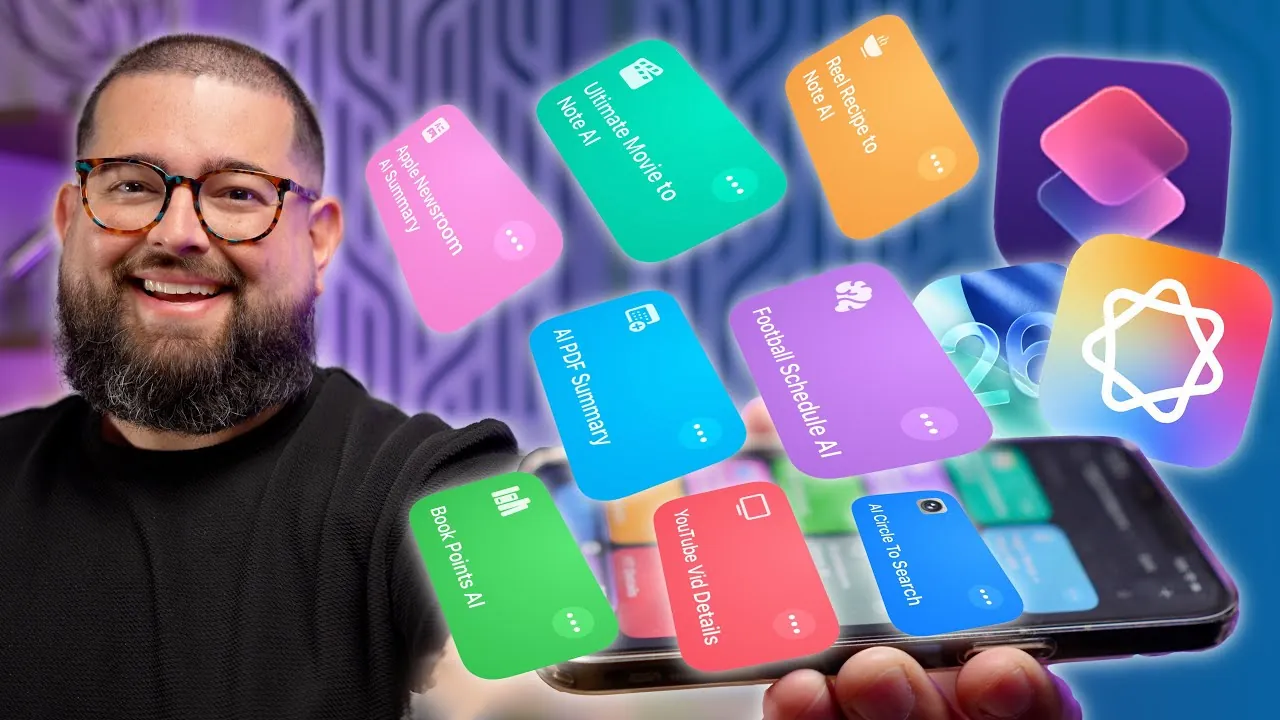
Apple’s iOS 26 introduces a sophisticated suite of shortcuts powered by Apple Intelligence, combining on-device and cloud-based machine learning to deliver a seamless and efficient user experience. These tools are designed to enhance productivity, automate repetitive tasks, and simplify everyday workflows. Whether you’re summarizing content, analyzing images, or working offline, these shortcuts demonstrate the practical potential of AI in improving daily activities. Unlike other AI tools such as ChatGPT, Apple Intelligence stands out with its faster processing, enhanced reliability, and extensive customization options. The video below from Stephen Robles gives us a look at these awesome Shortcuts in iOS 26.

Key Features of iOS 26 Shortcuts
The iOS 26 shortcuts are designed to address a wide range of user needs, offering practical and innovative solutions for various tasks. Below are some of the most impactful features:
- Recipe Extraction: Automatically extract recipes from social media posts and organize them in Apple Notes for quick and easy access.
- Visual Intelligence: Use image recognition to analyze photos, such as book pages or objects, and generate actionable insights.
- RSS Feed Summaries: Summarize articles from RSS feeds with customizable prompts tailored to your preferences.
- PDF Summarization: Extract and summarize content from PDFs using on-device models, making sure offline functionality and protecting your data privacy.
- Book Notes: Capture photos of book pages, summarize key points, and organize them into structured notes for future reference.
- Weather Alerts: Set alarms and receive notifications based on specific weather conditions, such as high temperatures or storms.
- Movie Search: Search for movies, retrieve streaming options, and generate detailed notes with links, posters, and summaries.
- Sports Schedules: Parse team schedules from websites and display upcoming game details in an organized format.
- YouTube Content Creation: Generate optimized titles, descriptions, and tags for YouTube videos using AI-driven models to enhance visibility.
- Daily Podcast Workflow: Summarize articles from RSS feeds to create podcast scripts and notes, streamlining content creation processes.
- Brainstorming Tool: Convert dictated text into summarized notes, highlighting key points for quick and efficient reference.
These features showcase the versatility of iOS 26 shortcuts, offering tools that cater to both personal and professional needs.
Offline Functionality and Customization
One of the standout aspects of Apple Intelligence in iOS 26 is its robust offline functionality. By using on-device machine learning models, tasks such as PDF summarization, recipe extraction, and image recognition can be performed without requiring an internet connection. This ensures faster processing, greater reliability, and enhanced data privacy, making it a practical solution for users who prioritize security and efficiency.
In addition to offline capabilities, the shortcuts are highly customizable. Users can tailor workflows to suit their specific needs, whether it’s adjusting prompts for RSS feed summaries or modifying automation steps for unique tasks. This flexibility enables users to create personalized solutions that align with their goals, allowing them to maximize the potential of these tools.
How Apple Intelligence Compares to Other AI Tools
When compared to other AI tools like ChatGPT, Apple Intelligence offers several distinct advantages. Its on-device models provide faster response times and eliminate the need for constant reliance on cloud services. For instance, tasks such as summarizing a PDF or extracting key points from a book page can be completed entirely offline, making sure uninterrupted functionality even in areas with limited connectivity.
For more complex tasks, Apple Intelligence seamlessly integrates cloud-based models, offering a hybrid approach that balances speed, privacy, and flexibility. This dual capability allows users to choose the most effective method for their specific requirements. By combining the strengths of on-device and cloud-based processing, Apple Intelligence delivers a versatile and reliable toolset that caters to a variety of scenarios.
Boosting Productivity with AI-Driven Shortcuts
The iOS 26 shortcuts are designed to simplify complex tasks and improve efficiency across different user groups, making them valuable for content creators, students, and professionals alike. These tools not only save time but also reduce the cognitive load associated with repetitive tasks, allowing users to focus on more strategic or creative activities.
For example:
- The YouTube content creation shortcut generates optimized titles, descriptions, and tags, saving time and improving the visibility of uploaded videos.
- The podcast workflow automation tool transforms RSS feed summaries into ready-to-use scripts, streamlining the production process for podcasters.
- The recipe extraction and book note features help organize information, making it easier to access and use later for personal or professional purposes.
By automating these tasks, users can achieve greater productivity and focus on activities that require critical thinking or creativity. The shortcuts are designed to integrate seamlessly into daily routines, offering practical solutions that enhance both efficiency and convenience.
Transforming Everyday Tasks with iOS 26
The iOS 26 Apple Intelligence shortcuts represent a significant step forward in AI-driven automation. From recipe extraction and PDF summarization to weather alerts and YouTube content optimization, these tools demonstrate the practical applications of machine learning in everyday life. With their robust offline functionality, faster processing, and customizable workflows, these shortcuts set a new standard for AI-powered productivity tools.
Whether you’re organizing notes, creating content, or staying informed, the iOS 26 shortcuts provide practical, user-friendly solutions tailored to your needs. By combining advanced technology with intuitive design, Apple Intelligence enables users to work smarter, not harder, in an increasingly fast-paced world.
Expand your understanding of iOS 26 with additional resources from our extensive library of articles.
Source & Image Credit: Stephen Robles
Filed Under: Apple, Apple iPhone, Guides, Top News
Latest Geeky Gadgets Deals
Disclosure: Some of our articles include affiliate links. If you buy something through one of these links, Geeky Gadgets may earn an affiliate commission. Learn about our Disclosure Policy.
Credit: Source link