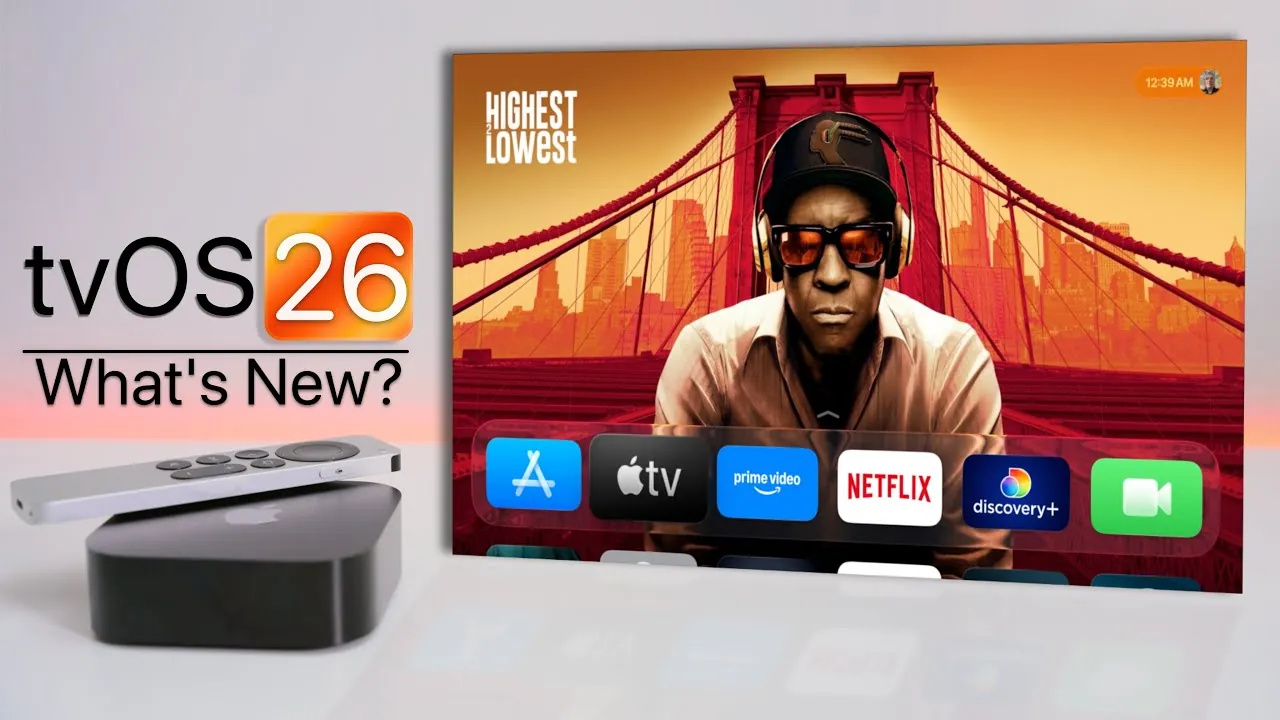
Apple has officially launched tvOS 26, a significant update for Apple TV 4K (2nd and 3rd generation) and Apple TV HD. This latest release introduces a host of features aimed at enhancing your viewing experience, improving functionality, and deepening integration within Apple’s ecosystem. Whether you’re streaming your favorite shows, customizing user profiles, or exploring new tools, tvOS 26 is designed to deliver a more seamless and personalized entertainment experience. The video below from Zollotech gives us a look at the new tvOS 26.

Key Highlights of tvOS 26
tvOS 26 brings a range of updates that enhance both the visual appeal and usability of Apple TV. These updates include:
- A sleek “liquid glass” interface for a polished and modern look.
- Enhanced profile management for a more personalized experience.
- Dynamic screen savers featuring global and regional visuals.
- Improved audio and video features, including AirPlay speaker integration.
- Upgraded FaceTime functionality with expanded accessibility options.
- Streamlined login for third-party apps using Apple credentials.
Each of these features has been carefully designed to elevate your Apple TV experience. Let’s explore them in greater detail.
Refreshed Design: The Liquid Glass Interface
tvOS 26 introduces a visually striking “liquid glass” design that redefines the interface of Apple TV. This polished and fluid aesthetic aligns with the design language of iOS 26, creating a unified experience across Apple devices. The updated TV app now features larger content posters and subtle liquid glass effects, making it easier to discover new shows and movies. The interface is not only visually appealing but also intuitive, making sure that navigation feels effortless and engaging.
Why it matters: The liquid glass design enhances usability while delivering a modern and cohesive look that integrates seamlessly with other Apple products.
Personalized Profiles for a Tailored Experience
With tvOS 26, managing user profiles becomes more intuitive and efficient. You can now set a default profile or select one when waking the device, making sure that your Apple TV is always customized to your preferences. Personalized profiles provide tailored recommendations, quick access to your favorite content, and individualized settings, making the experience feel uniquely yours.
Key benefits: This feature eliminates unnecessary steps, streamlines access to content, and ensures that every user enjoys a personalized entertainment experience.
Dynamic Screen Savers: A Visual Treat
Screen savers in tvOS 26 receive a significant upgrade, offering a diverse selection of stunning visuals. From breathtaking cityscapes and serene natural landscapes to underwater scenes and vibrant locations in India, such as Goa and Kerala, these screen savers transform idle moments into a visual delight. You can now customize your screen saver preferences, selecting themes that resonate with your style.
What’s new: The ability to personalize screen savers adds an extra layer of customization, making sure that even downtime on your Apple TV is visually engaging.
Enhanced Audio and Video Features
tvOS 26 takes your entertainment experience to the next level with improved audio and video capabilities. You can now set AirPlay speakers, such as HomePods, as the default audio output, delivering consistent and high-quality sound. Apple Music Sing also sees enhancements, including the ability to use your iPhone as a microphone, live lyric translations, and Continuity Camera support. These updates make karaoke sessions more interactive and enjoyable for everyone.
Why it’s important: The integration of advanced audio features ensures a richer and more immersive entertainment experience, whether you’re watching movies or hosting karaoke nights.
FaceTime: Redesigned and More Accessible
FaceTime on Apple TV has been revamped with a sleek design that incorporates liquid glass elements, making sure a cohesive look across the platform. Accessibility improvements take center stage, with live captions now available in multiple languages, including French, German, Japanese, Korean, Mandarin, and Spanish. Notifications for FaceTime audio and phone calls are tied to active profiles, and you can answer calls using connected devices like HomePods.
Notable enhancements: These updates make FaceTime more inclusive and convenient, allowing you to stay connected with friends and family effortlessly.
Streamlined Third-Party App Login
Logging into third-party apps has never been easier. With tvOS 26, you can use your Apple account credentials to authenticate, eliminating the need to manage multiple usernames and passwords. This streamlined login process saves time and ensures secure access to your favorite apps.
Practical benefits: Simplified authentication enhances convenience while maintaining the high security standards Apple users expect.
Why tvOS 26 Matters
tvOS 26 represents a comprehensive upgrade to the Apple TV experience, combining aesthetic improvements with practical enhancements. The liquid glass design introduces a modern and polished interface, while personalized profiles and dynamic screen savers cater to individual preferences. Enhanced audio and video features, along with upgraded FaceTime functionality, make entertainment and communication more engaging. Additionally, the simplified login process underscores Apple’s commitment to user convenience and security.
Whether you’re exploring new content, hosting karaoke nights, or staying connected through FaceTime, tvOS 26 ensures that your Apple TV remains an essential part of your entertainment ecosystem. This update not only enhances usability but also reinforces Apple’s dedication to delivering a seamless and personalized user experience.
Gain further expertise in tvOS 26 by checking out these recommendations.
Source & Image Credit: zollotech
Filed Under: Apple, Guides
Latest Geeky Gadgets Deals
Disclosure: Some of our articles include affiliate links. If you buy something through one of these links, Geeky Gadgets may earn an affiliate commission. Learn about our Disclosure Policy.
Credit: Source link