
What if your command-line interface could think, adapt, and respond like a true coding partner? With the latest Gemini CLI update, this vision is no longer a distant dream. Packed with new features like real-time context retention and pseudo-terminal functionality, Gemini CLI version 0.9 redefines what it means to work interactively in an AI-powered development environment. Forget the clunky, fragmented workflows of the past, this update promises a seamless, unified experience that not only simplifies complex tasks but also boosts productivity in ways that rival even the most advanced tools on the market. In fact, it’s already being hailed as a stronger alternative to Claude Code, setting a new benchmark for developer-focused AI tools.
In this feature, World of AI explains how Gemini CLI’s enhanced interactivity, colorful terminal outputs, and streamlined workflows are transforming the way developers approach coding and command execution. From executing intricate Git operations to debugging in real-time without losing session context, this update is packed with innovations designed to make your work faster, smarter, and more intuitive. But there’s more to this story than just efficiency, Gemini CLI is also a platform for customization and creativity, offering tools like OpenTelemetry integration and extension support to tailor your environment to your unique needs. Could this be the future of AI-driven development? Let’s unpack the possibilities.
Gemini CLI 0.9 Update Highlights
TL;DR Key Takeaways :
- The Gemini CLI 0.9 update introduces advanced interactive commands, pseudo-terminal functionality, and real-time context retention, enhancing productivity and streamlining workflows for developers.
- Improved interactivity includes support for complex commands, colorful terminal outputs, and seamless integration of tools like Git and Vim, reducing workflow interruptions and boosting efficiency.
- Pseudo-terminal support replicates native terminal behavior, allowing uninterrupted command execution and real-time terminal state serialization for debugging and live adjustments.
- New features like the memory file listing command and OpenTelemetry integration simplify file management, monitor performance, and optimize workflows, while expanded extension support allows for greater customization.
- Future updates, including the Gemini 3.0 release, aim to refine usability and functionality, positioning Gemini CLI as a leading tool in AI-driven coding environments.
Enhanced Interactivity for Seamless Workflows
One of the standout features in this release is the improved support for complex interactive commands. Tasks such as Git rebase operations, system monitoring, or using editors like Vim can now be executed directly within the Gemini CLI. This two-way interaction allows you to input commands and receive immediate feedback, eliminating the need to switch between tools and reducing workflow interruptions. By consolidating these tasks into a single environment, the update significantly enhances productivity.
The addition of colorful terminal outputs further improves the user experience. These visual enhancements make it easier to interpret information at a glance, whether you’re debugging code, analyzing logs, or managing system processes. The improved readability ensures that critical details are not overlooked, providing a more intuitive and user-friendly interface.
Pseudo-Terminal Functionality: Elevating Command Execution
The inclusion of pseudo-terminal support represents a major advancement for developers working with shell commands. Using the node-pty library, Gemini CLI replicates the behavior of a native terminal, allowing you to execute commands while maintaining full session context. This ensures uninterrupted workflows, even during complex or iterative tasks, and provides a seamless experience for developers handling intricate operations.
Another key enhancement is real-time terminal state serialization, which preserves the state of your session and provides live feedback. This feature is particularly valuable for debugging, live application adjustments, or any task requiring continuous interaction. By maintaining session continuity, developers can focus on problem-solving without the need to repeatedly reconfigure their environment.
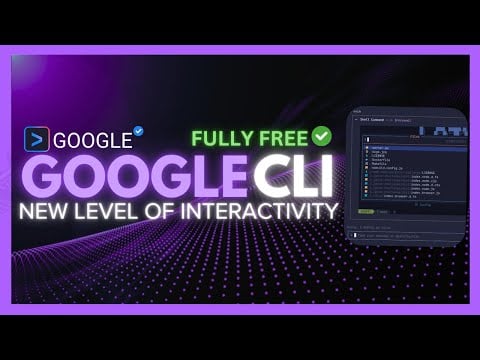
Gemini CLI Update: New Powerful Level of Interactivity
Here is a selection of other guides from our extensive library of content you may find of interest on Gemini AI.
Streamlined Workflows and Usability Enhancements
The Gemini CLI update eliminates the need to toggle between multiple terminals for interactive tasks, offering a unified environment for both coding and command execution. This integration not only boosts productivity but also reduces the cognitive load associated with managing multiple tools simultaneously. Developers can now focus on their work without the distractions of switching contexts.
A notable addition is the memory file listing feature, accessible via the `/memory list` command. This functionality allows you to quickly review and manage in-memory files, simplifying operations that involve temporary data storage. By providing a clear overview of stored files, this feature enhances workflow efficiency and reduces the time spent on manual file management.
Expanded Features and Extension Support
Version 0.9 introduces several new features aimed at improving customization and functionality. The integration of OpenTelemetry provides standardized metrics, allowing developers to monitor performance and identify bottlenecks with greater precision. This addition is particularly useful for optimizing workflows and making sure that applications run smoothly.
The update also simplifies the process of creating extensions, allowing developers to build and deploy custom tools without relying on predefined templates. This flexibility enables users to tailor the CLI to their specific needs, fostering innovation and adaptability.
Additionally, the library of supported extensions has been expanded to include tools like Contact 7 and MCPS, which can be installed and used directly within the terminal. These extensions address specific development needs, further broadening the capabilities of the Gemini CLI and making it a versatile tool for a wide range of use cases.
Looking Ahead: Future Developments
As Gemini CLI progresses toward its version 1.0 release, the development team is already planning for the Gemini 3.0 update. These future iterations aim to refine the tool’s capabilities even further, focusing on user-centric design and continuous improvement. With a commitment to addressing developer needs and staying at the forefront of AI-driven coding environments, Gemini CLI is poised to become an indispensable tool for modern developers.
The ongoing enhancements reflect a dedication to creating a platform that not only meets but exceeds the expectations of its users. By prioritizing usability, functionality, and innovation, Gemini CLI continues to set new standards in the field of developer tools.
Media Credit: WorldofAI
Filed Under: AI, Technology News, Top News
Latest Geeky Gadgets Deals
Disclosure: Some of our articles include affiliate links. If you buy something through one of these links, Geeky Gadgets may earn an affiliate commission. Learn about our Disclosure Policy.
Credit: Source link