
Apple has introduced the second beta of iOS 26.2, showcasing a range of updates designed to enhance both functionality and visual appeal. This release highlights Apple’s ongoing commitment to delivering a seamless and engaging user experience. Key updates include the visually captivating liquid glass animations, improvements to gaming, productivity tools, and CarPlay. These changes aim to refine how users interact with their devices daily. Here’s an in-depth look at the features and their potential impact in a new video from iReviews.
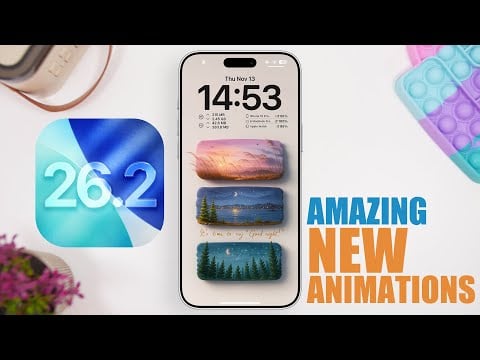
Liquid Glass Animations: A New Visual Standard
One of the standout features in iOS 26.2 Beta 2 is the integration of liquid glass animations. These animations are seamlessly woven into the operating system, appearing in areas such as the Control Center, Notification Center, and various pop-ups. Even the Measure app has been redesigned to incorporate these fluid effects, offering a more polished and dynamic interface.
These animations are not just about aesthetics—they also enhance functionality. Transitions between screens are smoother, making navigation feel more intuitive and responsive. By combining visual sophistication with practical usability, Apple sets a new standard for mobile operating systems, emphasizing the importance of both form and function.
Gaming Gets a Boost
For gaming enthusiasts, iOS 26.2 Beta 2 introduces several significant enhancements aimed at improving the overall gaming experience. A new filtering system allows users to organize their game library by name, size, or category, simplifying the process of finding specific titles. This feature is particularly useful for those with extensive game collections.
Expanded controller support is another highlight, ensuring compatibility with a wider range of devices. This update enhances gameplay by offering more flexibility and a more immersive experience. Additionally, Apple has introduced tools for tracking challenges and scores, catering to both casual players and competitive gamers. These updates reflect Apple’s dedication to making iOS a more robust and versatile platform for gaming.
Reminders App: Focusing on What Matters Most
The Reminders app receives a notable upgrade with the introduction of an urgent reminders feature. Upon opening the app, users are greeted with a splash screen that highlights this new functionality. This feature allows you to set alarms and prioritize tasks that require immediate attention, making sure that critical responsibilities are not overlooked.
By emphasizing urgency, Apple aims to make the Reminders app a more effective tool for managing daily tasks. This update is particularly beneficial for users who rely on their devices to stay organized and productive. Whether it’s a work deadline or a personal commitment, the app now provides a more streamlined way to stay on top of your priorities.
CarPlay: Streamlined Message Management
CarPlay users will appreciate a subtle yet impactful improvement in message management. With iOS 26.2 Beta 2, you can now manage pinned messages directly within the CarPlay interface. This includes the ability to disable pinned messages without needing to access your iPhone, making communication while driving safer and more convenient.
This update underscores Apple’s focus on real-world usability, particularly for those who rely on CarPlay for hands-free navigation and communication. By simplifying message management, Apple enhances the overall driving experience, making sure that users can stay connected without compromising safety.
What to Know About the Beta Release
The iOS 26.2 Beta 2 update varies in size depending on the device, ranging from 1 GB to 8 GB. It is identified by the build number 23C5033H, suggesting that additional beta versions are likely before the final release. Apple appears to be following a weekly beta release schedule, with the official launch anticipated around mid-December 2025.
For those interested in testing the beta, it’s important to note that beta software may contain bugs or incomplete features. Users should proceed with caution and consider installing the beta on a secondary device to avoid potential disruptions to their primary device.
Looking Ahead: A More Refined iOS
The iOS 26.2 Beta 2 release showcases Apple’s dedication to refining its operating system through a balance of innovation and practicality. From the visually stunning liquid glass animations to functional updates in gaming, reminders, and CarPlay, this beta offers a glimpse into the future of iOS. As Apple continues to fine-tune these features, users can look forward to a more cohesive, engaging, and efficient experience when the final version is officially released.
Browse through more resources below from our in-depth content covering more areas on Liquid glass animations.
Source & Image Credit: iReviews
Filed Under: Apple, Apple iPhone, Top News
Latest Geeky Gadgets Deals
Disclosure: Some of our articles include affiliate links. If you buy something through one of these links, Geeky Gadgets may earn an affiliate commission. Learn about our Disclosure Policy.
Credit: Source link