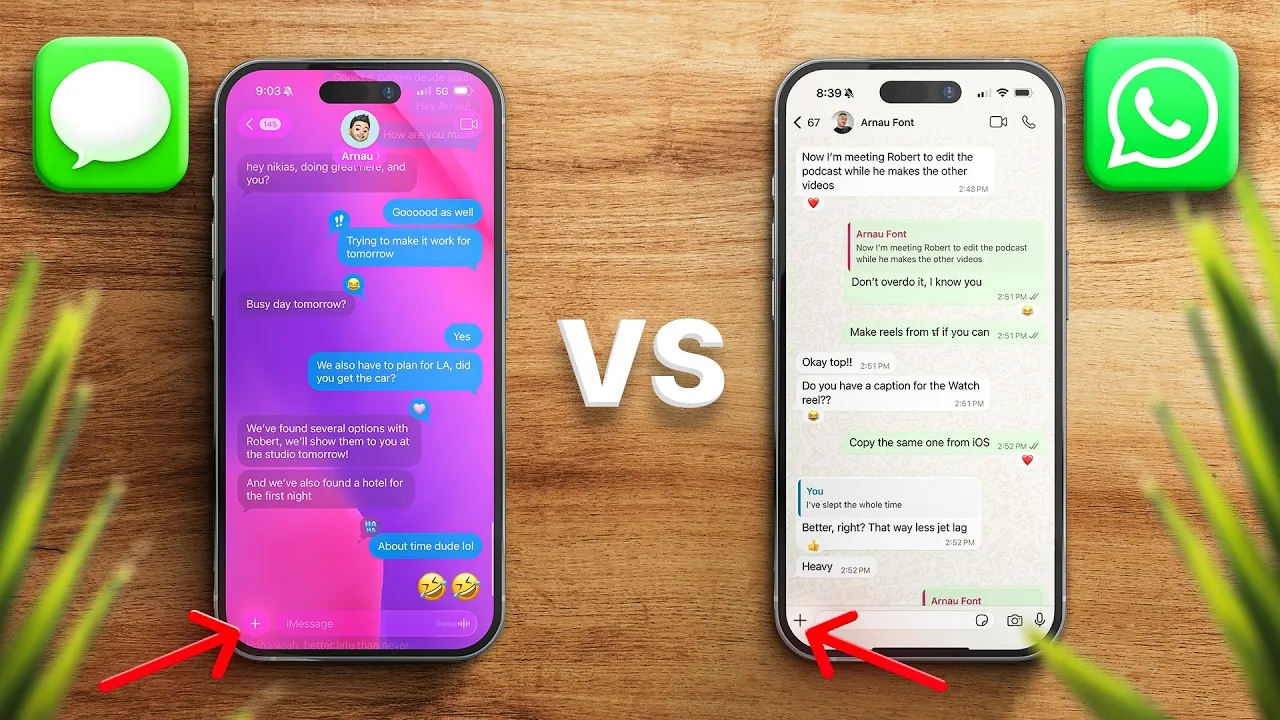
When deciding on a messaging app, two names often dominate the conversation: iMessage and WhatsApp. Both platforms offer a range of powerful features, but their differences cater to distinct user needs and preferences. Whether you prioritize seamless integration within a specific ecosystem or require cross-platform functionality, understanding the strengths and limitations of each app is crucial for making an informed choice. The video below from Nikias Molina compares the two apps side by side,

Compatibility: Apple Ecosystem or Universal Access?
iMessage is built exclusively for Apple users, offering seamless integration across devices like iPhones, iPads, Macs, and even the Apple Vision Pro. This tight integration ensures a smooth and consistent experience for those within the Apple ecosystem. However, it inherently excludes non-Apple users, limiting its reach.
In contrast, WhatsApp is designed for universal compatibility. It supports Android, iOS, Windows, macOS, and even web browsers, making it accessible to a much broader audience. Recent updates have expanded its functionality to include iPads and Apple Watches, further enhancing its appeal for users who rely on multiple devices. For those seeking a messaging app that works across platforms without restrictions, WhatsApp offers a more inclusive solution.
Customization: Tailoring Your Messaging Experience
WhatsApp excels in customization, allowing users to personalize their chats with themes, bubble colors, and even AI-generated wallpapers. These features enable users to create a messaging environment that reflects their personality and preferences. Additionally, WhatsApp’s dynamic sticker ecosystem and easy sticker creation tools add another layer of creativity to conversations.
iMessage, while more minimalist in design, offers some customization options, such as dynamic effects and motion-based wallpapers for specific conversations. However, its features are more limited compared to WhatsApp’s extensive flexibility. For users who value a highly personalized messaging experience, WhatsApp provides significantly more options.
User Identity and Multi-Account Support
iMessage identifies users through their Apple ID or phone number, keeping the process simple and straightforward. This approach works well for those who are already part of the Apple ecosystem but lacks flexibility for users with multiple roles or responsibilities.
WhatsApp, on the other hand, offers multi-account functionality, allowing users to manage personal and professional accounts on the same device. This feature is particularly beneficial for individuals who need to separate work and personal communications without the hassle of switching devices. For users juggling multiple identities, WhatsApp’s multi-account support is a practical advantage.
Group Chats and Communities: Scaling Communication
Group communication is a key area where these apps diverge. iMessage supports group chats with up to 32 participants, which is sufficient for smaller, more intimate groups. Its features are straightforward, focusing on simplicity and ease of use.
WhatsApp, however, is designed to handle larger-scale interactions. It supports group chats with up to 1,024 members and communities with as many as 5,000 participants. Features like polls, creator channels, and advanced admin controls make it an ideal choice for managing large groups or fostering community engagement. For users who require robust tools for large-scale communication, WhatsApp is the superior option.
Media Sharing: Balancing Quality and Capacity
When it comes to media sharing, iMessage prioritizes quality. It allows users to send high-resolution photos and videos, making sure that media is delivered in its original clarity. However, file sizes are capped at 100 MB, which can be limiting for users who need to share larger files.
WhatsApp, while compressing media for faster delivery, has introduced HD photo sharing and supports file transfers up to 2 GB. This makes it a more practical choice for users who frequently share large files, such as documents or high-quality videos. For those who value both capacity and usability, WhatsApp offers a more versatile solution.
Voice Messaging: Enhanced Features for Everyday Use
Voice messaging is another area where WhatsApp shines. It includes advanced features like playback speed adjustments, transcription, and disappearing messages, making voice communication more flexible and user-friendly. These tools are particularly useful for users who rely on voice notes for quick and efficient communication.
iMessage also offers voice note transcription, but the process requires manual saving, which can feel less intuitive. While both platforms support voice messaging, WhatsApp’s additional features provide a more streamlined and convenient experience.
Interactive Features: Stickers, Plugins, and More
For users who enjoy adding a creative touch to their messages, WhatsApp offers a robust sticker ecosystem, easy sticker creation tools, and interactive features like polls for group chats. These tools make conversations more engaging and dynamic.
iMessage, while less expansive in this area, provides an app store for plugins, games, and custom sticker creation with dynamic effects. These features cater to users who are deeply integrated into the Apple ecosystem and prefer a more curated experience. However, for those seeking a wider range of interactive options, WhatsApp remains the more versatile choice.
Social Features: Beyond Basic Messaging
WhatsApp emphasizes social connectivity with features like communities, channels, and a vast library of stickers and GIFs. These tools make it a dynamic platform for fostering interaction and building connections.
iMessage, on the other hand, focuses on Apple-specific features such as Apple Cash for peer-to-peer payments and scheduled messages for better communication management. These features enhance its utility within the Apple ecosystem but may feel restrictive for users seeking broader social tools.
Security: Protecting Your Privacy
Both iMessage and WhatsApp prioritize user privacy with end-to-end encryption, making sure that conversations remain secure and inaccessible to unauthorized parties. While their encryption methods differ slightly, both platforms provide robust protection against data breaches and unauthorized access. For users who value privacy, either app offers a reliable solution.
Choosing the Right Messaging App
The decision between iMessage and WhatsApp ultimately depends on your individual needs and preferences. If you are deeply embedded in the Apple ecosystem, iMessage offers seamless integration, a clean interface, and features tailored to Apple users. However, if you prioritize cross-platform compatibility, advanced customization, and tools for large-scale communication, WhatsApp is the more versatile choice. By understanding the unique strengths of each platform, you can select the app that best aligns with your communication style and priorities.
Check out more relevant guides from our extensive collection on iMessage vs WhatsApp comparison that you might find useful.
Source & Image Credit: Nikias Molina
Filed Under: Apple, Apple iPhone, Guides
Latest Geeky Gadgets Deals
Disclosure: Some of our articles include affiliate links. If you buy something through one of these links, Geeky Gadgets may earn an affiliate commission. Learn about our Disclosure Policy.
Credit: Source link