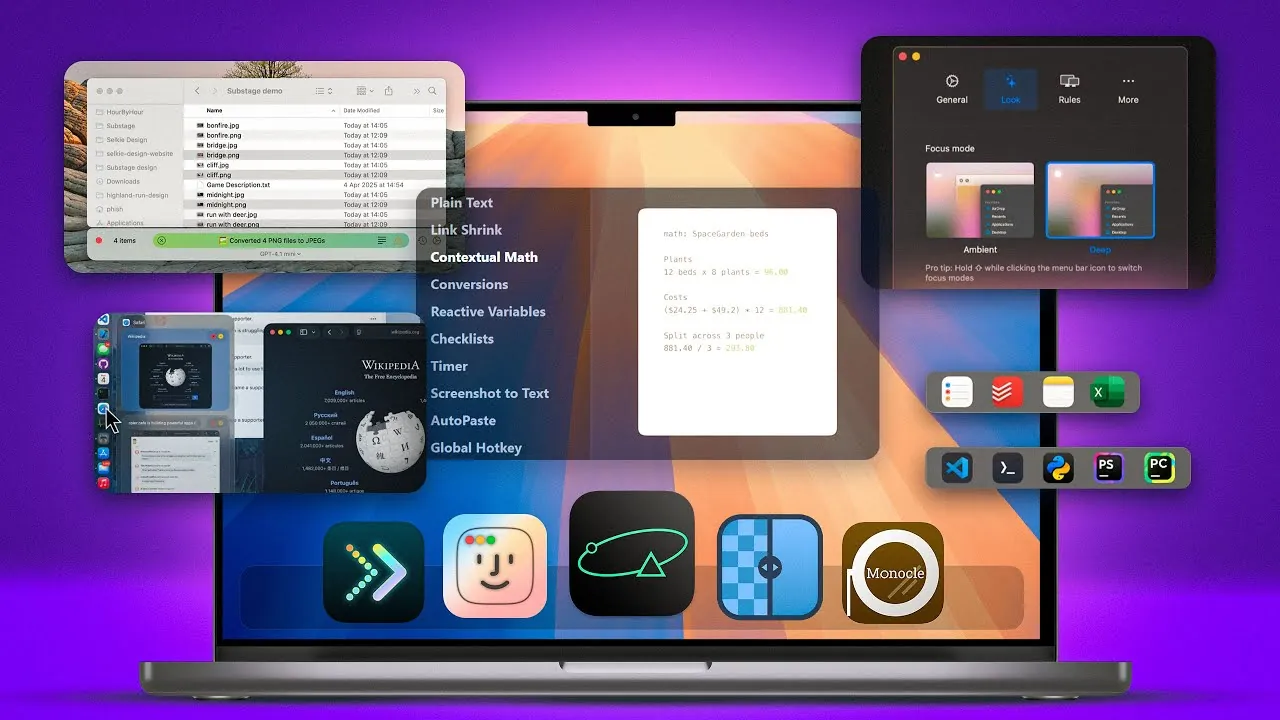
Your Mac is a versatile and powerful device, but the right apps can significantly enhance its functionality. Whether your goal is to improve productivity, streamline file management, minimize distractions, or unlock your creative potential, these 11 applications are tailored to meet your needs. Each app offers unique features designed to optimize your workflow, helping you accomplish more with less effort. Explore how these tools can transform your Mac experience into one that is seamless, efficient, and highly personalized. The video below from Brandon Butch gives us a detailed look at these apps.

Maximize Productivity with Smart Tools
Staying organized and maintaining focus are essential for productivity, and these apps are specifically designed to help you achieve that.
- AntiNote: This advanced sticky note app goes beyond traditional note-taking. It offers features like clipboard auto-paste, text recognition from screenshots, built-in math functions, and a Pomodoro timer. With customizable themes and font sizes, AntiNote adapts to your workflow, making it an indispensable tool for managing tasks and ideas.
- Dock Flow: Simplify multitasking by creating task-specific dock configurations. This app allows you to group apps, folders, and web links into custom presets, allowing you to switch between workflows effortlessly while keeping your desktop clutter-free.
- Sidebar Calendar: Keep your schedule within easy reach with this minimalist calendar app. Positioned discreetly on the edge of your screen, it lets you view events, set reminders, and drag-and-drop tasks seamlessly, making sure you stay on top of your commitments without interrupting your workflow.
Simplify File Management
Efficient file management is critical for staying organized, and these apps make handling files intuitive and hassle-free.
- Substage: This AI-powered Finder extension transforms file management with natural language commands. Whether you need to convert files, resize images, or perform batch operations, Substage simplifies these tasks, saving you time and effort.
- Folder Preview: Preview folder contents without opening them using this secondary Finder window. With sorting options and quick navigation features, Folder Preview streamlines your file browsing experience, making it faster and more efficient.
- Clean My Mac: Keep your system running smoothly with this comprehensive cleanup tool. It identifies and removes unused files from your Mac and cloud storage, making sure optimal performance while safeguarding your data security.
Minimize Distractions and Stay Focused
Distractions can disrupt your workflow, but these apps are designed to help you maintain focus and stay productive.
- Monle: Create a distraction-free workspace by blurring background windows. With customizable blur settings and app-specific rules, Monle ensures that your attention remains on the task at hand, helping you work more efficiently.
- Docky: Accelerate dock animations for quicker access to hidden docks. By adjusting animation speed and delay, Docky reduces navigation time, allowing you to focus on your work without unnecessary interruptions.
Enhance Creativity and Personalization
Unleash your creative potential and make your Mac truly your own with these innovative tools.
- Dock Door: Add Windows-style previews to docked apps, displaying open windows and their titles. This feature allows you to quickly minimize, close, or switch between windows, enhancing multitasking and productivity.
- Umbra: Automate your wallpaper changes based on light or dark mode. With support for custom wallpapers and Unsplash integration, Umbra keeps your desktop visually appealing and aligned with your preferences.
- Upscale: Improve image resolution and quality with this AI-powered tool. Featuring multiple AI models tailored to different image types, Upscale is ideal for photographers, designers, and anyone looking to enhance their visuals effortlessly.
Keep Your Apps Updated Hassle-Free
Managing app updates can be time-consuming, but this app simplifies the process, making sure your software stays current.
- Latest: Keep all your third-party apps up-to-date with this intuitive tool. It displays version details and change logs for installed apps outside the App Store, allowing you to manage updates efficiently without unnecessary hassle.
Unlock the Full Potential of Your Mac
These 11 Mac apps are more than just tools—they are essential companions for anyone looking to optimize their workflow, reduce distractions, and personalize their Mac experience. From managing files with ease to enhancing creativity and productivity, these applications cater to a wide range of needs. By integrating them into your daily routine, you can unlock your Mac’s full potential, achieving greater efficiency and transforming the way you work.
Expand your understanding of Mac productivity apps with additional resources from our extensive library of articles.
Source & Image Credit: Brandon Butch
Filed Under: Apple, Guides, Laptops
Latest Geeky Gadgets Deals
Disclosure: Some of our articles include affiliate links. If you buy something through one of these links, Geeky Gadgets may earn an affiliate commission. Learn about our Disclosure Policy.
Credit: Source link