
If you are searching for an easy way to secure your homeland, network attached storage or similar project. Authentik, an open-source Identity Provider (IDP), offers an easy way to secure your system while providing you with easy access across everything once you login. Perfect for managing authentication across various administrative services within a home lab environment.
You know that keeping everything secure is crucial, but you also want to make sure that accessing your services isn’t a hassle. Authentik serves as a centralized platform for secure login, supporting single sign-on (SSO) and multi-factor authentication (MFA), and integrates with other home lab components like Traefik and Docker. Offering users a powerful tool that can help you manage who gets into your lab and how they do it. Let’s dive into how you can set up Authentik IDP to protect your home lab while keeping things convenient.
Authentik IDP is an open-source Identity Provider that’s designed to make your life easier. It lets you log in to all your services with just one set of credentials. That’s right, no more remembering a dozen passwords! Plus, it adds an extra layer of security by using multi-factor authentication (MFA). This means that to get access, users need to prove who they are in more than one way, making it much harder for unwanted guests to sneak in.
Now, you might be wondering if Authentik will play nice with the tech you’ve already got set up. The good news is, it’s compatible with a bunch of different systems. Whether you’re using Traefik, Docker, or something else, Authentik can likely integrate with it. It supports various authentication protocols, so you’ve got options depending on what you need for your setup.
Setting up and installing Authentik
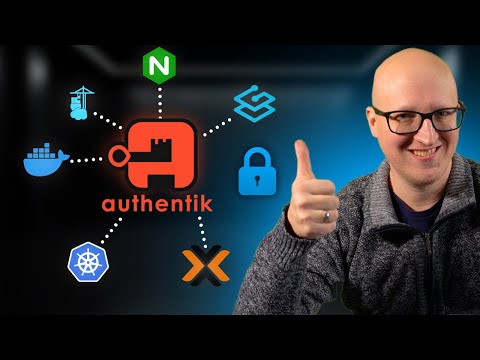
Getting started with Authentik is pretty straightforward. You’ll need to install it on your server. Once that’s done, you can hook it up to the services you’re using, like Proxmox or Portainer. This step is key because it means you can manage who gets into your network and keep everything secure.
Here are some other articles you may find of interest on the subject of network attached storage and homelabs :
But security isn’t just about who can log in; it’s also about keeping an eye on what’s happening in your lab. That’s where Wasa comes in. It’s another open-source platform that you can integrate with Authentik. It helps you analyze security events, set up rules, and check how well your system meets certain security standards. Think of it as a security guard that’s always on duty, making sure everything in your lab is safe and sound.
Now, you might be thinking, “What about those web applications I use that don’t have their own user management?” Authentik has got you covered there too. It has a feature called application proxy that lets you set up a secure way to log in to those apps. So even if the app itself isn’t that secure, Authentik steps in to keep your information safe.
One smart move is to create a new admin user in Authentik and turn on MFA for that account. This is like having a special key that only you have. It means that only people who are supposed to make changes to your lab’s setup can actually do it. And for those web apps we talked about earlier, Authentik’s reverse proxy integration means you can have a secure login page, even if the app doesn’t provide one.
To really get the most out of Authentik, you should spend some time with its documentation. It’s packed with useful information that will help you understand all the ins and outs of the platform. Knowing how it works and what it can do will help you use it to its full potential in your home lab.
By following these steps, you’ll be well on your way to creating a secure and efficient environment for your home lab. Authentik IDP is a powerful ally in managing access to your services, and with a little bit of setup, you can rest easy knowing that your lab is protected. So why not give it a try and see how it can help you keep your home lab safe and sound?
Filed Under: Guides, Top News
Latest Geeky Gadgets Deals
Disclosure: Some of our articles include affiliate links. If you buy something through one of these links, Geeky Gadgets may earn an affiliate commission. Learn about our Disclosure Policy.
Credit: Source link