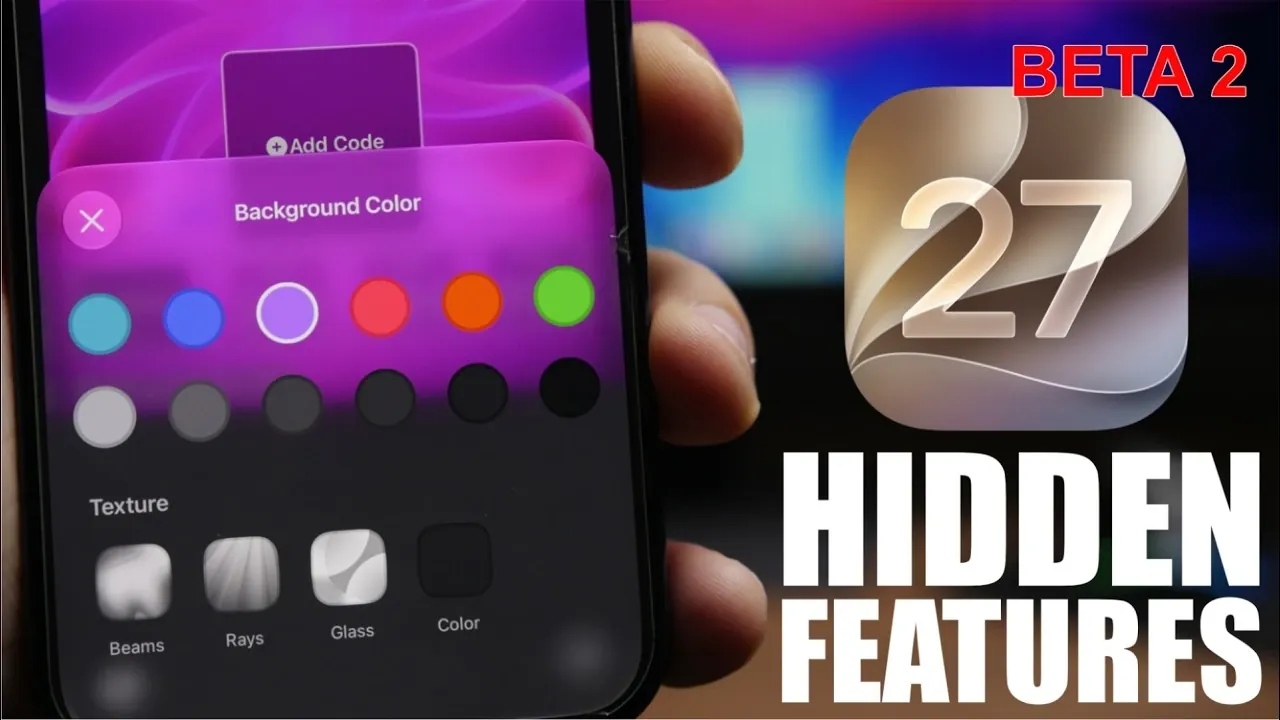
Apple’s iOS 27 Beta 2 introduces a range of updates designed to enhance your device’s performance, usability, and customization options. This release not only resolves bugs and improves system stability but also incorporates subtle yet impactful changes across various apps and system functionalities. Below is a detailed exploration of the most notable updates and hidden features, presented to help you make the most of this new version. The video below from iReviews gives us more details.
Enhanced System Stability and Performance
iOS 27 Beta 2 focuses heavily on delivering a smoother and more reliable user experience. Key improvements include:
- Comprehensive bug fixes that address issues from previous versions, significantly reducing crashes and glitches.
- Optimized battery performance, making sure of longer and more consistent usage throughout the day.
These updates create a foundation for seamless daily operation, allowing your device to handle tasks more efficiently and reliably.
Fresh Customization Options
This update brings exciting new ways to personalize your device:
- Redesigned app icons for iTunes Store, Compass, FaceTime, Translate and Tips, featuring a modern liquid glass aesthetic for a refined look.
- Expanded customization options in the Wallet app, including gradient and texture settings for pass backgrounds, allowing a more personalized digital wallet experience.
These enhancements empower you to tailor your device’s appearance to better reflect your preferences and style.
Smarter Siri Features
Siri receives several upgrades aimed at improving its usability and versatility:
- A redesigned Siri cursor with a subtle, colorized glow enhances visibility and interaction.
- Integration of the “Ask Siri” button across iOS, including within 3D Touch menus, ensures quicker and more convenient access.
- New tools for managing conversations, such as selecting and deleting multiple chats within the Siri app, streamline communication.
- The introduction of “Visual Intelligence” allows Siri to perform image-based searches, expanding its capabilities for more versatile assistance.
These updates make Siri more intuitive and capable of handling a broader range of tasks, from managing conversations to assisting with visual content.
Camera and Visual Intelligence Updates
The Camera app and Siri’s visual capabilities see significant improvements:
- Active camera settings are now highlighted with a ring around toggles, making it easier to identify which options are enabled at a glance.
- Siri’s “Visual Intelligence” feature supports advanced image-based searches, offering smarter ways to interact with visual content.
These changes enhance your photography experience while expanding Siri’s utility in managing and interpreting images.
Improved Lock Screen Media Controls
Media playback on the lock screen is now more intuitive and user-friendly:
- The media player automatically disappears when not in use, reducing visual clutter on the lock screen.
- It reappears seamlessly when playback resumes, making sure quick and easy access to controls when needed.
This feature strikes a balance between maintaining a clean interface and providing functionality when required.
Detailed Wi-Fi Information
The Wi-Fi settings now offer more transparency and useful details:
- The type of Wi-Fi connection (e.g., Wi-Fi 4 802.11) is displayed under the “Limit Address Tracking” option, providing clearer insights into your network connectivity.
This added information helps you make informed decisions about your network usage and performance.
Spending Insights in Wallet
The Wallet app introduces new tools to help you better manage your finances:
- Spending insights, including recurring transactions and account balances, are now available, offering a clearer view of your financial activity.
These features make budgeting and financial management more convenient, giving you greater control over your spending habits.
RCS Messaging Enhancements
Messaging sees improvements with enhanced support for Rich Communication Services (RCS):
- Inline replies are now supported for RCS messages, making conversations more dynamic and organized.
- Reactions sent from iOS devices display correctly on Android devices, improving cross-platform communication and reducing misunderstandings.
These updates enhance your messaging experience, particularly when interacting with users on different platforms.
Streamlined Shared Notes Organization
Collaboration in the Notes app is now more efficient thanks to a small but impactful update:
- A new icon for shared folders makes it easier to identify and organize shared notes, making sure quick access to important documents.
This change simplifies teamwork and document management, especially when working on shared projects.
Faster Access to Sounds and Haptics
Customizing your device’s sound profile is now quicker and more straightforward:
- Ringtones are listed directly under the volume slider in the Sounds and Haptics settings, reducing the steps needed to personalize your audio preferences.
This adjustment improves accessibility, making it easier to fine-tune your device’s sound settings.
Home App Improvements
The Home app consolidates smart home management with new features:
- A redesigned splash screen highlights key functionalities, such as thermostat and smart plug usage, for easier navigation.
- Apple TV software updates can now be managed directly from the Home app, streamlining the process of keeping your devices up to date.
These updates simplify the control and monitoring of your smart home ecosystem, making it more user-friendly and efficient.
What to Expect Moving Forward
iOS 27 Beta 2 delivers a well-rounded update that emphasizes stability, performance and user-centric features. From redesigned app icons and smarter Siri capabilities to enhanced financial tools and improved messaging, this release refines your overall experience. Whether you’re customizing your device, managing your home, or staying connected, these updates ensure a more intuitive and efficient workflow. As Apple continues to iterate, future betas are likely to build on this solid foundation, introducing even more enhancements to enrich your iOS experience.
Explore further guides and articles from our vast library that you may find relevant to your interests in iOS 27 Beta 2.
Source & Image Credit: iReviews
Filed Under: Apple, Apple iPhone, Guides, Top News
Disclosure: Some of our articles include affiliate links. If you buy something through one of these links, Geeky Gadgets may earn an affiliate commission. Learn about our Disclosure Policy.
Credit: Source link